📚 Elevate Your Reading Game!
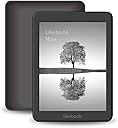
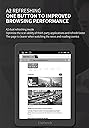
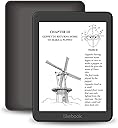
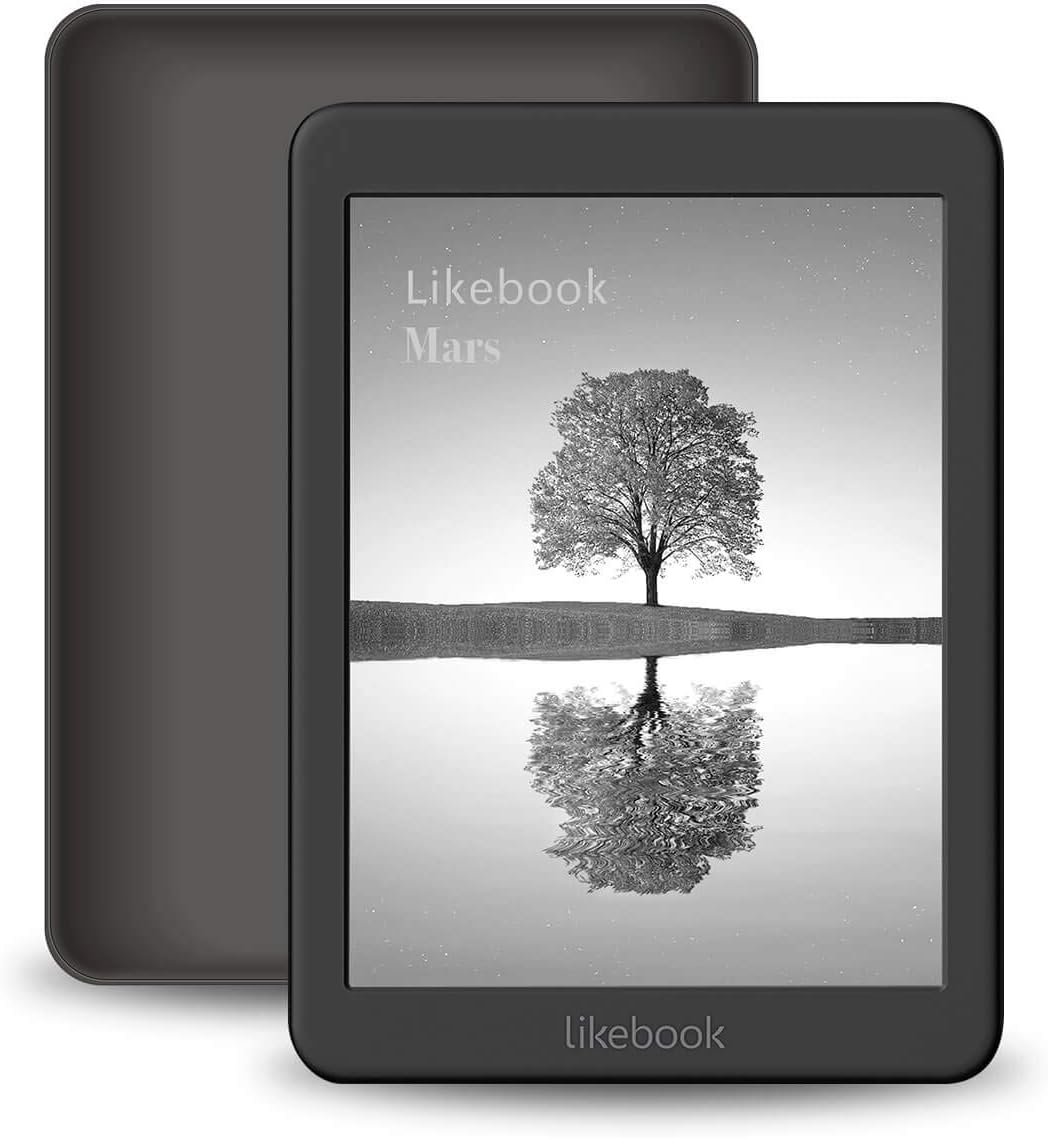
The Mars E-Reader features a stunning 7.8" Carta touchscreen with 300PPI resolution, an 8-core processor for enhanced performance, and adjustable built-in warm/cold light for optimal reading comfort. It supports a wide range of formats and includes built-in Audible for audiobooks, making it the perfect companion for any reading enthusiast.


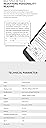
| ASIN | B07KM2BDPP |
| Battery Average Life | 21 Hours |
| Battery Description | Lithium-Ion |
| Bluetooth support? | Yes |
| Brand | Likebook |
| Color | Black |
| Compatible Devices | Likebook Mars |
| Connectivity Technology | Bluetooth |
| Customer Reviews | 3.6 3.6 out of 5 stars (434) |
| Display Technology | Electronic Ink |
| File Format | |
| Human-Interface Input | Touchscreen |
| Item Weight | 0.29 Pounds |
| Manufacturer | Shenzhen Boyue Technology Co.,Ltd |
| Memory Storage Capacity | 16 GB |
| Model Name | Likebook Mars |
| Native Resolution | 1872x1404 |
| Night vision | Yes |
| Screen Size | 7.8 Inches |
| UPC | 646690475140 646690470534 |
| Warranty Description | 1 Year not including Eink Panel |
P**L
Perfect for what I need.
I wanted an e-ink device for reading from multiple sources and this device works well for that. I spend all day working in front of computer monitors and needed the e-ink screen to give my eyes a rest while reading. I chose the mars over the muses because I already have a reMarkable and I didn't need this device for writing. I chose the mars over the boox note because of comparison reviews indicating that the mars screen was much clearer. That is important to me. The mars' screen is super crisp. It's orders of magnitude better than my 1st generation paperwhite and on par with the screen clarity of my nook glowlight. The screen refresh is pretty fast and the larger screen and support for the O'reilly learning app from the google play store makes this a great purchase for me. My only real disappointment so far is probably not due to the device itself: the Nook app won't work because of a 'cannot play video' error. I might have reconsidered getting the muses (because of the pen input capabilities) if I had had hands-on experience with the mars. Occasionally, it seems like the touches do not respond … not sure if it's my fat-fingers missing the mark or if I am missing visual cues that some activity is happening. What I wish they would fix with future software updates: Move the 'blended' light capabilities into the main user interface. The tool available in their app store works, but it's a bit 'glitchy'. Provide a button to switch to landscape mode. You can't read the headlines in the Phys.org app unless the device is in landscape mode. Not the device manufacturer's fault, but having the ability to support landscape mode would help with some apps and websites. Not have to clear notifications in order to adjust the light. Better language localization. Example: "Boot from boot" doesn't make any sense to a native English speaker. We have to guess that that expression implies something like 'Run on start-up', or 'Load on boot'. Overall the localization is great, but there is room for improvement. What I wish they could fix with a future product: Make a device narrow enough to fit in a back-pocket, but still have the 7.8" screen. My kindle paperwhite and nook glowlight fit in my back pocket, but their screen is just too small for me.
J**O
DOA, very disapointed
I bought the likebook mars. It arrived very quickly, I charged it up and installed the update when a notice popped up. So far so good. The update went fine. The device rebooted worked well, checked most of the main functions. Everything was great. An hour later I open the cover but it doesn't start. No problem i think and i hit the power button....nothing. It is totally dead. If i put it on a charger or hold the power button for a length of time nothing. It was a great device for the full 30 to 40 minutes it worked but otherwise is a worthless piece of plastic. Disappointed. I will see what happens when i contact the company and what it takes to replace this device. I hope this is an anomaly, a rare event and the company makes good. I will update once i know more
A**.
Great Android E-Reader - still not waterproof
Pros: It's an e-reader with warm and cool lighting which means it's an ideal device for reading before bed, in the outdoors, and on commutes. Most of the Google Play store is available to you. Personally, that means I can use Instapaper, Scribd, Feedly, and Google Play books seemlessly, betweeen my desktop, my phone, and now my e-reader. Huge plus. 8-Core processor makes it one of the fastest e-readers available. I'm not going to watch videos, but I can use apps like Todoist and OneNote casually (not a productivity tablet, but if something strikes me while I'm reading I don't have to pull out my phone or laptop to make an entry into one of those programs). Cons: Not Waterproof. One of the great pros of e-readers is that their glare-proof screens make them suitable for reading outdoors. But personally, if I want to read outdoors, there's a 50% chance it's going to be close to a body of water. Ideally my e-reader device would be waterproof for these situations. This was likely a measured decision on Boyue's part, but I would jump at the opportunity to buy this tablet in a waterproof form. Calendar Apps are not compatible. Don't have an explanation, it just looks like it's missing the android calendar settings making all of the calendar apps from the Google Play store inert. As other commenters have indicated, I have ran into Chinese characters despite having opted for English as the default language. Specifically, there's a native application that allows you to blend the cool and warm lighting settings to your preference. Despite the description of the application having been written in English, the installed app is totally Chinese. It's a very simple app, so it hasn't at all affected my ability to navigate the device or do what I need to do, it just strikes me as somewhat unprofessional - you won't find misses like this on a Kindle, Kobo, or Nook.
G**N
Bought this as an upgrade from my Likebook plus as I have a huge collection of eComic books and wanted the additional storage, as being graphic intensive the files are much larger than eBooks and the extra processing power helps speed up the rendering. The Mars does not render colours in black and white the same as the plus. I use "Comicat" and some menu screens which are visible on the Likebook plus show as plain white on the Mars! Fortunately having both I have managed to configure it for the Mars by "Guess and by God." The Mars is definitely faster and more responsive than the Plus but not fast enough for the fancy page turning effects offered by some eReaders. Also the colour render problem as above. I suppose it doesn't matter how fast the processor is, it's the refresh rate of the screen which ultimately matters. Having said that there isn't a lot wrong with the onboard reader app except it's inability to handle nested libraries. I find it easier to use the file manager to find the book or comic I want and launch it from there. Only one font provided but it's easy to add l more. Just create a folder in the root directory called "fonts" (using PC) then download the fonts you want from the many free sites and put them in there and they automatically appear thereafter. TTF and OTF fonts work OK. Home screen is horrible. Pointless words of wisdom and a useless graph neither of which can be removed unless you go to the trouble of using a 3rd party launcher. No Google play store until you enable "Net framework" in android settings (why couldn't they do it?). I managed to get a free cover with mine by using the "promotion" offer. The qualifying purchase turns out to be the Likebook itself! My bottom line would be . It's certainly better than the Likebook plus, but unless you need the expandable storage and the extra processor power the cheaper Likebook plus is perfectly adequate for ordinary eBook reading. Updated Jan 10 2020 Just updated the firmware. DO IT !!! Gone are those useless quotes and readig graph from the home screen along with alsmost everything else! You can now have books currently being read, Books read and recent additions on their own individual screens by using a filter option to decide what to display instead of everything being crammed onto the same screen. Library view now reflects the nested folder structure of my library as stored on my PC instead of having to use a file manager. Alternative eReader Zreader which scrolls vertically as well as normal page turning. (the original is still there as default). Text to speech. Google TTS engine option doesn't appear to need an internet connection. Only one female American voice but great for occasional use if like me you can't comfrtably read in bed but might want to finish a chapter before you nod off. Supports variable speed as well as volume and a timer. NB when I first tried it I got a message in Chinese. By sheer luck, having used TTS engines before on other devices I switched on internet which was what it appeared to be asking for as it then worked, but by switching from the default engine to Google TTS ewngine in the settings it worked without a wifi connection. More fonts as standard. 2 new light modes. Bed (reduces Blue ?) and customise (allows you to mix and match the light sources) Battery saver mode I hardly dare say it but could it be that someone at Boyue actually takes note of what user think? as opposed to the suppliers of that other ubiquitous non android eReader. The new firmware is such a vast improvement, and sufficiently different to it's predecessor to warrant an e- manual of it's own which is provided in "user settings" on the "apps" screen A real Pandora's box without the sting in the tale :-)
S**F
E-book readers used to be slow and have a small, fuzzy screen. The screen on my Likebook Mars is large enough to show a whole book page, with clear text. A totally different reading experience. I have become hooked and am reading books all the time. The Mars gets confused at time when I want to change pages, but not as badly as my Energy Sistem E-reader Pro (which is a Boyue clone).
V**S
Llevaba un tiempo buscando una solución para evitar la fatiga visual que produce la lectura en la tablet. Estaba pensando en adquirir uno de los ebooks de 10 pulgadas que ofrecen otras marcas, pero su desorbitado precio me hacía dudar. Este producto ha supuesto una solución perfecta, ya que combina un procesador potente, 2 gb de ram, sistema android y una pantalla de casi 8 pulgadas. Si buscas un aparato que te permita leer archivos pdf sin fatiga visual, con fluidez y sin gastarte más de 500 euros, el Likebook Mars es una gran solución. Sin embargo, el lector de pdf que trae de origen no me gusta nada, y tiene algunas deficiencias de software que pueden ser fácilmente solventables (de hecho, me parece increíble que el fabricante no lo haya hecho, ya que su producto sería redondo): - Tienes que instalar Play Store. Si no, no podrás utilizar algunas aplicaciones muy útiles, como Google Drive. Es muy sencillo. En este vídeo explica cómo hacerlo: https://www.youtube.com/watch?v=uIkQPkNmgSA - Yo instalé acrobat reader. En modo A2 funciona muy fluido. Aunque todavía existe un problema, ya que el dispositivo no tiene giroscopio, ni forma de girar la pantalla manualmente salvo que la aplicación que esté funcionando ofrezca esta posibilidad. Esto hace que para leer algunos textos con letra pequeña, haya que jugar constantemente con el zoom o desplazar la pantalla. - El problema anterior se soluciona con la instalación de una aplicación del estilo de Rotation Control. De todas formas, no funciona de forma óptima, ya que a veces se desconecta al abrir otras aplicaciones, y es un poco tedioso. Si abres directamente los documentos, no suele ocurrir este efecto tan molesto. - Si sólo lees, la batería dura bastante. Si utilizas otras aplicaciones, se agota muy rápido. En definitiva, pese a estos pequeños inconvenientes que tendrían tan fácil solución por parte del fabricante, le doy 5 estrellas por la enorme utilidad que puede ofrecer a quienes leemos mucho en formato pdf, sin necesidad de gastar tanto dinero, y además con pantalla iluminada. La calidad parece bastante buena, y espero que dure mucho tiempo (ya veremos qué resultado da en este sentido). Por otra parte, no esperes que sustituya totalmente a la tablet, porque para muchas funciones resulta mucho menos eficaz. También se le puede instalar Amazon Kindle, aunque no lo he probado, ya que para ese formato tengo mi Paperwhite. En mi opinión, una compra muy recomendable.
M**E
Premetto che questo è il mio primo ereader anche se ne avevo già provato altri, più in voga, di amici e colleghi ed è per questo che prima ho girato parecchi forum per documentarmi un po', per non comprare alla cieca. Alla fine ho optato per questo per l'ottimo schermo ( 7.8 pollici sono eccezionali per leggere libri e fumetti rispetto ai 6 pollici ) e per la possibilità di poterlo implementare con le varie apk scaricabili sia da Google play che dal suo store Boyue. Come impostazioni per la lettura si possono cambiare i caratteri ( si possono scaricare parecchi tipi di font) e si può regolare sia la luminosità sia il calore di questa per una lettura ottimale sia di giorno che di sera. Ha uno slot per microsd e il jack per le cuffie (ma ha anche il bluetooht ed il wifi) per ascoltare gli audiolibri. Direi che è un buon ereader, molto leggero e comodo anche a letto, ed avendo Android ( il mio si è aggiornato con l'8.1) è molto versatile e volendo si possono installare giochi tipo sudoku o altri puzzle (lo schermo è in b/n e non è reattivo come un tablet, ovviamente) e la durata della batteria mi sembra buona se si disattiva il wifi. Ottimo acquisto? Per ora direi proprio di si anche perchè lo schermo e-Ink Carta da 7,8 pollici con una risoluzione di 1782 x 1448 pixel e una densità di 300 PPI è ottimo sia per leggere libri ma anche per leggere fumetti, ovviamente i b/n, senza stancare la vista e tutto in soli 250g di peso.
B**T
*** Update am 2020-05-15: Ich beziehe mich hier weiterhin auf Likebook Mars T80D, jetzt nach dem Firmware Upgrade auf BYRead-V2.3.0-2020031218. Wenn es die Möglichkeit gäbe, 6 Sterne zu vergeben, würde ich es tun. So bleibe ich bei meiner Bewertung von "5 von 5". Nach vielen Jahren Pause lese ich jetzt wieder regelmäßig. Wirklich wunderbar. Der neue bzw. weiterentwickelte ZReader für die EPUBs ist wunderbar - unbedingt aktivieren. Dies habe ich noch dazu entdeckt: * Beim lesen kann man die Seiten auch durch swipe blättern (horizontal und vertikal, wie einem gefällt). Dadurch ist das ganze mit dem Daumen bzw. nur einer Hand steuerbar. * Beim Einsatz mehrerer Wörterbücher für die gleiche Sprache kann man mit einem horizontalen swipe das eventuelle Ergebnis in einem anderen Wörterbuch anschauen (also zusätzlich zum vertikalen swipe, wodurch man das Ergebnis zum Ende lesen kann). *** Update am 2020-02-23: Ich beziehe mich hier weiterhin auf Likebook Mars T80D, jetzt nach dem Firmware Upgrade auf BYRead-V2.2.0-2020012014. Ich ändere hiermit meine Bewertung von "4 von 5" auf "5 von 5". In meinen Augen ist das Gerät jedes Cents des Preises wert. Hier meine Gründe: Das Upgrade selbst (ca. 660MB) wurde schnell und ruckelfrei erledigt (ca. 10 Minuten für herunterladen und 10 Minuten für die Installation selbst). Alle Informationen über die Neuigkeiten waren auf Englisch. Die Steuerung der Bildschirmbeleuchtung ist jetzt ein Traum. Epub reader (kann "block flow") ist brauchbar, wenn man Font spacing ganz drosselt. Es gibt auch einen alternativen Epub reader "modus" - den ZReader - der anscheinend "book flow" kann. Der Benutzer soll nur lange genug mit dem Gerät Spielen, um dies zu entdecken. Hinweis: Auf den "Optionsseiten" weiter scrollen versuchen. Ist allerdings vielleicht noch nicht ganz ausgereift. Konnte in den letzten Tagen (nach dem Upgrade) keine Instabilität des Systems wahrnehmen. Die Benutzeroberfläche für die Steuerung des Systems selbst ist sehr angenehm und übersichtlich geworden. Die meisten Schaltflächen sind leicht erreichbar, groß genug und reagieren zügig. Manche, die klein geblieben sind, muss man mit dem Finger "korrekt" berühren. Hinweis: Leichte Berührung, manchmal aber länger. Die Hardware des Bildschirmes ist sowieso exzellent: Reagiert sehr präzise schon auf die leichteste Berührung. Das Blättern - auch rückwärts - funktioniert gut. Ich kann keine Verzögerung mehr feststellen. Bei der Auswahl der Schriftarten sind die chinesischen von den anderen klar getrennt. Die Übersetzung (ich benutze Englisch) ist besser, hat aber noch immer einige falsche/nicht passende Details, was aber nicht unerträglich ist. In EPUB- und PDF-Readern kann man wählen, ob die obere und/oder untere Statuszeile sichtbar sein sollen. Habe Likebook Mars bis jetzt mit ReLaunchX und Cool Reader Apps verwendet. Aus meiner Sicht ist mit der aktuellen Firmware das überflüssig geworden. Überhaupt wundere ich mich schon, wieso Likebook Mars nicht bekannter ist. Allerdings, wie dem bei manchen Geräten der Fall ist (z.B. bei Garmin-Navis), soll man zuerst eine Zeitlang lernen/spielen, um dann beim Benutzen große Freude zu haben. *** 2019-09-04: Likebook Mars T80D (BYRead-V1.1.1-2019080601) has the potential to redefine the e-reader market, but only if the producer soon manages to get some problems under control. It is a joy to read from its excellent E-Carta HD 7.8" screen (especially PDF in a landscape mode) and to be independent of specific reader producers, book publishers and book/app repositories (F-Droid client/repository works great, after being installed). I will not mention very nice and good features here. Stay assured that there are many! 4 out of 5 stars after using it for a week. This will go up or down in the future, depending on the upcoming updates/changes. Users: Take a day or two to learn things, to adapt the device and to adapt yourself. Support: The following points (listed in decreasing order of importance, i.e. most important first) should be improved ASAP. This is a "constructive criticism" with good intentions. Epub reader: In your block flow (currently the only text flow mode available), it is not acceptable to insert blanks at all possible places! Blanks may be inserted only where a blank already exists. System stability: For unknown reasons all predefined apps become not startable from time to time. At these occasions the user installed apps are never affected. An eject/insert of microSD and/or restart help most of the time. All readers/system: Especially the "previous page" function is often not responsive enough (although the touch screen is working perfectly). Try to improve background processing/cashing, so that delays are avoided as much as possible. Also, the main menu (Home/Books/Apps) should be more responsive too. Fonts: There are three preinstalled fonts. Translate the names of the two which currently have only Chinese names (so that users know that Times/Serif font is already there and does not need to be additionally installed). Epub reader: Additionally implement a "book flow", i.e. do not enforce the current block flow, but let the user decide. Update/new features list: At the top of the update text insert a line saying: "Scroll to read English version." (so that users know that Chinese version can be skipped simply by scrolling). Translations: For all languages (but probably especially for English and German) engage native speakers (with IT background) as translators. Book readers are sensitive to bad translation mistakes and there are quite a few of them. Browser: Your home page in Chinese is a very unpleasant experience for persons who do not master Chinese. Provide a special HP for the Likebook series and take in it the currently selected language into account (and enable HP language selection too). Browser: Is there really only a search bar and no address bar, or I was not able to find it? The address bar is needed very much! Search engines: Only three of them to select from? Predefine more of them and make user definitions possible too. Consider the privacy conscious ones like metager.org PDF reader: Implement optional status line, the way it exists in epub reader.
ترست بايلوت
منذ شهرين
منذ أسبوعين