We remain fully operational. Our teams are working around the clock to ensure your deliveries continue safely.

قم بتنزيل التطبيق


معلومات عنا
حقوق الطبع والنشر © 2024 Desertcart Holdings Limited
قم بتنزيل التطبيق
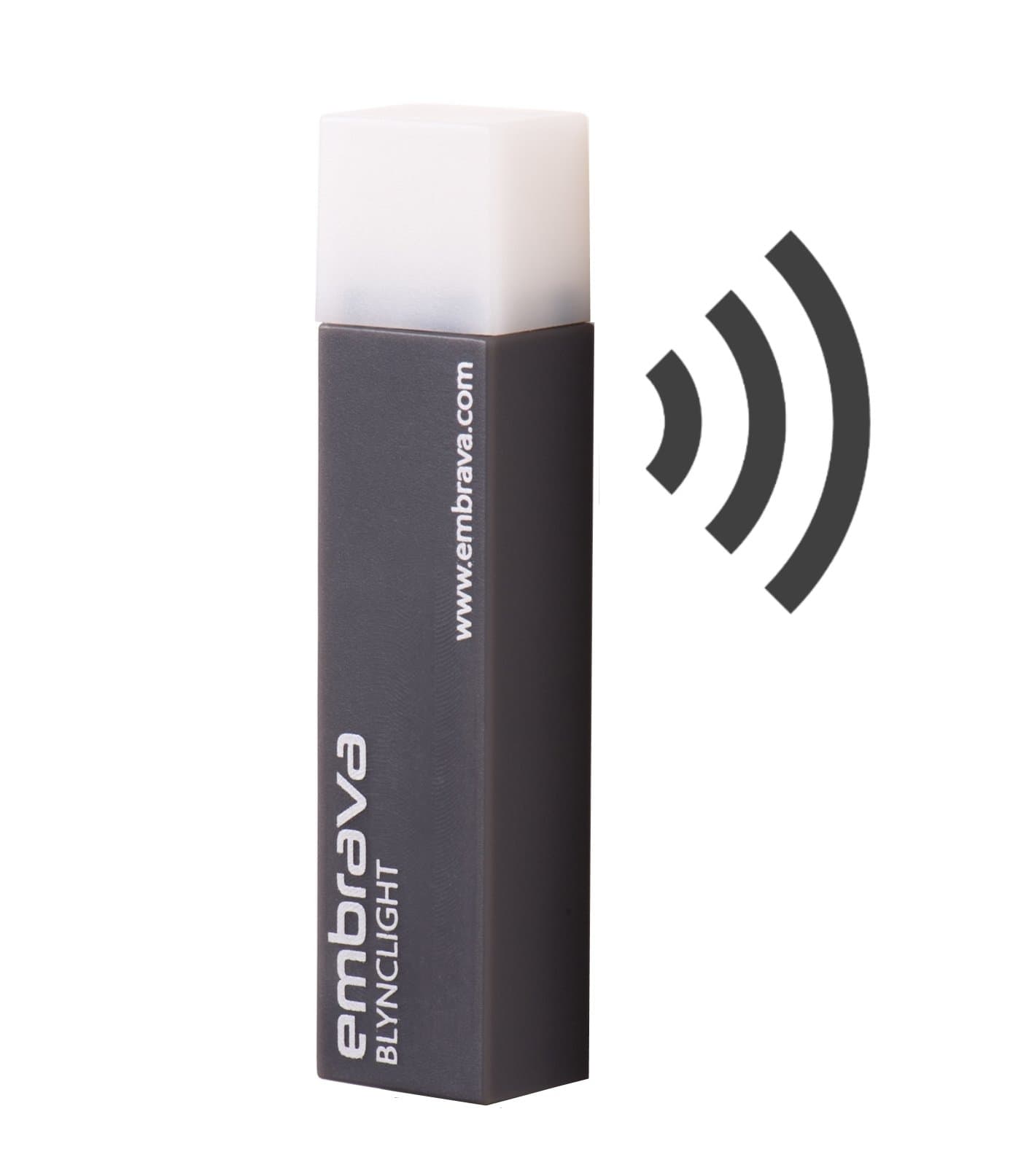




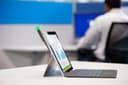
💼 Light up your productivity, not your distractions!
The Embrava Blynclight Mini is a compact, versatile busy light designed to visually communicate your availability in modern office and remote work environments. Compatible with leading communication platforms, it offers customizable LED colors and tones, adjustable brightness and volume, and easy mounting on laptops or monitors. Ideal for professionals seeking to minimize interruptions and maintain seamless workflow.


| ASIN | B01N9FJJAN |
| Best Sellers Rank | #44,483 in Electronics ( See Top 100 in Electronics ) #1,075 in Computer Monitors |
| Customer Reviews | 4.0 4.0 out of 5 stars (140) |
| Date First Available | May 22, 2017 |
| Department | Adults |
| Is Discontinued By Manufacturer | No |
| Item Weight | 2.4 ounces |
| Item model number | BLMINI40 |
| Manufacturer | Embrava |
| Product Dimensions | 3.7 x 2 x 2 inches |
J**S
Life Changing Product!
With the major shift in the world to remote working and tele-commuting, it's been much more difficult to achieve work-life balance. This little color changing light takes the guesswork out of my schedule for my kids. I wish I bought it sooner, as they are now loving knowing if they can enter the office freely, ok to knock if you need something small, or if they can only knock in an emergency. Everyone who works from home needs one of these! I push a longer micro USB cable on it an mounted it just outside my office door. Thrilled with its functionality!
J**.
Good little light for teams status
Nice to provide an indication of my status to coworkers walking by. The size is perfect to stick on the corner of the monitor. The brightness is not obnoxious in the office. Setup is a breeze. My only gripe is the adhesive that comes on the mount isn’t the best but it hasn’t fallen yet. Overall it does the job.
L**E
Works for letting others know you are busy
Works for letting others know you are busy, on a call, or in tele/video conference. Since working from home is the new normal, this is a very efficient method to let others in the house know your status. It connects with you calendar, so is pretty easy once set up. Took a little to get it set up properly and had to get permissions to get drivers installed on work computer, but once set up it is a nice little notification indicator.
N**S
Perfect solution to avoid interruptions in my home office
This Embrava Blynclight does exactly what I was hoping: provides a visual indication automatically when I am on a call or video conference.I recently began working primarily from my home office, with many video and audio conferences, and my family did not know whether or not I was on a call. This light synchs automatically with Skype and with my work phone to show when I’m busy. Alternatively, I can manually activate the colors to signal my them whether or not she can come into the office. The cord is 3 feet long, and I combined it with a 12 foot USB extension that allows me to place the light on the door of my office. My wife is very pleased because it takes the guesswork out.
A**S
Microsoft Teams requires company admin permissions
This seems pretty awesome and exactly what I need to let my kids and wife know that I'm on a call or busy without them opening my office and interrupting my work. For Microsoft Teams, it requests permissions to read your profile and status. So, for it to work, it does require the company exchange/office 365 admin to approve it for use. Bottom line, if you are working for a medium to large company with a security department and not just a "computer guy" you probably will need to go through the hoops of asking for a security policy exception or hope that your call center already uses these. If you are your own admin or boss and can just make it happen, this thing is probably awesome.
K**R
Only works for one service at a time. Software, and whole product, are outdated
Software, and whole product, are simply outdated. Only works for one service at a time! We all have lots of apps going for work, skype, zoom, meet, slack etc. Worse perhaps, it does not work with Slack or Skype or Meet web, only the installed apps. The whole experience is unacceptable in 2022.
D**S
Works with Teams, Zoom, Outlook Meetings
Works great, these are perfect for our office as everyone has dual monitors and you can't see their face most of the time. This will help avoid inturpuptions especially as headsets become smaller and alot harder to see if someone is on a call. Worth it!!!!
G**I
Let's other know
In this work from environment and the kiddos being home it's a nice tool to allow everyone know when you're on a meeting or deep in thought! Set up was easy and it helps keep me from being frustrated and keeps my family from being disgruntled
M**E
Recommended
H**.
Unlike the previous status indicator, which was connected directly to the headset base, this one works exclusively via software. However, you need explicit built-in support for each application (GoToMeeting, WebEx, Slack, Teams, etc.) for this, which is missing for most of them, at least on macOS. The advertised cooperation with Plantronics Hub unfortunately does not work to a meaningful extent - the indicator here can show that a headset is connected, but events like "On Call" or "Incoming Call" are unfortunately not registered by the software. Neither Embrava nor Plantronics support have been able to assist in order to make this work.
S**Y
Easy to install and to configure. It even passed our company security checks for the O365 (Oauth) integration, however I'm using it in client software only (just the status light) with Teams, Zoom and the outlook agenda. It would be great if the software would also recognises that a Teams call ends earlier and you are available again; it drives my co-workers crazy, my lights is always "busy" ;-) Would love to have the ability to have the following physical improvements: 1) Additional holder to slide the status light on (you might travel with it, so 1 for the laptop lid, 1 for the external monitor), or just as spare. 2) Or have the ability to use a magnet to snap it to the laptop lid (very often, the lid have metal corners and easily work with a magnet.
B**O
The light works well, as intended: different colors for different status...when it's working! It looks like it's harder to set up and keep connected with MS Teams than other apps. I installed the software and set up the light at first, which did not work. I tried many ways to get it to connect to Teams to no avail. I had to open a ticket with the helpdesk. They sent me a whole procedure to follow (reinstall the app, disconnect/reconnect light, choose TEAMS option 1 in app, choose TEAMS option 2 in app...) from the look of it, it's not the first time people are having issues with Teams and Embrava. When it finally connected, it worked well. But between my PC going to sleep and getting back on the next morning, the light wouldn't work. I had to start Teams again, and disconnect and reconnect the light via the app. Now, some morning it works with no intervention, some morning I need to restart. A little buggy with MS Teams. From what I can read, it works better with WebEx or Zoom, but I haven't tried that yet. I was testing this light to deploy throughout our office of 40 people, but I'll test it a bit longer before buying more units.
ترست بايلوت
منذ أسبوعين
منذ شهر