Desertcart purchases this item on your behalf and handles shipping, customs, and support to EGYPT.
🔒 Elevate your security game with ultra-clear, smart surveillance that never sleeps.
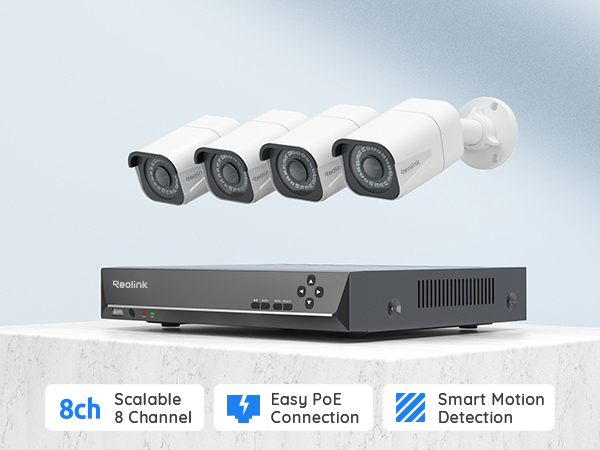
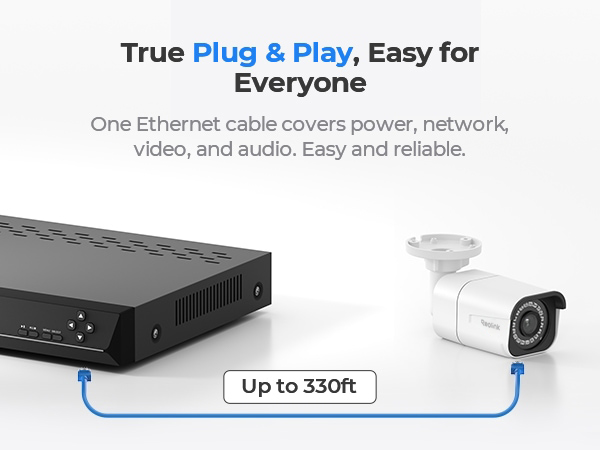
The REOLINK 8CH 8MP/4K Security Bullet Camera System delivers professional-grade 4K Ultra HD video with 8 channels and 4 PoE cameras. Featuring plug-and-play PoE technology, a pre-installed 2TB HDD for continuous 24/7 recording, and advanced AI detection for people, vehicles, and animals, it offers reliable, scalable home or office security. Compatible with multiple Reolink camera models and backed by a 2-year warranty, this system ensures privacy, ease of use, and future expandability.


| ASIN | B07K734ZTW |
| Antenna Type | Internal |
| Best Sellers Rank | #32 in Surveillance DVR Kits |
| Brand | REOLINK |
| Built-In Media | RLN8-410*1, B800*4, NVR Power Adapter*1, HDMI Cable*1, USB Mouse*1, 1m Network Cable*1, 18m Network Cable*4 |
| Camera Description | Front, Rear |
| Color | White |
| Compatible Devices | Cameras, Laptops, Personal Computers, Smartphones, Tablets |
| Connectivity Technology | Wired |
| Customer Reviews | 4.4 out of 5 stars 2,220 Reviews |
| Focal Length Description | fixed, wide-angle |
| Frame Rate | 20fps |
| Hardware Interface | Ethernet, HDMI, USB, VGA, eSATA |
| Item Dimensions | 14.76 x 7.68 x 11.42 inches |
| Item Weight | 6.36 kg |
| Lens Type | Fixed |
| Manufacturer | Reolink Digital |
| Manufacturer Warranty Description | customer service (support@reolink dot com); 30-day money back guarantee; 2 years quality warranty; 2 years quality warranty customer service (support@reolink dot com) |
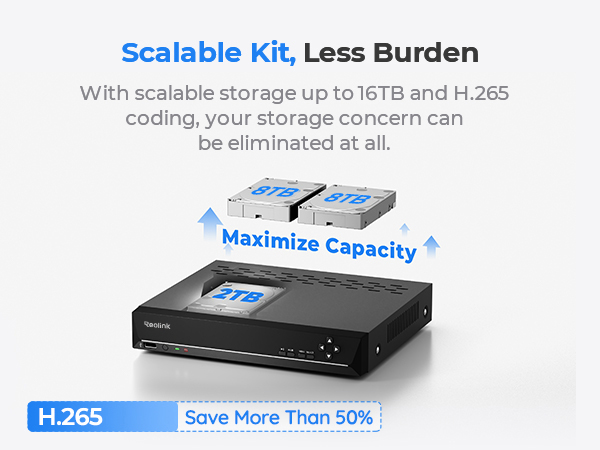
| Memory Storage Capacity | 2 TB |
| Mfr Part Number | 8MP |
| Model Number | RLK8-800B4 |
| Night Vision | Night Vision |
| Night Vision Range | 100 feet |
| Number of Channels | 8 |
| Number of Items | 4 |
| Number of Packs | 1 |
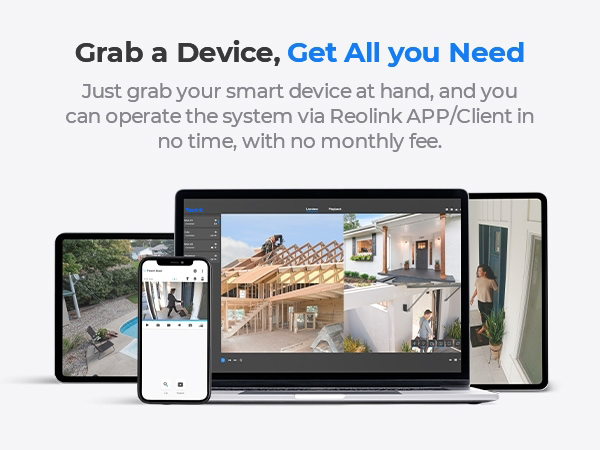
| Operating System | iOS, Android, Windows, Mac OS |
| Optical Sensor Technology | CMOS |
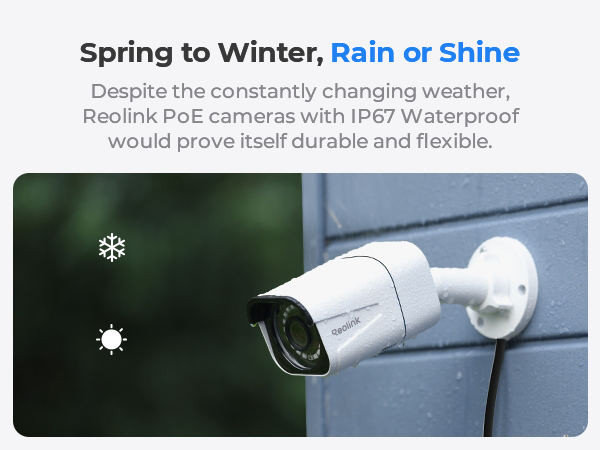
| Other Special Features of the Product | Adjustable, Easy to Install, Motion Sensor, Vehicle Detection, Waterproof |
| Power Source | DC |
| Recording Mode | Continuous Motion Detection Schedule |
| Set Name | set |
| Signal Format | Digital |
| Special Feature | Adjustable, Easy to Install, Motion Sensor, Vehicle Detection , Waterproof |
| Total Usb Ports | 2 |
| UPC | 725423889710 |
| Unit Count | 1 Count |
| Video Capture Resolution | 4K 8MP (2560 × 1920) |
| Video Input | RJ45 |
| Viewing Angle | 87 degrees |
B**.
Intelligent motion detection is unbeatable
I have messed around with battery cameras from all the big brands for a couple years and was always unhappy with them. I finally committed to running POE cables out to four corners of my house and ordered this system. I am glad I did. I never worry about cameras being down, or missing something I would want to have on video. The intelligent motion detection is pretty unbelievable. I have my front door filtered for anytime it recognizes a person and it is spot on. It even recognizes someone in the dimly lit garage across the street from me on occasion. Sorting through motion events is seamless and I always know when someone is approaching my front door. The fidelity of the cameras is high in both daylight and nighttime. They do suffer a problem I have always had with nighttime cameras, which is spider webs. Some spider always manages to run a line across the lens which lights up like a christmas tree and obscures the image. I recently took to spraying the areas around the cameras with insecticide once a month which seems to be working. The one downside of this system is the hard drive it comes with. Do yourself a favor and order a 6TB HDD Seagate Skyhawk Surveillance drive when you purchase this. The included hard drive is laggy and causes the system to lock up on occasion. It makes reviewing/viewing remotely from your phone next to impossible. This is a common complaint in the reviews, but is one I found is not associated with the capability of the system as a whole, but a limitation on the speed of the included drive. Since I replaced the drive, the system has been faultless. I learned the slow way when making my own cat5 cables that one pair of conductors straddles the center pair. If you hook up the cameras and nothing works, you probably made your cables wrong. They actually go something like Brown, Brown stripe, green, blue, blue strip, green stripe, orange, orange stripe. Make sure you look at a diagram and have the connector at both ends oriented the same way when making cables. I junked the included cables as I wanted everything cut to the exact length and color matched to my house to hide them. One of my runs was also too long for the included cables. Overall I could not be happier with this system. With a 6TB HDD I get about 21-22 days of footage before it overwrites which is plenty for me.
H**S
Excellent system! And solutions to some issues I had...
(scroll to bottom for original/previous reviews) UPDATE 5/19/25: Still in love with this system. It has captured a few crimes over the years!! But after 6 yrs of spinning, the system now reports a bad HDD, so time to replace the hard drive. Not bad. I'm hoping I can find a good solid state drive though, rather than mechanical one. UPDATE: 8/28/19: The system is running great! Since I replaced the hard drive with a WD purple 4TB drive it's been running nonstop -- without any reboots, and haven't noticed anymore choppy video! Also turned off the automatic reboot feature. It's amazing how cool this runs 24/7 without a fan, too! So quiet!!! While we were out of the country on vacation we were able to keep an eye on our property and house from our phone and laptop! We are so glad we went with Reolink rather than the other brand we had considered. Their customer support has been excellent! UPDATE: 8/8/19: It seems that something on or near my house is causing the white pixels on the one camera. Nobody is able to figure this one out! If I move this cam to a different place it works fine. Weird! HOWEVER, a new problem has just been discovered. There was some video footage that appeared messed up (frames scrambled, skipping, etc.). Not sure if the hard drive is failing or can't handle all the read/writes. But I reformatted it and will have to keep an eye on it. AND NOW for another problem I found after only having this system up for about 10 days. The NVR is constantly rebooting itself !!! It just restarts at random times, even 4 times in one hour during the busiest part of the day! It has restarted when I was looking at the live views or looking at settings. I'm starting to wonder if this NVR can't handle 4 cameras recording (I have 3 of the 8MP and a 5MP hooked up so far). I am in contact with Reolink about these problems, and hopefully they can be resolved, as I paid too much for a defective NVR. I will post an update and adjust my star rating according to the outcome of this. UPDATE: 8/5/19 So far all is running well except one camera has a bunch of white specs (stuck pixels) all over it, which are mostly noticeable at night -- very annoying!!! Also the night vision on that camera looks terrible, and blurry compared to the other cameras. I will definitely need to return that camera. I will keep you posted on the outcome with Reolink, and/or any other issues that arise. The other 3 cams look great, though. ORIGINAL REVIEW: 7/26/19 We got this system up and running easily, with 2 cameras so far, and it looks very impressive. After a couple days, the monitor said "No Signal" and we could not view anything, except it worked fine via the mobile app and desktop client software for Windows. After trying everything (powering it off/on a few times, tried another monitor and even another cable, with no luck!), I assumed the video output was dead because neither the HDMI nor the VGA worked. Then I noticed in the desktop client that the NVR output had somehow set itself to 4K resolution, when we were using an old temporary monitor that cannot handle 4K. This was not the original setting I chose, and it previously worked fine. So I'm not sure how or why the system reset itself to 4K. But as soon as I corrected this setting, the video output is back. Yay!!!!! I will now have to cancel the ticket I put in w/ Reolink since the problem is resolved. But just be aware that this can somehow happen, and how to resolve it. I am SO happy that I don't have to ship it back! The NVR is awesome. It is a nice compact size, lightweight, quiet, and even though there is no fan it doesn't seem to get very hot at all. Motion detection takes a little tweaking (you have to experiment with your own particular situation to see what works best), but once you get it dialed in it works great. It does pick up birds, bugs flying around at night or heavy rain though, but no way to avoid that I guess. I'd rather have it record too much than not enough. Night vision is excellent -- the best I've ever seen! Both the mobile app and desktop client work well, and with the mobile app I can view the cameras even when I am not home. We have all the camera wiring going to the basement and the cameras plug into a Netgear 8-port POE/POE+ switch. The POE switch is then connected via Cat6 cable to the NVR upstairs (the POE switch is not directly connected to the network itself though, to keep the traffic separated). The NVR sees all the cameras, and assigns them their own IP addresses (172.xxx.xx.xx), so they are "in their own little world". This setup works great, and there is no lag at all. We also have a cheap 1080p camera inside the house to keep an eye on our pets, which the NVR sees as well (ONVIF), and it works great (although that camera's features and settings are only available through the camera's own app (not from the NVR or the Reolink app), and it doesn't seem to record that camera's video, but no problem - we're just using that cam as view only to check in on the pets). I just love this system... we are so glad we went with Reolink!
J**E
Almost Perfect
I bought this kit because I wanted a PoE system that could record in 4K 24/7 and this does exactly that. The kit came with 4x ~50ft ethernet cables which were nice (appears to be Cat5e) but I ended up buying bulk Cat6 cable separately due to camera placement and length of routing. I wired the whole system myself which was a big challenge but very glad I did it and happy with how it turned out. The video quality (4K in daytime and IR at night) is great and the 24/7 recording is nice. The NVR software lets you toggle "alarms" so it can jump to important stuff. Because of the 24/7 recording, you get the full duration of movement, whereas my neighbor has a wireless system that only catches a snippet of a few seconds. Had to mess with notifications and sensitivity a lot so we weren't getting bombarded with alerts of dog walkers and cars passing by, but there is a good amount of customization of alert sensitivity and scheduling. It is nice to know that it's capable of picking up even the slightest movement or objects far away. The only thing I don't like, hence the 4 stars, is the UID system is garbage. Each camera has a unique ID number (UID) that you are supposed to use in the iOS app to connect remotely. My understanding is Reolink's UID is like a cloud-based system, so you can connect your NVR to your LAN and the UID is supposed to then somehow project to your phone (bumming off google servers or something). It works flawlessly on Wifi, but won't connect over cellular. Every online forum says the same thing - "make sure UID is turned ON" (obviously not helpful). The only time I got it to sort of work remotely was when I turned on Port Forwarding in my network settings, which is a huge security issue, so I didn't leave it on for long. The app will still send you notifications when you're away, you just won't be able to pull up video or interact with the doorbell camera/speaker if you have one (which makes it almost useless). I ended up setting up a free VPN (on Raspberry Pi) so now when I'm away from home, I just turn on the VPN on my phone and the remote streaming works flawlessly, even in 4K. I just wish I didn't have to invest in a work-around, especially because it's already kind of pricey. I guess that's the cost of not having a monthly subscription! If your router already supports a built-in VPN, I would recommend looking into this. It took a lot of planning but overall very happy with this setup!
D**V
Great camera system for a low price.
These cameras are POE and easy to get setup with the NVR. Connecting the NVR to the PC and Phone applications was super easy. The only hard part about this is running all the ethernet cables to the cameras locations. We ran the cables through the attic to all camera locations and installed a 6 port ethernet wall plate to connect them all behind the wall. Then I used patch cables to go from the wall to the NVR. Cameras were installed under eaves with a small waterproof box next to each camera location to hide the wires and also to keep them protected from the elements. All in all it took about a month for me to get everything ran and installed but that was working on them when I had free time. If there is interest I will post pictures of how the cameras are installed and the wall plate. All the effort was worth it for me to not have to worry about wifi signal strength or having to change batteries or charge cameras. Camera picture quality is great when completely zoomed out. As with any camera that relies totally on a digital zoom you lose picture quality quickly when you try to zoom in on something. I do suggest you mess around with the Image Settings for the cameras for when they are recording in night mode. I had one camera especially that had pitch black background after about 30 ft from the camera. I upped the brightness on the camera and can now clearly see what was in that area. I was able to add 2 more Reolink cameras to this system with no issues. I added two of the 5 MP dome cameras to go over the front and back doors or the house. Something that was important to me was replacing the corded mouse that the system comes with with a wireless mouse. After trying out a few different mice the one that worked for me was the Logitech M310. It lags a bit sometimes but it is better than having to be right by the NVR to use it.
J**.
Well worth it
6 Year update: They still work amazing! I dont think we have ever had an issue with em since they were installed. I had no idea i was going to end up in the hospital for a couple months without seeing my dog. My mom cant work a smart phone to video call so she would take him outside for me to see on the reolink app while talking to me on speaker phone!!!! So glad we got these cameras and now im looking to add another camera or 2. My DVR accepts 8 so im good to go! Love this system and highly reccomend it!!!! I cant speak for the cheaper versions, or really any camera system since this is my first. I just know that i diddnt want to have to change batteries all the time. I wanted remote viewing from my phone. And i wanted it to store enough days so if something should happen while we are on vacation, i could always save the video file when we get home. This does all of that. The hardest part of installing was fishing the ethernet cable thru the walls to the outside with insulation. Might have took 2 hours for 2 ppl taking a couple smoke breaks in between to get it setup. The android app works pretty nice, as does the windows client. Sometimes it dont like to load on the windows client, ill have to close out and reopen but no big deal. It holds 8 days worth of 4k footage from 4 cams, only 1 cam recording audio. The night vision is great. I read online before buying that the night vision is the same on the 4k cams as it is on the 5mp cams, but i have no experience, i just know im happy with this. I still plan to add a bigger hard drive to store more for longer trips but this thing does everything i wanted it to, and great quality. Im very happy with this setup. I can see why reddit suggested reolink.
J**Y
Great Value for a Very Decent System
This system is very good for its price category. These new "B800" true 4K UHD cameras are the real deal. As many previous comments and reviews note, these newest true-4K cameras are running behind on ReoLink's "software" support of their tremendously capable hardware. These cameras were "originally" intended to support the newer, and much more efficient, "H.265" video compression protocol. This would have offered almost 50% better compression-factor (read half-the-file-sizes) for the same video content/quality. For whatever "licensing" or "technical reason, ReoLink had to drop the ball on H.265 compression support. Very bad move on their part in my opinion. In addition, these cameras MUST be used only with the "8" channel version of ReoLink's NVR RLN8-410. The 16 channel ReoLink NVR is not capable of supporting 16 4K cameras (no doubt because of both 100 Mbps Ethernet bandwidth at full 4K frame rates and video bit-rates). Also as mentioned there is no ONVIF support for these "B800" model 4K cameras. Now the shortcomings of ReoLink's support of this great video hardware: 1) No H.265 compression algorithms available (meaning HUGE H.264 file sizes). Even at a reduction to 12 fps and setting the maximum bit-rate to 1024 bps, one is looking at about 900 MB-per-30 minutes-per-4K-camera. 2) The following features are NO LONGER AVAILABLE within the Windows (v.7.2.33) or Mac client version of the ReoLink software for this NVR/Camera combination: a) No longer any "Fast-Forward" capability when the "target" is the NVR (as opposed to any of their other individual cameras). b) No longer any "Fluent"(highly compressed, low-frame-rate, and small image pixel count) stream available for download. This is a HUGE problem/oversight at these large 4K H.264 file sizes when reviewing stored video content from remote sites having limited UPSTREAM bandwidth; which is a very common requirement. c) The Windows client (v.7.2.33) easily "locks up" and must be restarted. This happens when one clicks quickly among the available software features (i.e. skipping to new timeline points, switching displayed cameras, having 'too many cameras' visible on the screen at once etc.,) Quitting and restarting the Windows "Client" software always "fixes" the issue, so I'm not sure that this is caused by the software/hardware of the NVR, or the Windows "ReoLink client" software. ...The same lockup issue occurs for both the 32-bit and 64-bit version of the ReoLink Windows client. d) Most often one, or more, cameras do not immediately display their "live" video content. Sometimes a particular camera NEVER displays in the "client" software until the client is again RESTARTED. 3) There is no apparent way to "upgrade" the firmware of these new "B800" true 4K UHD cameras like there is for ALL of the other ReoLink camera hardware. 4) There is NO embedded "web-server" software available for these new "B800"cameras. This is most likely related to why they MUST be used with the 8-channel RLN8-410 NVR and cannot be used stand- alone" as the other ReoLink cameras. 5) While the inclusion of a 2 TB hard drive is commendable, even with only four 4K cameras connected to the NVR, and at even very modest bit-rates [1024kbps] and frame-rates [10fps], this would allow for only about 5 calendar days of "24x7" historical video content review. This is again, and in large part, due to the missing support for the H.265 compression algorithm. 6) While not the fault of ReoLink, even true 4K cameras have a hard time reading (at least foreign) license plates at any "normal" distances. The genuine "4K" picture truly is impressive in all other regards. Even the "5MP, 4X optically- zoomable", ReoLink cameras (or any other brand) struggles with this particular task. 7) The boys at the ReoLink software labs need to get much further, and much more frequently, "with the features programming" for the Windows/Mac client. I can achieve a better "remote viewing experience" (for both LIVE and PLAYBACK) simply using the ReoLink client software running "remotely" and then connecting to a local Windows PC using Microsoft Windows 10 "Remote Desktop Client". As a software/electrical engineer myself, and given the fact that the ReoLink engineers own their entire video camera's tech-stack, as well as the NVR and camera's "firmware", this is not impressive. Even with all of the "bugs" above having been formally reported to, and then 'acknowledged' by ReoLink tech support, using the proper "customer support methods", the current v.7.2.2.33 software has not been "updated" in well over 3-months now. 8) There is no way to control the nighttime IR illumination of these B800 cameras (the option is available "nowhere", as it "is" for all of the other ReoLink cameras) Niceties: 1) NVR storage is very easily expandable using both any standard SATA drive [internal], or eSATA (using externally supplied 12VDC power) and an eSATA data cable. 2) Unit is "tiny" (stores easily almost anywhere). 3) Camera PoE is available at all 8 Ethernet ports. 4) Video "clip" download feature works very nicely (but again, no longer supports downloading the much more compact "Fluent" stream, as do all of the other ReoLink cameras.) 5) Cameras are extremely well built for this price point. 6) The Android and iOS versions of the ReoLink client are extremely usable and very functional, given enough internet bandwidth being available. 7) Very impressive $price$/quality ratio. 8) The nighttime "infrared LEDs" are actually quite usable for scene illumination when not enough natural light is present. This truly is a great system! It could, however, be even better if they work out some of the "kinks".
S**E
Superb image quality, lots of features
I purchased this camera security system to replace an aging lower-end model which stopped working. This Reolink model costs a bit more than I planned to spend, but I wanted a high-quality system. The reviews, specs. and features seemed great, so I went with it- it did not disappoint! Pros: • Excellent image quality from the cameras. For me, image resolution and clarity were the most important factor I was looking for- these cameras deliver! • The cameras are exceptionally well-built and have very solid construction. • Easy setup and use of the DVR/system. The system is packed with excellent features and options. • Remote access via my Smartphone works very well. Viewing high-res. videos rapidly drains the battery of my phone, but that is understandable. • I really like the Windows client software (vers. 7.2.33, 64-bit) and use it on two different Windows 10 laptops. Some reviewers have mentioned that it is unstable/locks up, however, I have not had this issue (it is very stable and works fantastic). • The 2TB hard drive is fine, but I upgraded to a 4TB drive ($99 here on Amazon) due to the large file sizes (four high-res. video cameras require a lot of hard drive space). Upgrading was easy- open the case, unscrew old HD, put in new HD, format drive from the menu. Done! I will eventually utilize the stock HD as the extra external drive. • Responsive Customer Service. I sent an email just confirming my DVR had the latest firmware (I attached a screen shot). They responded back that it did and provided a website to check for future updates. • Overall excellent features and functionality for the cost. Cons: • I do not like the camera wire/lead which ends in 3 bulky connectors (network cable, optional power supply, and reset button). These 3 leads makes for an awkwardly large group of wires/connectors that is very difficult to hide/protect when mounting outdoors. In addition, the total length of the lead (from camera base to the end of the 3 connectors) is almost 20 inches. I am sure that long lead aids in some installations, but for me, it is simply more wire to try to tuck away. • The design of the ‘waterproof lid’ is poor (it doesn’t seem waterproof to me). I added silicone caulk around the ‘lid’ to ensure it is waterproof, but there has to be a better solution than this. Additional: • The night vision capability is sufficient (not stellar, but satisfactory). Reminder that when ambient light levels drop, the cameras automatically switch to Black and White mode. • I do not use the audio option of these cameras. Aside from the few cons I listed, this is a really impressive system- excellent image quality, great features, and a reasonable cost. Nice job Reolink!
J**E
Great Promise for a 4K system - Disappointing Results
This review is for the just-released Reolink 4K Ultra HD 8CH POE Security Camera System, 4pcs Wired 8MP Outdoor PoE IP Cameras. I've been a big fan of their products for several years. I currently have a 16 channel system with 5mb cameras all with audio. I had been eagerly awaiting their new 4K product especially for my street views so that I could get license plate number with more clarity. I currently wire all of the cameras to a powered PoE switch in my utility closet and then run one network cable into my computer room. Works great. However, this new system does NOT support the use of powered PoE switches. This comes from the Reolink engineers after I opened a ticket with them. The only way this system can operate is by connecting the cameras directly the NVR itself. I ran some tests and the initial pictures were simply stunning along with the audio. However, it is apparent that this system has not been tested completely as I had numerous camera freezes with the one camera connected directly to the NVR. I can not recommend that you purchase this product. It is too new and buggy. Also - tech support from Reolink is painstakingly slow as all of their staff is in China. They have no presence in the United States and it takes several email cycles to get your points across. I would have loved to have given a great review to this product but it just isn't ready for the marketplace just yet. If you want a really terrific system with 5mb cameras with audio built in, explore their other products. Truly outstanding.
E**O
Excelente equipo 10/10
Lo bueno: plug and play, solo conecta ethernet a la cámara, crea un usuario y listo. Muy configurable, detección por zonas modos de alerta, normal/inflarojo, gran rango de distancia para colocarlas solo con un cable ethernet que transmite la energía y los datos, diferentes modos de grabación en disco. Conectividad con celular, tablet, PC , tv Descarga los clips directamente desde la app en celular, desde ahí puedes configurar el equipo Cámaras: muy buena definición, gran calidad de los materiales, buen rango de vision, zoom. Este es mi segundo equipo el primero (5mp) tiene ya cuatro años y las cámaras funcionando al 100% totalmente a la intemperie, uno de los cables ethernet tuvo que ser cambiado por el desgaste del sol compré uno más reforzado, pero las cámaras sin problema. Realmente cubre todo para un uso residencial Contras: después de 4 años con estos nvr ninguna queja o problema, este fue el segundo equipo para un familiar y está muy satisfecho
Trustpilot
1 month ago
1 week ago