Desertcart purchases this item on your behalf and handles shipping, customs, and support to EGYPT.
🚀 Elevate your desk game with seamless dual displays & turbocharged USB power!
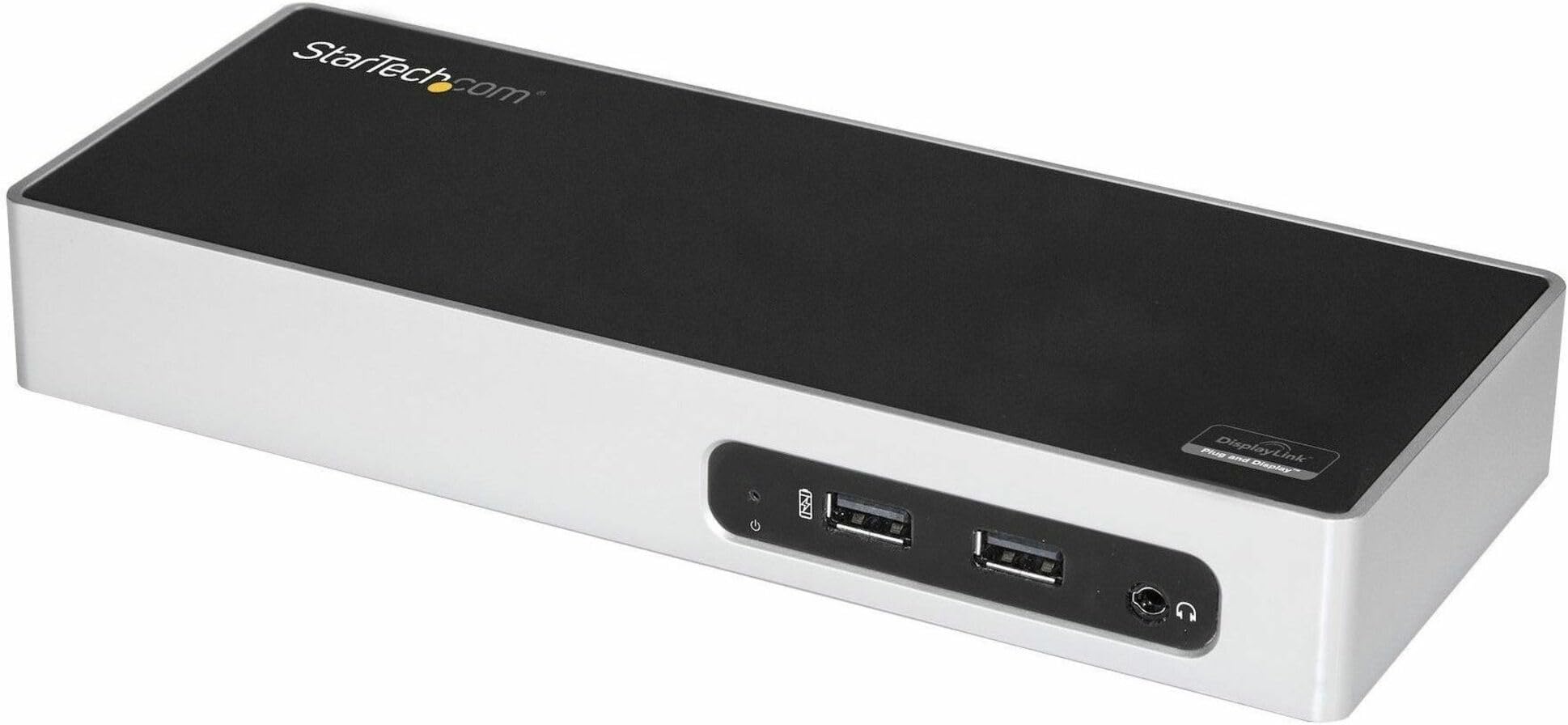
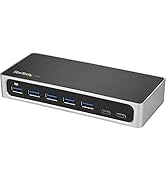
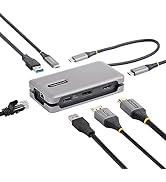
The StarTech.com DK30ADD USB 3.0 Laptop Docking Station transforms your laptop into a powerhouse workstation with dual monitor support (HDMI + DVI/VGA), six USB 3.0 ports including two fast-charge ports, gigabit Ethernet, and audio connectivity. Compatible with Windows, macOS, and ChromeOS, it’s designed for professionals seeking efficient multi-device setups with minimal cable hassle.


| ASIN | B0764GBNX2 |
| Best Sellers Rank | 7,123 in Computers & Accessories ( See Top 100 in Computers & Accessories ) 60 in Docking Stations |
| Box Contents | 1xUSB 3.0 cable,1xDVI to VGA adapter,1xUniversal power adapter (NA/JP, UK, EU |
| Brand | StarTech |
| Brand Name | StarTech |
| Colour | Black & Silver |
| Compatible Devices | Notebook |
| Compatible devices | Notebook |
| Customer Reviews | 4.3 out of 5 stars 76 Reviews |
| Global Trade Identification Number | 00065030871440 |
| Hardware Interface | HDMI, USB 3.0 |
| Hardware interface | HDMI , USB 3.0 |
| Item Dimensions L x W x H | 21.6L x 8.6W x 3H centimetres |
| Item Type Name | Docking Station |
| Item Weight | 0.64 Pounds |
| Item Width | 3.4 Inches |
| Manufacturer | StarTech |
| Manufacturer Part Number | DK30ADD |
| Model Number | DK30ADD |
| Number of Ports | 12 |
| Product Warranty | 3 Year |
| Product dimensions | 21.6L x 8.6W x 3H centimetres |
| Smart Home Compatibility | Not Smart Home Compatible |
| Total HDMI Port | 1 |
| Total USB Ports | 7 |
| Total USB ports | 7 |
| UPC | 065030871440 |
| Unit Count | 24.0 gram |
| Wattage | 40 |
W**G
Startech dual monitor docking station
Perfect for travelling works well, small and compact
I**T
Does the job, but feels like a cash grab for users of older tech
My partner's laptop doesn't have a full functioning USB C ports, so in order to use 2 portable monitors, one had to be plugged in via HDMI and the other with a H5-T cable, then 2 more cables for power to each monitor. A lot of cables using every port on the laptop, and the H5-T cable was really unreliable. I ended up purchasing this dock to run the monitor setup, and just having the one USB connection to the laptop. It's not the most compact or flashy dock there is, but it does the job perfectly. All 4 cables plug into it, freeing up ports on the laptop. There's never been any drop out of signal, lag or anything like that. The only downside is that it's not the most portable, but then the 2 'portable' screens aren't exactly portable either. It's simple to use, although you will need to download and install a driver. Most people are comfortable with that, but if you aren't take that into consideration. It's literally just plug stuff into it, then plug it into your laptop kind of easy. It does require an external power source, a lot of docks do. Another thing to take into consideration though if you're thinking of purchasing. The reason for the dropped star is because it's expensive considering it's not the newest of tech. You can find 4K USB C docks for far less. It feels a little like they're cashing in on those without the necessary ports for the newer models.
M**H
Handy kit to have
Still early days but good product so far. You have to download and install drivers, to be able to use it. Negative points: short (1M) USB cable supplied; power socket a bit big and can be easily dislodged if interfered with. Apart from that, happy with the product.
D**.
Highly Recomended
I had a really good Usb docking station that lasted about seven years and it crashed. I was forced to buy a replacement quickly and I bought a cheap Boomerang thing because I needed a solution immediately. it worked.. but not well.. (screen tearing. powered on and off frequently) I replaced it with this and it is absolutely perfect. It is flawless and I highly recommend it.
P**L
Multitalent der Anschlusstechnik
Die Dockingstation von StarTech.com ist ein wahres Multitalent. Es vereint alle gängigen Anschlüsse in sich und hat sich bisher im Langzeitgebrauch tadellos geschlagen. Da ich sie mir extra für die Zeit im Home-Office zu gelegt habe, um damit Laptop und 2x Monitore per LAN-Anschluss betreiben zu können. Des Weiteren sie noch USB-Anschlüsse, mit denen man sein Handy aufladen und Festplatten anschließen kann. Einzig und allein schlägt der Preis ziemlich zu Buche. Da es vergleichsweise ebenwertige Dockingstation gibt in einem niedrigerem Preissegment. Gerne hätte ich zu einer etwas modernere Lösung gegriffen – nämlich über USB-C 3.0 – die mein Laptop leider noch nicht unterstützt. Somit war ich dann auf eine USB-A 3.0 Lösung angewiesen und habe zu der StarTech.com gegriffen. Dank dem einfachem und schlichten Design fällt sie im Gesamtgeschehen so gut wie gar nicht auf und passt sich meinem Arbeitsplatz wirklich hervorragend an. Kurz um: Es ist eine absolute Kaufempfehlung, wenn man nicht auf die USB-C 3.0 Lösung zurückgreifen kann – wie in meinen Fall.
S**R
Best solution for my home-office setup (MacBook Pro 2012 and Win 10 laptop)
I have a mid-2012 MacBook Pro running macOS Mojave 10.14 that I love and don't want to replace at all, especially after I've made some upgrades for the hard drive and RAM (SSD and 16GB RAM). It feels like a brand-new laptop once again and the is no need to upgrade. I'd been looking for a docking station that would work for both the MacBook Pro and my work laptop because I work from home sometimes, and this product is the ultimate solution for that. My home-office setup is very simple: a 23-inch monitor with HDMI cable, a mechanical keyboard, and a Bluetooth Microsoft mouse. I received the product today and started setting it up right away. The setup process was very easy and took a few minutes: 1- Download the driver for Mac and Win 10 2- Restart the system 3- Plug in all your peripherals to the docking station 4- Plug in the USB 3.0 to your laptop ( I completed the setup on both the MacBook and Win laptop) 5- Enjoy the setup When you download the driver for Mac, you will find different folders inside for each OS version starting from 10.4 up to 10.14. In each folder, you will find the driver for your OS version. For windows, you will find a couple of folders: one for Win Vista and one for 7,8, and 10. Pretty straight forward in my opinion.
M**U
Hyper pratique
Très pratique... branchement simple et rapide. Fonctionne très bien pour le moment. Je recommande.
T**M
It Works Great!
I tried some less expensive docking stations and they just did not stand up. I waited a while to be sure that this one was going to stand up. So far so good! Easy to install and get up and running. I am using it to extend my desktop over two monitors as well
Trustpilot
2 weeks ago
2 months ago