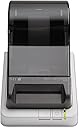
🖤 Print Smart, Stay Ahead: The Label Printer Millennials Trust
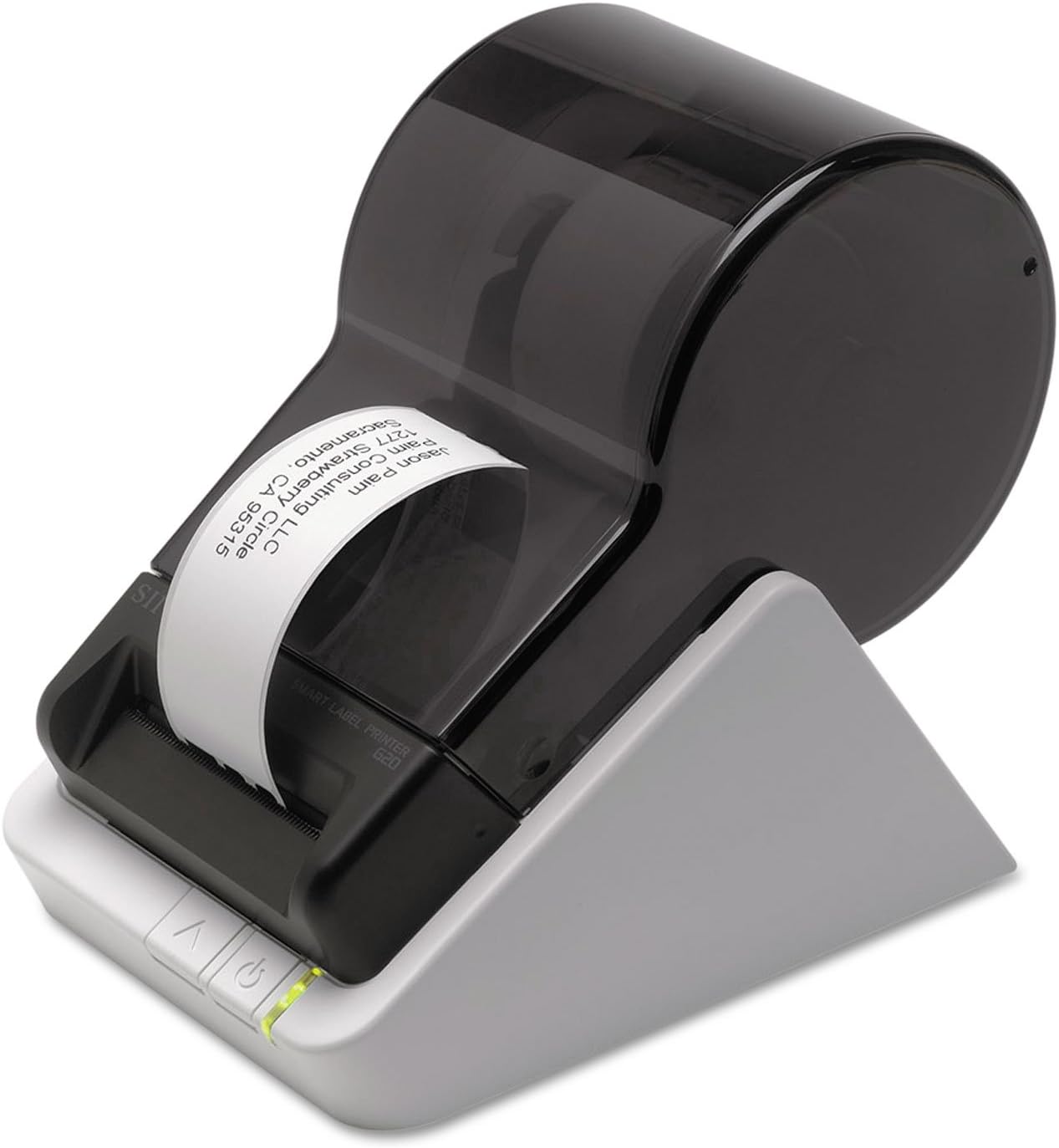
The Seiko Instruments Smart Monochrome Label Printer 620 delivers fast, reliable direct thermal printing at 2.76 inches per second via USB for PC and Mac. Its compact design supports a wide range of label formats without ink or ribbons, making it an eco-friendly and cost-effective solution. With backward-compatible software and a 3-year warranty, it’s the perfect desktop companion for professionals who demand efficiency and style.
| ASIN | B00BTKXPYI |
| Additional Printer functions | Print Only |
| Best Sellers Rank | #124,522 in Office Products ( See Top 100 in Office Products ) #302 in Desktop Label Printers |
| Color Depth | 1 bpp |
| Compatible Devices | Laptops, PC |
| Control Method | App |
| Controller Type | iOS |
| Customer Reviews | 4.0 4.0 out of 5 stars (417) |
| Date First Available | October 17, 2017 |
| Dual-sided printing | No |
| Duplex | Simplex |
| EU Spare Part Availability Duration | 3 Years |
| Global Trade Identification Number | 00020963853154 |
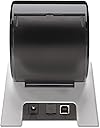
| Hardware Interface | USB |
| Included Components | Label printer |
| Ink Color | black |
| Is Discontinued By Manufacturer | No |
| Item Weight | 1.08 pounds |
| Item model number | SLP-620 |
| Manufacturer | Seiko Instruments Group |
| Max Copy Speed (Black & White) | 50 ppm |
| Max Input Sheet Capacity | 12 |
| Max copy resolution black-white | 203 dpi |
| Maximum Black and White Print Resolution | 203 dpi |
| Maximum Media Size | Paper Roll |
| Memory Storage Capacity | 64 MB |
| Model Series | Smart Label Printer |
| National Stock Number | 7490-01-622-9349 |
| Number of Trays | 1 |
| Output sheet capacity | 12 |
| Print media | Labels |
| Printer Ink Type | Thermal |
| Processor Count | 1 |
| Product Dimensions | 4.48"D x 6.77"W x 5.83"H |
| Scanner Type | Sheetfed |
| Series Number | 620 |
| Sheet Size | 2-1/8" wide and 7" long |
| Specific Uses For Product | Office |
| Supported Media Sizes | 10 x 15 centimeters |
| Total USB Ports | 1 |
| UPC | 014444705155 172304332405 168141596827 872182842927 642125270571 804067425192 024972648305 132017888200 020963853154 641438774158 172302784305 163121202095 638084848944 739197615741 808113037230 031113058794 |
| Warranty Type | Full |
T**Z
Better than writing by hand.
Got this to replace an older model. The older model was still working, but was on a XP computer and we no longer had the Disk to load the program on a newer machine. And the web sight did not have it either. I Was able to transfer the old addresses to the new Database, so did not have to manually redo them. Also the old printing tape is the same as the new model, so able to use that also. It's been working great. Little different in how you get it to print. Think the old way was better. One button to print! This is two steps. But it does Print smooth. You can Print Left, Center, or right on the Label. We Use ours mainly to print envelope addresses. We don't send too many letters, so the Print roll lasts a long time. Not sure how many labels you can make, but was Guessing 200.
L**M
Backwards Compatible Software with Older SLP Model Printer
I absolutely love this little printer! It works great and can handle more than one size of labels. Easy to set up and easy to use. I have an older SLP model and I was delighted to find that it used the same database as my old printer so all of my saved labels are accessible with the new SLP model. Excellent little machine!
M**I
Not for Mac El Capitan!! New software is designed for Windows, help desk dismissive of Mac. Had to send it back.
I have been very happy with my other Seiko label printer for several years. But the software I've been using is now incompatible with El Capitan and unusable. I has spent a couple of hours trying to figure out how my Mac's settings had gone wrong, only to find it's Seiko who abandoned me and my Mac. The short instruction sheet included in the box refers repeatedly to the old Mac software which doesn't work on El Capitan. So I foolishly bought this new model, which uses entirely rewritten software. I've had nothing but trouble since, as the software borders on incomprehensible and unusable. In addition, all my old labels are incompatible and there's no conversion method, so I've lost everything. There is a handful sample templates, but they are ugly, cluttered, and need reworking to make them useful. The online help people only have access to Windows PCs and are unable to help. They keep referring to the new software's help file, but that only shows Windows dialog boxes which bear no resemblance to what I see on my Mac screen. I tried to add a USPS barcode to a label I laboriously created, only to be told I have to build an entire database to do so. Now the software won't recognize my USB/network connected printer, which worked fine with the previous software. In addition, the online help staff's attitude is that one of unconcealed contempt for my woes. I'm quite disappointed and am shipping the printer back to Amazon. I'll just use Avery label sheets on Word; at least Avery provides plenty of easy-use templates for download.
N**C
Nice strip printer, works great.
Finally, very happy. I bought this to replace a very old Seiko 100. The main problem I had was with the 1.1.1.0 version of software that came with the printer on a disk. I called their tech support and ended up talking to three people over the course of two days. BOTTOM LINE: I ended up downloading a 7.1.1 software version from their web site, which really works great. I sent an E-mail to their support area and they responded to that too. They have a toll free number which works on Saturday as well: (800) 688-0817. I was able to create a .csv file with my old Seiko software. Did a quick edit to get rid of old records, then imported into the new Seiko software. Everything works great now. My one suggestion to new users is to NOT waste time with the disk, go straight to their web site and download the newest software.
S**E
It is a fine label printer
I have used a Brother Q series label printer for a couple of years and tried this one for home because of the price point. It is a fine label printer. Prints both regular address labels and shipping labels with or without barcode. You can use the shipping label template to make packaging/storage/archive label template. In some ways the is easier to use the Seiko for that one-of label because it can be created using the same software as that which prints labels from your address book. It doesn't work that way in the Brother system. Your address book is one piece of software and your editor is another, so this is a plus for the Seiko. What is not is a Brother Q series label print which not only can print several different sizes of labels but can print on continuous tape (was not able to find continuous label tape for the Seiko). This allows you to make long labels for archive/storage boxes or if you need large banner type labels with 2 in high letters. So yes, you can make storage box labels but they are limited to 2.25 x 4. With the Brother you could make one that was 2.25 x 10 for 1 box. 2.25 x 15 for another with different information on it. We use this all the time at work for our storage boxes. For home/office this printer is fine. More than adequate for your labeling needs and beats trying to run your envelope through your printer. Or sheets of labels most of which are wasted and which can come lose when passing through the printer, ruining or causing much frustration trying to clean the stuck labels out of the guts of the printer. The Seiko is easy to install, so is the Brother. Rolls are easy to insert and fairly easy to change out from standard labels to mailing labels.... not as easy as a Q series but not a problem. Brother can do the postage thing and I've not found that ability for the Seiko. 4 stars - would have been 5 if it had the ability to print on continuous tape, which people do not know they need the ability to print until they don't have it. Bottom line if I were buying for an office I would go with the Brother. For home or light duty office, this one is more than suitable. Forgot to add: If your office needs to generate colored file folder labels, they can be found for the Seiko. I have yet to find a source for colored file folder labels for the Brother. I solve this by using colored magic markers when needed in my office, however that wouldn't be a viable solution in some offices, so if this is an important requirement for your office, then I would recommend the Seiko.
N**M
Works s it suppose to
I am replacing 400 series label printer with this new product. It works flawlessly and easy to setup. It is also faster than the older version I have used for a decade. Definitely recommend this label maker.
Trustpilot
4 days ago
1 week ago