🚀 Elevate your presentations—project, interact, and impress from anywhere in the room!
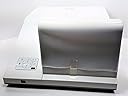
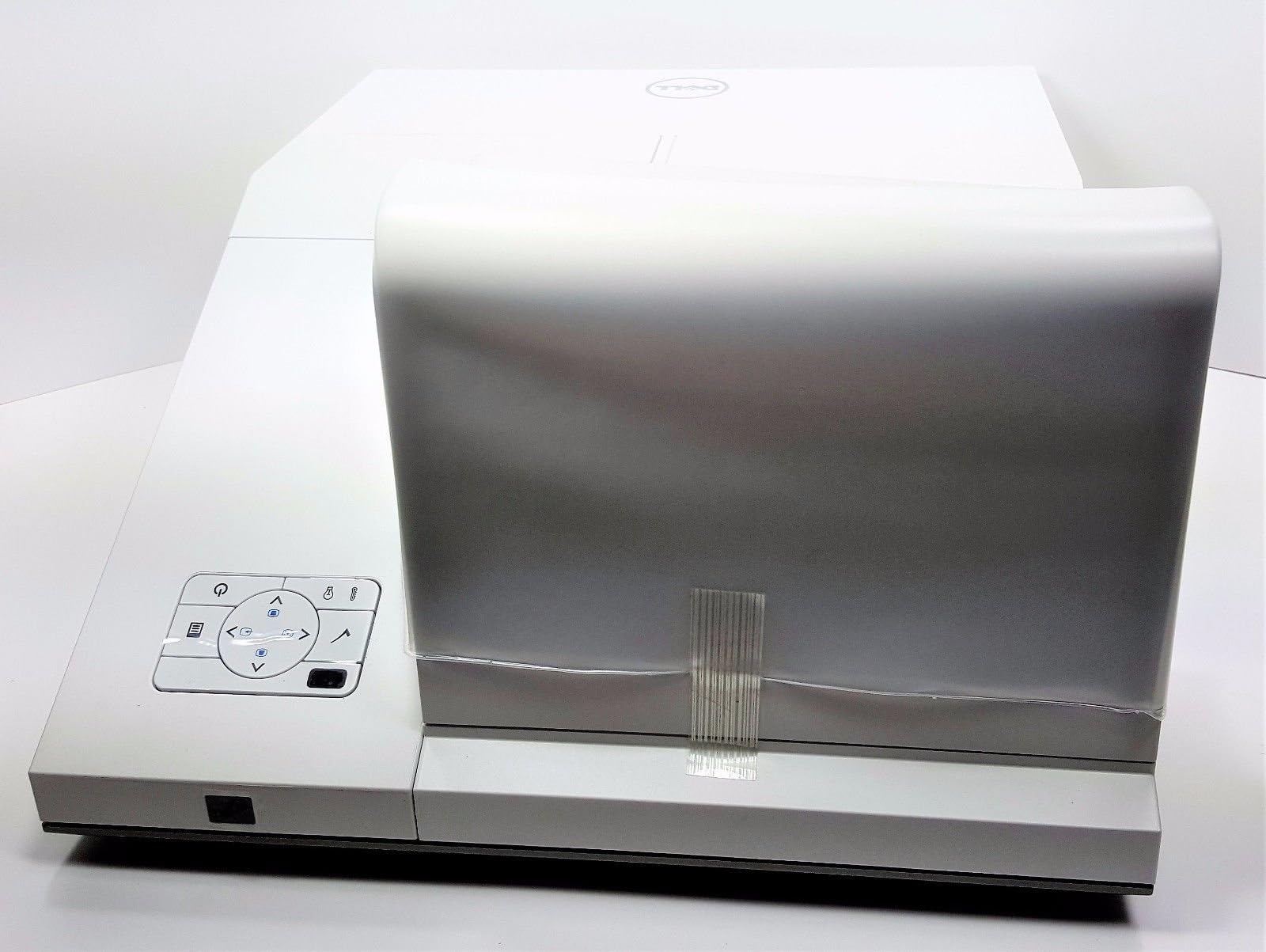
The Dell S500WI DLP Projector offers interactive projection up to 9 meters away on virtually any surface, featuring WXGA 1280x800 native resolution with 16:10 aspect ratio supporting 720p HD. It includes wireless connectivity, multi-PC session, 4-to-1 split screen, USB plug-and-show, USB viewer, PtG converter, and audio projection for seamless, collaborative presentations.
| ASIN | B004RBMDI0 |
| Additional Features | 3d-Ready |
| Antenna Location | business presentations, classroom teaching, home entertainment, gaming |
| Brand | Dell |
| Built-In Media | Software (Multi-PC session, PtG converter), Wireless Adapter |
| Compatible Devices | Gaming Console, Laptop, Smartphone |
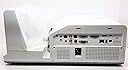
| Connectivity Technology | HDMI |
| Contrast Ratio | 2300:1 |
| Control Method | Touch |
| Controller Type | Button Control |
| Customer Reviews | 1.3 out of 5 stars 2 Reviews |
| Display Resolution Maximum | 1920 x 1080 |
| Display Type | DLP |
| Display resolution | 1280 x 800 |
| EU Spare Part Availability Duration | 7 Years |
| Form Factor | Portable |
| Global Trade Identification Number | 00884116063018 |
| Hardware Connectivity | USB |
| Item Weight | 23 Pounds |
| Light Source Operating Life | 5000 Hours |
| Manufacturer | Dell Marketing USA, LP |
| Maximum Image Size | 78.7 Inches |
| Maximum Throw Distance | 20 Inches |
| Mfr Part Number | S500WI |
| Minimum Throw Distance | 20 Inches |
| Model Name | S500WI DLP |
| Model Number | S500WI |
| Mounting Type | Tabletop Mount |
| Native Resolution | 1280 x 800 |
| Recommended Uses For Product | business presentations, classroom teaching, home entertainment, gaming |
| Special Feature | 3d-Ready |
| UPC | 100177422046 884116063018 |
| Unit Count | 1.0 Count |
| Video Encoding | H.264 or H.265 |
A**U
Projector not worth buying in the long run
We have had this projector since 2011 and it has resulted a total failure in the long run. First, the temperature control goes nuts, tells the lamp needs replacement when not, eventually the lamp fails. Second, one day it simply did not work even thought the lamp had only one week of being replaced. We send it back and they could not fixed, they found a factory defect but it was out of warranty (!?). They offered us a refurbished one, but guess what, the refurbished one did not last six months, within two months it exhibited that problem of this kind of projectors: it becomes a room planetarium, showing up black, white and grey pixels over the left section of the screen first and growing until covering the whole screen within a week. It seems this kind of projectors had this inherent failure. And they will not replace it because it was refurbished. Too bad. -We now use another brand hybrid laptops/tablets and interactive projectors-.
W**B
Great projector for tabletop/stand use. Beware of ceiling mount.
(I know this is an older product, but I wanted to post my experience.) Note: I dropped the stars on this from 4 to 2. In the end- this projector was just too impractical to use. It never lived up to our expectations. The Interactive features were too difficult for most of our staff to use, and we could never get a suitable image size out of it without the bottom of the image touching the floor (which doesn't work in a classroom, or really anywhere). We replaced it with a standard-throw Optoma projector that cost half as much, has much better real HD picture quality, really-good audio quality for a projector, and has given us no challenges at all. Even hanging over our students heads- the Optoma generates less noise than this thing did. I'm keeping my old review below for reference. It was optimistic at the time, but this thing very-quickly lost its luster, and was an embarassmant for my department because of the expense and time we put into it. We bought a lot of Dell projectors in the past, but won't be anymore, primarily because of our experience with this one... I do professional AV work, and bought this projector and it's associated wall mount for a classroom/conference room environment. It was wanted for its interactive features (which work rather well once you get used to them), and the sleek-looking ultra-short-throw mounting option with no shadows and no noisy projector hanging above the group. First- the wall mount is almost useless unless you have 10'+ ceilings, which means it won't work in a typical office environment with 9' (drop) ceilings. Don't be fooled by the pictures on Dell's Web site showing a big picture just below the projector's wall mount. At a 100" diagonal size with the projector level- the projected image starts approx. 16" below the projector, and goes almost to the floor. In a classroom or conference environment- this means only the upper-half of the screen is visible to the majority of the group (not in the front row). There is no way to adjust this, which I confirmed with Dell's support. The special ultra-short-throw lens and mirror optics can't be adjusted without compromising the image. Tilting the projector doesn't help, since the image size is reduced when adjusting for keystone-ing, and in the end- you just end up with a much smaller image starting at the same height. In-fact- you want to do everything you can to make sure it is level and completely straight for a uniform picture. A standard projector is very forgiving compared to one of these. My way around this was to build a custom ventilated box to recess the projector into the drop-ceiling, and throw away most of Dell's expensive mount. Even then- the projected image is much lower than we would like for a modest-sized classroom. If you are fortunate to have a 10' or higher ceiling to work with- you should be able to get a nice big picture at a reasonable height. For larger classroom or conference spaces- the higher the ceiling the better, since it is your only real option for getting the picture higher. That said- it works great on a tabletop or stand. Even a countertop, since it needs very little space to display a fairly good-sized image. Another oddity that Dell couldn't explain and didn't have a replacement for: There is an optional cable cover that does a really nice job of hiding all of the connection cables. It balances out the shape of the projector, and (would) make a ceiling install look especially clean and professional. The problem- it is gray, not white to match the projector. Dell's only solution- "Spray paint it white yourself...". Really?! Beyond that- the interactive features work well, although they do take a bit of tweaking and practice to get the hang of using the pen. They also only work from a dedicated PC running special software, so they won't work from other video sources or guest computers (that don't have the software). The picture quality is bright and beautiful compared to several other similar (though not ultra-short-throw) projectors we have used. It is great that instructors/presenters can walk right up to the screen without blocking the image or turning around and being blinded by the projector. We haven't been able to get the WiFi video to work, but also haven't devoted much time to it since we have a dedicated computer for it, and use an AppleTV with AirPlay streaming for a lot of presentations from Macs and iPads. Another bit of advice, common to ALL short-throw projectors and especially this one- you NEED a very good screen. Most cheaper roll-up or portable roller-screens won't cut it. Any little ripple, twist or other defect will dramatically distort the image from one of these projectors, making a presentation unreadable or video unwatchable. You will want a fixed-frame tensioned screen, or for portable use- a "fast-fold" tensioned screen in very-good condition. If the environment requires a roll-up screen- a high end electric one, and not a spring-loaded pull down would be best, since the latter quickly develop wrinkles. A painted wall screen or large whiteboard may also work, although I've found whiteboards to be less-than-desirable projection surfaces, and in this case- it defeats the purpose of buying an interactive projector. You also want to use a low or no-gain minimally-reflective screen material. The very steep projection angle of these projectors means reflective screens will reflect the image into the floor, and not towards your intended audience, and you will end up with a dim, washed-out image. This projector would be perfect and rate 5-stars for me if Dell had designed it better for ceiling mounting.
Trustpilot
2 weeks ago
2 months ago