

Desert Online General Trading LLC
Dubai, United Arab Emirates
Desert Online General Trading LLC
Dubai, United Arab Emirates


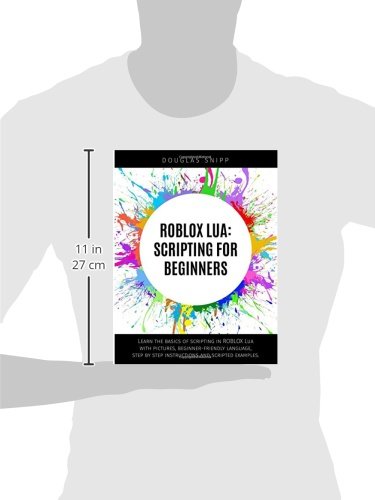
Full description not available
M**
Great, informative book for Roblox players!
Excellent book for my 10 year old son. He hasn't put it down since receiving it! He wanted to learn how to build his own game, and the videos on YouTube just didn't give him enough of what he needed. This book allowed him to gain all of the knowledge he needed to get going! Highly recommend!
J**C
Thia book ahowed great detail
This book helped me learn alot about lua especially on roblox, I think it should have covered more though I can not disrespect the fact it is a basic guide. Over all this book was great I would recomend it to friends who want to learn about lua on roblox too!
J**N
Son really likes roblox but this was not what he ...
Son really likes roblox but this was not what he wanted but he enjoys reading it. To young for where he is at within building/playing of this game.
T**W
Five Stars
If you know the basics don't bother buying this book.
A**S
Good Details But Outdated Scripts- Please Update Script Below
The first half of the book is great. As scripting becomes more detailed in the later half, the scripts no longer works on the current version of Roblox Studio as of FEB 2019. Here are the two examples I've had issues with so far:Creating a coin that will add points to a player when picked up. A new Part is made under workspace to act a the coin. A script is created as the Part's child. The script lines for the coin are:script.Parent.Touched:Connect(function()player = game:GetService("Players").LocalPlayerstats = player:findFirstChild("leaderstats")points = stats:findFirstChild("Points")points.Value = points.Value + 1script.Parent:Destroy()end)When the game runs, touching the coin fails to give points and the following error is listed in the output.Workspace.Coin.Script:3: attempt to index global 'player' (a nil value)10:13:30.815 - Stack Begin10:13:30.816 - Script 'Workspace.Coin.Script', Line 310:13:30.817 - Stack EndThe other non-working script I found is when making a TextButton GUI that should create a block when clicked.1. Make a new Place2. Create a Screen GUI as a child of StarterGUI, and a TextButton as a child of ScreenGUI. Then, add a Script Object as a child of TextButton.3. Script as follows:function newBrick()brick = Instance.new("Part")brick.Parent = Workspacebrick.Position = Vector3.new(0, 0, 0)brick.Size = Vector3.new(2, 2, 2)endscript.Parent.MouseButton1Click:connect(newBrick)No brick appears when the text box is clicked.I still have the last 2 sections to finish the book, but I have my concerns that the lessons may be useless. Can anyone point out what is wrong with the code above to make it work properly?
R**E
roblox studio like never before!!!
WOW when i got this i did not know how impressive this was this book is a step by step guide on lua programing and on how roblox studio works when i first played roblox studio i was a bit confused on how roblox studio works so i read a few books on how roblox studio and how lua programing works but they did not really give much information so i got this book and now i know so much and i thought roblox studio was hard and confusing but actually its really easy i am so happy that i got this now it is super easy i love this book i think 5 stars is not enough stars i would rate this 10 stars if you ask me
K**R
Out Dated.
Out dated. Most of the scripts did not work.
S**K
Eh
I think it's good but doesn't teach too much, other than that it's great.. it gives you the basic really
Trustpilot
3 weeks ago
1 month ago