Buy anything from 5,000+ international stores. One checkout price. No surprise fees. Join 2M+ shoppers on Desertcart.
Desertcart purchases this item on your behalf and handles shipping, customs, and support to EGYPT.
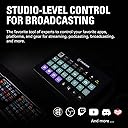
🎥 Elevate your stream game with the ultimate control deck—because your content deserves the spotlight!
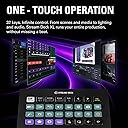
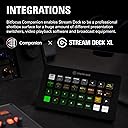
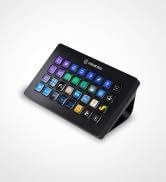
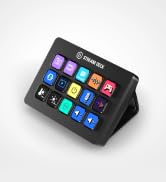
The Elgato Stream Deck XL is a professional-grade live production controller featuring 32 customizable LCD keys, USB 3.0 connectivity, and a non-slip magnetic stand. Compatible with Windows 10 and macOS 10.13+, it offers seamless integration for streamers and content creators seeking enhanced control over audio, lighting, scenes, and media playback, all in a compact, durable design.


| ASIN | B07RL8H55Z |
| Batteries | Lithium Ion batteries required. |
| Best Sellers Rank | #3,885 in Musical Instruments ( See Top 100 in Musical Instruments ) #25 in MIDI Controller |
| Country of Origin | China |
| Customer Reviews | 4.7 4.7 out of 5 stars (30,485) |
| Generic Name | Stream Deck XL |
| Importer | Supertron |
| Included Components | Stream Deck XL, USB-C to USB-A Cable, Magnetic Stand, Quick Start Guide |
| Item Dimensions LxWxH | 34 x 182 x 112 Millimeters |
| Item Weight | 410 g |
| Item model number | 10GAT9901 |
| Language | English |
| Manufacturer | Corsair, Elgato |
| Net Quantity | 1 Count |
| Packer | Corsair |
| Product Dimensions | 3.4 x 18.21 x 11.2 cm; 410 g |
| Release date | 12 January 2022 |
X**Y
Elgato strem deck
Nice product
A**.
Its good
Nice one i love it actualy its good for live streamers mostly but if u record gameplay ki bar bar windows me na jana pdhe or direct ek button se sub ho jaye to uske liye best h Kbhi kbhi hota h live kr rhe ho or ap nai chahte ki apke pc ka windows screen dikhe only game ki screen hi dikhe starting se end tk or viewers ko pta bhi na chle live steam kb end hogai game me hote huye bina windows home screen me aye to ye bht useful h adervise apko ager fark nai pdhta ki log home screen dekhe ya game ko alt tab kre minimaize strart or end krne ke liye krna pdhe to ap log isko buy nai kre Or jisko fark pdhta h or thori simple life chahte h 1click me sub ho jay wo log isko buy definitely kr skte h
N**L
Excellent product
Cost is on higher side but is an excellent product for productivity with infinite possibilities for customization. Highly recommend it for animation workflow
R**R
Great device to use with BlackmagicDesign Davinci Rsolve.
Its is a great device to use with Davinci Resolve. I will give more button option to access to use more functions who not available in Mini Pannel. Like wipe, pip compare, printer light and many more. For that I have to buy one application from App Store of Stream Deck. But It improve my productivity so it's worthy.
V**D
Nerdy
Wonderful gadgets for productive nerds.
S**I
Great Product to enhance your productivity.
Great product and pretty useful not only for streamer but developers, editors, etc. as well. The software provides plenty of plugins to use from. Awesome build quality.
G**A
Shortcuts on steroids
The best investment for productivity. I use it for film editing and grading in Resolve and it's a massive timesaver when it comes to shortcuts. Highly recommended.
J**I
Very useful and attractive
Using this for streaming aswell as daily keyboard shortcuts... It's excellent.. just a bit expensive.. but overall i will give it 9 out of 10
S**K
Das ultimative Steuerungs-Tool – Perfekt für Gaming, Streaming & Produktivität!
Ich nutze das Elgato Stream Deck XL jetzt seit einiger Zeit, und ganz ehrlich: Es ist eine absolute Game-Changer-Technologie! Wer denkt, es sei nur für Streamer, unterschätzt das Teil völlig – gerade für Gaming, Arbeiten & Medien ist es ein wahres Multitasking-Monster. Warum ich es liebe – besonders für Gaming! ✅ 32 Tasten für maximale Kontrolle: Wer Star Citizen, Elite Dangerous, DCS World oder andere Games mit vielen Funktionen & Keybinds spielt, wird das Stream Deck XL nie wieder hergeben. Keine umständlichen Tastenkombinationen mehr – alles auf einen Knopfdruck! ✅ Makros & Shortcuts: Gerade für komplexe Games lassen sich perfekte Makros & Hotkeys erstellen, die das Gameplay schneller und effizienter machen. Ob Flugsteuerung, Waffenmanagement oder Menü-Navigation – alles geht flüssiger. ✅ Mehr als nur Gaming: Auch für Streaming, Video-Editing, Photoshop & andere Programme ist es goldwert. Ich kann zwischen Profilen umschalten und für jede Anwendung die perfekte Steuerung nutzen. ✅ Intuitive Einrichtung & Anpassbarkeit: Tasten mit individuellen Icons & Animationen, perfekt abgestimmt auf jedes Spiel oder jede App. Wer sich einmal ein durchdachtes Profil erstellt, hat die ultimative Steuerzentrale. ✅ Kombinierbar mit anderen Stream Decks: Ich selbst nutze mehrere Elgato-Stream-Decks parallel – eins für Gaming, eins für Video-Bearbeitung, eins für Alltagsaufgaben. Die Möglichkeiten sind grenzenlos! ✅ USB-C-Anschluss für moderne Konnektivität: Schnelle und stabile Verbindung ohne veraltete Standards – genau so, wie man es 2024 erwartet! Ein paar Kleinigkeiten: 🔹 Platzbedarf: Klar, es ist das XL-Modell – aber genau deswegen nimmt man es ja! Wer weniger Platz hat, kann auch die kleineren Varianten nutzen. Fazit: Egal ob Gaming, Streaming, Editing oder Produktivität – das Elgato Stream Deck XL ist ein Must-have für alle, die ihr Setup perfektionieren wollen. Besonders Gamer mit vielen Tastenbelegungen (wie in Star Citizen) profitieren extrem von der einfachen und übersichtlichen Steuerung. 💡 Elgato hat hier eine Technologie geschaffen, die den Markt revolutioniert hat – und das verdient mehr Anerkennung! Einmal Stream Deck XL – nie wieder zurück!
A**J
Excellent
This thing isn't cheap - at all - but is super versatile and useful if you're willing to shell out. I am not a streamer. I bought it for gaming, and to generally set up shortcuts for everything I regularly use on my PC. If you're willing to put in the time and have some patience, this thing will reward. I have 4 profiles set up, multiple folders, and everything is available at a touch of a button. Works flawlessly, and very pretty to compliment - especially once you get some wallpapers up and running. In the games I use it with (Flight Simulator, Elite Dangerous), this has become a key piece of kit, eliminating the need to use the keyboard or remember elaborate joystick buttons. Highly recommend.
J**X
LOVE this thing....Where have you been all of my life?....Won't ever be without one again....
I Day-Trade for a living, and while I do have a very nice Corsair K100 keyboard, and Hot Keys programmed on it, you have to take the time to put little stickers on all of your keys to remember which one does what (ie: Buy 1,000 shares at "X" price, Sell Half Position at Bid-$0.05, etc.). While doing Hot Keys that way IS doable, it's a PITA to do the stickers, you're always looking down at your keyboard to make sure you're hitting the right keys (when you should be keeping your eyes on your charts), and the stickers obscure the keyboard keys, so even if you've been typing for years, having some of the keys obscured sort of screws you up when you're looking at the keyboard to find a specific key (like the "Period" key), only to find it, and all of the keys around it, covered in stickers. That's why this Stream Deck XL is a Godsend.... It has 32 buttons, all with their own little LCD (?) screen inside. You can create ANY button, to look any way you want. You go on their website, you can play with fonts (colors, sizes, types), background colors, PNG graphics (probably others, I haven't tried, but assume so),....so, any button you can think up, saying or showing anything you can dream of, you can create on their website, for free. Once you've created the graphic for the button, you add it to the location you want it on the Stream Deck, assign it whatever function you want, and it's good to go. Don't like it in that position, just drag-n-drop it in another location. There's already a button in that location?.....the software will do a quick swap of the buttons. Setting up the buttons is pretty simple too (and you have a TON of options, from simple Hot Keys, to Multi-Function keys, to a slew of other options I haven't even gotten into yet). You can have "Profiles" with multiple "Pages" too. so it's not like you're limited to the 32 buttons you see. All you have to do is create another page (to the right or left, your choice), and guess what?.....you just got 32 more blank buttons, and you can create page-after-page of buttons; no limit. So, say I have a "Trading Profile," and it has 3 pages, each with 32 buttons. Maybe Page 1 is all of my Pre-Market Buttons,, Page 2 my Open Market Buttons and Page 3 is my After Hours Buttons. When I'm finished using the Stream Deck XL for Day-Trading, I just go on their clever desktop software, change the "Profile" to something else (like Photoshop, or Illustrator), and Presto-Change-O, the Stream Deck now shows all of my Hot Keys for Photoshop, or Illustrator, or any other program that I've built a Profile / Hot Keys for. If you have a program / programs on your computer, and are tired of using the mouse to click here, move there, do this, do that, repetitively, just get a Macro program (like Keyboard Maestro for Mac, or AutoHotKey(?) for PC), program your Macro(s) in either of the aforementioned programs, assign a "Trigger" to the Macro in either of the aforementioned programs, then create a key on the Stream Deck XL, assign it the same Hot Key you assigned your Macro in either of the aforementioned programs, and when you hit that button on the Stream Deck, it'll tell that Macro Software to carry out that Macro, and you'll watch your workflow BLAZE.... You can even do what's called "Virtual Stream Deck" (with this XL unit, and some of their others). Virtual Stream Deck is just what it sounds like... you can create a floating-on-your-desktop "palette" or "window" of Hot Keys (up to 64 buttons!), and by clicking on them, you can perform the same function as the buttons on your physical Stream Deck XL, by just by clicking a button on your Virtual Stream Deck. And no, the Virtual Stream Deck Buttons do not have to be the exact same buttons, functions, layouts, pages, etc., as the Physical Stream Deck XL. I just today, watched a girl on YouTube configure a Virtual Stream Deck "Weapons Wheel" for a video game she was playing, so she could call up the "Weapons Wheel" Hot Keys with a simple Hot Key command, click on which weapon she wanted, and then the Weapons Wheel would disappear until she called it up again (no fumbling for the mouse, moving it to click somewhere, or trying to remember weird key combinations to change weapons... she just created a Virtual Stream Deck for her "Weapons Wheel," triggered it to pop up with a simple Hot Key press on her keyboard, clicked on the weapon she wanted, and went right back to playing. Simple. Efficient. Also, the way they designed the form factor is very slick. You can hold just the keypad, or you can attach it (magnetically snaps) to the angled base so it sits on the desk (sort of angled up at you), or you can pick up the entire keypad and base together, and hold it almost like a game controller, because the keypad attached to the "L" shaped base, has a hollow triangular core down the center for your fingers, so I literally hold it like a game controller while I'm Trading, and my fingers are hovered right over the buttons I use most. I SO wish I'd found this device YEARS ago....not only for Trading (and, thus, once again having an unstickered keyboard), but also for a myriad of other uses, in a myriad of other applications. Let's put it this way, if you have programs on your computer that you want to automate using Macros and Hot Keys, look no further. It's going to be VERY hard for some company to come up with a better mousetrap than this. I use this Stream Deck XL, along with Keyboard Maestro (another AMAZING product), on Mac, and the things that are possible with these two things combined is staggering. This will work on both Mac and PC without any issues. Plug it in (USB-C), download the software, they recognize each other, and you're good to go. It really is VERY well designed, VERY clever, and a total game-changer when it comes to efficiency on your computer, and in apps. While the Stream Deck (software) will allow you to program "Multi-Action" tools or steps for each button, you can very easily turn this thing into Bruce Lee on PCP. Here's what I would do (having done it). 1) Buy the XL (IMO, it's better to have more buttons in the form factor, than getting a smaller form factor, then having to create a lot of "Pages" that you have to scroll through). 2) Get either Keyboard Maestro (for Mac...AMAZING), or AutoHotKey (for Windows...don't know anything about it, personally, but hear good things). 3) Once you get the unit, and set it up on your computer, go to the "Elgato Marketplace" (Elgato is the parent company that makes the unit). 4) Download / Add / Install the following "Plug-Ins": "Super Macros," and "VBA Macro Execute" (IF you're a heavy Excel user. if not, forget about it). 5 Download / Add / Install (from the same site), either "Keyboard Maestro" AND "KM Link (for the Virtual Stream Deck functionality)" (if you're on a Mac), or "AutoHotKey" if you're on a PC. Watch a few tutorials on YouTube about configuring your Stream Deck, a few on Keyboard Maestro (and the INSANE amount of tasks that you can have that program do, instead of you having to do them)....and then when you put the Stream Deck XL together with Keyboard Maestro (in my case), and start playing around with the two, you're head will explode with the possibilities and efficiencies of this combination. I know that I'll never be without one from here on out, simply because of how easy it makes things across multiple apps. If someone came into my house right now, as I write this, and took the Stream Deck away from me, I would MMA cage fight them to get it back...it is that robust, and efficient.
J**L
Recomendable 100%
Me compré la versión normal del Stream Deck, pero la devolví ya que se me quedaron algo "cortos" el numero total de teclas. Y decidí dar el paso para la compra de esta versión XL. ¡Acierto absoluto! La diferencia es exageradamente amplia respecto a la otra versión. Antes tenias que estar "pasando página" para poder tener acceso al resto de funciones, pero en esta versión, consigues tener (por norma general) las funciones en una sola vista. El producto, como todos los del ElGato, es de gran calidad, plug & play, fácil de configurar y usar, acabado profesional y en definitiva, un producto que no debería faltarte en ningún caso ya que te facilita muchísimo la vida y la productividad digital en general. Además permite una personalización absoluta dentro del aspecto y del comportamiento de cada uno de los botones. Y que decir de su uso para "lo que te de la gana", diseño, ofimática, videojuegos, multimedia, por supuesto para su uso en streaming... entre otros. Es un producto muy caro, en serio... MUY CARO, pero cuando lo tienes delante de ti y comienzas a ver sus posibilidades, es cuando te das cuenta que ha merecido la pena invertir en este producto. Quien se lo pueda permitir, ¡es 100% recomendable!
P**.
Just works
The ease of programming the keys and adding icons is great. The second great feature is the folders - so you can essentially have hundreds of buttons programmed. That said I use for iRacing so 1 deck is enough!
Trustpilot
1 day ago
2 months ago