


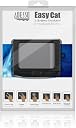
Adesso GP-160UB - Easy Cat 2 Button Glidepoint Touchpad (Black)
Product ID: 1508251
💧Spill-resistant durable design
🔄Glidepoint tech for smooth cursor control
🔌Universal USB compatibility (PC & Mac)
Desertcart purchases this item on your behalf and handles shipping, customs, and support to EGYPT.
🖱️ Elevate your workspace—ditch the mouse, embrace the glide!
The Adesso GP-160UB Easy Cat is a sleek, durable 2-button touchpad featuring Cirque Glidepoint technology for precise cursor control. Compatible with both PC and Mac via USB, it offers true two-button mouse functionality, spill resistance, and a compact design ideal for professionals seeking reliable, portable input without the hassle of traditional mice.
| Best Sellers Rank | #6,282 in Our Brands ( See Top 100 in Our Brands ) #43 in Computer Touch Pads |
| Customer Reviews | 4.1 out of 5 stars 207 Reviews |
P**R
It works as expected
I was looking for an alternative input device for my desktop setup since i was developing carpel tunnel with my mouse. For a while a trackball worked, but the pain merely switched to my elbow. Since i was so used to the touchpad on my laptop, I started looking for one. The Adesso Easycat is pretty brilliant and works well and has solved my problems for now. I use it in conjunction with a regular mouse (a MS Intellimouse) and switch back and forth as needed. For most things I never have to reach for the Intellimouse at all. The Adesso is very programmable and can do all that the five-button Intellimouse does. Some observations on the Adesso Easycat USB model: -Its pretty thin and small and looks quite nice. The price isnt bad considering Adesso pretty much has a monopoly on USB touchpad devices. -It does not ship with a driver, its supposed to be plug-n-play. HOWEVER, TO USE THE ADVANCED FUNCTIONS on it you DO need to download the driver from Adesso. Otherwise you miss out on a lot of functions and personalization features. The driver can be downloaded from the Adesso website ([...] -Once you have the driver installed, you can customize it in every possible way - sensitivity, reprogram buttons, orientation, etc. It has a very wide variety of features including: horizontal/vertical scrolls, zoom, Browser forward/back buttons, left and right clicks as taps, drag, etc. On top of that, three 'buttons' are customizable (both buttons plus a 'click area'). (the reviewer below who complained that it was too sensitive for him probably did not know that you can install this driver and adjust it). -On my setup, I had to reduce the sensitivity/speed of the left-click tap feature before it registered correctly. -I placed mine right under my spacebar, with a piece of velcro. Its brilliant and works and feels more or less like my laptop's touchpad. For most things I never reach for the regular mouse anymore. its very intuitive once you've set it up the way you like. In sum: It wont cure all your problems, but as an alternative and unique input device it will make your life a bit easier.
O**R
Buttons eventually wear down but you can fix it
I've bought this twice both because I loved it but also because it's broken twice. I love it because I have arm pain from too much computer work and I find this works better. My left button recently became unreliable. But I noticed that it was only unreliable if I clicked it on the right side of the left button, while the left side was completely reliable. I was about to buy it a 3rd time when I checked the reviews and someone else mentioned that they were able to fix it. So I removed the two exposed screws, removed the two hidden screws under the rear feet, and saw what they were talking about. The mouse button is a lever that presses up onto the PC board. This movement is restricted by the underside of the button and there's 2 simple reinforcing underside ridges where it contacts the frame. Pressing the left side gives the greatest leverage while the right side is weaker. A few seconds with a file on the right underside ridge (probably even a fingernail file would work) has given more movement when I press the right side and fixed the problem. I think the PC board button is getting worn down so eventually it will need replacement but since I only bought this 2 years ago I want to get more use out of it.
S**.
Space-saver that works
UPDATE: This was in a drawer for a long time. I figured I'd give it another try after I reorganized my work area and there wasn't enough room for a traditional mouse. And now I'm really glad I bought this thing. I placed it on a mousepad and that stopped it from sliding around, which was my biggest problem with it. I also am not finding any need for a tent. It's perfectly comfortable. And I complained in the original review about multi-touch, but now I don't even know what that is -- I've been using it for several days during which I've produced a ton of written content, and I haven't run into any limitations. The only thing about it I'd change is it would be to make it wireless -- and it would be nice if it was available in white. --ORIGINAL REVIEW-- It was plug and play and it works as described. I have two issues with it. First, it's so light, it moves around when I use it. That can be solved with double-sided tape, but it's not ideal. Second, I wish I could buy a tent kit for it. I guess I'm spoiled by all my other ergonomic gear, but having to twist my forearm to use it is very uncomfortable. I plan to make a foam wedge to correct the angle, but I'd rather pay for a nice plastic piece than make-do with patched-together solution. Oh, third thing, I haven't been able to get multi-touch to work, but I haven't messed around with it much, so that could be operator error.
J**Y
Not bad,
I bought this after I could no longer use my Power Cat. The Power Cat was terrific. It had a large touch area, it was very responsive but not over responsive. But it did not work with Win7 and they did not update the drivers so I was forced to use it as a simple USB touchpad with no scrolling features. So I picked this up. I work at home and have 3 PC's attached by a 4 port KVM. 2 PC's are Win7 home premium and prof. One is Vista. This does not work well with the Win7 prof. I do not recommend this to be used this way. It is a small touch pad base and you have you fine tune the touch or it feels quick and jerky. I'd return it if I could but I have passed my return window. Update The pad works great. I've been using it for a while now. I called the support desk and they told me the communication problem is the USB Port. Well it is the device causes something in the port to shut down and I have to move it to a different port. But it does work as it is supposed to do after that.
L**C
Was looking for an alternative to Apple's Magic Trackpad
While this product does not have all of the functionality of a trackpad on Mac OS, it is a great alternative to using a mouse. Point, drag, scroll, click, right click all work well. Unless there's a driver for Mac that I'm missing, it appears this device does not support gestures such as pinch zoom and rotate on Mac. However, since I use these gestures infrequently, it's no trouble to reach up and use the trackpad on my laptop in the rare occasion they're needed. PROS * about $90 less expensive than a magic trackpad (as of today) * more ergonomic than a mouse * wired (I'm trying to avoid bluetooth as much as possible) CONS * product does not come with complete User Guide, only the Quick Start Manual. User's need to visit the manufacturer's website for the more comprehensive guide.
A**R
Adesso touchpad
The Adesso Easy Cat 2 Touchpad was purchased because I have had carpal tunnel issues, and unable to use a conventional computer mouse. This is the best solution that I have found. I tried a "finger mouse", it did not help, it probably was actually aggravated my carpal tunnel more than a regular mouse. I tried a wireless keyboard with a touchpad, it was awkward. The touchpad will allow me to use my desktop computer again. I was surprised how small the pad was, it is the size of a touchpad on a laptop. I will eventually velcro it to my desk for stability, once I figure out the optimal placement. Out of the box, you plug it in, and it works as a conventional mouse, you can download a driver that will allow it to do more. I did not want that at all. I wanted something that will replace a conventional mouse, no fancy effects, and this is a great find.
B**G
Saved my wrist from mouse overuse.
I am at the computer all day, and my wrist gets painful with mouse overuse. I purchased this as a way to alleviate that problem when I'm at home. It is really hard anymore to find a good touchpad mouse. This is my second one of these. It was easy to use and calibrate, and now if I'm just surfing, I can use my finger to scroll, and I don't have to worry about causing pain. It has been very accurate, as well. I do wish, however, that it was cordless, because over time (a long time) the cord got separated a little at the attachment point, which is why I purchased a replacement. It did last a long time, though.
F**Y
ergonomic pointing device
Easy on the hands. Good for an old guy using a computer, much gentler than any mouse. Ergonomics are great. Only problem is that it sometimes drags windows unexpectedly.
F**S
hot swap plug and play on Linux
Got a new computer ... standard clicking mouse ... loud. Bought this touchpad to quiet that down ... just wanted a simple touchpad. This one works right out of the box on Linux (3.10.24 64bit), hot swap plug and play ... just unplugged the mouse and plugged in the pad (USB), and it was off and running like a champ. This pad has a lot of "extras" for MS machines ... haven't tried to get them going here ... don't want them anyway ... just want a simple 2 button touchpad. And this one is great.
@**I
@REMI クリック感もしっかりあり普通に使い易い
普通に使い易いです。 クリック感がしっかりあるので私の利用環境では重宝しています。 国内メーカー品は電卓等の付加機能をつけている事が多く デザインやサイズ感がイマイチな製品が多いように思いまして 無駄に高価ですがこちらをわざわざ選択しました。 小振りなタッチパッドなので邪魔にはなりません。 サラサラとした表面で追従性能もよくとても良いと思います。 小振りということは軽量という事もあり作業スペース内で安定性を欠く事もしばしば 対処方法として裏面に滑り止めシートを可能な限り張りました。 まさUSBケーブルが「本体向かって右出し」なのが個性的。 普通に「本体向かって上出し」で良かったと思いますが おそらくですが開発を依頼された企業様の発注仕様のまま この量産品を製造しているなのではと軽く推測。 さて日本製品ではありませんが全く問題ない製品です。
I**O
Good enough but not exceptional
This device performs well enough but is limited by the unavailability of previous software to extend its functions. I cannot activate the scrolling or special click features because there is no software for Win10. Good enough but not exceptional. Too bad.
A**R
but works like a charm
A bit pricey, but works like a charm.
B**E
Overpriced, flimsy, imprecise, dollar store item
This item is a huge disappointment. It arrived in a previously opened package and was obviously tampered with by a previous owner (one rubber pad is missing and at least one screw showed the typical wear of a manual removal/reinstall). The buttons are rattling, flimsy. The touch movement is imprecise and none of the functions (the reason why I chose this unit instead of the 'cheaper' version) work either under Win10 or Arch Linux. If I had paid $10 for it, I would have invested the time to make it work under both operating systems but at $80, I am expecting a new, better constructed item. I paid too much for something that seemed pulled out of a bargain bin. This goes back.
Trustpilot
1 month ago
3 weeks ago