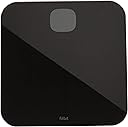
📈 Step up your health game with Fitbit Aria Air — where data meets style!
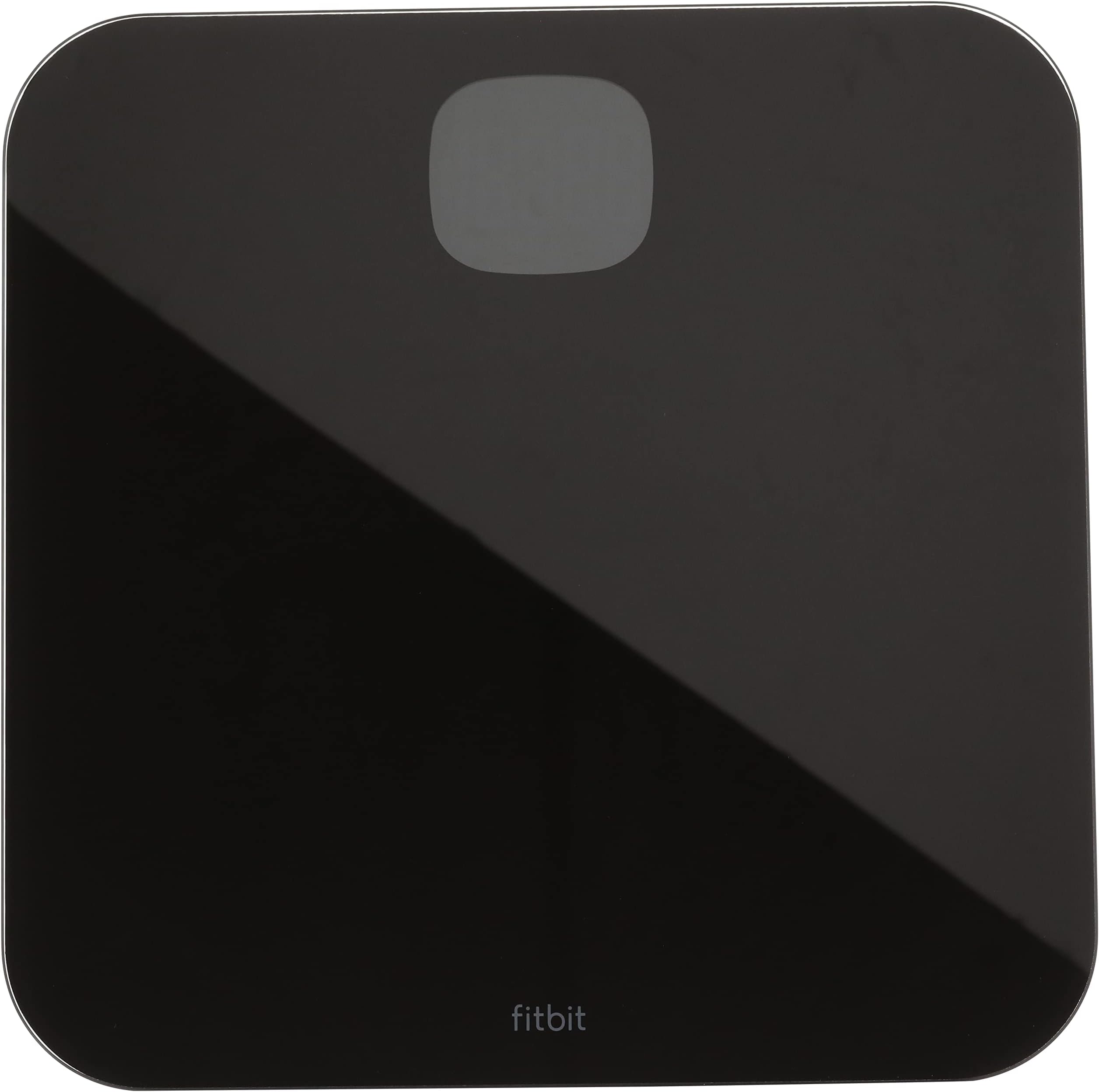
The Fitbit Aria Air Smart Scale in black offers precise weight measurement with Bluetooth syncing to the Fitbit app, enabling users to track BMI and health trends over time. Battery-powered and supporting multiple users, it combines sleek design with easy setup, making it an essential tool for millennials seeking data-driven wellness and social fitness motivation.


| ASIN | B07VV6GKDS |
| Best Sellers Rank | #78,736 in Health & Household ( See Top 100 in Health & Household ) #107 in Digital Bathroom Scales |
| Brand | Fitbit |
| Brand Name | Fitbit |
| Color | Black |
| Customer Reviews | 4.3 out of 5 stars 19,405 Reviews |
| Display Type | LCD |
| Form Factor | Handheld |
| Global Trade Identification Number | 00811138038076 |
| Included Components | Scale |
| Item Weight | 3.95 Pounds |
| Manufacturer | Fitbit Inc |
| Material Type | Acrylonitrile Butadiene Styrene, Tempered Glass |
| Measurement Type | pounds |
| Model | FB203BK |
| Part Number | FB203BK |
| Readout Accuracy | +/- 0.2 pounds (0.1 kg) |
| Recommended Uses For Product | Adults |
| Room Type | Bathroom |
| Special Feature | Smart |
| Special Features | Smart |
| UPC | 811138038076 |
| Unit Count | 1 Count |
| Weigh Scale Type | Floor Scale |
| Weight Capacity Maximum | 5 Pounds |
| Weight Limit | 5 Pounds |
D**T
Don't follow "sync" instructions!
Nice sleek design. The sync instructions provided do not work. You will need to: 1) Open your Fitbit app on your phone. 2) Select your picture (usually on the top left of your phone app), which will take you to your ACCOUNT. 3) Select +SET UP A DEVICE 4) Scroll to your device, select, and it will sync once you tap on the device you want to sync. BEEP BEEP BEEP - update update... Ok, so what I just realized is that the phone will lose connection via the Bluetooth scyn. This is okay, all you need to do is: 1) Open your Fitbit app 2) Step on the scale 3) Tap "SAVE" in your app... So, that annoying piece of paper with these instructions should tell you how to SET UP A DEVICE before this sync instruction, that'd make it a lot easier. It seems that a company like Fitbit would catch that and correct the instructions provided! **I was not able to sync my weight and save it until I removed my socks. After I removed my socks, my weight and other info were able to sync. I don't know if that was a coincidence, but it would make sense that you would need to remove your socks since the scales log more info than just your weight. Hope this helps!
B**.
Use a hard surface like tile, not floating wood flooring
I had an issue with this scale reading inconsistent by about 1 lb up and down when I first got it. For reference, I am 300 lbs and 6'3 tall. After some messing around with it, I found that the scale does not read correctly on my wood flooring in my bedroom. I started using it on the tile floor in my hallway/bathroom instead and now it reads correctly and consistent every time. I think what was happening was that because of my weight, the 4 measuring feet were compressing the wood flooring (there is a foam layer under my wood flooring so the floor has some give to it and doesn't feel like walking on concrete). I am using the Fitbit app with this. Had no issues linking the scale to the app and so far have had no issues logging my weight. Make sure you have the app open and are on the weight screen in the app before stepping on the scale though. It doesn't wake the app up or anything like that, you need to have the app open on your phone when you want to weight yourself and link it.
T**E
Works great and accurate
I have been using a fitbit since they first came out and have had several versions and several phones in that time. This was not easy to set up. I had it ready to box and give up at one point. The button on the bottom is you best friend in this situation! Now that I do have it set up it works very well and is the weight is the same as at the Dr's and it is sensitive to the ounce. Once I set- it adds my weight to the fitbit app and calculates how close I am to my goal, this was the feature I was excited about. Give it a couple of attempts when setting up, this might have been easier if I was newer to fitbit and hadn't had so many Fitbits on and off. Anyway keep at it and reach your goals!
J**S
Sync issues abound! (Hard reset resolved)
Updated Review: Updating to 4 stars because another hard reset got me out of the weird state it was stuck in. (To do a hard reset, just press and hold the units button (on the back) until OTA pops up on the screen, then press and hold the units button again until CLR pops up on the screen. That will factory reset the scale and you can re-pair it). After doing that, the scale has worked *flawlessly*, so I have zero clue what caused the initial troubles. Original Review: At my last oncology appointment, my doctor told me my weight dropping suddenly (and without explanation) would be a good first indicator that my cancer had returned. So recording my weight regularly has become a *medical* issue, and not just a *aesthetics* issue. I bought this scale specifically to ease regularly tracking my weight. I'm also no stranger to sync issues with fitbit products, but even this one baffles me. In the past, when a product stopped sync'ing, the "fix" has always been to remove it from the app and re-add it. Even 3rd party integrations seem to follow that rule with fitbit. But this scale is special, and not in a good way. I went through the setup after receiving it, weighed myself, and verified the data was available in the app. Worked exactly as advertised. There was a note that the app had to be open when recording weight, so ok, fine, I can do that no problem. This morning I opened the app, set my phone within 4 feet of the scale, and weighed myself. I then waited a bit to see if it would sync (spoiler alert: it did not). Then I performed a manual sync in the app, which pulled all of the data from my tracker, but not the scale. I tried that a few more times to no avail. App said the last time the Aria Air sync'd was 13 hours ago, so I know it *works*, but for whatever reason it's just not sync'ing now. I fiddled around with a few things on the scale (removing the batteries, etc...) and restarted bluetooth on my phone. Then I removed the Aria Air from my app. This is where the fun began. Now the scale lights up with bluetooth (as expected) *but it isn't connected to the app*. So when I go to re-add the scale, I continually get "An error occurred" or "unable to locate the scale" or however it's worded. Awesome. So for $50 I got essentially what I *could* have gotten for $20. A manual scale. The *entire* point of buying this particular scale is that it's 1) a fitbit product (so one would assume it would *work* with other fitbit products), and 2) automatic so there's one less thing I have to type on my phone. But that's not how it works. I spent the extra $30 **and** I still get to manually enter weight when I record my weight. But hey, at least it has a neat little bluetooth icon that pops up. That counts for something, right?
R**E
Easy to use.
Love. Love. Love. Just jump on the scale and have your Fitbit app open, and it automatically syncs your weight to the app. Such a great thing and very useful.
D**L
Do not buy this. Get a cheapo analog scale or something more expensive like a Withings scale
This was a frustrating and disappointing experience. Received and followed instructions, removed tab from batteries. Added the scale in the Fitbit app. Weighed myself and noted that there was no body fat % displayed. Ok, I did not read the fine print, I assumed this was a replacement product for the Aria 2 which read body fat %. Waited for the data to show up in the Fitbit app. No data, opened the devices tab and saw that the Aria Air has a status "Not synced yet". Tried the process again, force closed the app. Removed the batteries and replaced, tried again. Still the same status "Not synced yet". Read on some forums that try resetting by pressing the button on the bottom. Tried that a few times and got a message on the scale "Clr". Tried adding the scale back to the Fitbit app several times. Received a message "Set up Aria Air" in the app, but no option to confirm, or click OK. Tried the "Add more devices" several times and finally it added the scale. Tried weighing myself again, this time the scale is now displaying weight in KG. There is no option to change this. Selecting the scale in Fitbit crashes the app. EVERY single time. Restarted phone and no change. No option to change the scale back to displaying in LBS. Weighed again and this time a window popped up with the weight (luckily in LBS). I have to manually click SAVE to "sync" the weight with the app. I might as well buy a cheapo scale and manually log the weight myself in the app. There is nothing smart about this scale at all. There is zero functionality or features for this product besides it will sometimes put a popup in the app with the weight. I've read that this is inconsistent and you should force close the app and re-open before weighing. What!!?? Why did the developers not go all the way and actually sync the data without a manual step by the user? The Aria 2 was wi-fi, all you had to do is step on the scale and it automatically synced your weight, body fat % and BMI to the app. Why they decided to replace the Aria 2 with this crappy product is beyond my understanding. I used this once and am returning it. I am going for a Withings scale which will sync with Fitbit and has similar functionality to the Aria 2.
V**Y
I've had this a while and it still works.
I've had this for quite a while now. Sometimes it gets daily use. Sometimes it's only used monthly. I've only changed the batteries once. I don't ever have any issues connecting to my fitbit, BUT I have to have the Fitbit app open on my phone for my scale to log my weight. The scale has to recalibrate every time I use it, but that's so simple, it's just routine now. Step on, see weight, step off, weight changes to big C, wait for 0, step on, actual weight. There is a little button on the back that changes the measurement from pounds to kilograms or stones. I've accidentally pushed that a few times when grabbing the scale. (I have no room to leave it lay. It gets tucked in a corner. Which brings to mind it's very slim, lightweight design...) It's easy to change back, however, just by pushing the button again This is the best scale I've ever owned. I'm very pleased with it.
L**H
Love this scale!!!
I’ve seen many people give negative feedback on this scale, but I love it. I’ll try to address some of those concerns I’ve seen in other people’s feedback, here in my feedback for you. People have mentioned that the set up is complicated. Setting this scale up was a piece of cake for me!!! People don’t like that the scale doesn’t show your BMI. It’s no big deal, really. It shows up in the app. Make sure you have the Fitbit app! People don’t like that you have to be in the app for the app to sync your weight. Also really no big deal. I open the app, set my phone on the counter (so the scale doesn’t weigh me with my phone) and VOILA! When I hop off the scale, and look at the app, there’s today’s weight AND BMI. I click “save, and that’s all there is to it. People have said that this scale is not accurate. For me, this scale has been extremely consistent, every…single…day, tracking both weight, and BMI. I would definitely buy it again! Buy it! You’ll love it! ;-)
S**W
Mooi design en nauwkeurig, wel duur in vergelijking met aantal functionaliteiten
Update: Inmiddels werkt de app weer prima en wordt alles heel snel gesynchroniseerd. Heb deze weegschaal gekocht omdat ik al een Fitbit horloge heb. Daarnaast ziet hij er gewoon heel mooi uit! Het koppelen en wegen gaat makkelijk. Alleen synchroniseert de weegschaal niet goed met de app. Pas wanneer je de app helemaal stopt, (vanuit instellingen) en daarna weer opstart, worden er goed gesynchroniseert. Aanrader als je het niet erg vindt dat het niet vlekkeloos werkt, voor de rest een topapparaat ;)
K**D
Great scales
I love my new scale, accurate, easy to use and syns seamlessly with my Versa3.
R**S
Prisvärd och smidig våg
Betydligt billigare än Aria 2 som vi hade tidigare. Ibland synkar den inte med mobilen och saknar fettprocentsmätning.
M**I
Non ha il calcolo del BMI ma e' un ottima bilancia
Premetto che non ha il calcolo del BMI, quindi se state cercando una bilancia con quella caratteristica, questa non fa per voi. Per il resto ottimo prodotto. Integrazione con la sua app perfetta e accoppiamento semplicissimo (ci sono voluti 5 minuti guidati dal wizard). Il design e' piacevole (ma e' soggettivo). Rispetto ad altre bilance che ho avuto, ottimo il consumo delle batterie. Direi un ottimo acquisto, ma a me non serviva il BMI.
A**X
Good scale, Fitbit app connection and integration is lacking.
It's a good scale, but I thought it would have more integration to the app. First it takes forever to connect to the app by Bluetooth, then if the scale falls asleep while waiting to connect, the connection fails. Second, you still have to press save on the app, it doesn't automatically transfer the weight. I guess it makes sense, but you have to basically weigh yourself with the phone. I don't know if you have the same phone as me, but with the metal case, that adds almost a pound. It's not more practical than a regular scale, in my opinion.
Trustpilot
2 weeks ago
3 days ago