Desertcart purchases this item on your behalf and handles shipping, customs, and support to EGYPT.
🎧 Elevate your sound game with Audient iD14 — pro quality, pocket-friendly power!
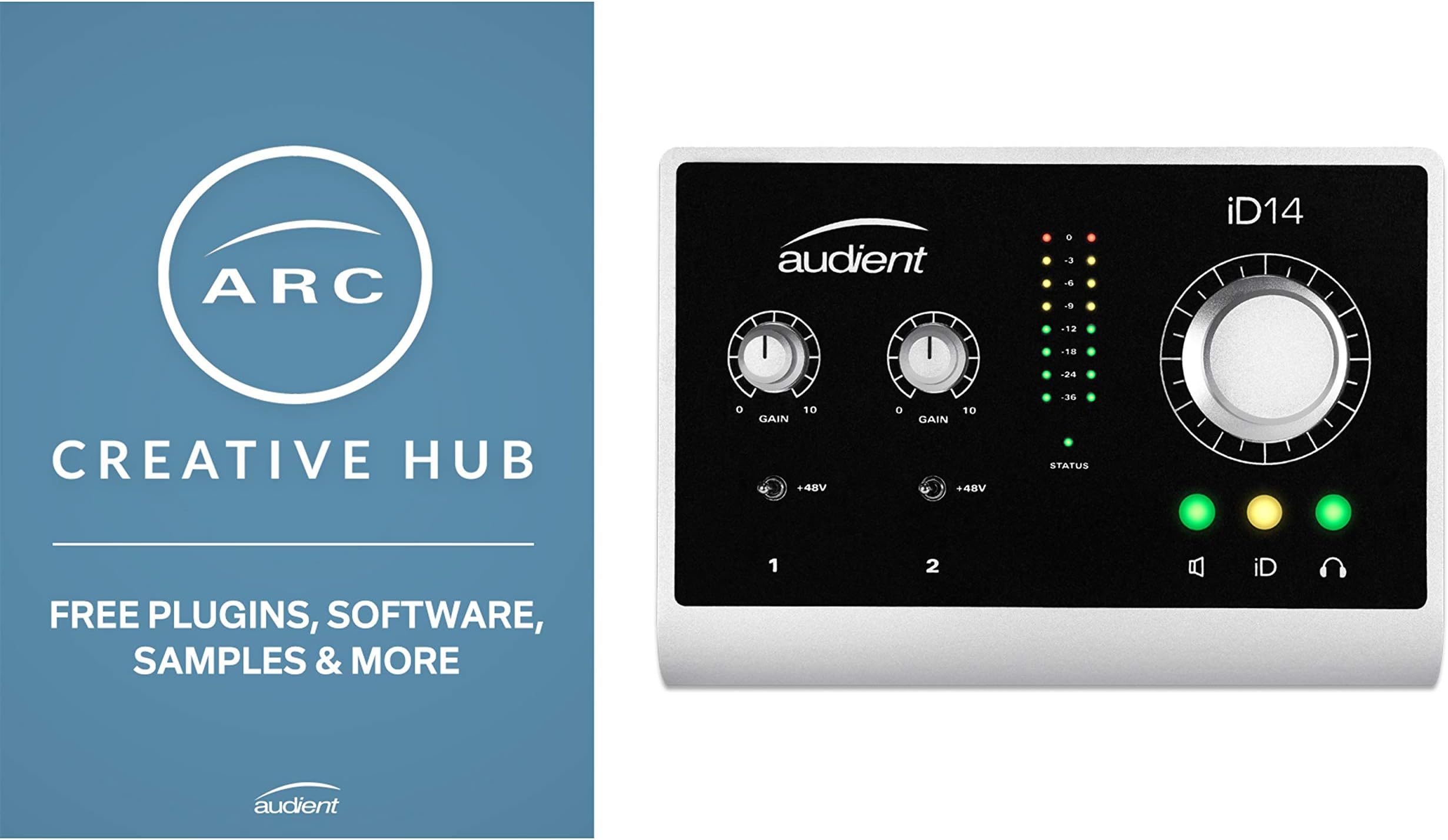
The Audient iD14 is a USB audio interface featuring 10 inputs and 4 outputs, 48V phantom power, and a high-fidelity 96 kHz AD/DA converter. Designed for professional and home studios, it delivers superior sound quality with clean microphone preamps and flexible monitoring options. Its rugged build and compact form factor make it ideal for millennial managers and creatives seeking premium audio performance without the bulk or price of high-end gear.
| ASIN | B00UALWPCA |
| Audio Input | [Inferred]: Audio interfaces |
| Best Sellers Rank | #272,214 in Musical Instruments ( See Top 100 in Musical Instruments ) #1,811 in Computer Recording Audio Interfaces #17,996 in Drums & Percussion |
| Brand | Audient |
| Brand Name | Audient |
| Compatible Devices | Personal Computer |
| Connectivity Technology | USB |
| Customer Reviews | 4.3 out of 5 stars 416 Reviews |
| Global Trade Identification Number | 05060374260146 |
| Item Type Name | Audient iD14 USB audio interface with microphone preamplifier (10 in/4 out, 48 volt phantom power, monitor mix and panning, 6.3 mm jack output, AD/DA converter) |
| Item Weight | 16 ounces |
| Manufacturer | Audient |
| Manufacturer Part Number | P182 |
| Maximum Sample Rate | 96 KHz |
| Model Number | P182 |
| Number of Channels | 10 |
| Operating System | Windows |
| Supported Software | Yes |
| UPC | 632317248075 714573523926 000267037726 |
| Unit Count | 1 Count |
0**D
Updated Review: 5-Star Sound and Build Quality, Good Flexibility, I wish you good luck with the drivers.....
UPDATED REVIEW: Having spent more time with the ID14, and having received several emails from their support group, I have upgraded my review to 5 stars. With the right hardware / software platform, the install was reasonably easy and the resulting sound is clearly superior to anything in the lower price ranges (in fact, I would probably say the value and flexibility exceed Apogee at this lower pride point, and I certainly prefer the preamps and brown-burr A/D to the focusrite/ presonus/m-audio units). I will be the first to admit that having had some time away from my initial horrible experience with the drivers has helped (which I will chalk up in part to the recently released major Microsoft update, and in part to having an iConnect driver on the first 2 machines tried), and seeing that they at least cared enough to write and provide some useful information (albeit a bit limited) has also helped to get beyond the drivers and install to the sounds quality of the device itself. Overall, I am pleased with the investment and use this interface as my main rig for guitar practice. No, I'd never trade it for my UAudio or RME gear, but I honestly couldn't afford those interfaces for this use, and I'm quite satisfied that this was the best decision at this price point. Accordingly, I've upgraded my review to 5-stars. INITIAL REVIEW: I agonized over this review and waited over 2 weeks to write it just to be fair. Let's start with what's good: for the price point the sound quality is good, and probably a notch better than the interfaces in the $150 - $250 price range. It is pretty neutral, with a slight smoothness to the frequency response that reminds me of my Apogee gear. It doesn't have the clarity and punch of RME, or the accuracy of Universal Audio, but neither of those brands have anything in this price range. It is certainly more enjoyable to listen to for mixing, mastering, or just plain listening.Build quality is generally sturdy; however, there is a slight amount of play in the large knob that isn't up to the same standard as the rest of the knobs and jacks. Now for the ok, Latency is higher than other interfaces at the price point or lower, and I find the pre-amps sound a little more dull and boxy than I'd be happy with by themselves. Matters less to me because I have outboard preamps that I use but if you really care about the sound of your recordings, I'd probably save up for a UA Apollo or apogee ensemble if you have a mac, or a used RME fireface with pc/mac as I'm not sure you could live with the sound of these pre-amps or anything cheaper by themselves. Other option is to get a good external pre-amp (and there are some really fine pres in the $300 range now if you check ebay). Now for the bad: support. I left a string of requests for support indicating I was having a lot of trouble with the drivers (see below) and not a single one was answered. NOT ONE! Now for the absolutely horrible: Hands down the worst drivers I've have had to install since the early days of PCs when we had to deal with interrupt conflicts manually. The only way I worked my way through days of agony was to uninstall every driver vaguely close to audio on the machine, use the beta driver, and (worst of all) run as administrator (which is a hacker / malware author's dream come true). I'm still mad at myself for running as administrator and not just returning the device, but that's water under the bridge now. So you you may be wondering why the 4 stars? Because I researched this purchase pretty extensively and founds that most products in this price range or less: have driver issues, sound significantly harsher and are more colored, create more ear fatigue and have a number of other drawbacks (e.g., cheap build quality). I also found that a small difference in a review matters a lot on amazon and I'm concerned that giving this a 3 might adversely impact the product more at this point than would be fair. Hence, the long review to disclose the good, bad and ugly. As for recommendation, if you care about sound quality and plan on listening to the unit for long periods, it's a good choice for the price range. If if it's your only interface and you're a guitar or bass player who wants to play/record into the DI into a DAW, I'm afraid it's not the best choice if you can afford to pay a bit more. The latency is too high to add any effects to the tone while recording, there's a bit more distortion in the DI than I personally prefer it didn't handle high gain humbuckers well and was too colored to capture the chime of single coils on a strat or tele. Most importantly, the high latency for direct use could hurt your recordings and even development as a player. If you have a few interfaces and have reasonable expectations for what you can do with this one, you may find (like I do) that it's a reasonable addition to the studio for playback (and here I will readily confess I enjoy it) low cost practicing, quick practice recording, etc. when you don't want to fire up your main rig. Important edit to this review: As noted below, I went through pure hell getting the drivers to work on the intended machine, and it wasn't much fun on my other machines either; however, I switch it to a different i5 windows 10 workstation this weekend and it actually installed easily and sounds much, much better than it did on the other machines. I don't know if there was an issue with windows, or the non-beta driver, but I'll confess that the unit is performing acceptably on this machine (albeit still with the latency issue noted above). Original note: Finally, I should note the drivers are not entirely stable. I find they typically crash about 1x/day and I have to reboot. With all of this said, these factors all balance against each other and having written this, I stand by the 4 star review, solely based on my experience, use, preferences and what I hoped to get out of it. Hopefully, you'll find something in these notes to be helpful to your purchasing decision. [My apologies for the long review, but I spent a lot of time researching devices, getting this one to work and agonizing over the review. I hope this is of value to someone else working through a similar purchasing decision.]
N**E
Best audio interface for your money
I used to be all about the inputs. Give me all the inputs! I need 8 of them! Because what if I want to record a drumset in my 8x10 room? Then I came to my senses and realized that has happened literally 1 time in the last 10 years. So I decided to off my Focusrite 18i20 and go for something smaller. Something I could just throw in my bag and use without a power adapter instead of some wonky dongle attached to an iPad that kept getting disconnected. I was going to spend some good money on a UA or Apogee interface, but I decided to not be stupid and do some research. Forum post after forum post recommended the iD14. "It's a steal for the money," most of them said. And they were right. I've had this for a month or so now, and it's been great. I plugged in my monitors (some KRK Rokit 5 Gen 1s I bought open-box on a whim from Guitar Center a million years ago) and immediately noticed a difference. The audio was clearer, highs were shining through a bit more. Not dramatically different, mind you, but enough that I noticed a difference. The pres on this are also fantastic - very, very clean, with maybe a slight touch of coloring in a really positive way. I pretty much just plug my guitar direct into it and use Helix Native in Logic. It sounds fantastic. Compared to the Focusrite, the pres in this sound alive and full, whereas the Focusrite felt very sterile and plain. The iD scroll thing? Yeah, it's a neat idea, but it's just a mouse scroll wheel. If it could be remapped to other functions, like, perhaps, a MIDI expression pedal/MIDI CC sweep, that would be significantly more useful. Otherwise, I have my mouse right in front of me - I don't need a separate control for that. I changed it to simply dim the output. Did I mention it's built like a tank? No? Well, it's built like a tank. All that said, there are a few things you should know. Some good, some bad, some depends on what you plan to use it for: 1. If you plug a guitar in to the front jack, and plug an XLR into the back, one of them will take over. I think the guitar takes over, but I could be wrong. They share the same input. It would have been really great of Audient to make this a completely separate input channel. It would have allowed you to record an acoustic's direct output, a close mic, and a room mic all at the same time, but, nah bro. 2. The software is simple and does what it needs to do, but I miss Focusrite's software, primarily their remote control iPhone app. I can't tell you how many times I've used that app to turn the volume of a channel up or down while being basically restrained by mic cables. 3. You can use this powered directly by USB, which is super nice for on-the-go recording, but you cannot use phantom power. That requires the power brick. Not a big deal to me - I'll always have the power brick connected at my desk anyway - but, if you're looking for something on the go to plug in your "it costs more than my car" condenser mic to, this isn't it. 4. When the power gets disconnected, your master volume resets. Another reason to not rely on USB bus power. 5. Unlike other interfaces, there isn't any real clipping protection when getting into high volumes. Higher S/N ratio, I guess. The MOTU 8Pre that I once had and the Focusrite seemed to both produce a higher output level without clipping. The Audient is a little quieter overall and will clip once you get to higher output levels on the interface. If you like to use your audio interface to throw bedroom raves, you might feel like something's wrong. All that said, I can't recommend this enough for a small studio or bedroom musician. It has phenomenal audio quality and will do everything you need it to do. Oh, did I mention you get some free software too?
C**A
Best kept secret!
When I decided to upgrade some of my recording equipment, I did a lot of research. My old audio interface was an M-Audio MobilePre USB that I had for over 8 years. I wanted something significantly nicer, that could capture very clear recordings. I had decided on an RME Babyface when I discovered the Audient iD22. I actually bought the iD22 and then discovered the iD14, was able to get a quick refund and bought this one instead. The iD22 had more features than I needed, and I read some information from Audient that the preamps are the same between the two models, and the converters are almost the same. I also like that the headphone jack is on the front of this one, as I am very often switching headphones around. The preamps sound very clear to me. For the volume levels I normally record at there's no noise. One time I tried a ribbon mic, which has a weaker signal, cranked the preamp all the way up and used the extra 10db in the software and there was some noise there, though not a ton. In short, I'm very satisfied with the sound coming out of my computer as I play back my recordings. There's a big improvement over what I was getting before. The clarity is just wonderful. I have heard great things about the D.I, but I don't use it. I have an Avid Eleven Rack which I use for my guitar, and I run that through the optical input (S/PDIF) of the iD14. The unit is solidly built. I like the metal construction. The knobs are easy to use. I haven't found much of a use for the scroll ID thing, and I don't really care to have the iD14 that close to my keyboard anyway because of all the wires coming out of it. But I do like to use the big knob for headphone/speaker volume control. I think the software is fine. I haven't used much other interface software, so I don't have a lot to compare it to. I titled this review as such because I don't think this interface is very well known. I stumbled upon it after doing research into a bunch of other brands and models. And at this price? I was willing to pay nearly twice as much for a used RME Babyface, which I think is comparable. I'm still blown away by the value of this thing. I try to buy most of my gear used, but the iD14 is new enough that there weren't any used ones available that would have saved me a significant amount of money. It didn't even bother me, because it's still a great value.
C**Y
Very quiet. Needed a little research to get it to work.
This is a very nice interface. Coming from a Behringer UMC22 it was a real change. I am dabbling in voiceover and could not get my blanket booth quiet enough. I changed everything (Cables, Microphone) and nothing helped, then I changed the interface and the noise went down by a lot. Some professionals were nice enough to listen to my results and said it is perfectly fine now (for a blanket booth). PROS: Silent, solid construction and it feels really nice when you use it. CONS: Learning curve (for a noob like me) and no power off switch. Contrary to my Behringer I have set this up at my desk instead of the booth because once you set the gain you can leave it alone and it needs extra power through an adapter. But no big deal, I just bought a longer Headphone Extension and a longer XLR cable. To control the headphone volume in the booth I got the "Rolls PM50s". Works like a charm. The issue I had in the beginning was that I could not monitor the sound. It was silent in my headphones. It was not just a simple push of a button like on my Behringer. I had to "up" the slider of the mic in the software. That did it and a reboot of the device after Firmware update. My computer needs to be turned on in order to monitor my input. I did not need that with the Behringer. I sometimes just want to hear myself when I practice and do not need to boot up my computer. But that is a small price to pay for this quality. The main issue for me was the lack of a power button. When the computer is off, the interface still receives power. I fixed that by adding an OFF switch myself. It was easy and it won't damage the interface. I bought a simple 12V ON/OFF switch "https://www.amazon.com/gp/product/B07G17HWW8". and cut one (not both) of the adapter wires and put this in between. Now I have my interface on my desk and the switch next to it and I can turn it on and off without pulling the cable. FYI: Audient's Tech support through email was very nice and helpful.
A**S
Great hardware, not the best drivers and software
Great super clean mic preamps. Definitely a huge step up from the Focusrite Solo I had before. On this, if I turn my mic pres all the way up all I hear is my microphones self-noise, no electrical noise or anything like that. The JFET DI is definitely a nice feature as well, and produced much more rich and clear DIs for both guitar and bass.I think the JFET DI also helps make overdrive/distortion pedals to react a bit more naturally if you use them Also love the form factor and button layout and switches etc. I haven't tried the big knob as MIDI input feature yet, though I expect I will soon enough.Also very happy it came with an ADAT input, so even if I need more inputs in the future I know this interface has me covered. Big complaint is that drivers for Windows 10 are not nearly as good as the Focusrite. Despite keeping the same sample rate, sample count etc, I get significantly more artifacts and overruns using the same DAW, same project etc. It's worth it for the quality, but it's quite annoying. It also makes recording anything at the "minimum" latency mode practically impossible, because there are too many artifacts (and this is with a relatively modern desktop Haswell i5 with Reaper). The UI for configuring the driver and mixes and such seems awfully powerful, but also took me quite a while to figure out how to configure it how I like. Also the driver seemingly randomly will flip back to 44.1khz away from the 96khz rate I set it to. It's easy to enough to set back, but it's an annoyance.
P**E
Fantastic product!!
Love this thing!!! I've been using an old m-box for about eight years. Bought a new iMac and decided to check out a new interface.The difference is night and day! The preamp is awesome!!!! The software is easily understood, and for the first time I can actually hear myself clearly when I monitor my vocals while recording! Quality build as well. I was nervous about buying it as I had never had any experience with Audient but based on the positive reviews I decided to take the chance. Well worth it!!! I definitely recommend this product!!! Admittedly, I've only had it for about a week so if I run into any issues I'll update this review.
G**.
If you're one of the fortunate people who receive an Audient iD14 that works it ...
UPDATE: I received a response from Audient which follows. I have buttoned the product back up and it's awaiting UPS to send it far, far away. The response is as follows: "Hi Gregory, We have found that a bug where a small number of units have been unable to have their firmware updated, which will not stop the unit from functioning, but this could become an issue further down the line if Apple or Microsoft release a new operating system. In order for your unit to be updated, it will need to be reprogrammed, which is a procedure that will need to be done by one of our authorised technicians. I will be happy to arrange the warranty repair of you iD14 with our American distributor if you would like this to be arranged? I understand that it may be an inconvenient time for you to have your unit updated, so if you would prefer to leave it for now, then we will be happy to treat this as a warranty repair in the future. I can only apologise that your unit has had this issue, but our US team will be able to help you get this sorted quickly. All the best, Joshua" Original Review: If you're one of the fortunate people who receive an Audient iD14 that works it is reportedly a very fine product. In my case, unfortunately, I am not one of those people. The unit arrived from Amazon in pristine condition and was packaged exceptionally well. It is indeed build like a tank and i was excited to fire it up and replace my Focusrite so as to give it a test ride. I went to the Audient website and downloaded the drivers for my Windows 7 machine. The installation went without a hitch, the iD14 was connected and the drivers found and applied. Everything fine so far. Now the problem. The iD14 update check shows a current firmware update of v1.0.7. Upon selecting to update the firmware, the popup box gives you two options. You can either update from Audient's website or via a file you have downloaded from your local machine. The first time, I chose to update from the website. It showed the correct firmware update of v1.0.7 so I selected this option and clicked on "next". You then receive a warning popup to make sure you stop any applications from playing thru your Audient iD14. No worries there.....nothing is using the interface. Click on "next" and then receive a new popup which shows a "progress bar" and the option to start the process by clicking "update". Upon clicking "update"....the words "initialising" appear in the progess bar and then........it hangs. This first time this happened, it hung for about 5 minutes and then "failed" appeared in the progress bar. I clicked okay, closed everything down, rebooted the computer and then DOWNLOADED the firmware update from Audient's website. This time, I selected the downloaded file by browsing to it and the exact same thing happened only it did not come out of it's hang and just showed "initialising" for over an hour. Since I don't like to ever cancel out a firmware update or interrupt, I just left it while I went to dinner. Upon returning back to the screen, it was still "initialsing". I clicked on "cancel" but the process was frozen up. I finally had to "end task" to get out. I tried various methods of overcoming this maddening process by trying the wife's Window's 10 machine in the other room. Exact same result. Sometimes, it fails after 5 to 10 minutes, sometimes it just hangs. I tried replacing the supplied usb cable with two others. I tried using my Surface Pro 3....all with the exact same result. After several installations, and re installations via Safe Mode and regular Boot......I have officially surrendered. I am waving the white flag. I have emailed the "Contact" on Audient's webpage with no reply. I have searched in vain in the other Amazon reviews, Sweetwater's music product reviews and in general. The only thing I have noticed is a common complaint among Window's user's that report problems with this product. It appears universally applauded among Mac users. Maybe I just got a bad one....or maybe you might consider avoiding this product if you're on a Windows machine. I never had a single problem on my Focusrite.....I just thought I'd upgrade to this highly rated interface. Hooking up old faithful as we speak. Good luck and Godspeed,
T**K
After long debate, couldn't be happier!
This is my first review and I had to make it known that this is a a fantastic interface with professional hardware and sound. Didn't have the funds to buy a UA Apollo at the time which is what I truly wanted to be able to take my studio work on the road with me. After a ton of research and some similar reviews here on amazon, I went with the Audient. The preamps, DI, and overall build are all top notch and this thing pumps out clean beautiful raw sound with literally anything I throw at it. I wanted to add a review to possibly help someone who might be in the same position. If you want pro sound on the road or in the studio, and aren't able to afford the next tier, get this and rest easy my friends.
R**N
Best Audio Interface for my project studio
I had purchased this interface in 2021 but started using since 15/20 days. Very easy to use and the quality of the recorded audio is excellent. I am so happy as I had decided to purchase this interface. Thank you so much Audient.
そ**り
上質なブリティッシュサウンド
15年頑張って使ったechoのオーディオインタフェースがいよいよ駄目になったので、 買い替えです。 個人で楽しんでいるだけなので入出力のチャンネルはそんなにいらないし、 プロレベルのクオリティもいらない。 でも、趣味で長くつきあっていくものだから、使っていて気持ちがいいクオリティは欲しい。 そんな規準で選びました。 結果、満足です。 低価格帯のI/Fはどうしても音がカリカリだったりペラっとしていたりしますが、 そういうところのない、上質な音がします。 サウンドのキャラクターは、入出力とも伝統的なブリティッシュサウンドです。 低音はどっしり落ち着きがあり、中域は厚く、 高域は派手でないけれど抜けは良い。 音に塊感と安定感があり、扱いやすいです。 最初、ちょっとおとなしい音かとも思いましたが、すぐ慣れました。 使っていて気持ちいい音で、音楽をやるのがまた楽しくなりました。
A**R
Worth the bit extra.
I could waffle... i bought the scarlet 2i2 that arrived faulty and took 2 days of fiddling with it to still not work and the volume control is on the cheap side of switches. So ordered the audient id14 and swallowed paying the extra hoping for something better all round and reliable. It is without any doubt better made in every way and a quality item. I guess most people would be asking themselves the same questions as i did at the start of hunting for a decent audio interface. So in my opinion this is the best you can get in that range for ability, quality and features. Hope this helps and i know reviews are subjective. I think the thing that gives the id14 its advantage is no lack of power. With the scarlett being completely usb powered for its inputs and phantom power, this leaves it exposed. The id14 is usb and mains powered giving it plenty of ooomph!
M**.
Ofrece mucho más por lo que pagué.
La calidad de preamps es muy buena, así como sus salidas tanto en amplificador de audífonos como en salida de línea balanceada para monitores. El color de salida está muy bien balanceado y los graves resaltan pero con bastante control. También para conectarle otra interfaz por medio de toslink no es nada técnico, todo es muy intuitivo, el diseño es práctico y compacto pero resistente, el nivel de ruido es bastante bajo teniendo en cuenta la generación de esta interfaz, aunque en salidas literalmente no existe ruido alguno (cuando probé los audífonos por primera vez, sin reproducir música aún pensé que no estaba saliendo nada de audio porque le subí a tope y no se escuchaba ni el menor rastro de hiss). Con otras interfaces al cambiar de sample rate unas cuantas veces, se generaban clicks digitales por error de conectividad entre el CPU y la interfaz, esto no me ha pasado con la audient, se nota en verdad bastante estable. En general podría decir que es mucho más de lo que cuesta.
F**Y
Great Product
Good build and quality sound for this price
Trustpilot
1 day ago
2 months ago