š” Store Smart, Live Large!
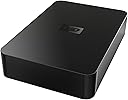
The WD Elements 2 TB USB 2.0 Desktop External Hard Drive is a cost-effective and user-friendly storage solution designed for personal use. Weighing just 2.2 pounds, it offers a generous 2048 GB capacity with a data transfer rate of 60 Mbps, making it perfect for backing up and accessing your essential files with ease.
| Installation Type | External Hard Drive |
| Number of Items | 1 |
| Item Weight | 2.2 Pounds |
| Hard-Drive Size | 2048 GB |
| Material Type | plastic |
| Color | Black |
| Media Speed | 1 |
| Cache Memory Installed Size | 16 |
| Data Transfer Rate | 60 Megabits Per Second |
| Form Factor | desktop |
| Hardware Connectivity | USB |
| Package Type | Standard Packaging |
| Hard Disk Form Factor | 3.5 Inches |
| Compatible Devices | Desktop |
| Hard Disk Rotational Speed | 1 |
| Specific Uses For Product | Personal |
| Digital Storage Capacity | 4 TB |
| Hard Disk Interface | ATA-4 |
| Connectivity Technology | USB |
| Additional Features | Portable |
C**)
A Simple, Functional, Affordable & "Reliable" Hard Drive
Western Digital WD Elements 1 TB USB 2.0 Desktop External Hard Drive WDBAAU0010HBK-NESNIf you are looking for a desktop, external hard drive with ample storage (931 GB actual), not packed with a bunch of software (only 8 KB of auto-run software), is affordable ($69.99 was my purchase price on 1/28/11), is simple to use (plug & play with drag/drop copying etc), runs very quiet & cool & is apparently reliable (based on a high number/percentage of positive Amazon reviewers plus other sources), then you might too want to consider this particular hard drive.Because I needed something in which to store my growing, 356 GB, 334,000+ photo-file collection as well as back-up that photo collection, I bought two. I chose not to go larger than 1-TB since I was leery about dumping all of my files on a single hard drive but at the same time did not want a collection of hard drives to wade through in order to locate & load a specific file. Also, I wanted unit(s) that could run efficiently off of their own power. It has been my experience although limited that such a device has the potential to be more reliable that one powered solely by a computer. Anyway, that is my gut assumption & I am sticking to it.For the record, all of my really good or cherished photo files also are further backed up on disc as well as on my computer hard drive. Based on my product research, hard drive failure occurs regardless of warranty, make/model or price or what the "computer experts" report. To my way of thinking redundancy is the way to go at least as far as photo storage is concernedOver the past 3-days, I have copied 356 GB of photo files from my from my old Dell XPS 410 computer & Maxtor 250 GB 1-Touch external hard drive at a copying rate of 1-GB per 1.29 minutes. The copying rate between the 2 Western Digital externals was 1-GB per 1.9 minutes. Was that fast or slow, you be the judge. The bottom line is that the WD hard drives are still running, quiet & cool. So far, so good; I'm pleased but will update if necessary.Also, the fact that these units were sold by Amazon, also fit my shopping criteria. I purchased these units utilizing Amazon's "Free Shipping", 5-8 business day option. The order was received unmarred with the items within well packed. Besides saving myself $8.53 in shipping, my order was delivered by the post office in 4-days. I guess it helps to live relatively close to Phoenix.
B**R
Works well on a Mac
I had 2 older Western Digital 0.5 TB drives that I needed to retire. They had served me well for 5+ years but, like all technology things, their size had become a hindrance rather than a help. So in looking around, I found lots of external desktop drives BUT they all suffered from a key flaw: embedded software that you could not get rid of. I couldn't care less about any add-on software, fancy displays, and all that. I just wanted reliable, external storage. This drive fit the bill.SETUPI run on an early 2009 MacBook Pro. I have this drive hooked up through a D-Link 7-port USB hub that, in turn, plugs into one of the three USB ports on my Mac. When the drive arrived, it was in perfect condition. I plugged it into its power supply, hooked up the included USB cable, and it showed up on my Mac within a few seconds.Since it came formatted at FAT-16, I used the Disk Utility to reformat as Mac OS X Extended/Journalled. That took just a few minutes. Afterward, it was ready to use.IMPRESSIONSThe first thing I did was copy all the files off of the two older Western Digital drives. There was between 300 and 400 GB on each drive. The copies took 3 to 4 hours per drive. While I would have liked this to be faster, it was quite reasonable given that all the drives shared the same USB channel. Once the copies finished, I tried accessing different files: MP3, AVI, MP4, DivX, ISO, and so on. I had no problems at all with any files. Video played back perfectly; MP3s sangs their songs; ISOs mounted.One of the best features is that the drive is silent. The older drives were noisy; this one was absolutely quiet. Any noise that it made was well below the ambient noise level in my computer room. And that room is relatively quite.I run a lot of VMs under Fusion. So I copied a couple of them from the MacBook Pro's internal drive (320 GB, 7200 rpm) to this external drive. I brought up the VM on the internal drive, timed startup, did some activities, then repeated this on the external drive. The external drive was only slightly slower in all things vis-a-vis the internal drive. This allowed me to free up space on my internal hard drive by moving my less frequently used VMs to the external WD drive.THE BAD STUFFI hate all the reviews that are all glowing about how wonderful a product it and they say nothing negative about the product. They seem like the are written by marketing people for the product's maker. So I tried to come up with all the bad things I've found with several months of use of this drive but, honestly, there aren't any. The drive works as it should, my Mac is happy with it, and I've had zero problems.I guess about the only bad thing I could say is that the internal drive is not one of the WD Caviar Black drives. It has less cache memory than their high-end drive so accessing the bits on the drive is somewhat slower. But other than that, the drive has been perfect.CONCLUSIONIf you are looking for reasonable external storage on a USB pipe with no frills, this drive is definitely worth your consideration.
Trustpilot
1 month ago
2 weeks ago