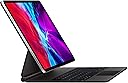



⌨️ Elevate your iPad Pro game — type, track, and charge like a boss!
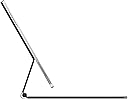
The Apple Magic Keyboard for 12.9-inch iPad Pro (Previous Version) Danish layout combines a premium backlit keyboard, precision trackpad, and a magnetic cantilever design that magnetically attaches your iPad for adjustable viewing angles. Featuring a USB-C pass-through charging port and durable front and back protection, it transforms your iPad Pro into a versatile productivity powerhouse, perfect for professionals who demand laptop-level performance with tablet flexibility.
| Asin | B08632M9X3 |
| Date First Available | March 18, 2020 |
| Item Model Number | MXQU2DK/A |
| Item Weight | 2.44 pounds |
| Language | Danish |
| Manufacturer | Apple |
| Product Dimensions | 11.48 x 9.39 x 0.86 inches |
User
Magic Keyboard with an iPad Pro 12.9” Generation 3 (2018)
Ordering the Magic KeyboardThe Apple Magic Keyboard that I ordered through Amazon on July 15, 2020 arrived this evening about 5:15 p.m. I first ordered it through Apple with an arrival date of August 1, 2020, but then saw that it was $20 cheaper though Amazon with a three day shipment date. The shipment arrived through Amazon on July 18, 2020 as scheduled with no requirement that I be home to receive the product. With products that I have ordered through Apple there has generally been a requirement that someone be home to receive the product. Amazon doesn’t have that restriction, apparently assuming the risk of theft or loss through its delivery policy. I appreciate this feature of Amazon delivery, since I can’t always be home when it is convenient for the delivery person.PackagingThe packaging was typical Apple and I have grown to expect no less. I’m like a kid when I open new Apple products and today was no different. The Amazon shipping carton contained the white box of the Apple packaging wrapped in a very thin folia within which was the product wrapped again in a translucent plastic sheet with a tab for removing it. There is a paper spacer between the keyboard and the magnet mounting surface with a special little compartment for the instructions, which I judiciously ignore. I do save all the packaging for a period of time just in case the product has to be returned for some reason.I opened the keyboard and placed my iPad Pro 2018 on the magnetic back and shifted the iPad to a position that I found comfortable. Many people have been impressed by how rigid the hinges work. I didn’t notice that at all, but did notice that the main large hinge snaps into one place and the secondary hinge then moves independently, but I was surprised by how little tilt the whole arrangement allows. Everyone, including Apple, mentions the maximum angle of 130 degrees, but I didn’t realize from reading how little that actually is. No big deal, because the “default” angle, and there is one, seems just about perfect.The weight is not a factor at all, though the set up is a little heavier than the Smart Keyboard set up. Realistically it takes two hands to carry the 12.9” iPad Pro and Magic Keyboard around while it is open, though if you wanted to prove a point you could probably do it with one hand. There is no problem closing the keyboard and carrying the iPad around closed, one hand or two. I compared holding my MacBook Pro 13” and the iPad Pro 12.9” with Magic Keyboard and the latter seemed slightly heavier. Granted this test was not scientific, but go figure. That’s the way it seemed to me. I’m not going to actually weigh each to get real data, for feel is more important than objective data in this regard.Typing on the KeyboardOnce I started typing it took me a little while to get used to the action, and I’m still hitting a key wrong on occasion, but not often and not anymore than I do typing on either my 15” or 13” MacBook Pros or my Smart Keyboard for the iPad Pro. As has been noted in other reviews, the number keys are underneath the cantilevered iPad Pro and it takes a few minutes of typing to get used to that, but within minutes I had learned how to sneak my fingers into the cantilever gap and hit the numbers that I need to. I am a touch typist so the first thing that I did was turn the backlighting for the keys down as far as I could. I don’t look at them anyway, but it still leaves a very minimal amount of backlight on. From time to time would still hit my typing fingers on the bottom of the iPad Pro while trying to type numbers, but it really is nothing, and as I get used to this keyboard it won’t be a problem at all. Also, I notice that from time to time I don’t hit a key hard enough for it to register. It is not that one has to pound away on the keys, but if you have a very light touch you might have to get used to pressing a bit harder than one would on a well oiled MacBook Pro. Once again, this is just the newness of the feel of the keys. I also find that it helps a lot if I take a second to get the right posture at the keyboard with my fingers on the home keys, before I start hammering out sentences and paragraphs. The feel of the keys is definitely much nicer than Smart Cover Keyboard for the iPad Pro, but I wouldn’t say it is immeasurably better than the keyboard on a MacBook Pro. Unsurprisingly, the more I type on the Magic Keyboard the more I like the feel of the keys.TrackpadLet me just say right off that not having to use my clumsy fingers to move around most apps on the iPad screen itself is a game changer for me. The trackpad is good for this, but I broke down and also bought a Magic Mouse 2 to go with the new set up. I find myself using the mouse a lot more than the trackpad. It is simply more convenient, but I think that this is a matter of taste. I haven’t used a mouse with my MacBook Pros for years, relying solely on their trackpads. So I can use the trackpad with the Magic Keyboard. I just don’t. Note that when the Magic Mouse 2 is paired with another device (MacBook Pro) it will not work with the iPad Pro. In that case you have to use the trackpad on the keyboard to move around (or go back to your finger on the screen).Battery LifeThe iPad Pro did not lose much power when I left it off the charger over night. It had 100% when I went to sleep and 8 hours later it had 96%. That is about the same as when it has been attached to the Smart Keyboard. After 6 hours of steady use typing this review, answering emails, checking twitter and some news sites, and reading some pages on the web, the gauge is showing that I still have 68% battery left.Overall ImpressionSo far I like the Magic Keyboard a lot. Perhaps even more than I thought I would. I’m glad that I bought it for two reasons. I like the cantilevered angle that the iPad sits at on the cover and raised position closer to eye height, and I like the feel of the keys. I can definitely type faster than I can on the Smart Cover. I’m glad I spent the money, but not everyone will find that the benefit to cost is worth it. I spend so much time in front of my iPad Pro that any improvement to the experience is well worth it.Does It Make the iPad Pro a Notebook?Not by a long shot, but not because of the hardware. If all one does is type reports and format them oneself, or surf the web, or watch movies then it is fine as a sole machine. However, I work with many different companies and they all have their own styles that they insist be used in documents. With Microsoft Word one can just take any report that uses the style and import it into any documents that have been properly set up using the the “Styles” feature of Word. My impression is that most people do not use the Styles feature in Microsoft Word, though I may be wrong about this. I’ve never taken a poll, but on different projects that I’ve worked on people don’t use the feature. I use it all the time, but the mobile Word App does not incorporate a “global” Styles feature. Also, there are accounting and tax programs for a notebook that don’t exist for tablets, or don’t have full functions for tablets. When I use a program or app I tend to learn how to use most of the features. I do not use a computer as a typewriter as many do. I employ most of the nifty innovations that word processing has introduced over the last thirty years, and they just aren’t there for a tablet. On one assignment overseas I brought only my iPad Pro 12.9 (2018) and did all my writing, research copying and pasting, and document management with the tablet. The split screen was a tremendous asset for legal analysis, having the law on one side and my report writing on the other. But ultimately I had to do all of the formatting on my MacBook Pro.
User
Casual User and it’s worth the high price!
I was in the market for either the 11” iPad Pro or the new 10.9” IPad Air. My current iPad is a second generation iPad mini. My laptop is a mid 2012 MacBook Pro. When my MacBook’s screen backlight went out, I thought it was time to upgrade. The new Air really intrigued me. But at 64GB for the base model, it was too small of storage. The next model at $749 with 256GB would be good. More than enough. But than that puts it into 11” iPad Pro territory. For $50 more you gain the better refresh rate (120 vs 60) and the extra cameras and a few other minor things. But that only includes 128GB of storage. But that actually is just the right amount.I went to the store to get my hands on them to try them out. After holding them, I knew the form factor was just right. But than I saw the 12.9’ Pro. WOW. But do I need 12.9”? HECK YEAH. I’m not a pro user. I watch videos and maybe edit some photos. Nothing more than crops and lighting. What’re edits come with apple photos app. Using it, I realized that the size was almost identical to my crapped out MacBook Pro.Now getting to the keyboard. Initially, I thought “Why in the world would any sane person pay $349 for a flipping keyboard? They had a display unit with the 12.9” and the larger keyboard. As I used it, it was plainly obvious. “This is why sane people pay $349 for a keyboard!” This absolutely worth every penny. It really turns the iPad into a laptop. The floating iPad is genius. The magnets hold it securely and it does not ever feel like its gonna fall off. The keyboard has a very satisfying click to them. They are backlit and self dim if the iPad goes into rest mode too.The game changer is the trackpad. The trackpad is very responsive. Since iPadOS added trackpad support, it makes the interaction a lot laptop like. The curser moves around the screen in laptop like fashion. It sorta “snaps” to an area that is clickable when it gets near it. There is no weird trying to precisely move over the cursor.Some complaints have been the viewing angle while using it as a laptop on your lap as opposed to it sitting on the table. I use it in my recliner with the keyboard laying on my stomach and the iPad sorta sitting close the my legs. It does not tip over, but it is top heavy. The viewing angle is just perfect. I have never felt that I needed to worry that it would tip over backwards. Although it has, but only when I’m in one of my unnatural watching and typing positions. What’s great also is that unlike a laptop, I can easily pop it off and use my iPad like an iPad. When closed with the iPad attached, it feels like it weights the same as a regular laptop. It feels like it weights more a Macbook air but less than a MacBook Pro. But overall, its the absolute best of both worlds.If your debating weather its worth it, consider this: a 12.9” iPad with 128GB and this keyboard comes in at around $1350. It s’more than an MacBook Air. And roughly the same price as a MacBook Pro. So its laptop price. (Although, you can find the iPad for $949 and the keyboard for $329 on Amazon) with the 90% of the functionality of one, but also all the functionality of a great iPad. I do not miss not having a laptop since I got this.
User
Suddenly: A Laptop
I’m writing this on the keyboard in question, which I’ve been using almost nonstop since i got it. It really has the feel and performance of a laptop keyboard, and a very very good one at that. The layout and spacing is great, with the only gripe being the lack of a dedicated ESC key. Still, using CMD . works too, and with one CMD on each side of the space bar, its no sweat. Again, while I’m still searching for an F5 key that isn’t there, I can accept it given how incredible this keyboard is.Complementing the keyboard is a trackpad that has a good feel and smooth multitouch performance. Lazily scrolling one-handed while watching tv is already a new guilty pleasure. It enhances an already impressive device, alongside the Apple Pencil, and really feels and performs like a dream. Part of that feel is the way the iPad is secured, and the dual-hinge design gives you huge freedom in viewing angles, while staying where you put it even when you’re taking your iPad off and popping it back on.I’ve tried this on a desk (perfection), a lap-desk (really feels like a good laptop), my lap (good, but had to work to get the right position), and on my folded legs covered in a comforter (fantastic, viewing angle and ergonomics are really good). All told this thing is extremely versatile, and when you consider that you can easily detach it and reattach it, it feels empowering in terms of what you can do weigh the iPad.The only downsides are:It is heavier than other cases and keyboards, but you wont be using this as a case for most of your needs that don’t involve typing, so you wont be holding it anyway.It can’t bend back over itself, so really while it can be used as a case, it is sort of a keyboard/trackpad and dock more than anything.With that in mind, and for a pretty sizable amount of money, you get a keyboard that makes the iPad Pro a really credible laptop that can, from moment to moment, become a tablet with digital pencil, and back to a laptop. It’s great!
User
A premium, worthwhile product, but do your research.
I'm puzzled by some of the negative reviews on here. You should know, before buying this, that there are no function keys, that it is heavy, and that it can be awkward to open in the usual way. Reports of excessive battery drain by the case are sporadic enough that I feel like they have to be the exception, not the rule; I've had no issues with this myself.Regarding the keyboard, I will compare this to the keys on the smart keyboard folio, a mid-2012 Macbook Air, and the bluetooth Magic Keyboard (second generation) from Apple, the latter two which also use the scissor switch mechanism. I had previously owned the folio keyboard, and enjoyed typing on it, but, no question, this keyboard feels far far superior, and I find myself able to type much faster and more accurately on it. As for the other two, you can definitely feel the difference in the redesigned scissor keys - the keys on my 2012 Air are fine, but slightly mushier compared to this; in contrast, the bluetooth Magic Keyboard's keys feel somehow sharper and more clackity compared to the iPad Pro Magic Keyboard. I think I like this keyboard slightly better.Where the scales tip, though, is the integration of the trackpad with the keyboard. With the folio, you'd have to interact with the screen directly for anything that couldn't be done using hotkeys (even if you remap the globe key as the Escape key, there are some limitations). But having a quick way to scroll, navigate the screen, and engage the usual swipe gestures right there by the keyboard eliminates most of these issues. So nice.Regarding the function keys, yes, it'd be nice if they were there, but it's not the issue some are making it out to be. The Escape key can be mapped to the globe key; the only other ones I really miss are volume and brightness control, and, using the trackpad, it's quite easy to click on the battery percentage indicator at the top right of the screen, which drops down the control center for easy adjustment of either setting. Not perfect, but more than good enough.Finally, the passthrough charging. I hadn't thought I'd care much about this, since I'm not using the side-port for anything now; what I hadn't considered was how this feature effectively gives the iPad a sort of wireless charging; leaving the keyboard case open and plugged in on the desk, I take the iPad off when I want to use it in tablet mode, and then just pop it back on when I'm done, and it's instantly charging.A few cons: I found that this keyboard isn't as enjoyable to use in the lap, compared to the smart folio; something about the number of moving parts makes it feel more shaky/less stable to type on, and the weight distribution is such that it wants to lean backwards when it's not on a stable foundation. That said, on a desk, it is superb.Also, when I first started using it, I ran into the issue of occasionally hitting my fingers against the bottom of the iPad while typing (especially when reaching for keys on the number row); I've gotten used to it now, but, some might find this annoying.
User
iPad Pro : Laptop Mode
The iPad Magic keyboard case is just another amazing product from Apple. Personally I’ve never used any type of accessories on phones or tablets however this one I had to get.Pros:Good back lit Keyboard. I’ve included a picture with a dark room to show the keyboard.Inclusion of a Cmd and Option key that allow for use of more short cuts to make using the keyboard more fun. However not all short cuts from the Mac work. Learning all the short cuts isn’t easy unless you’re iJustine however I recommend learning to use ones that can make your tablet experience better. The track pad is rather small but sufficient for me but I don’t speak for everyone.2 in 1. The regular 2 in 1 laptop tablet combos you see from other brands usually involve motors or some type of mechanism to keep the tablet inside the keyboard portion. The Magic Keyboard connects to the iPad using magnets and the smart connector on the back. The magnets and connector make taking the tablet off the keyboard as simple as pulling it off.Extra USB C port. The USB C port on the case allows you to charge and is on the opposite of the iPad leaving the other side (iPad side) for another USB C accessory which leads to my next positive.This is more of personal preference thing but this case does allow for a minimalist set up using just a charging cable and a USB C dock. Definitely a possibility if an iPad is all you need out of a computer.Looks. This keyboard definitely looks better in my opinion than some of the other brands of keyboards that use clips or something else to hold in the case versus the magnets that the Magic Keyboard uses. The magnets allow the sides of the iPad to show completely instead of plastic clips holding it in. In my opinion this gives the case and iPad a cleaner look.Build Quality. The case is also well built consisting a metal, plastic, and rubber construction. The rubber is similar to that we’ve seen on other iPad cases. The overall case is sturdy and doesn’t bend at the keyboard while staying very thin.Cons:This one is sort of a con for some but not for me. The keyboard is pretty heavy about the same weight as the iPad itself. So together they’re about 2 iPads heavy. In certain cases putting the laptop in your... lap is hard and not sturdy however if you put this at a desk it’s not a problem. The overall weight doesn’t affect is portability it can be taken anywhere and can definitely fit inside backpack or be taken in hand. It weights a bit less than a MacBook. You eventually get used to the weight and it becomes easier to mange but can be a struggle at first.I would definitely recommend this case overall for its looks and usefulness. The Magic Keyboard could control the iPad entirely without you ever having to touch the screen. This keyboard has also made me consider switching to it full time compared to my computer.
User
Most “Lap Usable” keyboard case I’ve ever seen
# iPad Pro 2020 with Magic Keyboard - Random thoughts### Noticing a Change in How iPad Gets UsedIf you switch from an iPad with a home button, to a recent design with no Home Button - and you also purchased a Magic Keyboard - you’re more than likely going to change the way you used the device.The iPad has been one of the most diverse platforms ever:- it can function as a laptop;- with the Apple Pencil, it morphs into the Artist's sketchbook,- for the casual user, it can be the perfect social media consumption device / video player.It had a nearly perfect _hold-in-your-hand_ design. The viewable front was perfectly flat. The back blended into the front with a rounded edge that was so comfortable to hold. Even the bezel played into its ideal design - allowing a place to hold without blocking the display.The latest iPad designs without a Home Button have changed all that. Don’t believe me? Try to holding one of these iPads in hand. You’ll quickly notice the ever-present annoyance of the sharp edge pressing into your fingers. And … although a 12.9” with a Home Button is actually heavier (1.53 pounds) than the latest 12.9” that lacks a Home Button (1.42 pounds), the later _feels heavier_ due to all its weight being packed into a smaller space !When I purchased the Magic Keyboard, I thought I would make heavy use of _detaching the iPad_ for reading on the couch. But, surprisingly, I’m finding I’m discouraged from doing that for all the reasons above. At the same time, I’m finding that I’m encouraged to do all my light _couch use_ with the Magic Keyboard due to how well it performs in one’s lap ! With the Magic Keyboard, I have a perfect stand for the iPad that sits on my lap. Now, I can read _without holding it_ ! And … I find myself doing this on a regular basis now.**Recap** Apple as been successful in making the device usable in a laptop-like-session … always, no matter what kind of work you’re doing with it.### Quirks- `RETURN` key in Messages app sends a text immediately! With the virtual keyboard, the `RETURN` key would add a newline, and you had to hit the `Send Arrow` to _Send_ the message. Now, if you a new line in your text (such as a formatted addresses, lists, paragraphs, etc), you need to pull up the virtual keyboard, and use its `Return` key instead of the `Return` key on MK - they act differently.- No `ESC` key! And the `CMD-.` key doesn't always substitute for the `ESC` key as advertised.- Using `CMD-Q` to _quit an app_ doesn't really work! It only removes it from the `CMD-Tab` list of apps. If you don't believe this, execute `CMD-Q` and then pull up the **App Switcher** (which displays all apps running in the background). You'll see the app that you supposedly quit with the `CMD-Q` shortcut still running.- My really nice power bank (The RoMoss 20,000 maH) does not work from USB-C to the MK USB-C input. There is no _Charging_ (or even a "not charging") indication - nothing at all. When the RoMoss power bank is connected to the pass-through USB-C port, the backlighting of the keys flicker at a rate of once per second. Others have noted that the pass-through USB-C port also does not work for various other 3rd party power banks and PD bricks as well.### Personal Notes- Regarding Weight. Yeah, it's heavy, but I really don't think weight is a problem ... it's detachable, so hand-holding of the iPad is lighter than any other case that is not detachable. If you're _using the keyboard_ you're not holding it's weight - so, weight is not a problem ... (unless you're toting it in a back over you back, in which case, the extra weight is just not that noticeable). This is just my opinion.- Regarding case material getting dirty ... I have disdained most all Apple Cases made of this material. Until now, I avoided them and bought 3rd party cases/keyboards. Most are saying this case _gets dirty_. Perhaps it does with normal usage. I have not noticed this - but I am in a habit of never touching the case after eating anything greasy (chips, pizza, etc) ... and I always lay it down on a microfiber cloth (or else my lap, in which case I am wearing sweat pants or blue jeans). Surprisingly, I am not seeing this case collect spots or a dirty appearance on the outside yet. Still looks new to me ... just saying.### Bumper GuardI'm surprised that there is no company that has produced a desired product : I'm wanting to purchase a "_bumper guard_" that would:- fit around the outside edge, and work with the Magic Keyboard- make the iPad easier to hold- provide edge protection.It would be nice if they came in colors.### Pros- Fantastic typing experience !- iPad is super easy to attach and detach- Great lap usage sessions ... best I've seen in a keyboard case.- Trackpad is better than I thought it would be.- Does not rely on Bluetooth for its connection### Cons- Needs Volume and Brightness quick controls !- Price !- Quirks (listed above)- Compatibility of the _pass-through_ USB-C port. (Might as wells not be there at all for how I'd like to use it - just saying)- drains on iPad battery ... better would have been to allow _pass-through_ to charge both iPad and keyboard (and keyboard every month or so) with its own battery.
User
Whole new iPad
This keyboard makes the iPad a whole new animal. I use my iPad in meetings. Pulling out a computer and going through the startup process is too intrusive. The ability to take notes, look up drawings, documents, photos and still have access to touch screen and Apple pencil, for me at least, answers virtually every demand I have for a computer. Plus the light weight, proper balance on my lap or on a table or desk, size and the precision feel and the backlighting of the keyboard are great. I do sometimes find my fingers on my right hand hitting the bottom of the screen because of it's location somewhat over the top of the keyboard. But, this appears to be something to which I can easily adapt.This keyboard really feels like an Apple product. I honestly don't think you will mind the price any more than you minded the price of any other Apple products you now own. I'm glad I have this and will be using it extensively.One add on to my review: Battery life is a possible issue. The iPad powers the keyboard. Most of the power consumption appears to be from backlighting of the keyboard. Most of the time I don't need backlighting. When I do, it would be nice if there was a way to change the backlight level from the keyboard. The only way I have found to change the level is to go to the keyboard selection in settings. Not a big deal. I have been trying different levels to see how it affects battery life. My best guess is that there is about a 7% reduction in battery life when the backlight is at mid level. Not bad. Of course it's less drain if the light is off.
User
Disregard most negative reviews, it’s pretty great
A lot of the reviews I had read noted that their main issues with the magic keyboard was that it was too heavy and there wasn’t enough adjustability for your screen angle. Honestly, the keyboard is really not that heavy at all, it’s extremely sturdy, and comfortable to use on your lap or a flat surface. Regarding the screen angle, you’re able to adjust the angle that the iPad sits over the keyboard pretty nicely to any reasonable angle. There is not a whole lot of adjustability, but the amount that the keyboard offers allows for a comfortable viewing and usage experience regardless so it’s not something you really need to worry about. Most notably, I love how big the keys are, I’m someone that likes a larger keyboard and this one is a reasonable size for an iPad that still makes it significantly easier to carry around and use in place of a conventional laptop. I was surprised by how sensitive the trackpad is. Other trackpads I’ve used in the past require more effort to move the mouse where as this trackpad is fast, reliable, and easy. I wish there was a way to exit out of apps with the keyboard to make the experience completely touch less at times, but perhaps I haven’t discovered that function yet. I’m not sure why it’s a whopping $329 but this price was still cheaper than through apple and it’s a worthwhile keyboard if you’re looking to get the most out of your iPad Pro 12.9 in as a replacement of your laptop.
User
Do you need this and is it right
Over the years I have had just a about every flagship phone and tablet, from most of the leading brands.Fitment and QualityOver the years I have come to learn that with Apple you get what you pay for quality and after support the keyboard is expensive but I bought this when it was £174 show it was an absolute bargain. I am using this on a brand-new 2021 M1 iPad Pro with a glass screen protector. I bought this as I figured I could return it if it didn’t fit and it was a lot cheaper than the brand-new fifth-generation one and it fits absolutely perfect. I have owned and I return the Logitech keyboard for this the keys are much better the sturdy base allows you to have it on your lap the fact the screen is lifted and closer to your face just enhance his experience.CostThere are cheaper alternatives out there but they don’t match the quality. As said in the sale for 174 this is a bargain, The reason I put this as a 4 out of five is because it is almost a price of a cheap laptop I’m not shame it’s not worth it I’m just saying it’s expensive if you pay full price.UsabilityAt the time of writing this I’ve only had it a day or so but i am easily able Put this on the end of the armchair and work. I was not able to do with the Logitech keyboard as it does not have a solid base. I have this stored inside of Tom toc folio case, so that added protection let me sleep at night. The lack of protection around the frame was a concern that left me in two Minds if I wanted this, but after ordering a skin and storing it in the folio case I don’t see an issue.New M1 fitmentI have done this is a separate category as it is something I spent hours searching reviews for and found no answers. The fitment on the brand-new M1 iPad 12 point pro seems to fit perfectly to me I also have a glass screen protector and I’ve enclosed a photo. I can’t understand why you would buy a brand-new model at double the price my suggestion is by this now while it’s on sale
User
Trasforma un iPad Pro in un comodo notebook
Magic keyboard è davvero il massimo per il vostro iPad Pro: tastiera, trackpad e cover, allo stesso tempo, per il vostro dispositivo. Ho provato la versione da 11 dopo aver visto da vicino quella del 12.9. La cover è davvero eccezionale, nonostante il prezzo davvero esagerato. I tasti rispondono in modo eccezionale. Purtroppo sono le dimensioni del trackpad a convincere poco in questa versione da 11”. Molto meglio, invece, nella versione da 12.9”. In definitiva, consiglio l’acquisto a coloro che non hanno proprio voglia di rinunciare al trackpad; in caso contrario, meglio optare per la Smart Keyboard senza trackpad
User
Amazing quality!
The magic keyboard when typing feels very good when typing. It has a good weight on it and it works with my iPad Pro 12.9 2021. You can definitely feel the quality of the keyboard! Happy I went with the magic keyboard and not another third party company keyboard.
User
Darauf habe ich gewartet - unverzichtbares Zubehör zum iPad Pro!
Pro:- Das Schreibgefühl ist wirklich sehr angenehm. Es soll dem des neuen Macbook Pro 16 entsprechen, was ich auch prinzipiell so bestätigen kann. Die Größe der Tasten und Tastendruck sind super (12,9“). Ich habe zuvor schon einige andere getestet (das normale iPad Pro Smart Keyboard sowie Logitech) und keines kommt an dieses ran.- Beim Trackpad merkt man die Apple Qualität. Es wirkt zwar auf den ersten Blick evtl. zu klein im Vergleich zu den Macbooks, aber die Größe ist völlig ausreichend und ist sehr angenehm zu bedienen. Im Allgemeinen ist die Kombination aus Keyboard und Trackpad einfach ein Game Changer (wie es bei einem Laptop eben üblich ist) und macht das iPad erst zu einem richtigen Arbeitsgerät. Es lässt sich überall drücken, egal ob an den Rändern oder mittig. Haptic Touch wie auf den Macbooks fehlt zwar, aber ist für mich nicht so relevant. Natürlich kann man Zuhause auch separate Keyboards und Mäuse nutzen, jedoch möchte ich ein All-in-One Device haben.- Beleuchtete Tasten, einfach sehr hilfreich und definitiv notwendig. Nie wieder ohne! Die Beleuchtung wird auch automatisch je nach Helligkeit dank eines Sensors angepasst. Es wäre jedoch noch cool, wenn man die Tastaturbeleuchtung im Kontrollzentrum hinzufügen könnte. Ich hoffe, dass das noch in einem der nächsten iPad OS Updates berücksichtigt wird.- Das Magic Keyboard zieht den Strom über den Smart Connector im Gegensatz zu anderem 3rd Party Zubehör. Den zusätzlichen Stromverbrauch des iPads habe ich bisher nicht gemerkt. Es ist somit immer mit Strom versorgt und benötigt keine extra Verbindung über Bluetooth.- Man kann das iPad im Winkel von 90° bis 130° einstellen. Ich denke, dass dies für die meisten User völlig ausreichend ist, auch wenn sich manche vielleicht 140° oder 150° noch wünschen würden. Des Weiteren bleibt das iPad sehr stabil und fest in einer Position, egal welcher Blickwinkel eingestellt ist.- Design, Look, Haptik und Material des Cases sind wie man es auch von Apple gewohnt ist. Das iPad selber hält auch extrem gut und ist super fest durch die Magneten am Case. Es hört sich banal an, aber wie das iPad als Display schwebt sieht einfach genial und futuristisch aus. Für mich ist es eins der besten Produkte, die Apple in den letzten Jahren released hat (neben den AirPods / Pro).- Auch bei der Nutzung im Bett oder auf dem Sofa liegt es stabil auf meinem Schoß. Natürlich hat man bei einem Laptop einen anderen Gewichtsschwerpunkt und es liegt somit noch fester auf dem Untergrund.- Ein separater USB-C Anschluss liegt auf der linken Seite und dient zur Stromversorgung. Somit kann der Slot am iPad frei bleiben für andere Devices. Es lädt zwar nicht ganz so schnell wie über das iPad direkt, da die Verbindung über den Smart Connector läuft, jedoch noch schnell genug.Contra:- Leider sind keine Funktionstasten vorhanden, was wohl aus Platzgründen nicht möglich gewesen ist. Es ist nicht ganz so schlimm, aber manchmal merke ich, wie mir die Tasten für lauter/leiser, heller/dunkler (Bildschirm sowie Tastaturbeleuchtung) oder Play/Skip für Spotify fehlen. Eine Escape Taste wäre auch ganz nett.- Noch nicht alle Apps unterstützen das Trackpad wie auf einem Macbook. Dies sollte aber nach und nach besser werden und liegt nicht am Case, sondern vielmehr an der neuen Mausunterstützung.- Leider lässt sich der USB-C Anschluss vom Keyboard nur zum Laden des iPads nutzen, jedoch nicht für USB Hubs oder Speichermedien.- Das Case ist schwerer als man denkt (710g bei 12,9“) und mit dem iPad Pro dementsprechend sogar mit 1350g etwas schwerer als ein Macbook Air. Es ist für mich kein direktes Contra, denn es ist immer noch angenehm zu tragen und das Gewicht wird auch einfach als Gegengewicht zum iPad Pro als Display benötigt für die nötige Stabilität. Zudem kann man es bei reiner Tabletnutzung jederzeit aus dem Case entnehmen. Jedoch mag es für manche hier ein Grund sein, es nicht zu kaufen.- Preis. Es ist einfach sehr teuer und nicht jeder kann und möchte es sich leisten. Wenn man es als notwendiges Zubehör zum iPad Pro sieht, kostet das Paket bei 12,9“ mind. 1499€. Aber das weiß man auch bei Apple, denn das iPad Pro ist auch schon nicht günstig und das ist jedem Apple Kunden wohl bewusst. Alternativ könnte man auf andere Optionen von 3rd Party Herstellern warten.Fazit:Auf dieses Keyboard habe ich lange gewartet und es erfüllt die meisten meiner Wünsche an ein optimales Keyboard Case, jedoch hat es wirklich seinen Preis und ich verstehe jeden, dem 400€ zu teuer sind. Dennoch werde ich es behalten, denn es verändert die Art wie ich das iPad Pro nutze, komplett und macht mich deutlich produktiver. Ich liebe es mein iPad nun mit Trackpad nutzen zu können und in der Kombination mit Touch ist es einfach für mich die Zukunft (wie es schon bei vielen anderen Windows Devices möglich ist). Diese Rezension hier habe ich auch mit dem Magic Keyboard geschrieben und das ging fix :-) Wegen den für mich verschmerzbaren Contras würde ich 4,5* geben (und aufgerundet somit 5*), weshalb es für mich eine klare Kaufempfehlung ist.
User
Es la opción indicada para trabajar en movimiento.
Me permito aclarar que esta reseña valora las características del producto enfocadas a mis necesidades como usuario, por ende a mis expectativas especificas.En el aspecto estético no hay mucho que decir, como siempre es uno de los puntos fuertes de Apple, con materiales de calidad y apariencia impecable.Sobre la funcionalidad, el trackpad funciona de maravilla siendo quizá su punto mas fuerte ya que logras ejecutar todas las funciones que harías en la pantalla con el mismo movimiento de dedos, lo cual era imposible con cualquier mouse externo, salvo el Magic Trackpad.Respecto al teclado, la retro iluminación es eficiente, las teclas se sienten bien, sólidas, el teclado se recorre fácilmente casi como uno de escritorio sin embargo me decepciona que no cuente con teclas de función en la hilera superior (el Magic Keyboard para Mac si las tiene). Otro punto cuestionable es el espacio que queda entre el borde inferior del Ipad y la fila superior de teclas, es muy pequeño.En cuanto a su función como funda protectora, bordes y esquinas del iPad quedan totalmente expuestas lo cual lo hace vulnerable. Si pretendes usar un dongle que se fije en la esquina del iPad será imposible debido al grosor de la funda. Otro punto negativo y que le resta carácter de “portabilidad” es que al final iPad + Magic Keyboard se sienten increíblemente pesados.La carga de la batería dura un 30% menos al usar activamente el teclado.Perspectiva según mi experiencia de usuario: compre un iPad Pro de 12.9 pulgadas y un Magic Keyboard con la intención de sustituir el uso de una laptop y quizá fue la decisión acertada. Mi trabajo como médico implica estar constantemente en movimiento ausentarme de mi lugar y cargar con el dispositivo a un nuevo escritorio o cabecera del paciente, uso el iPad para revisar desde la red bases de datos de imágenes a las cuales hay que editar. En menor medida uso procesador de texto para hacer notas, lleno formularios y hojas de datos, leo y edito PDF, funciones que se cubren perfectamente con el Magic Keyboard. Para viajar es práctico, no necesitas nada mas. Como dije mas arriba, quizá resulta demasiado pesado para que sea cómodo, pero es funcional.Si tu trabajo no implica desplazamientos, probablemente sea una mejor opción un Magic Keyboard para Mac y un Magic Trackpad -también para Mac- ya que por un precio menor (alrededor de 6mil pesos) obtienes las mismas funciones y quizá mayor versatilidad.El día de hoy si tuviera que tomar una decisión, me inclinaría por invertir en una MacBook Air (26mil pesos) para cumplir las funciones mas complejas de mi trabajo y complementarla con un iPad Air (16500 - 20700) o un iPad Mini ( 10900 - 15200) para mantener la portabilidad de un dispositivo poderoso y quizá más enfocado al ocio, ya que la inversión de iPad Pro + Magic Keyboard es de aproximadamente 39mil pesos.
Trustpilot
1 month ago
2 weeks ago
2 weeks ago
1 month ago