Desertcart purchases this item on your behalf and handles shipping, customs, and support to EGYPT.
⚙️ Upgrade your workstation with classic power and modern speed!
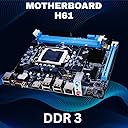
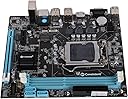
The Consistent H61 Motherboard is a Micro ATX mainboard designed for 2nd and 3rd Gen Intel Core i3/i5/i7 processors. It supports up to 16GB of DDR3 RAM at 3200MHz, features an NVMe M.2 slot for high-speed storage, and offers multiple connectivity options including HDMI, VGA, 6 USB 2.0 ports, and Gigabit LAN. Backed by a 3-year replacement warranty, it’s a reliable choice for professionals seeking a balance of legacy compatibility and modern performance.

| ASIN | B078QZ1X25 |
| Best Sellers Rank | #2,528 in Computers & Accessories ( See Top 100 in Computers & Accessories ) #3 in Motherboards |
| Brand | Consistent |
| Brand Name | Consistent |
| CPU Model | Core i3 |
| CPU Socket | LGA 1155 |
| Chipset Type | Intel H61 |
| Compatible Devices | Keyboard mouse |
| Compatible Processors | Intel Core i3-3220, Intel Core i5-3450, Intel Core i7-3770, Intel Core i5-3330, Intel Core i7-3820, Intel Core i5-3470, Intel Core i7-3930K, Intel Core i5-3570K, Intel Core i7-3770K, Intel Core i5-3350P, Intel Core i7-3820/3930K/3960X (Haswell), Intel Core i5-4460, Intel Core i7-4770, Intel Core i5-4670K, Intel Core i7-4770K, Intel Core i5-4570, Intel Core i7-4790K (Haswell Refresh) Compatible Processors Intel Core i3-3220, Intel Core i5-3450, Intel Core i7-3770, Intel Core i5-3330, Intel Core i7-3820, Intel Core i5-3470, Intel Core i7-3930K, Intel Core i5-3570K, Intel Core i7-3770K, Intel Core i5-3350P, Intel Core i7-3820/3930K/3960X (Haswell), Intel Core i5-4460, Intel Core i7-4770, Intel Core i5-4670K, Intel Core i7-4770K, Intel Core i5-4570, Intel Core i7-4790K (Haswell Refresh) See more |
| Country of Origin | India |
| Customer Reviews | 3.6 out of 5 stars 944 Reviews |
| DriveMemory Storage Capacity | 16 GB |
| Graphics Card Interface | PCI |
| Item Dimensions L x W x H | 26L x 20.6W x 5.4H Centimeters |
| Item Weight | 500 Grams |
| Main Power Connector Type | 24-Pin |
| Manufacturer | Consistent Infosystems Pvt. Ltd. |
| Manufacturer Part Number | CMB-H61 |
| Memory Clock Speed | 667 MHz |
| Memory Slots Available | Yes |
| Model Name | CMB H61 |
| Model Number | H61 |
| Number Of Ports | 4 |
| Number of Ethernet Ports | 1 |
| Number of Items | 1 |
| Packer Contact Information | Consistent Infosystems Pvt. Ltd. |
| Platform | Linux, Windows 10, Windows 7, Windows 8, Windows 8.1 |
| Processor Socket | LGA 1155 |
| RAM Memory Technology | DDR3 |
| Ram Memory Maximum Size | 16 GB |
| S/PDIF Connector Type | Optical |
| System Bus Standard Supported | SATA 2 |
| Total HDMI Port | 3 |
| Total PCIe Ports | 1 |
| Total SATA Ports | 3 |
| Total USB Ports | 4 |
| USB 2.0 | 2 |
| Unit Count | 1 Count |
| Warranty Description | 3 Years Replacement Warranty |
V**L
Good product but poor service by consistent and amazon
Motherboard is of good quality, working smoothly. But i've faced an issue with nvme m2 ssd. The solution was very simple but consistent company and amazon technical team lack in providing solution. I've used nvme ssd but it didn't worked or detected by motherboard. So i contacted consistent and asked them for solution. Funny thing, the service provider girl had poor or no knowledge about the products. She said the motherboard works with nvme not nvme m.2 ssd, rather than arguing i said ok so what should i do to make it work? She said motherboard didn't detect it so motherboards is defective, ask amazon to exchange or send motherboard to local consistent store for replacement. Contacted amazon, they asked me to take pic of motherboard with current date and my name and submit it to amazon & wait for 3 days for solution. Did the same but no response. Tried contacting them and they asked me to submit the pic again and wait for 3 days again, followed the process and did the same but still no response from amazon. Than i was ready to send motherboard to consistent store for replacement as it was the only option but I don't know from where i got the idea, i just felt what if i have to turn nvme on or off may be? so i opened the motherboard packing and checked it there and boom!! There was a switching right/left button to nvme or sata just above the nvme slot. It was set to sata so I switched to nvme and done. It detected the nvme m.2 ssd and worked. So consistent product may or may not have good quality but the customer service is definitely not good to resolve the issue rather than asking to send your device for repair.
K**K
Worst experience with Amazon.
Not working even a single time. Horrible purchase with Amazon. I didn't expect these kind of product on Amazon. Even after spending 2000rs for this product now I will search the product manufacturer for warrenty claim. So please don't purchase electronic items at Amazon, because there is no return available.
A**R
An Okay Motherboard for the Price with some missing features
So, i bought this motherboard because i wanted to create a NAS box using my old second gen i5 processor and some left over ddr3 RAM. I saw a few people saying this motherboard has a NVME M2 SSD slot. So, i thought i will use the NVME M.2 SSD instead of the normal Hard disk or SSD. However i had to face a few problem with selecting M2 SSD as a boot drive. I was not able to install the NAS Operating system, that is OpenMediaVault on the M2 SSD because it was not supported. I had a SATA ssd and i was able to install OpenMediaVault NAS OS on that. However i was not able to install it on NVME M.2 SSD. Also i was not able to install Windows 10 on the NVME M.2 SSD. It was giving me an error message saying that Windows can't be installed on this device. It asked me to change some settings in BIOS. But the settings mentioned were the same in BIOS as well. So, there is nothing that could be changed in BIOS. Then i checked if i am able to install Windows in a SATA SSD using this Motherboard and i was able to install it without a problem. And the crazy part was i was able to install Ubuntu 22.04 without a problem on the NVME M.2 SSD without a problem. So, the issue could be with a BIOS and because i didn't want to brick the motherboard without knowing exactly what i am doing i decided to do anything to the BIOS. The motherboard also does not have any feature by which you can do Hardware monitoring. So if the CPU fan fails then there is no way the PC would shutdown on its own and that might reduce the life of the CPU. That is one more problem i found. Other than these i would say it is an overall good motherboard for the price. Don't get carried away by the NVME M.2 SSD slot. You can't install windows 10 or any windows OS on that drive. You can install an Ubuntu or a Linux OS on NVME M2 SSD. If these things are not a concern for you then you can go ahead with buying this motherboard.
A**H
One of the best H61 motherboard with nvme in this price range
Sharing this update after 28 days of full fledged working of consistent motherboard ,few days almost 24/7 operation. Had purchased this to support my 3 rd generation processor as my old asus H61 motherboard was at its end of life. Was searching a board which has nvme support with 2 pci express slots ,one for wifi card and other for graphics card. Plan was earlier to go for zebrionics H61 but since latest updated motherboard from them only features 1 pci express slot and one nvme ,I had to drop it as it didn't suit my build. After many searching and seeing YouTube videos finally closed on this consistent H61 motherboard. Pros: Built quality similar to old asus board. All solid capacitors used. HDMI slot,which old asus board didn't have Main issue I faced while building this pc was only 1 ram slot was getting detected out of two.Tried many ram options but same issue.Then finally complained to amazon team , Initially their response was as this is not returnable they have to take up with their higher ups and will come back with the best feasible solution within 8 days. In the mean time I was just checking through some YouTube videos on issue on new motherboards if only 1 ram was getting selected . In one of the videos this was the advice given.This I'm sharing to all the people who have similar issues while purchasing this mother board from Amazon site(pls try yourself issue should get resolved). # There are only 2 reasons ,either CPU or the ram slot has some issues with the component burnt otherwise there should be none. # Check clearly both the areas. In my case ram slot checked no issues but while checking the back of processor few of the contact points were fully black or burnt ,tried cleaning but no luck. It so happened I had old core i5 3 rd generation processor with me,which I put in this new board and voila the issue fully resolved. Basis on my experience ,written reply mail to Amazon team on the resolution of the issue to avoid any further wastage of their time. System build: Core i5 3 rd generation Ram 12 gb,8+4 ,DDR3,1600mhz Nvme SSD:256 gb samsung 970 Evo plus GPU:Gtx960 Os:Windows 11 23 H2 Till date no issues ,booting time hardly 5 secs with nvme. No lag in opening chrome or any software. Only gap which all will find is understanding the bios ,we may have to select bootmanager manually if windows is installed in nvme.This happened to me when moving from HDD to Nvme SSD. Final conclusion :Go for consistent brand 1) Good built quality 2) Good pricing 3) 2 pci express slots ,one you can use for wifi card and other for GPU card. 4) Boot time,very best with old 3rd gen processor and nvme.
S**N
Don't Buy until Budget is tight...Rather try Zebronics H61 but with m2 slot must
It says DDR3 but support only upto 1333Mhz Support upto 16Gb DDR3 even if you install 1600Mhz it will set to 1333Mhz no xmp profile.Due to H61 My friend experiencing cold start problem.. Overall is good but will not suggest.. Speed is good but not best only for decent work like office and work I am using Linux soo slow speed is not noticed using 1600Mhz Ram still can only open 25-26 Chrome Tab at a Time.. Service center is only replacing with a refurbished one not giving new one when issue arises.. Cold Start issue is there..
S**R
Value for Money
Value For Money
S**R
Don't buy any consistent products After 6 month Review
1. The motherboard is very bad not even used for 3 month even so motherboard was dead & I have to replace it 2. After 3 month of use Again motherboard was dead then I go to the service center they give me old rusty repaired motherboard. I ask them why they gave me this they told me that after 3 month you get only replacement with old ones not new once. 3. Then After 3 month Again motherboard was dead now I don't have time to go to service center that why I send the product to the service center trough courier. After receiving it they told me it's got damaged because motherboard pin got end I told them I have the video that when I package it the is no damage is there any video that you guys proof that you don't damaged the product they keep arguing at the end they cut the call and send the package with out fixing it. 4. Fully Waste of money don't buy any consistent product there stuff is very rude & unprofessional no manners don't know how to talk And The product is very bad not reliable at all.
A**R
Best Choice for low end
It is compatible with windows 10 i just cut 1 star because at starting it shows screen blunder for 2 to 3 times...but now it is very good in performance.It has problem with windows xp installation as this might not support that graphics.But it is best segment for low end pc ...2nd and 3rd gen processors.In my case i3 2nd gen is working efficiently
Trustpilot
1 month ago
3 weeks ago