Some deliveries may take a little longer than usual due to regional shipping conditions.

DOWNLOAD THE APP


Customer Services
Copyright © 2025 Desertcart Holdings Limited
DOWNLOAD THE APP
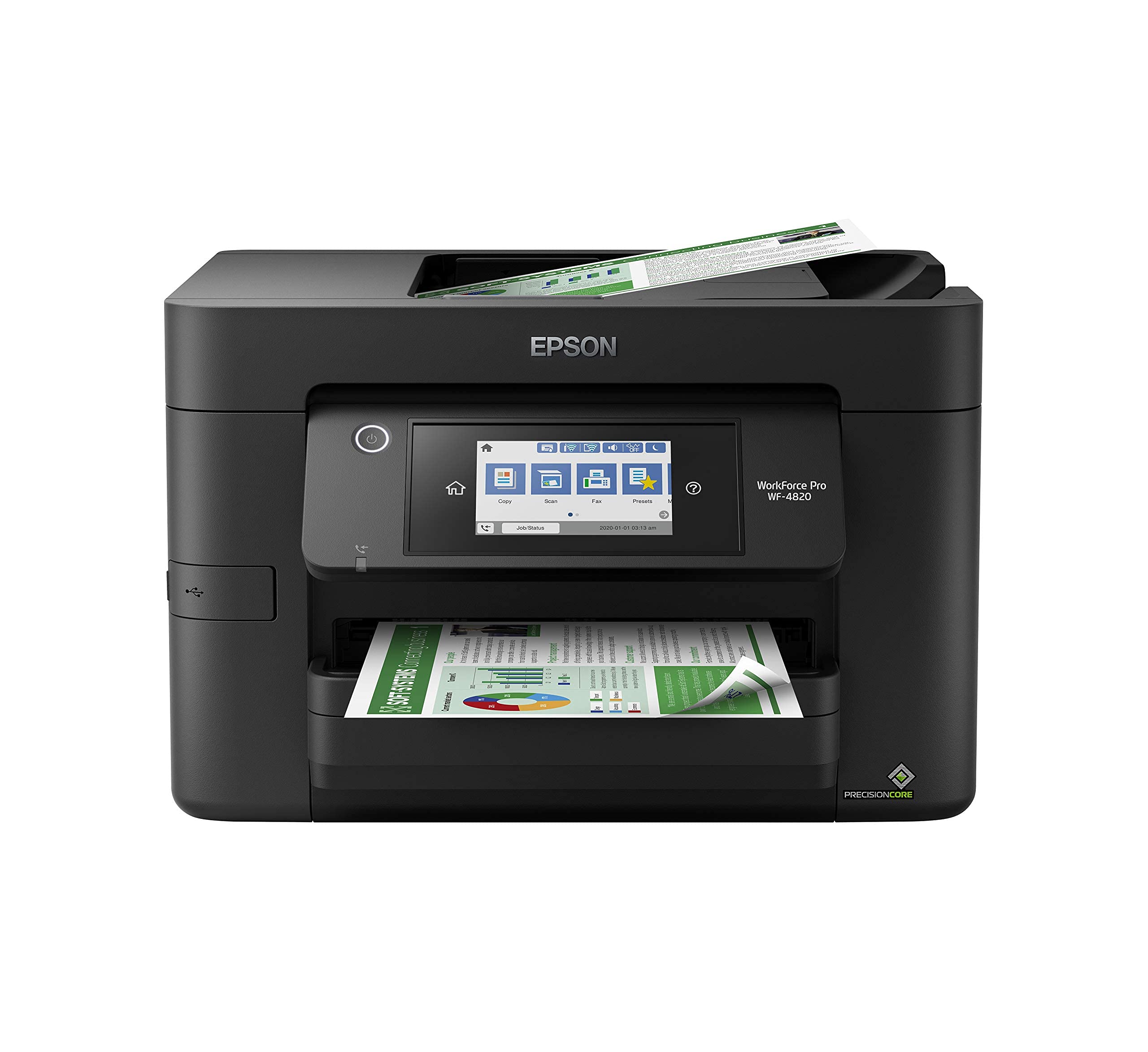


🚀 Elevate your office game with speed, precision, and smart connectivity!
The Epson Workforce Pro WF-4820 is a high-speed, wireless all-in-one inkjet printer designed for busy professionals. Featuring PrecisionCore Heat-Free Technology, it delivers sharp, professional-quality prints at up to 25 black and 12 color pages per minute. Its 4.3" color touchscreen and Epson Smart Panel app enable intuitive control and mobile printing. With a 250-sheet paper capacity, automatic duplexing, and a 35-page ADF, it streamlines high-volume workflows. Connectivity options include Wi-Fi Direct, Bluetooth Low Energy, and Ethernet, complemented by robust security features to safeguard your data.


| ASIN | B08DXK91SX |
| Additional Printer functions | Scan |
| Best Sellers Rank | #4,896 in Office Products ( See Top 100 in Office Products ) #14 in Ink Tank Printers |
| Color Depth | 24 bits_per_pixel |
| Compatible Devices | PC, Smartphones |
| Control Method | App |
| Controller Type | Android |
| Customer Reviews | 3.9 3.9 out of 5 stars (1,663) |
| Date First Available | September 22, 2020 |
| Dual-sided printing | Yes |
| Duplex | Automatic |
| Global Trade Identification Number | 00010343940260, 00010343941915 |
| Hardware Interface | Bluetooth, Ethernet, USB |
| Included Components | WorkForce Pro WF-4820 printer, quick setup guide, CD-ROM with drivers, power cord, 4x DURABrite Ultra Ink cartridges (1x Black ink cartridge and 3x color ink cartridges: 1x Cyan, 1x Magenta, 1x Yellow) |
| Ink Color | Black |
| Item Weight | 22.5 pounds |
| Item model number | WF-4820 |
| Manufacturer | Epson |
| Max Copy Speed (Black & White) | 25 ppm |
| Max Input Sheet Capacity | 250 |
| Max copy resolution black-white | 4800 dpi |
| Max copy resolution color | 2400 dpi |
| Maximum Black and White Print Resolution | 4800 x 2400 dpi |
| Maximum Color Print Resolution | 4800 x 2400 dpi |
| Maximum Media Size | 8.5 x 14 inch |
| Memory Storage Capacity | 128 MB |
| Model Series | WorkForce Pro |
| Number of Trays | 1 |
| Output sheet capacity | 250 |
| Print media | Envelopes, Glossy photo paper, Paper (plain) |
| Printer Ink Type | DURABrite Ultra pigment ink |
| Processor Count | 1 |
| Product Dimensions | 16.7"D x 19.8"W x 10.9"H |
| Scanner Type | Image Scanner |
| Series Number | 1 |
| Sheet Size | 8.5 x 14 inch |
| Smart Home Compatibility | Smart Home Compatible |
| Specific Uses For Product | Office |
| Total USB Ports | 1 |
| UPC | 010343940260 010343941915 010343954410 |
| Warranty Type | limited warranty |
| Wattage | 18 watts |
I**E
3820/4820
We have both. Buy the 4820 if the pricing is very close. It’s more robust, the larger screen is a great help although the small screen isn’t bad, there isn’t too much displayed on it and the 4820 is more legible and easier to work with. You can definitely sense the weight and build of the 4820 where it seems like a much better printer for higher volume, office, or home. The 3820 is a perfect printer for your home or smaller office, but side by side it’s worth the small difference in price to move up. Important to note that the document feed is NOT a duplex scanner/copier. This is a big let down. Otherwise the printer works EXCELLENT, fast first page, laser like quality, affordable ink, worked directly out of the box and setup could not be easier whether wired or wireless. Easy menus, easy to get it to do what you want, and a powerful software suite you can download. Never buying HP again.
S**.
Great printer...I thought
This unit has really great reviews and many from small biz owners who say it works great and lasts. I've had it for a month and I'm really happy with it. It's much better than my last one. If it lasts as so many other reviews say, it's a great purchase. **UPDATE** Loved this printer. Only used it a few times. On the 3rd month, I pushed the button to turn on the printer and there was no response at all. I tried everything. Checked all connections and the outlets. It would not turn on at all. I was out of the return window with Amazon, so I called Epson. They told me they are sending a unit to me and to return mine with the box and label in the shipment. But they said they are NOT SENDING A NEW UNIT, BUT A REFURBISHED UNIT! I am not at all happy about this! I purchased a new printer, not a refurbished printer, and I want a new one! So, I'm really unhappy with Epson right now.
H**D
Not a good choice.
I recently purchased this printer with high hopes of a reliable and efficient printing solution. Unfortunately, my experience with this printer has been nothing short of a nightmare. Connectivity Woes: The most glaring issue is its abysmal Wi-Fi connectivity. Despite being placed right next to the router, the printer consistently displays a "Poor Wi-Fi Connection" message. This is in stark contrast to all other devices in my home, which work seamlessly with the Wi-Fi network. Even my old laser printer, which is placed close to the same location, functions without any connectivity hiccups. It's baffling how a modern printer can struggle so much to maintain a stable Wi-Fi connection. Scanning Nightmares: The scanning functionality of this printer is equally disappointing. The user interface is far from user-friendly, making it a daunting task to set up scanning to email or computer directly from the printer. This is a basic feature that should be intuitive and hassle-free, but instead, it's a convoluted process that requires unnecessary effort and time. Ineffective Customer Service: I reached out to customer service in hopes of resolving these issues. While they guided me through a reset process, the solutions they provided were only temporary fixes. The problems resurfaced shortly after, leaving me back at square one. It's frustrating to invest in a product only to find that the customer service solutions are inadequate and short-lived. Comparative Performance: What's more perplexing is that my older laser printer, which is from a different brand, continues to perform flawlessly in terms of connectivity and scanning capabilities. This stark contrast highlights the subpar quality of the Epson. Final Verdict: I'm deeply disappointed with this printer and regret this purchase immensely. Its inability to maintain a stable Wi-Fi connection, along with the cumbersome scanning setup and unsatisfactory customer service experience, make this printer a headache rather than a helpful device. I strongly advise against considering this printer if you value reliable performance and user-friendly features. Save yourself the frustration and explore more dependable options on the market.
A**Y
Upgrade your Epson today
Replaced my WF 645 with this WF 4820 a week ago . Set up was so easy I did it by myself . Print quality is terrific . Highly recommend this multi-function Epson printer/copier/fax/ scanner
U**X
Much harder to install than expected - especially if you have a comma in your Wifi password
I found this printer surprisingly hard to install. First, I used the software on the DVD that came with the system. That caused my computer to crash and reboot! After it rebooted, I downloaded the (presumably newer) combo installer from the Epson web site. That ran, but when it came time to connect the printer to the wifi network, I found that there is no way in the Epson network configuration wizard to use a comma in the wifi password. There is a period and many other symbols, but I didn't see a comma. But our system admin used a comma in our wifi password, so I couldn't connect the printer to the wireless network. I had to dig up a LAN cable and plug the printer into a network switch, restart the installation and configure the printer for a LAN connection. That seemed to work, at least according to the installer, but when I tried to print a test page there was a print connection failure. After running the "Epson Printer Connection Checker", it found a printer port error and tried to fix it, but was unable to. So, I removed the printer entirely from the computer using Windows device management and had Windows try to detect the printer. That finally worked, although now the Fax device is missing. But at least now I can print, and the print quality looks good. But I'm still frustrated by the inability to connect to the wifi.
J**J
Great All in One Printer with Fax
All in One is better than I expected... Very well packaged, took me about 45 minutes to set up. Easiest item I have ever set up. Set up & printed from my desk top & faxed several pages to other location, perfect I have had 2 Brother printers, Lexmark & HP, this EPSON is head & shoulders above everyone I have had. Best $129.99 I ever spent for any office product item. Highly recommend this printer
K**L
Packer
Works very well. Color or black and white
G**E
Great product, fast printing.
T**S
Ótima impressora.
G**Y
Front control board is so user friendly
A**A
Não encontro suprimentos no Brasil, já fiz importação dos suprimentos, mas a impressora não reconhece.
T**E
A impressora é rápida. Porem os cartuchos acabam muito rápido. Não durou nem 2 semanas e usei pouquíssima vezes. É difícil achar cartucho pra ela no meu estado e ate no brasil também. E são super caros, pois tem chip. Não vale a pena. Uma péssima escolha.
Trustpilot
3 days ago
2 weeks ago