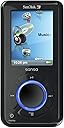


SanDisk Sansa e280 8 GB MP3 Player (Black)
Product ID: 28964451
Details
- BrandSanDisk
- Model Namee280
- Special FeatureVideo Playback
- Connectivity TechnologyAux
- Memory Storage Capacity8 GB
- ColorBlack
🎵8 GB storage
📺1.8" display
🔋20 hrs battery
🎶 Elevate Your Audio Game with the Sansa e280!
The SanDisk Sansa e280 is an 8 GB MP3 player that combines sleek design with advanced features, including a digital FM tuner, voice recording options, and a long-lasting rechargeable battery, making it perfect for music, photo, and video playback on the go.
| ASIN | B000HZ9CCA |
| Additional Features | FM Radio, Video Playback, Voice Recorder |
| Battery Average Life | 20 hours |
| Best Sellers Rank | #756,357 in Electronics ( See Top 100 in Electronics ) #3,176 in MP3 & MP4 Players |
| Brand | SanDisk |
| Built-In Media | USB Cable, Earphones |
| Color | Black |
| Compatible Devices | Laptop |
| Component Type | Digital Player, FM personal radio |
| Connectivity Technology | Aux |
| Customer Reviews | 4.3 out of 5 stars 779 Reviews |
| Display Technology | LCD |
| Global Trade Identification Number | 00619659028893, 00840356515670 |
| Item Weight | 2.6 ounces |
| Manufacturer | SanDisk |
| Memory Storage Capacity | 8 GB |
| Mfr Part Number | SDMX48192A70 |
| Model Name | e280 |
| Model Number | SDMX4-8192-A70 |
| Number of Items | 1 |
| Screen Size | 1.8 inches |
| Special Feature | FM Radio, Video Playback, Voice Recorder |
| Supported Media Type | Flash |
| Supported Standards | MP3; WMA |
| UPC | 840356515670 619659028893 840356715513 |
| Unit Count | 1 Count |
J**E
Great ... simply great.
I'm a long time customer of SanDisk memory products, so when I heard they were making MP3 players, I was intrigued to see how they'd do. If the e200 series is any indication of how they're doing, I'd say they're doing VERY well. I got the d280 with 8gig of memory and a cross section of features that was perfect for me, including the standard MP3 player, FM radio, FM record, voice recorder and the ability to display both video and photo files. This is really a perfect set up for me, as I plan to use my unit as much for sharing small sample photos and videos as for listening to music. I'm a photographer and writer by trade, and this little number is a lot like having a business card that doubles as a mini-portfolio. With the capacity to hold a couple hundred thousand photos ... it's more than I'll ever need for that purpose ... leaving lots of memory for video samples and music. What an incredible bundle of fun stuff in such a small, well made package. The unit I got came as advertised with SanDisk software (user manual and photo/video conversion utility), USB cable, a small sleeve to protect the unit, a wrist/neck lanyard and screen protection shield. The software installed easily on my WinXP machine and allows me to easily drag and drop photos into a utility that converts them to a format that displays on the e280. I've passed both bmp and jpg format files into this unit and so far have had no trouble at all. The resulting images that reside on the e280 range from around 40k to 80k. The display feature on this unit is quite nice for something so small, but certainly was not intended to be a high resolution photo or video viewer. But as a business card sized "portfolio in your pocket" this unit works REALLY well. Now, no matter where I am, I can slip this unit out of my pocket and show someone individual samples or a slideshow of my work. Video playback was surprisingly good for such a small screen and I think will enable me to use this unit for displaying video samples as well. The MP3 player, FM radio, FM record and other music functions seem work very well and I have no complaints at all. If you're a music junkie and are looking for lots of advanced music handling features, please read other reviews of this product, as this is not my primary interest in this unit. The FM radio works well even in places where my dedicated radios don't, the sound is clear and true and the volume and tuning controls are easy. The menu and playback options for MP3's are quite suitable by my standards, but again, read other reviews for more details on that. The menu system on the unit is pretty intuitive and easy to navigate with the thumb wheel and buttons found on the unit, though there are a couple of corners of the menu that still have me scratching my head, I'm sure I'll sort them out soon. The user manual is not the best I've ever seen, by a long shot. It covers the basics and it's not hard to understand, but there are a lot of obvious questions for which it doesn't provide answers. As someone who writes such manuals as part of his job, I'd have to say that the only disappointment I've had so far with the e280 was the manual. But, since the unit is such a delight to use, that's not such a big deal. In terms of construction, the unit's titanium alloy back seems quite rigid and sturdy and gives the unit a light yet very substantial feel. The buttons all seem to work well, the screen is clear and bright, the cables all plug in easily (usb and headphone) and using the unit is very easy and intuitive, even for someone with slightly larger than average hands like me. Notables ... This unit comes with the ability to add up to 2 gig of extra memory on an insertable chip, but this memory add on can't be used to house photos or videos ... interesting. The Lithium Ion battery can be replaced by the end user when it finally dies and recharges via the USB cable, though it requires the PC be on while charging. After market cigarette lighter (car) and AC recharge adapters are available. The carrying case that comes with the unit isn't much to brag about, so I'd recommend one of the after market units there too. The one recommended by Amazon when looking at this unit is quite good. I'm VERY happy with this unit and look forward to using it quite a lot every day. AFTER A BIT OF USE Now that I've had a bit more time to use the Sansa, I can say I really do love it. It works like a charm and it's fun to use. I do have a few comments for would be users to allow you to make your choice of an MP3 player with as much information as possible. a) Controls - The for arch shaped buttons arranged around the thumb dial are a bit hard to access for larger fingers, especially if you keep the unit in a leather carrying case. I don't find that this bothers me, but some folks certainly might. b) USB Cable Connection - When plugging the USB cable into the Sansa, I find I have to carefully push the cable firmly into the socket to make sure that both little catches on either side of the connector are in place. It's not hard or tricky, but I'm not paying attention and just plug it in with the same force as I do my cell phone, quite often one or the other catches on the connector won't seat properly and the cable could slip out. After just a few instances of this, I got in the habit of plugging it in more carefully and I've had no troubles since. Again, I don't find this difficult or tricky or even troublesome ... but it's something that might annoy some folks, so I thought I'd pass along the information. c) Transferring Photos - As I mentioned in my review, one of my chief uses for this unit is sharing photos. I find the software what comes with the unit does a fine job of creating small versions of my photos and meets my need as a sort of digital business card sized portfolio. But it should be noted that when the software reduces the images to this size, there are some minor imperfections in the smaller pictures. I don't find them objectionable, but some might. Again, just something to be aware of. d) FM Radio - Like many of us, I work inside a steel frame building and I've found that getting a good FM radio signal at work can be VERY tricky. I wouldn't have been too upset to find that the Sansa didn't deliver any better an FM signal than my dedicated radios did ... but I'm OVERJOYED to report that this little unit delivers a GREAT FM signal even in the depths of the building. I get great reception where no radio I've owned has gotten even adequate reception. QUITE happy. e) Voice Recorder - good enough pick up for dictation, but not really usable for group settings like meetings. I have a Panasonic voice recorder for my more serious voice recording needs, but it is handy to have a VR built into this unit for jotting down ideas when I don't happen to have my Panasonic with me. f) FM Record ... works really well and is quite handy. I love this feature. g) LOCK UP - I rather foolishly tried to change modes on the Sansa while plugging in the USB cord ... my mistake. This locked up the unit in what appeared to be the OFF mode, and none of the buttons would respond. I read the digital owners guide, saw that I needed to hold down the START/MENU button for 15 seconds to reset ... did this ... and nothing seemed to happen. I then pressed the START/MENU button again, and it started up with no problems and no loss of data. Everything was fine. My only note would be that the user guide doesn't mention that the 15 second depression of the START/MENU button must be followed by then turning the unit on by pressing the START/MENU button again. Some units restart when you reset, some don't. This oen doesn't. So ... if it gets locked (which only has happened once, and it was clearly my fault), FIRST press and hold the START/MENU button for 15 seconds ... nothing will appear to have happened. THEN ... press the START/MENU button again ... it should fire up just fine, as mine did. h) USER GUIDE - I find that this user guide covers all the necessary bases, but rather in a minimalist way, leaving out some rather important details. I've bene able to figure most of the missing details out on my own, but as a writer of such manuals, I can't say the manual for the Sansa is one of its strong suits. I LOVE my Sansa ... I don't love the manual. Yes, all in all, I'm THRILLED with my purchase, especially since it included the E200 series Travel Case Kit. The combination of these two is making me a very happy camper.
F**O
RockBox Makes This MP3 Player a Terrific Choice
The ideal MP3 player has not yet been created, and while the Sansa e2xx series is very good for many of the things, the software is poor for podcasts. Also, it should be possible to put the sofware into a reduced eyesight mode (for someone with less than perfect vision; i.e., anyone over 50). Reduced eyesight mode would eliminate all the fancy screen graphics and provide the largest text possible so that the screen can be read without glasses by the average 50 year-old or in less than ideal lighting conditions. (The screen of the Sansa is washed out in bright sunlight.) The size of the screen is large enough to provide terrific readability -- if the software supported it. (I really enjoy my Canon D40 digital SLR because it provides an option to display shooting parameters in large type on the big rear LCD.) In addition, there should be a mode that alters the display to show as much metadata as possible, including the full title of the file. This would allow the user to have as much information as possible about an individual file, without actually listening to it. It is very difficult to browse through podcast files on the Sansa. In fact, the Sansa e2xx series is not good for podcasts. The reason is that the tagging scheme for podcasts is not uniform so a useful "directory" of podcasts can't be generated by the software. Using the factory software, it is difficult to navigate among many podcasts and podcasts are organized haphazardly. Sansa should provide an alternative operating system that allows Windows-style navigation, with automatic display of full metadata. Rockbox (an open source operating system that works with Sansa e2xx; [...]) is a pretty good alternative solution. However, it is still in beta and it is buggy. Sansa should provide a fully operational operating system that is fully functional for podcast (and also audiobook) users. Finally, there really should be a taskshifter built-in to the software. For example, if you are listening to a podcast and decide you'd like a musical interlude, there should be a way of easily jumping to the music and then hop back to the podcast in exactly the same spot you left off. This is a no-brainer, but there isn't an easy way to do it with the factory software. It is possible with RockBox using bookmarks, but rather unwieldy. UPDATE November 30, 2008 I have now been using the Sansa e280 for some time with the new (final version, not beta) RockBox software. RockBox works very well. It is stable (unlike the beta version) and provides an excellent podcasting experience. RockBox provide the ability the customize the display according to individual preferences. It allows navigating the directory structure of the Sansa so that you can select files according to filename. Bookmarking works most of the time. After a shutdown, the player generally resumes where you left off. Loading files by dragging & dropping from Windows works very well. (Unlike some other MP3 players, it is possible to copy multiple files simultaneously to the Sansa with RockBox. This makes it faster to load multiple files/folders to the device.) I am very happy with the Sansa/RockBox solution for podcasting. I wish that RockBox provided the following: (1) Ability to erase files using RockBox (it is possible to erase files easily using the Windows file manager when connected to your computer) (2) Better pause feature -- if I am listening to a podcast, there should be a way of securly stopping the play so I can attend to a task (such as going through security at the airport) and then resume the podcast. I generally shut the device down in such situations which means that I need to reboot. Yes, there is a pause -- but it doesn't work as well as it should. (3) Better display of metadata -- why not use the entire screen to display lots of information on the file that is being played? (Perhaps I could configure RockBox to do this, but I haven't figured out how.) (4) Ability to task switch -- i.e. pause a podcast and jump to music, and then resume podcast. In sum, you will find the Sansa eXX with RockBox to be an excellent solution for podcasting (and music). I carry mine with me wherever I go. Commuting is a pleasure rather than an irritation and I never get angry waiting in line because I always have someting interesting to keep me occupied. UPDATE December 21, 2008 The beauty of this MP3 player is that it works with RockBox open source software. The latest version of RockBox is an excellent operating system that is highly functional and stable. You can customize the user interface to your needs. For example, choose a large font if your eyesight requires. You will have the capability of navigating the file structure like on your computer. I am an avid podcast listener, and the Sansa e280 with RockBox is the best solution I've found. Highly recommended.
A**E
Great mp3 player
SIMPLE USE Out of the box this mp3 player was not in MSC mode, so it took me a bit to figure out that I needed to switch it. As soon I did, my computer recognized it as removable memory and I could simply drag mp3s from my computer onto the mp3 player. This is one of the reasons I bought the mp3 player. Since I have a computer at home and at work, it is nice to be able to just drag over a couple songs at a time. The menu is easy to use, and it is straightforward to get an mp3 playing. The buttons around the wheel are hard to push (I hope sandisk reads a few of these online reviews when coming out with the next version) but after you get used to them, they don't really hinder the functionality. The earphones are your typical uncomfortable earbuds, but sound fine. EXTRA FEATURES FM Radio: Actually works quite well, and you can record it! (though I'm not sure why I ever would want to do that) Voice recorder: Easy to use and works great, though I haven't found a use for it...but I see voice recorders on sale in Radio Shack, so someone must need them. Video playback: Since you cannot output video to a TV, this feature is not that great. I haven't watched any TV shows or anything like that on my Sansa though, so I'm probably not qualified to comment Picture playback: I easily put quite a few pictures on my Sansa with the included transfer utility and have shown them to a few people. The screen is not that much smaller than a digital camera LCD, so if you think of it like that, it's not too bad! The pictures look pretty good, but you have to be realistic about the size of the screen...if you want a large beautiful screen to watch videos and view pictures...get a Zune or something. Conclusion: I tried to write all of the bad things I could about this player, just so people know what they're getting in to, but overall I am extremely pleased with it (hence the four stars, which should be 4.4, but I rounded). For what it is (an mp3 player) it is great. The video and photo playback are fun little extras, but not a big selling point. I highly recommend this player to anyone looking for a flash-based mp3 player. ONE MORE THING... removable memory is cool...if 8 GB isn't enough for you, then you can throw another 2GB in (as soon as the price on microSD cards comes down a bit :)
C**E
A great, affordable first MP3 for the techno-impaired (and everybody else)
After some research, I chose this unit as my first MP3 - chiefly because the price was right, the consumer reviews were favorable, and because the size of the screen was the biggest I could find. This unit is very easy to operate and the sound quality and function are terrific. I intend to use it only for music, but it has video and recording capability as well. It also records sound files, but beware of this function - the "record" button is entirely too easy to turn on, so you may find yourself recording accidentally and then having to delete this useless file. I have a fairly big music collection and went for the 8GB memory rather than the 4GB, and I'm glad because I used 4GB of the space in no time. Be aware that the unit comes with some material already on it, which takes up some space - you can delete it. The e-series players also have a user-replaceable battery, which was another selling point for me. My one gripe is that for those of us of the analog generation, there is no "stop" feature, which I'm told the iPod does have. I get it; there are no moving parts and therefore nothing to "stop", but when one has a playlist five albums long and you want to quit 1/3 of the way into it, it is frustrating to have to either zoom all the way to the end or select another album and then cancel out of that one. I contacted Sansa Tech Support and they confirmed that these are basically the only options, which is ridiculous. (Turning the unit off for a spell doesn't help either; the player simply starts up again where you left off, the next time you turn it on.) I strongly recommend that you also order the Sansa e-Series AC Charger, so you can just charge your unit from a wall outlet rather than your PC. The postage will cost more than the charger but it is completely worth having for the convenience. I also have (and highly recommend) the Altec Lansing speaker/docking/charging unit that is compatible with the Sansa e-Series players, as I use the unit almost exclusively with speakers rather than with the ear buds. A quick note for first-time and techno-impaired users: I will spare you the pile of research and feeling foolish that I went through, with some basic tips, as none of this is mentioned in the downloadable User's manual. This manual erroneously assumes that everyone already knows the basic theory behind how MP3 players work. First, you MUST have Windows Media Player 11 on your PC, and not an earlier version. Countless forums online have mentioned this as the solution to problems of getting their players to interface with their PCs. I made sure I had MP11 up front and have not had any problems. Second, the basic concept of using an MP3 is as follows. Your computer is going to serve as the master storage library for all of your MP3 music - your music will have to stay on there for as long as you want it on your MP3. You put your music cd into your cdr drive and bring up Windows Media Player; you must tell Media Player to "rip" the music to your library (which means it makes a sort of low-res version of the music file - it sounds fine, don't worry). You can opt to uncheck the one song that you don't like on a CD, and it will be left out. When you have done this to all of the cd's you want to add for the time being, you then plug your MP3 into the USB port of your PC (the Sansa MP3 player comes with a plug thingy for this) and you must tell Media Player to "Synch" (i.e. synchronize) the library's contents to your MP3 player. It will copy everything over as it is on the library. NOTE: If you remove something from the library, the next time you synch, it will be removed from your MP3 player as well. You can add to the library and re-synch over time. You should also map out in advance what, if any, Playlists you want to make up. These are very handy things - you can select and string albums or songs together in any order and give it a name, and the player will store and follow it; however, you have to create the playlist in Media Player before you Synch your MP3. It will synch over with the rest of the material. I recommend downloading the full Users manual from the Sansa site. Their Tech Support folk are also very helpful. Enjoy your unit!
L**D
Sandisk Sansa e280 8GB MP3 Player
I had no wishes to join the iSheep crowd and worship at the altar of Apple, yet I wanted a capable music player that would allow *me* to choose what music service, earphones, type of music file etc. I wanted to use. Sandisk fits the bill in spades with this player, offering a few more features than the iPod and even having the audacity to list it cheaper. I've owned my player for five months now and the few problems I've had have been very minor. For one, while there is a fast foward and rewind feature for videos, it's not particularly useful and can often stop playback. Different speeds of both would've been appreciated. Also, some lament the fact the screen is much smaller than the iPod - something I personally wouldn't have any other way. This fits way more comfortably in your pocket than an iPod, so naturally a smaller screen size is a tradeoff. Second, the pictures fuction works fine, but photos may take a bit of cropping so the player won't resize them awkwardly to fit the screen. The player displays the photos in very rich color though. Admittedly, the Sansa is not the best option for those who wish to have the biggest and best picture or video playback on a player - mostly due to the small screen size. But for minimalists such as myself this couldn't be a more perfect player. The voice recorder, FM radio, and radio recorder all work perfectly. I've no complaints with their function! The most important aspect, the music, is perhaps the most flawless aspect of the player. I've about 1700 songs on the player and haven't had any problems with playback or tags not being read. I've manually added the artwork and tags to each of my files, and the player reads them with no problem. The only other (again awfully minor) complaint I have it is I would've liked an option to resize the text. I personally prefer a smaller font than the player offers. But as far as I know there isn't any player on the market that offers this option. Some have commented on the fragility of the buttons or the player itself, it's been my experience that the Sansa is extremely durable. Case in point - I accidentally dropped my player at least five feet to a very unforgiving concrete warehouse floor. While the player was certainly dazed (the screen went black for a moment and it "forgot" what song was playing) it had no permanent physical or internal damage. Clumsy owners have no fear!
T**G
Not quite an iPod killer, but a decent MP3 player nonetheless
After my old MP3 player broke (Creative Zen Xtra Jukebox; the LCD screen cracked after getting crushed in my backpack), I was in the market for a new MP3 player. Since the main situation I used my old MP3 player was for running and I'm a fan of new technology, I wanted to get a flash memory-based MP3 player (for those of you not so technologically literate, flash memory is the same kind of memory in USB thumb drives and has numerous advantages over traditional hard drives although currently has less capacity). I was faced with a difficult decision: go the iPod Nano route, or go with an off-brand, which worked very well for me last time? I ended up choosing the latter by purchasing the Sansa e280, and while I don't regret my decision, I can comfortably say that the folks over at Apple needn't be trembling in fear about this product. First, there are some definite advantages the Sansa has over the iPod Nano. The most obvious one is price. When I bought mine, the Sansa was a solid $30 lower than the iPod Nano 8 GB was at the moment. Another perk is the presence of FM radio and Voice Memo on the player. These options come in very handy and round the player out well. In addition, the presence of two USB modes works to the Sansa's advantage. The Sansa has two choices: MSC (Mass Storage Control) and MTP (Media Transfer Protocol). In the MTP mode, the Sansa acts just like an iPod would, but with Windows Media Player instead of iTunes. In the MSC mode, however, the Sansa in essence becomes a USB drive. This is very helpful if you want to not add your entire music library on your (or someone else's) computer onto your MP3 player. All those nice features aside, I've ran into my share of frustrating problems with my MP3 player. The headphones and lanyard that came with the MP3 player were both rather low quality (the lanyard was obscenely long, which boggled my mind). The firmware on the player has frozen on me occasionally, requiring a hard restart of the system. Setting up a playlist on the Sansa is a pain; you have to be in MTP, set up a playlist, transfer it over to the device, and then sync it to the device (it's partially because I think Windows Media Player has a shabby interface and I don't like dealing with it, but I can't even transfer a playlist from another program I use to listen music, which bothers me). The internal clock on the MP3 player seems to run slow. There's usually a delay after you click to play a song. I had some problems uploading videos to the device, but those were ironed out. All in all, that's a lot of little annoyances to get in the way of an otherwise great MP3 player. I think the number one thing that testifies to the comparative quality of the Sansa e280 to its Apple equivalent is that the interface is extremely similar to Apple's; in fact, the only major difference is that the scroll wheel moves instead of being touch sensitive. It shows that the Sansa is trying to be like the iPod. If an MP3 player is going to dethrone Apple, they need to do it by innovating instead of packing a few fancy features on an otherwise identical product.
S**N
I like it a lot.
Sansa 8GB. I read all of amazon review before buying it, I was a little scared of what I read, I bought it anyway for my wife, I been playing with it for a bit (it is for her Christmas), let me tell you the wheel is a little mecanical compare to a I-pod (who cares), but works great, I was able to dump 3.5 GB of songs ( ran out of MP3) and copied one video over and 15 pictures I have 3.7GB used, the screen quality is really nice, I bought it for $184 + free shipping, I don' t think you can do better then that..... I will recommended it in a heart beat,it is small, cute ,a really nice piece of electronic. I also read that people have problems with the software and complained that you have to use the "media converter" , but I read the manual and that works great too... (I think people do not like to learn new tricks). the only thing is that it would be nice to be able to dump the video on the Sansa, (it shows up in Mycomputer), but I think the software resize the pictures and video to the screen size of the sansa..... so it is worth the effort.... my take on it rely nice, the best buck for the money, the feature I like the most is it as a clock !!!I-pod do not have a clock, the FM radio is also nice, *****GREAT ALL IN-ONE *****
L**Y
excellent balance of form, function and value
the inevitable comparisons to the iPod nano notwithstanding, the Sandisk Sansa e200 series is an excellent choice for a digital audio and video player that meets most mp3 player owners' requirements in portability and styling, feature sets, ease-of-use, and price. The Sandisk Sansa is a winner out of the box, and a serious competitor to the iPod Nano.... You get more capacity (8GB flash + up to 2GB with the microSD slot), more features that the iPod doesn't have (larger screen, video playback, FM tuner + recorder, voice recorder, user customizable EQ, on-the-go playlisting), for the same price. And that's the MSRP price: Apple rarely lowers it's iPod prices unless a new generation model is ready for release. Sandisk has and will continue to lower it's prices as the market allows, so even now, 9 days after the release of the new Nano, you can find some e280 Sansa's online that are selling for $20-$30 less than the 8GB Nano. The Sansa no longer has that clear-cut superior build quality over the Nano, now that it's in annodized aluminum. But the Sansa's liquid metal alloy titanium back plate is far more durable and scratch-resistant than the Nano's aluminum. And, you can remove and replace the rechargeable lithium-ion battery yourself, for $20, while the Nano has to be sent back to Apple for the replacement, at a cost of $50 (the Nano's battery is soldered to the motherboard). It's the same size as the Nano, although it's almost twice as thick (0.5" vs. 0.3") - probably due to the removable battery. The new Nano still is uncomfortable-feeling in my hand as the 1G nano was, due to it's thinness, even tho it now has rounded sides. The Sansa's 0.5" thickness is still very thin, yet it feels substantial in my hand, and more of my hand's skin is gripping it's body, which makes me feel like I'm going to hang on to it, and not drop it, like it always feels like with the Nano. Both the Sansa and the Nano have a similar sound presentation. The Sansa DID have a clearer, crisper reproduction compared to the 1G Nano, but the 2G Nano appears to be improved slightly in this area, and has caught up neck-to-neck with the Sansa. The Nano is a tick or two louder in volume....both have meek results in the low (bass) frequencies flat, but the user EQ for the Sansa helps in this regard quite a bit, while the only bass-editing feature for the Nano - bass booster - distorts quite a bit. Overall, the Nano has a slight edge in volume, but the improvements in bass for the Sansa in my opinion make it the winner in overall audio quality. Opinions of audio quality is subjective, and may depend on if you are a "basshead" or not. so overall, in regards to build quality, styling, features, and price, the Sandisk Sansa is a very solid competitor to the iPod Nano, and will be looking eye-to-eye with the Nano, and maybe even down on the Nano, for quite some time to come. In my opinion, it's the clear winner over the Nano, and what I'd recommend first to anyone. It's why I sold my first generation 4GB nano, and bought my e260 Sansa. And now with the 2nd gen. nano, there's no reason for me to go back. The styling of the iPod is getting old to me: it's basically un-changed since 2001, with the exception of 4 buttons being under the screen for the 4G iPod, and the Mini's and Nano's colors. If you want to "think different", get the Sansa!
Trustpilot
2 days ago
2 months ago