Buy anything from 5,000+ international stores. One checkout price. No surprise fees. Join 2M+ shoppers on Desertcart.
Desertcart purchases this item on your behalf and handles shipping, customs, and support to EGYPT.
💼 Secure your digital empire with speed and style!
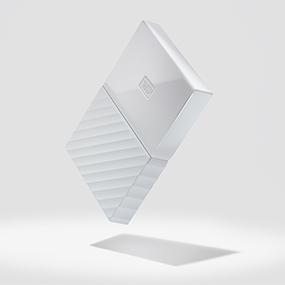
The Western Digital 4TB Black My Passport is a compact, high-capacity external hard drive featuring USB 3.0 for fast data transfer, hardware encryption for robust security, and seamless compatibility with Windows systems. Designed for professionals who demand reliable, portable storage, it combines sleek aesthetics with rugged durability, backed by a 3-year warranty.


| ASIN | B01LQQH86A |
| Additional Features | Portable |
| Best Sellers Rank | #168 in External Hard Drives |
| Brand | WD |
| Built-In Media | Portable hard drive^USB 3.0 cable^Quick Install Guide |
| Cache Memory Installed Size | 4 |
| Color | Black |
| Compatible Devices | Desktop, Gaming Console, Laptop |
| Connectivity Technology | USB |
| Customer Package Type | Standard Packaging |
| Customer Reviews | 4.5 out of 5 stars 4,961 Reviews |
| Data Transfer Rate | 1 Megabytes Per Second |
| Digital Storage Capacity | 4 TB |
| Enclosure Material | plastic |
| Form Factor | 2.5-inch |
| Global Trade Identification Number | 00718037846910 |
| Hard Disk Description | Portable |
| Hard Disk Form Factor | 2.5 Inches |
| Hard Disk Interface | USB 3.0 |
| Hard Disk Rotational Speed | 5400 RPM |
| Hard-Drive Size | 4 TB |
| Hardware Connectivity | USB 3.0 |
| Hardware Platform | PC |
| Installation Type | External Hard Drive |
| Item Dimensions L x W x Thickness | 4.33"L x 3.21"W x 0.85"Th |
| Item Part Number | WDBYFT0040BBK-WESN, WDBYFT0040BBKWESN |
| Item Type Name | WD My Passport Portable Hard Drive and auto backup software ,Black ,4 TB (WDBYFT0040BBK-WESN) |
| Item Weight | 8.64 ounces |
| Manufacturer | Western Digital Technologies, Inc. |
| Mfr Part Number | WDBYFT0040BBK-WESN |
| Model Name | My Passport |
| Model Number | WDBYFT0040BBK-WESN |
| Number of Items | 1 |
| Special Feature | Portable |
| Specific Uses For Product | personal, gaming, business |
| UPC | 718037846910 |
| Unit Count | 1.0 Count |
| Warranty Description | 2-year limited warranty |
R**X
Fantastic Little Gem!
I have two Samsung 850 Evo 500GB SSD's and I was looking to backup my important information to an external hard drive in the 4TB-5TB range. I spent a long time debating if I should get the WD 4TB Black USB 3.0 My Passport External Hard Drive (WDBYFT0040BBK-WESN) or the Seagate Expansion 5TB Desktop External Hard Drive USB 3.0 (STEB5000100). I looked at all the Seagate reviews stating the hard drive failing, so I decided to stick with Western Digital. I've owned many Western Digital hard drives over the years and they have always performed quite nicely. PROS: Very small and compact! Fast with decent speeds I love the black sleek case on one half with the other half featuring a rugged design Even the little white LED is pleasant to the eyes Works great on Windows 10 and Linux Mint 18.3 Cinnamon! Cons No cons really. The cable is a little short. I also noticed on Amazon the prices for the WD 4TB Black USB 3.0 My Passport Portable External Hard Drive (WDBYFT0040BBK-WESN) are quite sporadic in nature. I purchased this drive at a price point of $113 and after a few hours I saw the price drop to $111. The following day the price fluctuates all the way to $119 for the black version and then drops down to $116. It's not much of a difference in price, but I found it quite odd to have prices fluctuate like you are buying stocks on the stock market. Other Thoughts: I'm very glad I went with Western Digital. I've always had great experiences with Western Digital products. If you are on the fence about which external hard drive to buy, I would highly recommend this drive. The performance is solid and so far I have not had any issues on Windows 10 and Linux Mint 18.3 Cinnamon. Buy this WD 4TB Black USB 3.0 My Passport External Hard Drive (WDBYFT0040BBK-WESN) and you won't regret it! Update: Still working!
S**A
Works PERFECT with my Xbox One X (4TB Passport review).
Even at 1 TB, the Xbox One can really eat up the storage space in no time. If you're like me, you like the convenience of having as many games as possible pre-loaded into the unit so there is minimal wait time to play. However, even at 1 TB, it seems this is a bare minimum for such a convenience. As my Xbox One X approached the 90% storage capacity (filled) mark, I knew I was going to need more space. So, I purchased the 4TB Passport drive in order to have more space available without having to uninstall any of the games that I currently play. Setup was a breeze. Just turn off the Xbox One. Plug in the WD Passport Drive into any of the USB ports (I chose one in the back), turn on the Xbox, and presto...you're taken to the additional storage setup screen. Format the drive to use with your Xbox, and in mere seconds, you're ready to use it. From this point, the Xbox will default to the new drive to save the data. Seek times are fast, and appear to be even a bit faster than the internal storage drive on the Xbox. Unit is lightweight with 4 corner small rubber feet, and sits comfortably atop the Xbox unit. Really, you could place it anywhere. I chose the BLACK WD unit to match my Xbox. PROS: Easy and flawless setup for Xbox One. Fast seek/write times. Sleek design and lightweight. CONS: Activity light is on the panel as the USB port. Would be nice if it was on the opposite side so you could see the activity without having to see the cord as well. Would highly recommend for increasing storage capacity with Xbox One!
N**N
Best backup drive ever
I purchased this hard drive to act as an ongoing, no need to fuss or touch, back up plan. The size is excellent, loads of storage but a very compact space. The software is excellent as well, you'll end up installing at least two apps - WD Discovery and WD Backup. Discovery keeps the hard drive on the system, backup is the goods. Using WD Backup, I was able to select which folders and drives I'd like backed up as well as a schedule, being able to select the date and time. You can have several Backup plans at the same time - backing up everything at once or single drives at a time. For me, scheduling a backup everyday at the same time was super easy. Best part is once the back up is completed the drive goes in to standby mode reducing the power drain (you can also change that in settings). Coming from DMailer Back up - WD Backup is a huge improvement. I don't have to worry about when the last time I backed up anything was - just plug in once and ignore. Great drive, even better software - highly recommended.
A**R
Very nice, portable drive
The drive has been great so far and is being used as secondary backup storage for all my data. I chose this over the Seagate even though it was slightly more expensive because a 3 year warranty vs 1 year with Seagate and I thought the extra warranty was well worth the price difference. I have the 4 TB drive and it is small, quiet, and runs cool. It's my first ultra portable western digital passport purchase since a 120 gb drive I got a decade ago and even though that one was tiny and also used a laptop drive and still runs great, this new drive is even smaller. I already have it halfway filled up and will leave it disconnected most of the time because of all the ransomware going around lately which is why I bought it in the first place. RAID 1 is my preferred method for data redundancy but this little drive will do great for an alternative backup destination and works great with symantec ghost so I can easily backup and restore my system drive too.
R**B
Drive seems to have a sustained write rate problem
I purchased Five WD 4TB Passport drives to back up a WD MyCloudPR4100 24TB (w/ Raid 5) NAS. Unfortunately, the 4TB Passports seem to have a write rate problem. I use a Robocopy batch file with 8 threads running on a windows 10 pro (i5 with 16GB RAM) desktop to back up the MyCloud. I am using a USB3 interface. Backup starts just fine and for the first 2TB, write rates are 80-100 MB/s with an average response time of ~1500 ms. After that, write rates fall precipitously and ultimately drop to 2-3 MB/s with an average response time of 4500-5500 ms by the time the drive has 2.5 TB transferred. After that, the write rate seems to be stuck at a low rate. Disk shows mostly 100% active time. Things I have tried: 1. Quick format the drive: Write rate remains stuck at 2-3 MB/s 2. Full drive format (takes 12 hours): Write rate is again good for the first 2TB. 3. Halt backup script and just let the drive stay powered up for 8 hours: Partial write rate recovery for a very short time. 4. Switching to performance write (enables cache): no effect as compared to cache disabled. 5. Checking fragmentation: windows says the drive is not fragmented. 6. Altering the back up script to write large files first (PLEX .mkv .mp4 mp3) and then the user files: No difference from writing small user files first. 7. Disable password protection: no difference. 8. Backup directly on the MyCloudPR4100 by defining a backup plan on the MyCloud: still degraded write rate. 9. Used a powered USB3 Hub in case the drive was getting power starved: no difference 10. Disable Anti-virus SW: no difference 11. Run CHKDSK: no errors found 12. Change default allocation unit to from 4k to 32k: No difference There is no way to disable windows write caching on the WD Passport. I have already returned one drive to Amazon, but the replacement drive has the same characteristics. In fact, all of my 4TB drives have the same issue. It is interesting to note that I have a 3.5 inch 3T WD MyBook and a 3.5 inch 3TB Seagate Backup Plus both with external power and usb3 and neither seem to have the problem. Since write rate does not reset to near 100MB/s unless a full format is done on the drive (quick format does not help at all), and the problem has duplicated itself on 5 of 5 drives that I purchased, I suspect there is something fundamentally wrong with the 4TB Drive. WD, Fix your drives! March 11, 2018 I edited this review on Feb 26, 2018, but the update was not posted. I have reposted my update. UPDATE Feb 26, 2018 I have completed a much further examination of the 5 4TB Passport Drive I still have. WD suggested using their disk tools to validate the drives are good. All 5 drives passed all tests when using the WD Data Lifeguard tool. When I attempted to erase the drives with the tool, the erase failed. I then used the WD drive utilities to rerun diagnostics (all passed) and then the tool was used to erase the drives. From the messages that pop up on WD, it appears that the erase/wipe tool deletes the partition and then creates and formats a new partition. After using the WD drive utilities to wipe the drives, I reran my drive performance check which was composed of transferring 2.7 TB (185k files)from my MyCloudPR4100 via my 1Gb/s LAN to a Dell Latitude 3470 laptop with the drive plugged into a USB 3 input. The transfer was done using a .bat robocopy with 16 threads and no directory or file listing. Files were mkv, mp3, and misc (mostly jpg). The laptop had no other activity running. The WD MyCloudPR4100 was connected to a Netgear ProSAFE GS108 gigabit switch which was also connected to the Dell Latitude 3470. Drives were set to use the default profile (safe removal, no caching) and indexing of file contents was disabled. The windows performance monitor was used to log the write performance of the drive each minute. All 5 drives were tested and the results are summarized in the attached .jpg. Initially, write performance on the mkv files was approximately 70GB/s and degraded slowly as seen in the attached graphic. mp3 and jpg write performance was approximately 43 MB/s. As a further test, I erased the 522GB of the "mostly jpg" workload and then proceeded to write 924GB of mp4 files to the drive. Write performance was 27-34 MB/s. I should note, the MyCloudPR4100 is used as a Plex server and is also used as DVR storage and backup for PCs on the network, so some occasional performance degradations could be attributed to other network or server traffic. So in conclusion, I have upgraded my rating from a 1 to a 4. WD did not get the 5 rating because of my out of the box experience noted above on all 5 drives. The is no reason I should need to use the WD tools prior to using each drive. They should work well from the factory.
C**Y
Awesome harder drive
Awesome harder drive. At firs the ps4 wouldn't see that it was connected but that was my fault for being in a hurry and not being patient with the unit. Once i slowed down and looked at the system it was plug and play, all that was need was a to format the drive and it was ready for use. I was able to load and pay 30 games from disk and a few digital to the drive with in a few minutes instead of hours like normal with the stock 500gb drive that came with then system. The drive brand new showed as 4.01tb, once formatted it was at 3.65tb of storage. I am currently sitting at 2.6tb after 35 games and update files being loaded to the drive. I only paid 60 for it since i had a 50 dollar gift card from Christmas. But definite worth the 110 price tag that it showed up in my cart for after taxes. If you need more space for your game system i highly recommend this drive plus never had problems with wd drives only seagate. But of course its only been a moth since buying but i have no fear that it will last for a while.
L**0
Works perfectly- plugs in and instantly have a 2nd hard drive for my laptop!
My computer is my 'confuser'... I am not computer smart. My problem is that I was out of hard drive space but love my laptop and didn't want a new one so after reading the reviews of this portable drive, I decided to try it. It self installed, all I did was plug it in. I honestly didn't have to do anything else-just plug into my USB port. Then I looked at my computer storage space- it showed my full hard drive and it showed this portable drive (having 3.69 TB... I'm guessing some space is lost in installation??) So I took a piece of black duct tape and literally taped it to the cover of my laptop (I do not care what it looks like...besides, it's small and black and matches anyway.) NOW whenever I want to download camera photos or anything else, I easily choose to download to that drive and it's there. It's like having a new computer with free hard drive space. I'm so glad someone else made a post about wanting one of these drives for the exact same reason as I needed it for. Because it has saved me from buying a whole new computer and it's simple to use. Since I didn't have to buy a new computer, I did buy the $10 optional data recovery plan- I figure cheap insurance should something go wrong.
S**S
Great External Storage, Small and Elegant form factor
Only had this for a couple weeks now, but has been great. I have an earlier version of the My Book 1TB from 2006 that just stopped working so ordered this for back up, and for media storage. It's about 1/4 the size of my old one, and has 4x the storage. Very portable, and good data transfer rates. Also, love that it's a single cable hook up, which I know most of the newer external drives are, but the old version I have required a separate ac adapter. I considered one of the smaller, less expensive versions, but 4TB version was the lowest price/TB. Very happy that I got the higher capacity, as I'm sure I would have filled up the smaller ones in no time at all. Hopefully this one will last at least 10 years like the old one did. Have used about 1TB so far, and I'm already considering ordering a 2nd one so I have one for back up, and one to carry around without worrying about something happening to it and losing all my data.
Trustpilot
1 day ago
2 months ago