


Desertcart purchases this item on your behalf and handles shipping, customs, and support to EGYPT.
✨ Elevate your workflow with the Magic Trackpad — where touch meets tech mastery!
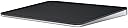
The Apple Magic Trackpad in black offers a wireless, rechargeable design featuring advanced Multi-Touch and Force Touch technology. Its expansive edge-to-edge glass surface ensures smooth, precise navigation, while sensors detect pressure variations for enhanced control. Compatible with a wide range of Mac and iPad devices, it pairs automatically via Bluetooth and boasts a battery life exceeding one month per charge, making it an essential upgrade for professionals seeking seamless, efficient interaction with their content.
| Brand | Apple |
| Color | Black |
| Compatible Devices | Mac mini (M1, 2020), Mac mini (2018), Mac Pro (2023), Mac Pro (2019), Studio Display (2026), Studio Display XDR, Apple Vision Pro (M5), Apple Vision Pro (M2), MacBook Air (Retina, 13_inch, 2020), MacBook Pro (14-inch, M5 Pro or M5 Max), MacBook Pro (16-inch, M5 Pro or M5 Max), MacBook Pro (14-inch, M5), MacBook Pro (14_inch, 2024), MacBook Pro (16_inch, 2024), MacBook Pro (14_inch, 2023), MacBook Neo, MacBook Air (13-inch, M5), MacBook Air (15-inch, M5), MacBook Air (13_inch, M4), MacBook Air (15_inch, M4), MacBook Air (13-inch, M3), MacBook Air (15-inch, M3), MacBook Air (15-inch, M2), MacBook Air (13-inch, M2), MacBook Air (M1), MacBook Pro (16_inch, 2023), MacBook Pro (13_inch, M2, 2022), MacBook Pro (14_inch, 2021), MacBook Pro (16-inch, 2021), MacBook Pro (16-inch, 2019), MacBook Pro (13-inch, M1, 2020), MacBook Pro (13-inch, 2020), iMac (24_inch, M4, 2024), iMac (24-inch, M3, 2023), iMac (24-inch, M1, 2021), iMac (Retina 4K, 21.5_inch, 2019), iMac (Retina 5K, 27-inch, 2019–2020), iMac Pro (2017), Mac Studio (2025), Mac Studio (2023), Mac Studio (2022), Mac mini (2024), Mac mini (2023), iPad (A16), iPad (10th generation), iPad (9th generation), iPad (8th generation), iPad (7th generation), iPad (6th generation), iPad (5th generation), iPad mini (A17 Pro), iPad mini (6th generation), iPad mini (5th generation), iPad mini 4, iPad Pro 12.9-inch (1st generation), iPad Pro 11-inch (M5), iPad Pro 11-inch (M4), iPad Pro 11-inch (4th generation), iPad Pro 11-inch (3rd generation), iPad Pro 11-inch (2nd generation), iPad Pro 11-inch (1st generation), iPad Pro 10.5-inch, iPad Pro 13-inch (M5), iPad Pro 13-inch (M4), iPad Pro 12.9-inch (6th generation), iPad Pro 12.9-inch (5th generation), iPad Pro 12.9-inch (4th generation), iPad Pro 12.9-inch (3rd generation), iPad Pro 12.9-inch (2nd generation), iPad Pro 9.7-inch, iPad Air 13-inch (M4), iPad Air 11-inch (M4), iPad Air 13-inch (M3), iPad Air 11-inch (M3), iPad Air 13-inch (M2), iPad Air 11-inch (M2), iPad Air (5th generation), iPad Air (4th generation), iPad Air (3rd generation), iPad Air 2 Compatible Devices Mac mini (M1, 2020), Mac mini (2018), Mac Pro (2023), Mac Pro (2019), Studio Display (2026), Studio Display XDR, Apple Vision Pro (M5), Apple Vision Pro (M2), MacBook Air (Retina, 13_inch, 2020), MacBook Pro (14-inch, M5 Pro or M5 Max), MacBook Pro (16-inch, M5 Pro or M5 Max), MacBook Pro (14-inch, M5), MacBook Pro (14_inch, 2024), MacBook Pro (16_inch, 2024), MacBook Pro (14_inch, 2023), MacBook Neo, MacBook Air (13-inch, M5), MacBook Air (15-inch, M5), MacBook Air (13_inch, M4), MacBook Air (15_inch, M4), MacBook Air (13-inch, M3), MacBook Air (15-inch, M3), MacBook Air (15-inch, M2), MacBook Air (13-inch, M2), MacBook Air (M1), MacBook Pro (16_inch, 2023), MacBook Pro (13_inch, M2, 2022), MacBook Pro (14_inch, 2021), MacBook Pro (16-inch, 2021), MacBook Pro (16-inch, 2019), MacBook Pro (13-inch, M1, 2020), MacBook Pro (13-inch, 2020), iMac (24_inch, M4, 2024), iMac (24-inch, M3, 2023), iMac (24-inch, M1, 2021), iMac (Retina 4K, 21.5_inch, 2019), iMac (Retina 5K, 27-inch, 2019–2020), iMac Pro (2017), Mac Studio (2025), Mac Studio (2023), Mac Studio (2022), Mac mini (2024), Mac mini (2023), iPad (A16), iPad (10th generation), iPad (9th generation), iPad (8th generation), iPad (7th generation), iPad (6th generation), iPad (5th generation), iPad mini (A17 Pro), iPad mini (6th generation), iPad mini (5th generation), iPad mini 4, iPad Pro 12.9-inch (1st generation), iPad Pro 11-inch (M5), iPad Pro 11-inch (M4), iPad Pro 11-inch (4th generation), iPad Pro 11-inch (3rd generation), iPad Pro 11-inch (2nd generation), iPad Pro 11-inch (1st generation), iPad Pro 10.5-inch, iPad Pro 13-inch (M5), iPad Pro 13-inch (M4), iPad Pro 12.9-inch (6th generation), iPad Pro 12.9-inch (5th generation), iPad Pro 12.9-inch (4th generation), iPad Pro 12.9-inch (3rd generation), iPad Pro 12.9-inch (2nd generation), iPad Pro 9.7-inch, iPad Air 13-inch (M4), iPad Air 11-inch (M4), iPad Air 13-inch (M3), iPad Air 11-inch (M3), iPad Air 13-inch (M2), iPad Air 11-inch (M2), iPad Air (5th generation), iPad Air (4th generation), iPad Air (3rd generation), iPad Air 2 See more |
| Connectivity Technology | Bluetooth |
| Special Feature | Lightweight, Portable, Rechargeable, Touchpad, Wireless |
E**Y
Smooth, precise, and a pleasure to use
The Apple Magic Trackpad is one of those accessories that’s hard to live without once you start using it. The large glass surface is incredibly smooth, and Multi-Touch gestures make navigating macOS feel fast and effortless. The tracking is extremely accurate, and scrolling, zooming, and switching between apps are all fluid and responsive. Pairing with my Mac was quick, and the built-in rechargeable battery lasts a long time between charges. The white finish looks clean and premium, although it benefits from an occasional wipe to keep it looking its best. If you spend a lot of time working on a Mac, whether for productivity, creative work, or everyday use, this is a worthwhile upgrade that enhances the overall experience. Highly recommended.
D**V
Amazing product
Works very well, feels just like my MacBook Pro. Easy to clean and battery life lasts all month. Make sure to charge it every once in a while and you’ll be good. Feels solid, the feedback is very satisfying. Worth the price.
J**S
Unlock Your Desktops Potential
What can I say, I love this thing. With a Mac, the gestures for multitasking make this thing a MUST have. I use a mouse as well but find that having a secondary method helps with fatigue but its the aforementioned gestures that make it part of my setup. Comfortable to use, connects easy and CAN be charging while using, which is my only complaint against the Magic Mouse. Low profile with a slight angle makes it a great design along with its large glass surface that keeps for smooth tracking even with slightly sweaty fingers. It is crazy responsive with no lag. Do you NEED it? No. Does it make a vast difference? Absolutely. May you have to get accustomed to using it before you love it? Likely, unless you are already familiar with the Macbook trackpads. Are there imitations? I bet, but rarely are imitations anywhere near as good as the real thing. Just as the person with the blow-up partner.... Make the effort, take the time and you will find it just as amazing as I do. Have FUN!
N**S
Perfect replacement for my older trackpad
I just got this this, and it's a worthwhile upgrade. I’ve used the original Magic Trackpad which was great, but it relied on removable batteries, while the Trackpad 2 has a built-in rechargeable battery that you simply charge with a USB cable which I have plenty. It also feels more responsive and precise, making navigation and gestures even smoother. The Force Touch haptics are another noticeable improvement, giving clicks a more natural and consistent feel no matter where you press and I can mount it on my iPad holder and still click. This is good when I need to make room for my drawing set up. If you’re using an older trackpad, the Magic Trackpad 2 is an easy recommendation and a solid upgrade over the original. Not much to say about it other than that. If you're an Apple user, you know the score. -Nathyn Brendan Masters Night Phoenix Press
R**C
Simply Magical!
We’ve been using our Logitech MX Ergo (see image) for years on our Desk/Laptop PCs and MacBooks, appreciating its 0°-20° angle option. However, it doesn’t play well with our Mac Mini. To overhaul our DAW functionality, we ordered this Apple Magic TrackPad 3 (stand purchased separately) to solve our connectivity (and ergonomic) issue. Surprisingly, several days of using the TrackPad was a smoother transition from the trackball than expected as it reminds us of a more capable Apple Magic Keyboard pad. The connectivity & lag issues were immediately resolved! The size is just large enough to be fully functional & the smooth tactile feel is what Apple is known for. This item has been such a game-changer, it's a shame we didn't get one sooner! We opted for "Like New" to try it out and have discovered it's a solid value for the money.
J**E
Wish I’d bought it sooner
I love using gestures on Mac, but when docking my MacBook I can’t really use the trackpad so this was on my list for some time. It’s really large compared to the ones on the MacBook, but still feels the same making it really nice to use. I wouldn’t be the first to admit that it’s not the cheapest, but definitely the best choice for its features. Setup was dead simple and it works with iPads as well as the M-series Mac’s it’s made for. Over all I don’t have one complaint about it.
D**Y
Compact and simple to operate
Pros: Slim design. Stable and takes up small area. Solid materials used. Effortlessly paired with my IMac. Charges quickly. Multiple gestures to cover all needs using the computer. Cons: Charging cable included is usbC to usbC. I need C to A. Pricier than other brands. Overall, an excellent replacement for a mouse.
T**M
Premium Trackpad That Just Works - Classic Apple Quality
This Magic Trackpad is great - like any other Apple product, it just works seamlessly. The Multi-Touch gestures and Force Touch technology are incredibly responsive and intuitive, making navigation feel natural and effortless. The large glass surface provides plenty of room for gestures, and scrolling and swiping feel smooth and precise. It pairs automatically with my Mac without any setup hassle, and the battery life easily lasts a month or more between charges. The build quality is premium with noticeable weight to it, giving it a solid, high-end feel on the desk. The black finish looks sleek and modern. While it's expensive compared to other trackpads on the market, you're paying for that Apple ecosystem integration, reliability, and refined user experience. It connect easy to any mac or apple product you have and there is no lag between the device and your machine. If you're already invested in Apple products and prefer trackpad navigation over a mouse, this delivers the polished experience you'd expect from Apple.
B**E
⭐⭐⭐⭐⭐ (5/5) – The Best Trackpad Experience – Apple Nails It Again!
The Apple Magic Trackpad is hands down the best trackpad I’ve ever used! If you love fluid navigation, multi-touch gestures, and seamless macOS integration, this is an absolute must-have. ✅ Why I Love It: ✔️ Ultra-Smooth & Responsive – The glass surface feels incredibly premium, and every swipe, scroll, and zoom feels effortless. The haptic feedback is so precise that I forget it’s not a physical click! ✔️ Seamless macOS Integration – Multi-touch gestures like Mission Control, Exposé, and app switching are super intuitive and fast. Perfect for anyone who wants an efficient workflow. ✔️ Large Surface Area – The edge-to-edge glass makes gestures way more comfortable than using a MacBook’s built-in trackpad. ✔️ Instant Connectivity – Pairs instantly via Bluetooth, and I never experience lag or disconnections. ✔️ Long Battery Life – A single charge lasts over a month, which is incredibly convenient. ✔️ Minimalist & Elegant Design – The low-profile, sleek white design looks great on any desk setup. ⚠️ Any Downsides? Honestly, I have zero complaints. The price is premium, but so is the experience. If you’re someone who values a high-end trackpad experience, this is worth every penny. 🎯 Final Verdict: If you’re an Apple user who loves gestures, precision, and fluid navigation, the Magic Trackpad is simply the best in its class. The combination of high-end design, excellent responsiveness, and long battery life makes it a perfect tool for both productivity and creative work. 💡 Would I Buy It Again? Absolutely! A game-changer for macOS users. 🚀🍏
M**L
Smooth, Precise
Absolutely love this trackpad! The gestures are smooth, the responsiveness is flawless, and it makes navigating so much easier than a mouse. Sleek Apple design, great battery life, and super comfortable to use for long periods.
A**E
Vraiment besoin d'un avis? Apple magic trackpad = le meilleur track pad
Un tres bon produit apple. Pas de grosse difference avec la version precedente. Alors peut etre techniquement ils sont differents mais pour etre honnete la seule difference notoire en tant qu'utilisateur c'est que c'est un peu plus arrondi sur les coins
J**Y
Does not work well with older Mac OS
Does not work well with older Mac OS. Connected via Bluetooth to an older Mac, the USB-C Magic Trackpad exhibits various issues, such as inoperable scrolling and inconsistent single-finger tracking. Setting the trackpad speed also fails in some cases. A temporary workaround is to connect the trackpad using an USB-C cable.
A**A
Awesome!
Works wonderfully. Apple's no. 1.
Trustpilot
2 weeks ago
1 month ago