


Desertcart purchases this item on your behalf and handles shipping, customs, and support to EGYPT.
⌨️ Elevate your workspace — compact power meets smart flow.
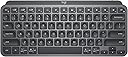
The Logitech MX Keys Mini is a premium, compact wireless keyboard designed for professionals who demand precision and portability. Featuring 34 smart keys including dictation, emoji, and mic controls, it offers seamless multi-device Bluetooth connectivity and smart backlighting that adapts to your environment. With up to 10 days of battery life on a single charge and a durable metal build incorporating recycled plastics, it’s engineered for sustainable, efficient productivity across macOS, Windows, Linux, iOS, and Android platforms.


| ASIN | B098JPSVKY |
| Additional Features | Backlit, Rechargeable |
| Antenna Location | Business, Multimedia |
| Best Sellers Rank | #2 in Computer Keyboards |
| Brand | Logitech |
| Built-In Media | Charging cable, Important Information Document, Keyboard |
| Button Quantity | 34 |
| Color | Graphite |
| Compatible Amazon Tablet Models | Amazon Fire HD 10 11th Generation |
| Compatible Devices | Laptop |
| Compatible Operating System Family | Linux, MacOS, Windows |
| Connectivity Technology | USB-C |
| Customer Reviews | 4.5 out of 5 stars 4,193 Reviews |
| Enclosure Material | Plastic |
| Hand Orientation | Ambidextrous |
| Item Dimensions L x W x H | 11.65"L x 5.19"W x 0.83"H |
| Item Weight | 1.5 pounds |
| Keyboard Backlighting Color Support | Single Color |
| Keyboard Description | Membrane |
| Keyboard Layout | QWERTY |
| Language | Spanish |
| Manufacturer | Logitech |
| Mechanical Keyboard Switch Model | Membrane |
| Mfr Part Number | 920-010388 |
| Minimum Required Operating System Version | Android 9.0 Pie |
| Model Name | MX Keys Mini |
| Model Number | 920-010388 |
| Number of Keys | 104 |
| Power Source | Battery Powered |
| Recommended Uses For Product | Business, Multimedia |
| Special Feature | Backlit, Rechargeable |
| Style Name | MX Keys Mini |
| Switch Type | Membrane |
| Theme | computing, keyboards |
| UPC | 097855169570 |
| Unit Count | 1 Count |
| Warranty Description | Manufacturer’s warranty can be requested from customer service. |
D**P
So Far I Like Everything About This Keyboard
I bought the pale gray MX Keys Mini keyboard to replace my Logitech K380 keyboard, not because the K380 is no longer working but because I like the keyboard feel, keyboard keys, and overall ergonomics of the MX Keys Mini over the K380. The K380 is one of the best, if not the best, compact, multi-device Bluetooth keyboard in its price range currently available on the market. I simply like the MX Keys Mini more and will move the K380 to a different workstation setup. Pairing the MX Keys Mini with my Windows 11 Pro PC and my M2 MacBook Air was a breeze. It paired just like all of the other Logitech keyboards I own, very quickly and reliably. Switching between devices is a single button press on the MX Keys Mini keyboard. It would be kind of nice if my MX Master 3 mouse could be slaved to the MX Keys Mini device selection, but both devices do switch over to the other device very quickly and with a single button press on each MX device. Since my two devices/computers are sharing the same monitor, switching the input source on the monitor takes a lot more time than does switching the two Logitech MX devices. The Logi Options+ application recognized my MX Keys Mini immediately. All of the controls, settings, and user interface workflow for the MX Keys Mini in the application were very familiar since I have used Logi Options+ with many of my other PC and Mac Logitech devices. This is my first experience using a separate keyboard with backlighting. I am relieved that the backlighting is restricted to white hues only. I often use a monitor light bar that is mounted on the top of my monitor to illuminate my workstation area, including the keyboard and mouse. I discovered that my monitor light bar and the MX Keys Mini backlight functionality are ergonomically incompatible with one another, at least for my setup. When my monitor light bar is illuminated, even at the dimmest setting, the adaptive backlight functionality on the gray/silver MX Keys Mini adjusts the backlighting based on the ambient light to the where the white backlit characters on the white keys become nearly invisible to see. I was greatly relieved to discover that I could simply adjust the brightness level of the MX Keys Mini all the way down to the point where the key characters are black. This completely solved my problem when using the MX Keys Mini with my monitor light bar. I will definitely encounter situations in the future where I do not use my monitor light bar and can simply increase the brightness level on the MX Keys Mini to take advantage of the backlighting feature. I have not encountered any compatibility issues while using the MX Keys Mini with either my PC or my Mac. The MX Keys Mini seems to be conforming very nicely to the functional and quality standards that I've come to expect with all Logitech products I've owned, dating back to my first 3-button C7 mouse. So far I am very pleased with my purchase of the MX Keys Mini.
A**R
Great keyboard for my purpose
A couple years ago I wrote a scathing review about the decline of Logitech products quality. I was having problems with the mice, the buttons where acting up, and I needed a mouse (NOW) that worked so I went to the local brick & mortar store and bought the same mouse, which had the same problems. I ended up getting hundred dollar mouse made for CAD professionals. Since then I got a Logitech mechanical keyboard, with the cherry keys, great product and I love it. I've also purchased a couple Logitech mice lately and had no problems with them. This keyboard is much nicer than what I expected, I love the solid feel of it, it is very heavy for its size. I wanted this one for the ability to switch between three different computers. I have one Windows 10 machine and two Linux ones in a corner of my man cave. I've purchased two HDMI KVM switches recently, and both where DOA, not working at all right out of the box, and from different manufacturers. My monitor has three inputs, so all I really needed was a single keyboard and mouse for all three. The Logitech MX mouse is still on the way. The set up was a bit problematic. The Windows machine set up very easy, but after a restart the keyboard was no longer paired. I had to drag out my old one to log into Windows, not so handy since Windows re-starts itself constantly. Luckily, there was a firmware update for this keyboard that fixed the problem. You can get the update through the Logitech software that can be downloaded from their website. On one Linux machine I am currently running Linux Mint. Mint came with the blueman software preinstalled, I had to make several attempts to get the pairing to stick, partly because I've only used blueman a couple of times in the past to pair BT headphones to my old laptop. You must mark the keyboard as trusted to get a connection that lasts. I had a situation where it was connecting and disconnecting constantly until I did that. Works fine now, and it pairs itself after a restart. On the third computer I am running Debian 12, and I have not been able to get the keyboard paired at all. This computer is actually part of my stereo system. It is connected to my amps by way of a DAC, but I can control it from a phone or tablet, or from a web GUI on a different computer. It would be nice if this would work on Debian, but it's not the end of the world. I almost docked this product a star because the product info is not completely accurate. On the product page it says:"Compatibility: Compatible with Logi Bolt USB Receiver (not included) . Logi Bolt wireless products will not pair with other Logitech USB receivers". OK, you don't need the Bolt USB Receiver to use this, I ordered them because it says this. The keyboard works with any Bluetooth receiver, I'm using one made by TP Link and another Knvo. The Bolt receivers are not here yet, they will be along in a couple days with the new MX mouse, even though they where part of the same order as this keyboard. When the Bolt receivers get here I will probably use them, because I had to rob the BT dongles off of my other computers to get this working right away. The limited instructions that came with the keyboard just said to pair it with Bluetooth, it does not even mention the Bolt receiver.
A**K
Top Notch!
I have owned multiple wireless keyboards over the years, and this is hands down the best one I have used. The Logitech MX Keys Mini strikes the perfect balance between performance, comfort, and design. From the moment I started typing, it felt responsive, smooth, and incredibly satisfying. The keys have a great tactile feel with just the right amount of travel, making long typing sessions comfortable and accurate. The compact layout is ideal for a clean and efficient workspace. It saves desk space without feeling cramped, and everything is laid out thoughtfully. I was worried about losing functionality by going smaller, but that has not been an issue at all. The keyboard connects quickly and reliably via Bluetooth, and switching between devices is seamless, which is a huge plus when working across multiple devices. The smart backlighting is another standout feature. The keys illuminate automatically when your hands approach, and the lighting adjusts perfectly to the room brightness. It looks sleek and modern while also being very practical in low light environments. Battery life has been excellent, and I rarely have to think about charging it. Build quality is top notch and feels premium. The keyboard stays firmly in place while typing, and there is no flex or cheap feel. Everything about it feels well engineered and intentional. If you want a compact wireless keyboard that delivers comfort, precision, and a polished design, this is absolutely worth it. Logitech really nailed it with the MX Keys Mini, and I would not hesitate to buy it again or recommend it to anyone looking for a high quality wireless keyboard.
A**R
Thin, minimal, and premium
Been using this keyboard for 9 months now. This keyboard feels surprisingly premium for how thin and compact it is. The low‑profile scissor switches give a soft, laptop‑style typing feel — quiet, low travel, and very smooth. The auto‑sleep and instant‑wake features work great and help extend the already excellent battery life. It can connect to three devices, though I’ve only used it with one so far. The lighting is well done and easy to see. Simple, reliable, and truly plug‑and‑play with no software required. Highly recommend if you want a clean, minimal keyboard that just works.
R**N
Make sure you buy a USB Receiver!!!
Logitech MX Keys - Mini: This is an overall review for Logitech's keyboard, they've really mastered the perfect mini keyboard for multiple computer use. If you want to see the pros and cons directly, please click see more or skip to the bottom of this review. If you're looking for a light and quick mini keyboard that you can toss in a backpack for on the go, this is your keyboard. Opening the box, the keyboard is wrapped in a nice wax like dry paper to help keep it safe from damage and moisture. It also comes with a USB cable for charging. Please note there is no USB receiver that came with this board. My thought on this is that most customers will already have some sort of bluetooth on their laptop or device but in case you don't, you will need to get one. There are three different types of Logitech receivers: 1.) Unifying receiver - (Orange-ish Brown Star) This receiver will allow you to connect up to 6 "Logitech" devices to that one single receiver. This receiver is recommended for convenience and will slow down performance since they are all sharing that same bandwidth on the receiver. 2.) Lightning receiver - (Yellow-Greenish lightning bolt) This receiver will only connect to one device but it designed for fast performance and will give quick inputs. This receiver is recommended for gaming or applications that require quick input responses but is not convenient since it will require taking up more USB slots. 3.) USB receiver 2.4 - This is just a normal USB receiver that connects one device at slower speeds. The durability is very nice, it has a nice weight feeling to it that feels sturdy and well built. The top of the keyboard is a nice aluminum that looks great and surrounds the keys. The keys feel a tiny bit loose but Im sure its for easier key press and to cause less friction on the press cycle. The keyboard has rubber silicone like bottom feet that keep it from moving around on the desk or surface that you're typing on. The Battery has an impressive 5 months of battery life with the backlight turned off, you can also use the brightness keys to tone down or up the brightness of the backlight. This may reduce your battery life to 10 Days or so if you have the backlights all the way up. There is also a USB charging cable that comes with the keyboard for charging only, it will not send/receive data. There is some serious tech designed into this keyboard. The Logitech app that you can download from their website will help configure your mouse and keyboard. Also you can connect this keyboard up to 3 computers or devices and use F2, F3 and F4 to switch between them all. Its very handy if youre working between multiple computers and would like to remove clutter and save space using a single keyboard for all of them. Overall, I would Highly recommend this keyboard. Logitech did really well with this one and for $95, Its almost unbeatable for what other keyboards are costing. This keyboard can compete with Mechanical slim keyboards but without the nosy clacking and its worth it to have a good quality keyboard that you can work on, game on and use for creative content or just to have fun. Pros: - Superb Build Quality - Light weight - Ergonomic Style - Backlit Key Sensor to save battery - Connect up to 3 devices - low noise profile - Logitech app for customizing keys Cons: - No USB Receiver - Battery runs out quick when using backlit keys on high
B**R
Great Apple Keyboard Replacement; Much Much Better Though
I really enjoy using the Logitech MX Keys Mini Minimalist Witeless Keyboard for my Mac Studio. I purchased this because I wanted to replace my Apple keyboard that came with my iMac. I wanted something similar in size and style. This does a great job at that, but it provides a much better typing experience. The color complements my Studio Display and Mac device. Plus, it's very similar in size to the original Mac keyboard. The feel is better, though! The typing experience is pleasant and doesn't get in the way of my day-to-day workflow. It has a power button and charges via USB-C. It's lightweight, too.
J**M
Really awesome keyboard for developers
I've been doing software development for three decades and this is by far the best keyboard I've ever owned. The best way I can describe the MX Keys Mini is that it's... smooth. The key response is exactly what I'm looking for, with just the right amount of travel and push required. It's pretty quiet while typing - very similar in feel to what you'd get on a good laptop keyboard. The battery life is plenty good - while I can't *quite* make it two weeks on a charge (usually need a charge a day or two before two full weeks), if I charge this up every weekend I'm good for the upcoming week, and I can typically get to a full charge in less than an hour. Bluetooth setup is a breeze and connectivity has been solid. I've been using this keyboard for five months now without a single drop or connectivity issue. The delay when hitting the keyboard for the first time (I assume it "sleeps" in some fashion) is barely noticeable. The unit itself has some "heft" to it - it just feels well-made and solid. Overall, I can't think of a thing I'd actually change on this keyboard. There are cheaper keyboards out there, but in looking at this from a quality-for-price perspective, I'm ok with the expense for the quality you get. The only outstanding question is how this holds up over time - i.e. years 2, 3, 4... Overall, I highly recommend this keyboard. /** Update **/ I'm 15 months in now and this keyboard is still like new. All the keys still work as expected and there isn't a spec of wear on the letters or numbers on the keys. Can't recommend enough...
A**X
Be careful of this one, even with Bolt adapter
It's pretty, feels great, super silent, only one problem: IT DOESN'T WORK. It's a consistent, known problem that the keys don't work correctly for a lot of people. Most people find issues after 1 or 2 years where keys start typing something other than the key pressed. For me, it happened about 5 seconds in. Went through Logitech support (which was useless, by the way, giving me troubleshooting guides that I already explained I've completed in detail) and they just said 'Well it's still in the return window so we suggest you return it.' Nothing else, no apology, no other attempt at trying to reassure me or recommendations, just straight up 'return it' and so I did. It's a shame because it's honestly the best feeling and sounding keyboard I've ever had, but it was terrible. The backlight is also disgusting. It looks fine in the pics and preview videos but the lights all come from the top of the keyboard, making it uneven across the entire keyboard and it doesn't look good. Wasn't compatible with my Windows PC using Bluetooth or the Bolt adapter. Setup was a nightmare due to the verification code I need to type in. Sometimes it worked, but then soon after it would mess up (for instance, the left shift key would always type a capital G, and every other key was mapped to something different too, even though the configuration showed it was mapped correctly). It's a tiny keyboard, but it's terrible and I wouldn't recommend it,, despite it's build quality. Look up reviews yourself on Google, not just Amazon. There are quite a few people with issues like this, and Logitech support is terrible.
S**D
MX Mini Keyboard
Nice product
M**C
Premium Keyboard That’s Worth Every Penny!
I’ve gone through so many keyboards, trying to find the perfect one. Cheap ones, mid-range ones—you name it. Every time, there was always something off. The keys felt mushy, the build was flimsy, or the typing experience just wasn’t satisfying. Then, I got the Logitech MX Keys Mini—and wow. This is by far the best keyboard I’ve ever used. The keys are smooth, responsive, and feel premium with every press. The build quality is solid, and the compact design is perfect for any setup. And the backlit? Absolutely amazing. The moment I bring my fingers close to the keyboard, the light automatically turns on—it feels so smart and effortless! Plus, the connection to my Mac is super smooth with no lag or issues. Yes, it’s a bit pricey. But trust me—when choosing a keyboard, don’t go cheap. Pay more, get a premium one like this, and you’ll never look back. Absolutely worth it!
G**Z
Perfecto para el día a día
Este teclado es uno de mis favoritos. Previamente habia comprado la version en blanco en español pero para programar me gusta más el layout en inglés y como vi en las reviews que venia en ingles (aunque en la publicación diga lo contratio). El teclado es bastante cómodo, por el formato compacto se adapta muy bien a espacios reducidos e incluso es bastante portable. Las teclas se sienten muy bien al tacto, escribir es una experiencia bastante agradable. Al ser la version Business trae el receptor logibolt lo cual ayuda bastante si cuentas con otros dispositivos Logitech.
J**G
Solid keyboard but
The white keyboard isn't visible when the back-light are on. So better use it without back-light. I'm sure it would be better with a black keyboard
K**N
Excelente calidad, pero OJO: Distribución en Inglés (Sin "Ñ")
El teclado es físicamente impecable: compacto, resistente y con un tacto de teclas muy similar al de una MacBook, lo cual lo hace comodísimo para escribir rápido. Es ideal para llevar en la mochila a la oficina o de viaje. Punto importante: La descripción dice que es en español, pero confirmo que viene en inglés (no tiene la tecla Ñ física). Si ya estás acostumbrado a escribir sin ver las teclas o usas la configuración de EE.UU. Internacional, no tendrás problema, pero es importante tenerlo en cuenta antes de comprar.
Trustpilot
2 months ago
3 weeks ago