Desertcart purchases this item on your behalf and handles shipping, customs, and support to EGYPT.
🚀 Elevate your dual-computer setup to 8K clarity and lightning-fast control!
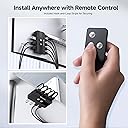
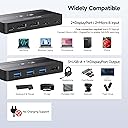
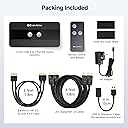
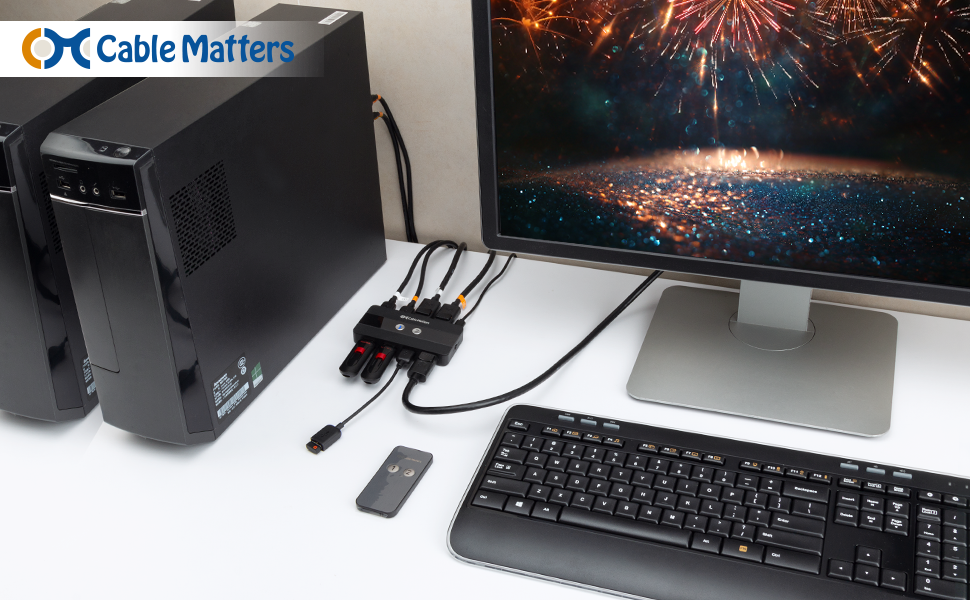
The Cable Matters 8K USB 3.0 KVM Switch with DisplayPort 1.4 enables professionals to control two computers using one keyboard, mouse, and ultra-high-definition monitor. Supporting resolutions up to 8K at 60Hz and 4K at 144Hz, it features three USB 3.0 ports with 5Gbps speeds and offers seamless switching via button or wireless remote. Compatible with all major operating systems, this compact device streamlines multi-computer workflows with cutting-edge video and USB technology.


| Actuator Type | Push Button |
| Asin | B098TVP9ZL |
| Best Sellers Rank | 30,096 in Computers & Accessories (See Top 100 in Computers & Accessories) 97 in KVM Switches |
| Brand | Cable Matters |
| Circuit Type | 2-way |
| Colour | black |
| Compatible Devices | Computers (Windows, macOS, ChromeOS, Linux) and USB peripherals |
| Compatible With Vehicle Type | Car, Truck, Vans |
| Connectivity Protocol | Wired |
| Connector Type | DisplayPort, USB-A 3.0 |
| Contact Material | Metal |
| Contact Type | Normally Open |
| Control Method | Remote |
| Control Type | computer selection |
| Controller Type | Push Button |
| Current Rating | 1 Amps |
| Customer Reviews | 3.9 3.9 out of 5 stars (309) 3.9 out of 5 stars |
| International Protection Rating | IP54 |
| Item Weight | 1 Pounds |
| Manufacturer | Cable Matters |
| Manufacturer Part Number | 202070 |
| Material | Zinc |
| Model Number | 202070 |
| Mounting Type | Surface Mount |
| Number Of Items | 1 |
| Number Of Positions | 2 |
| Operating Voltage | 5 Volts |
| Operation Mode | Manual |
| Specification Met | CE, RoHS, IP54 |
| Switch Type | Push Button |
| Terminal | kvm switch |
| Unit Count | 1.0 count |
| Upc | 682017354880 |
User
Perfect for work laptop and gaming rig
I needed a good setup for my work laptop + gaming rig at home. I couldn't find a dock+KVM solution in a single package for a sensible price so I got a separate dock with power delivery for the laptop and connected it to this KVM along with the gaming PC.Now I can swap mouse, keyboard and montior between both and keep G-Sync compatibility for the gaming rig with the press of a button. So far it's working great!
User
Finally a KVM that works for my 49" (5120x1440px) screen
Finally a KVM that works for my 49" (5120x1440px) screen at a very cheap price (+ all cables and remote control provided with it). Works at 120Hz maybe more
User
Doesn't work well / reliably at 4k144+
On paper this is exactly what I needed, but it just doesn't seem to work correctly at 4k144.I get issues such as:Video dropping out randomly, and I have to switch the input back and forth to get it working againDistorted video on my other machine (a mac) which requires unplugging and plugging back inI can't really recommend this for 4k144+ and it seems other users are experiencing issues.
User
Works perfect for my 2 macs
Really impressed with this so far.
User
Works really well with high res and refresh.
Runs 3440x1440 at 120hz with g-sync, no problems.Remote is a bit flimsy but works, wish it was a wired switch.
User
Breaks after a few months
I have bought this KVM three times, and it failed every time after a few months.The first time I bought this, after about 4 months, the display started randomly cutting out a few times per day. I returned the item to Amazon and bought it again.The second time I bought it, after about 5 months, the device turned off and never turned back on. I again returned the item to Amazon and bought it again.The third time I bought it, after 2 months, the device turned off, would not turn back on, and it smelled burned. This time, I am not buying it again and will instead use separate USB and DP switches which I have found to be more reliable.On the plus side, when it did work, it worked great. I was using it with the MacBook M1 Pro and a desktop PC outputting 100Hz with G-Sync.
User
Doesn't Work Reliably
Switching is very unreliable and frequently requires multiple back and forths before it works. Sometimes it just gives up and I have to switch everything off again before it will work again.Eventually I gave up and added it to my pile of old junk I regret buying.
User
Funktioniert! Switch zwischen Gaming und Arbeits-PC
Ich war mir erst nicht sicher ob ich zwingend auf einen der sündhaftteuren KVM Switches gehen muss (400+ Euro) aber ich habs dann einfach mit diesem hier versucht.Und siehe da: vollkommen ausreichend.Mein Setup:Monitor: 144hz Widescreen mit 1440pPC1: Gaming-PCPC2: Arbeits-NotebookBisher hatte ich zwei Switches für Maus & Tastatur und musste für das Monitor umstellen immer umständlich am Monitor selbst durch das Menü fummeln.Das hat jetzt ein Ende. Maus+Tastatur hängen hier ebenfalls an den neuen Switch und somit lässt sich alles mit nur einem einzelnen Knopfdruck umstellen.Bzgl 144Hz:Zu Beginn hat das einwandfrei funktioniert und auch die 144Hz bei 1440p werden erreicht.Habe das einen ganzen Tag so laufen lassen.Als ich dann alles umgebaut habe (gute Kabelführung etc.): Plötzlich immer wieder ein flackern/schlieren nur in Verbindung mit dem Gaming PC und den 144HzNach sehr langem rumprobieren: ich denke es liegt an den Displayport-Kabeln bzw. an Störfrequenzen.Bei mir laufen alle Kabel (Monitor/Maus/Tastatur/USB/Strom etc. durch ein Loch im Schreibtisch).Sobald ich das Displayport-Kabel ebenfalls hier durchgeführt habe kam das flackern. Wenn ich das Kabel "sehr gerade ohne große Biegungen & Co.) hinter dem Schreibtisch habe runterhängen lassen war das flackern weg.Letztlich war es mir dann zu doof noch mehr Zeit zu investieren um Ewigkeiten rumzuprobieren.Lösung in diesem Fall: Monitor läuft auf 120Hz und hier kommt es zu keinen Störungen. Fertig (sieht man eh keinen Unterschied).Kurzes Summary:Der Switch funktioniert wie erwartet. Würde ich wieder kaufen!
User
WQHD165Hz表示OK、ただしEDID保持なし
最近はDisplayPortが主流のようですねグラボとゲーミングモニターを買い替えたところ165Hz出力にはDisplayPort接続が必要こいつを咬ませることでフレームレート落ちたりするかもなーと思いながら人柱のつもりで購入結果WQHDモニタでバッチリ165Hz出てます!参考になれば!あとはUSBポートがあるのでここにマウスやキーボードを刺すことでKVMスイッチの役割も果たしますリモコンの反応もいいですなお切替時にEDIDは保持してくれないですそこだけ残念ですね
User
Alienware AW3423DW and MacBook M1 Pro working @144hz and HDR
Overall: WORKS REALLY WELL - details in the Pros. If you buy this unit, use the provided cables, and for all other cables, make sure they are the highest quality. TL;DR, if it isn't working, it is likely a cable problem.Pros (which far outweigh the cons)1) This product FLAWLESSLY switches between my M1 Pro and My Gaming/personal rig, and easily supports 3440x1440 at 175 hz. I typically run 144 hz to support 10 bit color, which also works flawlessly.2) All periperials, including "higher bandwidth" webcams work as expected.3) Gsync and all the NVIDIA bells and whistles work flawlessly.Cons:1) Unit is lightweight. It needs to tied down with doublesided tape. I personally put it under the desk.2) The remote is very small (but useful and awesome.) I am scared I am going to break it, so I am careful with it. A case would help.
User
Offers 4K@60 Hz with 10 bit HDR
The product does what it says. I had other 4K@60Hz KVM devices that could only offer 8 bit HDR (which is not true HDR).With this device I can can 10 bit HDR (which is true HDR). Switching from my windows PC to a macbook pro M1 takes about 3 seconds.I saw a lot of comments with complains. At my first attempt the KVM device was not working properly either. I had it connect it to a USB 3.1 port in my PC and the mouse/keyboard were self-disconnecting a lot of times. I then connect it to a USB 3.0 port and voila. Now it works perfectly. Make sure sure you connect the KVM to a USB 3.0 port. Don't connect it to a 3.1 or 2.0 port.If you are using this KVM to connect it to a MAC computer, make sure you buy a good thunderbolt-to-displayport cable. Make sure that the thunderbolt end of the cable is NOT connected to some USB hub or dock station. It must be connected directly to the MAC computer in a thunderbolt port. Then the displayport 1.4 end of the cable, you connect it to the KVM device. I have used the following cable and it works just fine with 4K@60Hz and 10 bit HDR with this KVM device: https://www.amazon.es/-/pt/gp/product/B08KS3CG94/ref=ppx_yo_dt_b_asin_title_o03_s00?ie=UTF8&th=1Now please remember that some MAC computers don't have USB type A ports. Regarding the USB 3.0 connection to the MAC computer to get the mouse/keyboard to work, in the event that your MAC does not offer USB type A ports, you must connect the KVM device to a USB hub. I have used this USB hub to connect the MAC to the KVM and mouse/keyboard and it works perfectly: https://www.amazon.es/-/pt/gp/product/B07H2ZS1B5/ref=ppx_yo_dt_b_asin_title_o02_s00?ie=UTF8&th=1
User
Quello che cercavo
Volevo uno switch che mi consentisse semplicemente di utilizzare il mio macbook con monitor, tastiera e mouse sfruttando ovviamente le stesse periferiche che uso col pc, il risultato è eccezionale, una volta collegato tutto la magia ha inizio, il telecomando per me è la cosa migliore, rispetto ad altri switch credo che sia fatto meglio e risulta più comodo da usare rispetto ai soliti pulsantini presenti sullo switch stesso, ho collegato il macbook con un cavo usb-c/display port e il pc con un semplice display port/display port, le periferiche usb funzionano tutte, ivi compreso l’impianto audio bose 2.1 che funziona tramite usb, lo switch tra le due sorgenti è abbastanza rapido, 2-3 secondi, posso inoltre collegare il macbook sia da aperto, ma anche da chiuso se connesso all’alimentatore, unica cosa che migliorerei è la disposizione delle porte, sarebbe più comodo averle tutte nel pannello posteriore dello switch, che nonostante sia piccolissimo, ho preferito nasconderlo sotto la scrivania per il problema dei cavi davanti e dietro che non lo facevano stare dritto. All’inizio sfarfallava un pochino il collegamento col macbook, reinserendo il cavo ho risolto il problema, se dovessi riscontrare problemi aggiornerò la recensione, per ora sono super soddisfatto.
Trustpilot
1 day ago
2 weeks ago