


🚀 Elevate your Raspberry Pi 4 into a sleek, powerhouse NAS hub—because your data deserves the best!
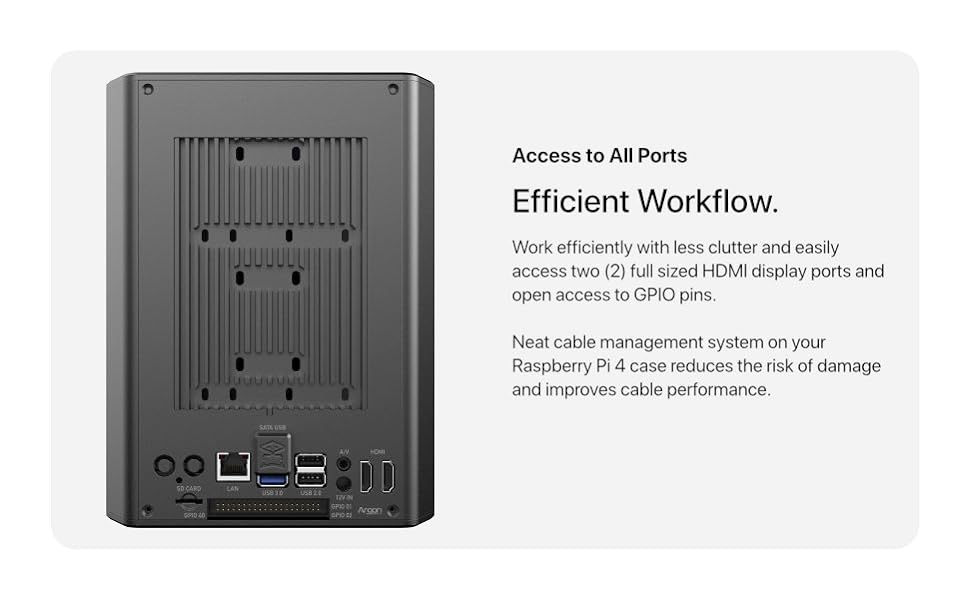
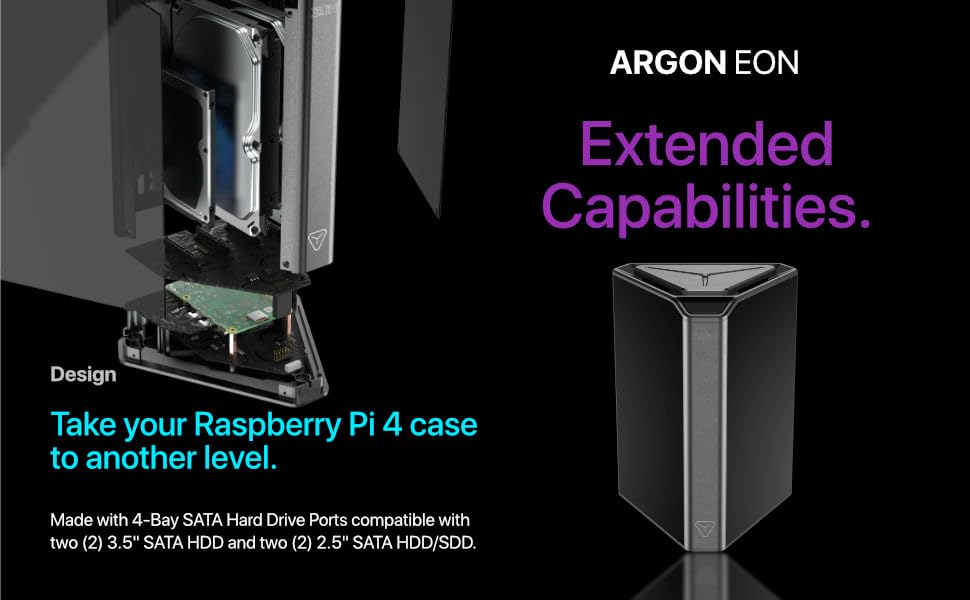
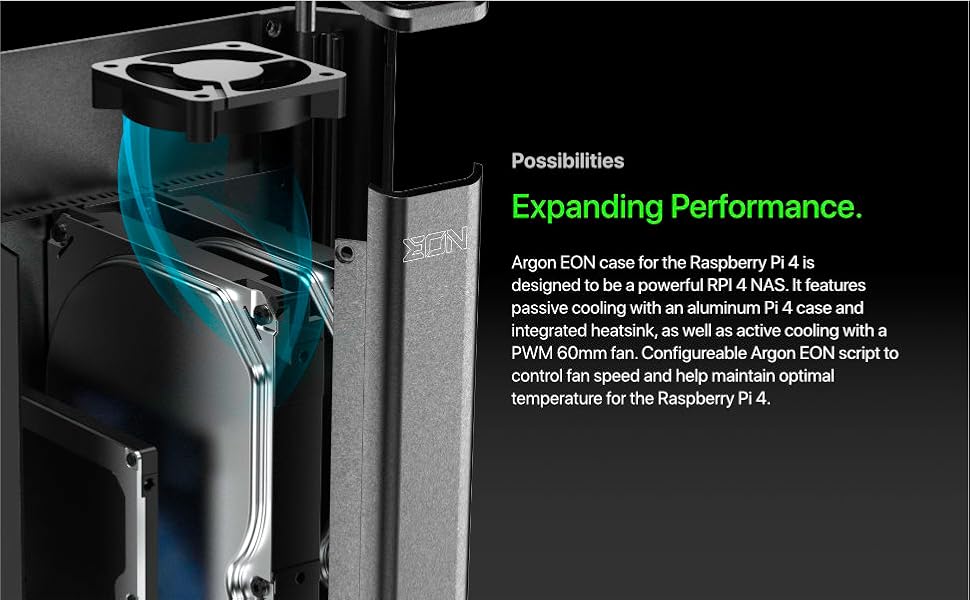
The Argon Forty EON Pi NAS Case transforms your Raspberry Pi 4 into a versatile 4-bay NAS enclosure, supporting both 3.5" and 2.5" SATA drives. Featuring a premium aluminum case with hybrid passive and active cooling, it ensures optimal thermal performance. The built-in safe shutdown button protects your data from sudden power loss, while dual HDMI ports and GPIO access enhance usability. Additional smart features include an OLED display, RTC module for scheduled power management, and an IR receiver for remote control compatibility, making it a professional-grade DIY NAS solution.






| ASIN | B09YXB7BX1 |
| Brand | Argon Forty |
| Built-In Media | Power Supply |
| Case Type | Raspberry Pi |
| Case type | Raspberry Pi |
| Color | Black |
| Colour | Black |
| Compatible Devices | Raspberry Pi 4 |
| Customer Reviews | 4.0 out of 5 stars 79 Reviews |
| Enclosure Material | Aluminum |
| Hard Disk Form Factor | 2.5 Inches |
| Internal Bays Quantity | 4 |
| Item Dimensions D x W x H | 43.2D x 43.2W x 57.2H centimeters |
| Manufacturer | Argon Forty |
| Material | Aluminum |
| Mfr Part Number | A22-001 AR-EON |
| Model Number | A22-001 AR-EON |
| Motherboard compatability | Mini ITX |
| Product dimensions | 43.2D x 43.2W x 57.2H centimeters |
| Supported Motherboard | Mini ITX |
| Total USB 2.0 Ports | 2 |
| Total USB 3.0 Ports | 2 |
M**D
Neat project box, let down by supplied PSU...
As others have mentioned, the 12V / 5A power supply unit provided with this case is woefully inadequate and struggles to provide enough amps to power 2 hard drives reliably let alone 4... I would recommend you pick up 12V / 10A adapter like this one: https://www.amazon.co.uk/gp/product/B07JM7P3WZ/ref=ppx_yo_dt_b_search_asin_title?ie=UTF8&psc=1 Another issue I noted with this project box is that the sandwich daughter boards that supply power to the pi and SATA drives do not reliably remain in contact with each other, resolved this by applying compression with a nylon cable tie. It is a janky product to put it mildly, despite the issues I initially encountered I am kinda happy with the end result, a cheap NAS / Server.
C**S
Perfect for a NAS server running Plex and OMV
This was a fun project and took a couple hours to setup. I'm using a Pi4 4gb RAM with 2 SSD's totaling 8TB's (4tb+4tb) both NTFS format. Running Raspian OS LITE 32bit on 32gb microSD. Installing the PCB's were easy, as well as the terminal scripts. First argon script, then OMV, and finally Plex. Used NetworkChuck tutorial on Youtube to walk me through the drive mounting process. Transferred all my media from windows PC to my shared folder on the SSD's. Linked Plex on my Roku device and it connected immediately. Everything plays beautifully. All of my files are .mkv 1080p videos. Using wired Ethernet (Argon to router to Roku) with no video issues. The fan never turns on. While streaming a movie it only utilizes <10% of the RAM. No need for an 8gb RPi, 4gb is plenty. Overall I highly recommend this for a first NAS build. Couple of tips that should help you: -Turn off transcoding in Plex settings on the webUI. Use directplay only. -I wouldn't recommend HDD's due to the size and heat. SSD's stay cool. -Recommend using 2.0mm thermal pads rather than the ones provided. The RPi CPU wasn't touching the pad or heatsink. The thicker pads ensures contact with the heatsink. -NTFS formatted drives work great. No need for EXT4 format. Just make sure you hold SHIFT key down when you shutdown Windows PC with drive connected. That way you have no issues mounting the drive and creating a share folder in Raspian+OMV.
I**E
Beware UK Buyers
Solid construction, good bit of kit, but unfortunately was shipped to the UK with a US power adapter. Having to purchase and wait for a compatible 12v - 5A power adapter to arrive. As the only ones I have are sub 2A... :(
L**O
Love the design!!! But system can be better.
First for all, ready the small manul it come with it!! easy to assemble if you follow the manual. when I bought I did check the previous reviews and I noticed 2 details 1) thermal pads included are two thin, reviews recommended 2mm, I used 2.5 and was to thick i bend the pi board ...so USE the 2mm. 2) power supply, it's come with 12v 60w psu...I did not check the included one I just order a 12v 120w psu right away, but technically 60w will be enough if you just use SSD. A little noise, not to much.
J**Y
Simple NAS for any DIYer
It is DIY, it comes with it's own handy dandy very special HEXY screwdriver which I will be using for other projects. As a Pi user, one must know that a Pi4 is needed. It is recommended to use OMV and to install Raspberry OS Lite, I installed Ubuntu Server and installed Webmin on it along with Docker using a 2gb SD Card ad a boot drive and a USB M.2 SATA SSD for the filesystem which goes into the USB port on the SATA board inside the case. One thing to note when using the USB port on the inside, the drive doesn't get designated as sda, which is quite odd. Nonetheless it is a great device to learn on.
Trustpilot
5 days ago
1 month ago