🎮 Game On-the-Go: Elevate your mobile gaming experience!
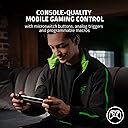
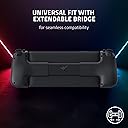
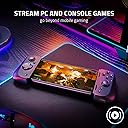
The Razer Kishi V2 Mobile Gaming Controller for Android delivers console-quality controls with a universal fit for most smartphones. It features customizable triggers, an ergonomic design for extended play, and the ability to stream PC and console games directly to your device. With a stable, extendable bridge and optimized performance through USB-C connectivity, this controller is perfect for gamers seeking a portable solution without compromising on quality.


| Color | Black |
| Hardware Platform | Smartphone |
| Connectivity Technology | USB C |
| Controller Type | Joystick |
| Compatible Devices | PC, Android |
| Button Quantity | 16 |
| Power Source | Battery Powered |
| Additional Features | Wireless, Portable, Ergonomic, Universal Fit |
| Item Weight | 123 Grams |
| Package Quantity | 1 |
| Item Dimensions | 7.12 x 1.31 x 3.63 inches |
A**R
Turn your phone into an emulator powerhouse (Updated)
EDIT: I've had the Kishi V2 for a while now and have talked some of my friends into getting it as well — it's a solid unit and one of the best on the market. I stand by my initial 5 stars, and have since been able to try out the touch emulation. Zero complaints. I've come to appreciate its subdued appearance, Razer products have a tendency to be really flashy and garish. I know the GameCube came out 20 years ago at this point, but it continues to be quite surreal being able to play GameCube games on the go on a general-purpose device, with physical controls! Original review follows, with some edits based on my experience: I have a hackable Switch, but chose to try this out after being extremely disappointed with the Switch's performance as an emulation system — late N64 releases barely run, and don't even think about playing GameCube games. The Kishi perfectly fits my Xiaomi Mi 10T Pro 5G out of the box (a phone too big for the Kishi V1, which has hardware about twice as good as a Switch). Buttons feel good, not mushy, and the sticks are good. Triggers feel nice, and the analog support is always nice to have (Looking at you, Nintendo.). The four auxillary buttons are in kind of weird places, but it works. Tightly grips the phone, and the slight curve to the grips is much more comfortable than holding the phone itself, or even Switch Joy-Con. Build quality feels solid; it flexes a little bit when fully extended, but that's not a position you'll ever have it in except when putting the phone in. The Razer Nexus app is a little weird and not terribly useful, but it runs under microG and doesn't require an internet connection. The touch control emulation works great in the few apps I've tried it in, but it's necessarily a pretty subpar experience. I didn't keep playing games that required it, native controller support is the way to go. Verify that the games you want to play support controllers before purchasing! Works perfectly in RetroArch, Lemuroid, and Dolphin — also works to navigate Android itself. Waiting (im)patiently for Yuzu controller support to report on that. I got this on a Warehouse deal for ~$60. Its normal $100 asking price is a bit steep, but it's not too bad compared to its competitors and for what you get.
K**E
No regrets. Great virtual control setup
I don't really do reviews, but wanted to address the concerns I had prior to purchase. I've had the Razer Kishi for Android for 2-3 months now. It has no internal battery to worry about. Plugs straight into your phone via USB-C and has a USB-C port for passthrough charging while playing. Will it fit with your case? I highly doubt it. I have a Galaxy S22+ with a Speck Presidio case. Pretty standard on thickness. The thing is, it fits into the controller if you change to the smaller rubber pieces. The problem is the USB-C on the controller isn't long enough to insert all the way. I mean it's not even close. I have to remove the case for it to work. I was prepared for this when I purchased. This is the one disappointment I have with the design. Razer should have had a longer USB-C plug with one more replaceable rubber fitting to accommodate most phone cases. You download an app and open the game through the app. For games that have controller support, that's it. If the game doesn't have controller support, this app has a virtual controller you can set up unique to each and every game. This was a big reason why I picked this one. It works by emulating taps and swipes on your phone screen. It really is very adaptable and will greatly increase your gaming quality of life if you want to use a controller. Where the virtual controller fails is when buttons move on the screen. Think along the lines of battle controls vs town controls. This hasn't been an issue for me. It just means sometimes having to actually click a button on the screen. I don't use a controller a lot, but this one makes it a whole lot more convenient than my old one. It's light, slim, I don't have to connect bluetooth, and there's no battery to worry about. It was $60 when I bought it and I have no regrets.
D**Y
Good but preferred the V1
The two things that make this one less appealing is the size & the tactile clicks. It’s disappointing that the bridge on this model slides instead of collapses like its predecessor, it’s not as good for traveling. All of the buttons have microswitches which is cool for a real game controller but completely unnecessary on something as casual as this. I primarily use these controllers in public or while I’m in bed with my girlfriend, so the constant clicking is very undesirable. But it feels very nice to hold, and it looks premium. I appreciate the two new extra remappable buttons, even though I haven’t had a reason to utilize them yet. It has an app that is surprisingly nice, it functions as a great game launcher for iPhone. I have no regrets about buying this, but that’s only because I still have the original one, this version is definitely not EDC worth. For most people I would 100% recommend the Kishi V1 instead, it’s much more stealthy due to its smaller form factor & quieter buttons, it’s cheaper, and performs equally as well. The only practical upgrade on the V2 are the extra shoulder buttons. The Razer Nexus app is much better than the original Kishi app, but you’ll probably never have a reason to use either of them.
J**S
Great mobile gaming controller
Connects to most games and has passthrough charging and audio jack. Controller is comfortable and tactile and feels premium. Phone doesn't fit into it without taking off the case.
N**R
Cool, but get a real controller
Sooo many buttons. Bought it for GF and she used it twice. Lol
S**D
Will never buy another Razor controller again
The first time I bought one of these I had to return it because the left analog stick wouldn't click and barely had any travel. It seemed fine other than that so I took a chance on a used one here, and it was fine UNTIL about 3 months later when it started to develop left stick drift. These came out mid 2022, so even though I got an Amazon Warehouse item, at the MOST this was only 8 months old. Not even a year. Being a controller player, drift is something you get used to, and I could deal with it until today when my character started to move unbearably slow. Now the real issue. I knew this controller used joycon style modules, which are REALLY easy to change out. Two screws and a ribbon cable, done. EXCEPT.... just so happens Razer decided to SOLDER THE MODULE TO THE BOARD, and I don't mean just to hold it in place. Instead of a ribbon cable there is an entire series of pins soldered directly into the board. I also opened up the module since it was already a lost cause as soon as I saw the soldered pins. Yep, same wear that you see in a joycon. The wear on joycon modules goes back WAY before 2022. You'd think they'd leave the ribbon cable so these could be easily swapped out. I don't know if the intent was to make you "just buy a new one", but the result for me is "I will never buy another controller from Razer again". There are a few pro's: -comes in a nice box -lightweight -M buttons are in a nice spot Cons -terrible choice to solder known defective modules when they're already widely available as plug and play. -HORRIBLE ergonomics. This was the most uncomfortable thing I've ever used. I went and got some joycon grips and figured out a way to attach them. (joycons also have terrible ergonomics, this is why other companies make grips) Ok the following are a little outside of the item's purpose but worth noting. -cannot map the app button (this ends up a wasted button since you can just open the app on your phone) -cannot assign keyboard keys -zero PC support (works on PC but you need to figure out yourself how to get it working, and don't bother, it's not worth your time for this thing) Yes you can find some third party programs to assign different keys and presses, but these are things I'd expect to see natively on a Razer product. Any mobile/cloud games that would take issue with keyboard keys being assigned wouldn't have them as a valid input to begin with, so I don't see the point of these limitations. It's almost like they just took all the worst things about a joycon, and made some of them even worse, and then put their name on it. in fact, if this were a debate, any for argument making a compromise, I would confidently respond with "but this is a Razer product". I'm sorry I know I wrote a lot but this was just a VERY bad experience. We have 3 pc's in our home with quite a few Razer peripherals attached, so this was very disappointing. There was a lot I put up with using this controller and getting it to work, but the pin soldered modules is the last straw. Maybe you feel the same, or maybe you now know some potential issues and these either don't apply to you, or you are willing to deal with them. Either way hope this helped, and best of luck to you all. But personally, I do not want to see or think about this controller ever again.
S**R
Good, but not great. A few design changes could make it much better!
I have been using this controller for about a month and it definitely gets the job done. That said, there are a few downsides to the Kishi that make me wish I had purchased an alternative (such as the Backbone) instead. Here are the pros and cons of the controller from my perspective, starting with the cons... Cons: - No Headphone Jack: This is a big downside for me. About 90% of the time I'm using the controller, I need headphones because I don't want to bother people around me. Yes, you can use Bluetooth headphones, but there's a ton of latency, so you'll hear the audio about a quarter of a second after the corresponding visuals on screen. Competing products like the Backbone solve the latency problem by including a built-in wired headphone jack. If the Kishi v2 had one of those, I'd be much happier. - Smartphone Spacers: The controller comes with 2 sets of spacers, and this just wasn't enough options for me to get my phone fitting snugly. I had to experiment with buying different cases for the phone in order to get the fit just right. A few additional spacer sizes would have helped. - Clicky Buttons: These buttons are LOUD. Unfortunately, I can't really use the controller in bed next to my spouse or when I'm sitting in the room with my sleeping 7 month old baby. It will wake them up. I have other controllers that are much quieter, so I'm not sure why the buttons on the Kishi have to click so loudly. - Button Spacing: The ABXY buttons are just a little too close together. In one of my favorite games, you need to hold A and tap Y, and it's just not possible with this button layout. This isn't a problem with standalone controllers I've used. Pros: + Compatibility: Worked with every game I cared about without having to do much setup. This controller is especially great for emulation. + Size: Just about the perfect size to make it portable. I purchased a 3rd party case to protect the joysticks when it's in my bag. + Ergonomics: The controller feels pretty good in my (large) hands. Slightly larger grips would have been nice, but in the end the design strikes a good balance between ergonomics and size. Overall, I'm mostly happy with the purchase, but I do have a bit of buyer's remorse since it seems that the new Backbone for Android might have served my needs better, especially with the integrated headphone jack.
V**A
Truly does bring a console-like experience to your android phone.
Really impressed with the controller, especially at the sale price of 45 dollars. Truly brings a handheld console-like experience to your android device, given that it's powerful enough. The Nexus app integrates really well with android, simple, intuitive, and responsive. The pass through charging is very convenient. Game support is generally good, but may be hit or miss depending on the game's support, but the top games usually works well. Input lag is minimal as expected. The buttons are clicky and overall fits well in my average-to-small hands. Only real issues is finding the right combination of risers to fit with your smartphone. My pixel 8's camera bump forced me to go without any risers on the bump side, and the regular padded one on the USB port side.
Trustpilot
4 days ago
1 month ago