

Desert Online General Trading LLC
Dubai, United Arab Emirates
Desert Online General Trading LLC
Dubai, United Arab Emirates


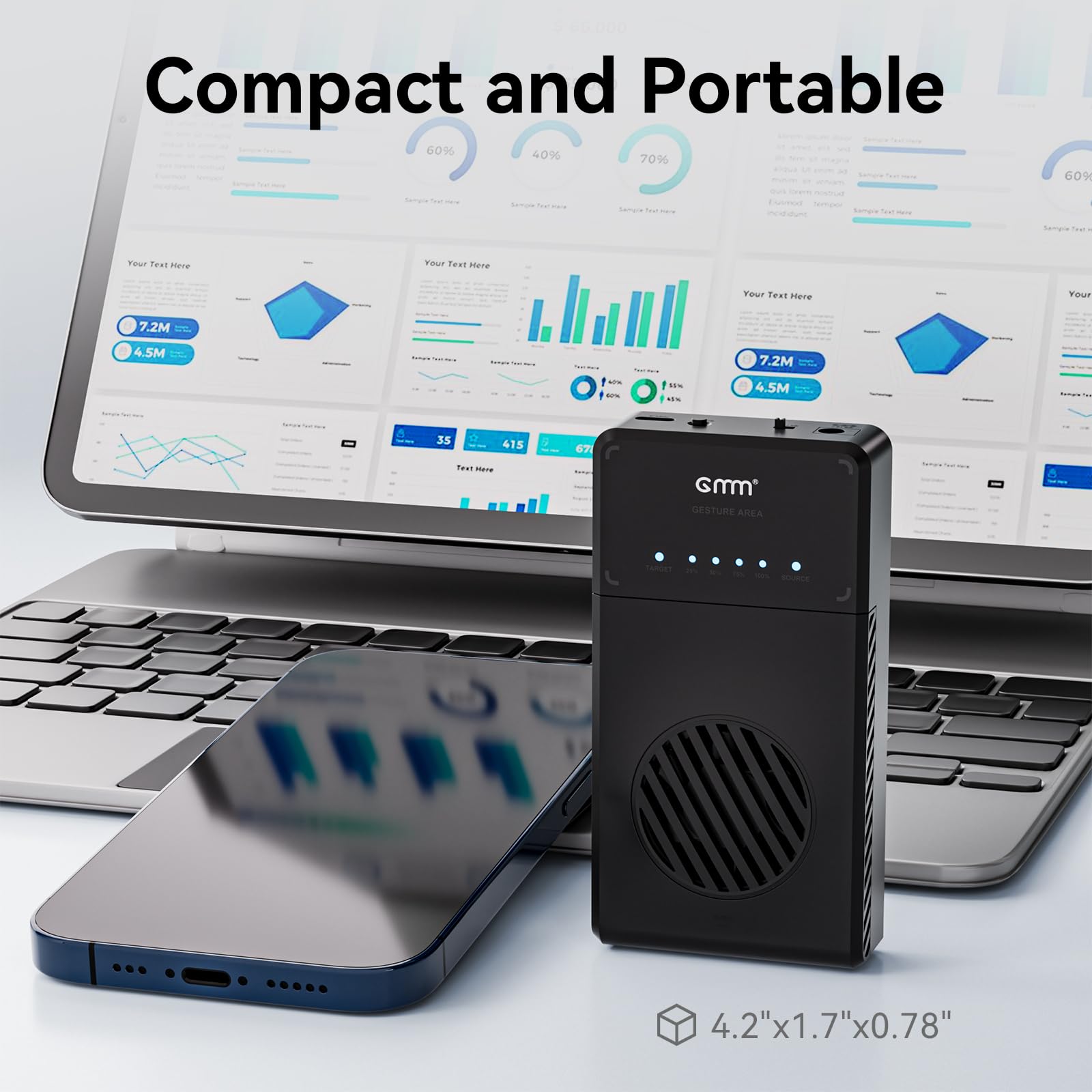
🚀 Clone Like a Pro: Fast, Cool, and Effortless!
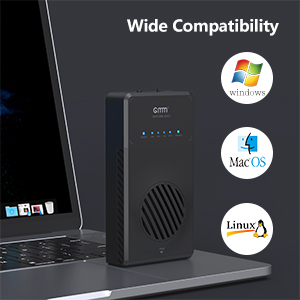
The NVMe M.2 Duplicator Dual-Bay Clone Enclosure is a state-of-the-art tool designed for seamless offline and online cloning of M.2 NVMe SSDs. With a blazing fast transfer speed of 10Gbps, built-in cooling fan for optimal temperature management, and compatibility with various operating systems and drive sizes, this tool-free enclosure is perfect for professionals looking to streamline their data management tasks.



| Color | Black NVMe dual enclosure |
| Total Usb Ports | 2 |
| Number of Ports | 2 |
| Hardware Interface | Solid State Drive, USB 3.0 |
| Compatible Devices | M.2 NVMe SSD with M-Key & B+M Key |
K**K
Problems (Taking 1hr for 25% and after 3 hours, still not 50%) FIXED!
Okay, I have a 2TB NVMe drive that it does not want to clone.I've tried going to a different 2TB and even a 4TB drive.It BLINKS forever. 25% after about 1hr. Then 3+hrs later, still not at 50%I placed it on top of a PC Fan to keep it cooler (now). I removed the original partitions on the DESTINATION drive. Same issue.I've used this unit on other drives just fine.I was able to clone this drive by using Acronis True Image software (it took 4hrs), but was working through the USB port and writing to this device.Now that I know it won't overheat, I am going to leave it overnight to copy.But this is disconcerting... I wish there were some technical support number available.And I used the CLONE made from Acronis to a 4TB drive. And that 4TB drive has the same behavior. It's like there is something OFF with the partitioning or something... This is how I can justify leaving it running for so long. BUT HONESTLY, at this speed... I would just use Acronis.I have a second device, since I have 2 drives, and I was intending to clone both at the same time, but this one NEVER finished. Which started this problem. (And my 8TB other driver finished in a few hours just fine). STRANGE...Wow about 10 tests. I ended up placing the device ON TOP of a BIG PC FAN (USB powered).And the performance came back.It appears that the initial speed was ACCURATE (for the first 25%), but then it HEATS UP.And that slows down the drives. Ahhh...And worse, this heat is high... So it can destroy your drives. Then I looked at the fan.DESIGN FLAW. There are not enough OPENINGS for the air to travel. The fan is the only opening. There should be SIDE OPENINGS.I did not notice this speed with the 8TB drives... Because I KNEW better than to NOT cool the unit. Those things heat up fast.To the COMPANY: Consider testing if the fan/venting is enough. Tweak the ventings. Or give me a 5.25" device with a HUGE HONKING FAN, like I applied.
J**.
Flawless on Windows 11 Desktop
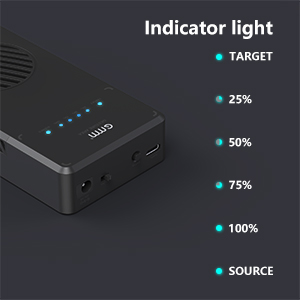
I have an HP Omen PC that came with a 256GB SSD NVMe M.2 primary drive that reached 95% capacity. I purchased a 1TB Samsung SSD NVMe M.2. It was as simple as powering off the computer, unscrewing the original drive from the pc and putting into the cloner on the SOURCE side and the new drive on the TARGET drive. Hold down the clone button for about 3 seconds, waiting for the lights and beep, then press the same clone button one more time. In less than 10 min, it was done.I have to say, I had my doubts when I put the new drive in the pc, waiting for a disc read error, or windows OS suspecting a "copy" version. Nope! It booted up like it was the old drive.On caveat. Since it is a true clone, the partition will be the same size even though you have a bigger drive. The unused partition will be labelled as "unallocated". The built in disk manager can only extend a current drive if the unused disc space is right next to the partition you want to expand. The Expand command will not work if the partition is out of sequence. Therefore, I had to use a 3rd party software to expand my C: drive to the full 1TB capacity. It would have been nice if a partition management software was included but other than that, worked like a charm.
B**Y
Great
This works great! Duplicates in about 9 minutes. Does a great job. Easy to use, not heavy, and is designed well. Power supply included. Great for the price!
D**N
Disaster - wrecked my Source C: drive
I bought a 2 TB M.2 drive to replace my 5 year old 512 GB drive in my Lenovo T470S laptop. I bought this off-line cloner based on reviews. But I'm really sorry I did.The instructions were clear and simple: Insert the source and target drives (make sure you know which is which - the "S" and "T" labels are hard to read, and the disk copy goes right to left). Push and hold the "clone" button, then push it again. Watch the flashing lights, and in 13 minutes it's done.But the new drive still showed only 512 GB of space. The problem is that for some reason, this cloner creates a small "Windows recovery" partition both before and after the active partition, which blocks Disk Manager from simply extending the active partition into the empty portion of my big drive. Windows Recovery Partitions can't easily be deleted. So buying the bigger drive was useless.Worse, when I inserted the original "source" C drive back into my laptop, intending to contact customer support at a later time, the old drive no longer worked - I got a blue screen saying that my old drive was now "Damaged." So now my laptop was rendered unusable - meaning that I was unable to work at my job the next morning. Obviously not an acceptable outcome.My only solution was to completely wipe the new 2TB drive, reinstall a completely new version of Windows, reinstall every program I use, and restore my old data (which FORTUNATELY I had backed up before this operation, so I didn't lose data).So FORTUNATELY I didn't lose data (that I know of). But what SHOULD have been a 30 minute operation wasted many (6? more?) HOURS of my time. I'm very unhappy. Returned as defective, with NO intention to buy any other products from GMM.
G**N
Love this! Use it frequenty to rebuild laptops
I have used old school SATA disk dock duplicators for years. It made it very easy to build a golden image then duplicate equal or larger spinning or SSD disks. Now so many newer laptops have NVMe drives and I grew tired of scratch building them. This works GREAT. I love the design (to keep cool) and simple operation.The only complaint I have is I have several identical NVMe drives (240G Intel units) that it simply will not recognize as a viable target. If I switch to other Samsung or Crucial or other vendors they work fine. Strange and a bummer but not a deal breaker. I would recommend this to anyone looking for a tool like this. I have duplicated about 20 NVMe drives so far and other than the odd Intel issue every other works perfectly
R**L
Perfect works as advertised
Perfect works as advertised
Trustpilot
2 weeks ago
3 days ago