


Desertcart purchases this item on your behalf and handles shipping, customs, and support to EGYPT.
📼 Preserve your past, power your present.
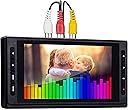
The ClearClick Video to Digital Converter 3.0 is a third-generation device that effortlessly converts analog video and audio sources—including VHS, camcorder tapes, cassette tapes, and vinyl records—into digital MP4 and WAV/MP3 files. Featuring a 5-inch preview screen, built-in rechargeable battery, USB-C charging, and direct recording to USB flash drives or MicroSD cards (up to 512GB), it requires no computer or software. Ideal for professionals seeking a seamless way to archive legacy media with reliable 2-year warranty and dedicated US-based support.


| Asin | B0B8BY5HCG |
| Audio Output Mode | 3.5mm, RCA |
| Best Sellers Rank | #39 in Video Converters |
| Brand Name | ClearClick |
| Compatible Devices | Devices with RCA or 3.5mm audio output |
| Customer Reviews | 4.5 4.5 out of 5 stars (777) 4.5 out of 5 stars |
| Interface | USB |
| Item Dimensions L X W | 6.2"L x 3.5"W |
| Item Weight | 8 ounces |
| Manufacturer | ClearClick |
| Maximum Supply Voltage | 5 volts |
| Minimum Supply Voltage | 5 volts |
| Model | 3 |
| Mounting Type | Tabletop |
| Number Of Channels | 3 |
| Number Of Items | 1 |
| Number Of Packs | 1 |
| Number Of Pins | 9 |
| Part Number | V2D 3.0 |
| Upc | 850012969341 |
| Warranty Description | 2 Year Warranty from ClearClick |
User
Amazing!
Digitized my home movies years ago, the process was complicated and I had cables all over the place connecting the various devices. I lost everything when my hard drive crashed. The original tapes sat in a box for 20 years. I looked into sending the tapes to a digitizing services but the cost is astronomically high. Then I found this wonderful device. I can't stress enough how good this thing works. It's easy to use and the video quality is great. The video gets saved and stored on a USB drive and you can easily copy it to your PC or external hard drive for editing. The only gotcha is that you need a device that can play the original tapes. I had both Hi-8 and Mini-DV tapes and thankfully I saved the old camcorders and they still worked. Again, you need something that can play the tapes, this device will not do that... You can even use this device to digitize old VHS tapes as long as you have a VCR. I noticed a lot of negative comments from MAC users. It's not the MAC that is the problem, it's that the file type of the movie that gets created is MP4. MAC doesn't like this file format. No big deal, download a free file converter and convert it to MOV format. Problem solved. This device is amazing! I've been digitizing old tapes non-stop and haven't had a single issue. This product is worth it!
User
S video did not transfer the audio of the video recordings
This is so easy to use! I have a HI 8 cam corder. I used the S video cable to transfer but it did not transfer the audio. I then tried the AV cable with the 1/8th in plug and it all worked great. Also make sure when transferring video with audio to go into settings and select video+audio! Great little tool.
User
Easy to use, even for this technophobic senior citizen.
Like so many senior citizens, we have a collection of VHS camcorder tapes. We still have a VCR, but our son who would like to show his kids some of his childhood memories, does not. I figured digitizing the VHS tapes would be a solution. Looking into the cost of having them professionally digitized was too expensive. For the cost to digitize six tapes, I could buy this converter. I’m not as tech savvy as I once was, but reading the description and reviews made it seem within my capabilities. One caveat was that you had to have a device to play the media you wish to digitize. As mentioned earlier, we still have a VCR. So I ordered the converter and some thumb drives.The basic directions were clear and within 10 minutes I was ready to start digitizing our nearly 40 year old VHS tapes. The process takes the full time of the video you’ve digitizing, and while doing so you view the video on the device itself. This may be a reason to buy this generation rather than the second generation with its smaller screen. Once finished, I plugged the thumb drive into our computer and it played perfectly. Using the computer you can maneuver through the video, same as you can with any contemporary video. Of course, the quality of the video is very low by today’s standards, but you can show the grandkids how it used to be before you had grey hair! I was surprised to find that seven VHS tapes fit on a 32GB Thumb drive.My one complaint would be the instructions about things like setting the time and date are not clear. Fortunately they were easy to find on line. One other issue I had with the directions was they stated that once you stop the recording, you can’t add to it. I misunderstood this to mean that you couldn’t add anything else to the thumb drive that you used. As I said, I misunderstood it. You can add another recording to that same thumb drive. I probably just misled you by indicating you must use a thumb drive. That is not true, the device has a MicroSD slot.These days I am rarely able to successfully use technology that is new to me, but I had no trouble adapting to the ClearCut Digital Converter. It far surpassed my expectations.
User
Easy To Use - Exceptional Results
I don't usually write reviews but in this case, it is warranted. Five stars for the ClearClick Video2Digital 3.0. I have been using this device on weekends to capture media from video (beta / VHS and audio) tape devices. Great results. The menus are easy to figure out, and once recordings are captured it's a simple process to move the files over to some sort of permanent storage.I especially like the auto-stop feature so I don't have to sit and monitor recordings. I can see and hear the recording while in process to identify potential problems (from malfunctions of the tape player).Videos are saved as .mp4 and audio as .mp3. The most work involved from my perspective is keeping source tapes in order, then going back to relist the files with meaningful names (replacing ClearClick's default of date/time, etc.).I have purchased three ClearClick devices, and they all are good products (and still work), but the Video2Digital is best of all because I can capture without using my computer.Also - I entered a tech-support question early on a Sunday morning and had a quick, personalized response within ten minutes. What manufacturer has THAT level of customer support?Highly recommend. Tim
User
Easy to hook up and setup.
I bought this item because I wanted to save my 8mm to M-Disc and use the S video output. The unit is easy to use and connect to. I have both reg 8mm, and Digital 8, tapes. What these manufacturers should not only state the file type and video size, but the rated of the video signal. Compared to the last video device I used, this unit seems to have lower quality, and I can see it when I enlarge the size of the video. I also have to re-edit them, because there is nowhere to adjust or program if the video needs to adjust color and or brightness etc. I'm glad I bought it, but they should increase the video rate, because it's not being burned to a DVD disc. Back in the days, some DVD players, would not play if the video had a rate over 8500.
User
ClearClick
Works great. Easy to operate.
User
My Old Tapes Never Stood a Chance!
Can I give it 6 stars? This thing absolutely crushes everything else out there. It's hard to know where to even begin.First, as other reviewers have mentioned, it comes with a fully detailed, printed instruction manual — a rarity these days. I don't mind scanning a QR code or downloading a PDF, but there's something refreshing about having all the documentation you need right out of the box.The unit itself is a genuine game-changer. It offers every setting you could need to accommodate all kinds of video formats, and it also includes an audio-only ripping function, which is perfect if you want to digitize old music tapes. The manufacturer recommends a 512GB card or smaller, but I'm running a 1TB Samsung Pro card, and the machine reads and writes to it without a hitch. It also supports USB storage, so having dual storage options is a huge win.Connectivity is another strong point. It accepts standard RCA cables and also supports S-video, so it's fully equipped to capture both your old media and newer formats. Beyond the excellent 7-inch LCD display, it also has an HDMI output, so you can connect it to any compatible media player and view everything on a modern TV.Longevity is another key factor here. It is obvious from the construction of the device itself that the company put some care into it. It's not built like some (good) Samsung products, but you could also easily forget that this is a random Chinese branded product. I've been cooking like crazy with this things for dozens of hours on end, back to back and haven't had one, single issue. Not one. Clean transfers, keeps 100% of video and audio resolution, and despite warming up from working hard, Dina never leaves the kitchen without a complete meal!On the software side, it features auto-record-stop, so you're not stuck trimming out excess blue screens, along with signal loss detection that pauses your recording session if something goes wrong — a huge plus for long transfers when hiccups inevitably happen. It also charges via USB-C, which might sound minor, but I honestly expected it to still be micro-USB. It's not.It also comes with everything you need to get started, aside from a VCR. That includes a power brick and a USB-A to USB-C cable, so there's no guesswork about matching the right voltage or amperage. It even comes with a set of RCA cables, which turned out to be a lifesaver — mine were broken, and I didn't realize it until I sat down to set everything up. Without the included cables, I would've had to make another trip or wait another day. ClearClick saved the day.After hours of research and comparison, I finally pulled the trigger on this purchase, and I couldn't be happier. This device has exceeded my expectations in every single way.If you're looking for a sure-fire way to digitize your old media collection, look no further! Seriously, click "Buy Now", you won't regret it.
User
Wanted it to work so bad. Sorry I bought this.
I really wanted to love this. I really did. I tried and I tried and I tried but this thing is just complete junk. This is also the second unit I’ve bought, and both of them crapped out. I’ve never used a more finicky piece of electronics in my life. It has to have the exact kind and type of SD card, the exact kind of cable, the exact kind of formatting on different computers, the stars and the sun have to align for it to work correctly. Jittery video that can only be resolved by using adapters with S video cables?? Dear Lord, I’m not sure what kind of programming these engineers who built this were using, but it’s been an absolute nightmare headache and didn’t solve a single problem in my life, yet created 50. I’ve been back-and-forth with the company on emails every single day trying to fix what’s going on and gotten nowhere. It stopped formatting cards, then started extremely jittery video, then it started not being able to write to cards saying there wasn’t enough space even though they were brand new. Over and over and over I’ve been through so much turmoil trying to use this thing I could write five books. I REALLY wish this would work because I have mountains of tapes I wanted to convert and it worked great for about two or three of them, and crapped out… on two different units! What can I say, if you want to simply convert your videotapes, this thing might be the biggest headache of your life. I’m not sure if it’s because of this model or of all this company’s products are like this, but this one model I wouldn’t buy again if my life depended on it.
User
Does an excellent job of what it's supposed to do
This converter is very easy to use and can make a lot of videos in a short amount of time. Except for the time taken to transfer analog videos to digital. Once that is done it is easy to send video clips to family and friends. This little unit made a lot of people happy
User
Digitalização de fitas vhs.
Excelente conversor vhs para digital. O melhor.
User
Easy to use, great results
Bought this to digitise all my 8mm home videos tapes. Great item, very easy to use, would highly recommend.
User
Excelente
Si lo que quieres es digitalizar tus videos familiares, consolas de videojuego o archivos de audio, funciona de maravilla. Un video de 2 horas pesa aproximadamente 3gb lo cual es adecuado para grabar los videos en un DVD. A pesar de que la reproducción de videos se mira en pantalla ancha en el dispositivo, el video siempre mantendrá su aspecto original cuando copias el archivo a la computadora.Dependiendo de la buena calidad de tus cintas, discos o cámara, los videos se grabarán con una ligera mejoría. Literalmente cumple con la facilidad de uso al no tener que conectar tantas cosas como con otras capturadoras. El instructivo es claro y el servicio de atención es muy accesible con las dudas que tengas cuando lo contactas.Si lo que quieres es cambiar los formatos de los videos o usar otras configuraciones, este no te servirá. Los archivos siempre se grabarán en formato mp4 para video y mp3 para audio. El dispositivo solo funcionará con entradas RCA o S-Video, así que tampoco podrás grabar en HD.
User
Excellent converter & easy to use.
Fast delivery and item as listed. Excellent converter. Thank you.
Trustpilot
3 weeks ago
4 days ago