Desertcart purchases this item on your behalf and handles shipping, customs, and support to EGYPT.
🔒 See Everything, Miss Nothing — Security That Works Around the Clock
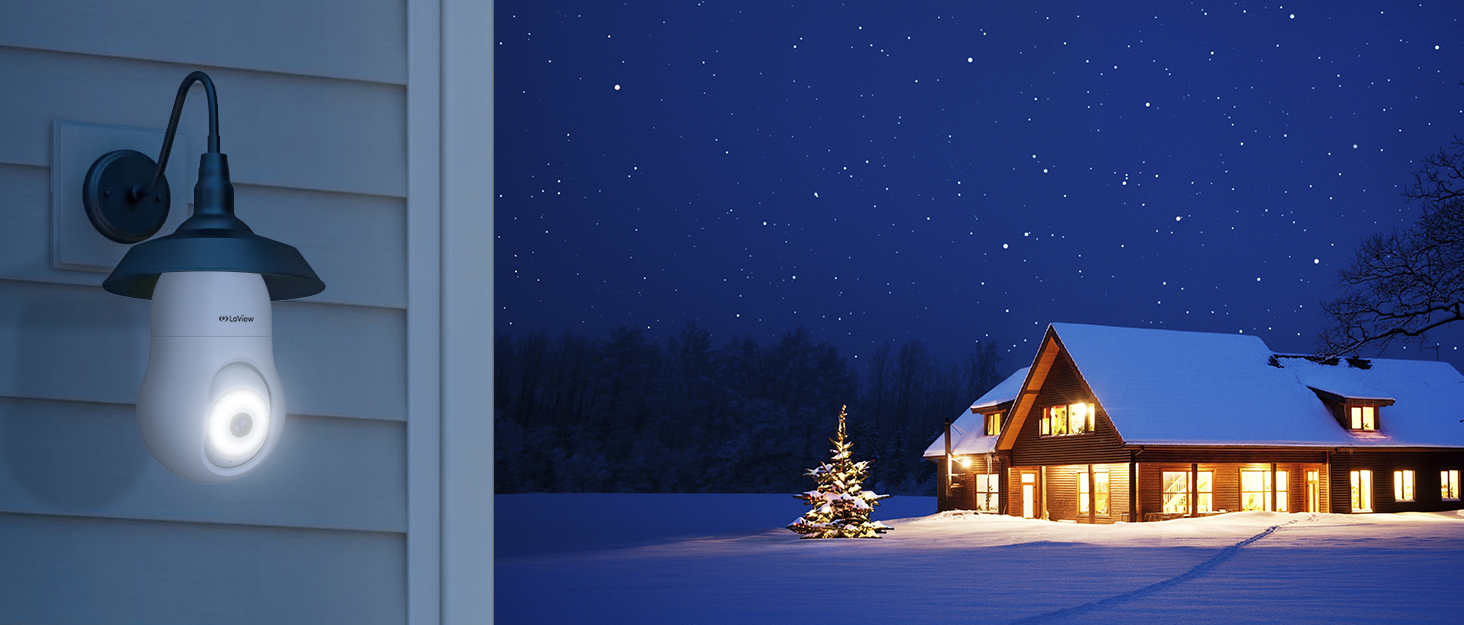
The LaView 4MP Bulb Security Camera combines ultra-high 2K resolution with a 360° panoramic lens and advanced full-color Starlight night vision to deliver comprehensive indoor/outdoor surveillance. Featuring motion detection with tracking alerts, a powerful 110db siren, two-way audio, and easy wireless installation via an E27 bulb base, it integrates seamlessly with Alexa and Google Assistant for smart home control. Rated IP67 waterproof, it’s built to protect your space in any environment.


| ASIN | B0BDFRNZY6 |
| Alert Type | Audio and Motion |
| Antenna Location | Indoor/Outdoor |
| Best Sellers Rank | #51 in Dome Surveillance Cameras |
| Brand | LaView |
| Built-In Media | camera body,light socket |
| Color | White |
| Compatible Devices | Smartphone |
| Connectivity Protocol | Wi-Fi |
| Connectivity Technology | Wired |
| Control Method | App |
| Controller Type | Amazon Alexa |
| Customer Reviews | 4.1 out of 5 stars 12,127 Reviews |
| Effective Still Resolution | 4 mp |
| Effective Video Resolution | 1080 pixels |
| Field Of View | 360 degrees |
| Focus Type | Auto Focus |
| Form Factor | Dome |
| Indoor Outdoor Usage | Indoor, Outdoor |
| Indoor/Outdoor Usage | Indoor, Outdoor |
| Installation Type | Screw In |
| Item Dimensions | 4.06 x 6.77 x 0.37 inches |
| Item Type Name | light bulb security camera |
| Item Weight | 12.64 ounces |
| Light Source | LED |
| Manufacturer | LaView |
| Mfr Part Number | B0BDFRNZY6 |
| Model Name | LV-PWL2-W |
| Model Number | LV-PWL2-W |
| Mount Type | Ceiling Mount |
| Night Vision | Starlight |
| Night Vision Range | 33 feet |
| Number of Channels | 2 |
| Number of IR LEDs | 1 |
| Number of Items | 1 |
| Optical Zoom | 4 x |
| Other Special Features of the Product | Built In Light |
| Photo Sensor Resolution | 4 mp |
| Power Source | Corded Electric |
| Recommended Uses For Product | Indoor/Outdoor |
| Room Type | Classroom, Kitchen, Living Room, Office |
| Shape | Oval |
| Special Feature | Built In Light |
| Specific Uses For Product | Inside, Outside |
| UPC | 192728013315 |
| Unit Count | 1 Count |
| Video Capture Format | AVI |
| Video Capture Resolution | 2k |
| Viewing Angle | 360 degrees |
| Waterproof Rating | IP67 |
| Wattage | 4 watts |
| Wireless Technology | Wi-Fi |
| Zoom Type | Digital Zoom |
A**A
Nice pictures - Motion Detection sensitive
We have been wanting to get a camera for our back alley for months ever since our neighbor's camera caught some dudes checking their truck and our vehicle to see if they were unlocked late at night. No bueno. We do have some vehicle theft in our area - especially with the alley ways being so private. AND - we have 3 teenage boys - one of which I could see trying to sneak out and be naughty... haha! (Just like his momma used to, let's be real.) I love that this camera was so easy to install - just screw it in and you're good! The only problem for me was that the bottom of the camera by where it screws into the light bulb thing was preventing it from getting it to insert in order to screw it in. I had to remove the light assembly to basically loosen the inner assembly so that it would come out a little to let the camera screw in. That was a bit annoying. Maybe it was just my light fixture...it IS from 1999. The picture is great - as you can see from my picture - and the night vision is really cool too. I ended up purchasing the cloud feature to save my videos. For some reason I thought there may be a way to insert an SD card or maybe send files via bluetooth to my computer. I wasn't super excited about paying extra for the cloud service. And honestly I'm not sure if it saves a certain amount of captured videos via the app that you could download if you wanted? The app is incredibly easy to use and like I said, the whole setup is fantastic. I'm still trying to figure out the motion detection - it goes off every time the trees blow around or if my dogs happen to walk along the fence. I saw something about human detection on the app, but I'm not sure how that works. There is a "do not disturb" function, so I can set it to not send me notifications during the day. Also, there's this "Starlight" function - I think it turns the light on when it detects motion? I promise I've had this for probably a month but just haven't played around with the functions enough. So I'm sure this review is super not as much helpful as it could be. Maybe there's a YouTube video out there about the specifics? There IS a YouTube video for EVERYTHING... I would recommend it - the price is RIGHT for the features and quality! And it connects to Alexa and Google Home. I connected to both (we also have a Google Nest at our front door), but also haven't tried that out either and not sure how it would be helpful. AND, it has a siren! I guess if it alerts you there's motion and you see some very bad people trying to do bad things, you can activate the siren and freak them out. THAT would be FUN!
K**T
This gets the job done!
LaView 4MP Bulb Security Camera 2.4GHz,360° 2K Security Camera I was for sure skeptical of this product's ability to perform as well as a regular home security cameral. I've actually been searching for a couple of years now for something that would do what I need and desire in a security camera. We all know most systems are extremely expensive as well as long term costly via having to pay a monthly or even yearly fee for service. Not sure about everyone else however I don't particularly care for the idea of someone sitting in an office somewhere in the world watching me on camera or depending on someone else to secure my home and land. Privacy is important, that's the whole idea behind it. I have a connection via Satellite system internet as I live in a rural area where I can't get the option of fancy fast internet. So my wifi is often spotty and even failing. I was concerned that having the bad wifi would make the camera itself just simply not work. Also my modem/router is 80ft away from the area where I wanted to place it. It works perfectly!! I had zero issues setting this up. It worked from gitgo! Setup: I read the horror stories and I did exactly what the instructions said. I plugged the camera into the outlet "spike protector" to make it easier near my modem/router placed the mini sd card into it and then activated it. I moved it to the desired location unplugging the light bulb and screwing the camera in and boom! it worked right away! 5 minutes tops! Motion tracking: The motion detector and tracking is great. It's fast it's smooth and doesn't miss a thing. I set it up then let my hyper German shepherd out and it kept her in focus and tracked her over 2 acres of land where it's viewing. Night Vision: I have to agree with most of the reviews I read, I do prefer the night time full color it's a nice crisp image. Note: You do need a bit of light source for the camera to draw from for the color it doesn't take much we have an outside light around back that shines a small amount up front which was plenty for the camera to work great. Regular Night Vision is also good and both are great quality. Sturdy, high quality photos and video. It will record all the time or you can set it to record on "event" someone walking around or critters doing what they do best getting into mischief. If you don't have the best internet, I believe you will still be able to use these cameras. I honestly have one of the worst in the country lol and it works! I would recommend these cameras.
M**B
Good camera, not waterproof, but water resistant. Lots of nag screens to upgrade for co$t ***UPDATE*
LaView 4MP Bulb Security Camera 2.4GHz,360° 2K Security Cameras Wireless Outdoor Indoor Full Color Day and Night, Motion Detection, Audible Alarm, Easy Installation, Compatible with Alexa… The light bulb-style camera comes economically packaged in a retail-marked light cardboard box. Inside the box, right on top there is a user manual, a quick start guide, and the small fold out marked" important notice ". The bulb camera itself is nestled inside a formed plastic holder. There is also a small adapter so you could plug this directly into a light socket. There's a sticker on the white socket adapter that tells you this is to help you set up the Wi-Fi. That's a nice touch and it makes sense. That way you can plug it into a socket convenient to you while you're setting it up so you don't have to stand on a ladder or something and wave your phone in front of the camera to connect it. Looking at the quick start guide, you will have to download the app before trying to set up the camera. That makes sense. They also note that this only works on 2.4 gigahertz Wi-Fi, so you'll need to be certain that your phone is said on a 2.4 GHz stream from your router. Setting up the camera is familiar to anyone that has set up a security cam before- they all seem to be set up in a similar fashion. Once you have downloaded the app and set up an account with them, you have to receive a unlock code in your email to proceed further. Further. Once you have that, it's as simple as plugging the camera into power, (this is where that handy little adapter makes it much easier) wait for the camera to initiate, then you put your Wi-Fi password in so the camera can program itself and the app will give you a QR code to show to the camera. After a moment, the camera will play a tone to notify you that it has recognized the QR code and then the app gives you a countdown. It's a 2-minute countdown, but it took less than that for the camera to initiate itself and come online. Then you can put the camera or wherever you need it to be. In our case, I plugged it in in the living room to program it and then put it out side in the lamp socket above the door. So far, I've had no glitches with the camera. It makes connections and reconnections fairly quickly, and it responds well to manual directional changes. There is a siren function to the camera, but the siren is very quiet. I tested the siren by setting it off manually when a family member was in the yard less than 100 ft from it and they said it sounded very quiet and not alarming at all. As part of the setup, you have the option to put a TF card into the camera for storage. Please note, it does not come with a TF card. You'll have to provide your own. However, the camera doesn't seem to be very picky. I put in a card that I had pulled from an older non-functioning camera, and the camera recognized it and started recording to it almost immediately. On the opposite side of the quick start guide( and keep in mind this has nine pages per side- so not really that quick) they will give you step by step on how to link your Alexa to the camera if you desire. Everything seems fairly straightforward and step by step. I'm going to hold off giving the camera my Alexa password, while I see if I'm happy with all the rest of the functions. Reading through the rest of the instructions and the quote important notice" insert, they know that the camera is not waterproof- this is even though the ads specifically say that this is an indoor-outdoor camera. The important notice goes on to say that if you use it outdoors, you'll have to ensure that the camera will not get wet in the rain. I have issues with this. I did not expect the camera to be waterproof, but I do expect it to be water-resistant. How can you sell your product as an outdoor product without it being water resistant at all? I have mind mounted outdoors, in a lamp fixture that's very similar to the one in the end. It'll be interesting to see what happens with the camera after the first rainstorm we have. As far as night vision, in complete darkness without turning the light on we can see the accustomed black-and-white night images, but they are fairly clear. Turning on the light will give you back color but you lose a little bit of the depth. Another thing I did notice that I thought was interesting. Is that turning on the light produces an audibly loud click. Hearing the click over the phone interface via the sound transmission of the camera assembly itself, it sounds quite heavy and makes a loud sound. One of the difficulties I've had with similar light bulb-style cameras is that sometimes it has difficulty making a connection. I've had this one for a couple of days now, and checking it multiple times during the day and the night. It has connected in a reasonably quick time, every time. The only difficulty I've had with the camera is the controlling software on your phone. There is a very high incidence of the software nagging you to buy the premium version and buy cloud software. In addition to the continual nagging, you have to wait several seconds to be able to dismiss the nag screen. I was seriously thinking about purchasing more of these cameras, but the nag screen is starting to make me think otherwise. **** UPDATE **** After several emails back and forth with LaView, they provided me with the instructions to shut off the push ads. It’s buried deep in the app. Here is the path to get to the off switch. APP-> > Me page ->click on the upper right corner->Privacy Permission Settings->disable Personalization It did work to shut off most of the popups, but it took several days to stop them all. The seller has corrected part of the info in the paperwork that comes with the camera, According to their representative, the cams are rated IP65, which according to a quick Google, “An IP65 rated enclosure gives protection against low-pressure water jets from any direction, as well as condensation and water spray. It's suitable for most outdoor enclosures that won't encounter extreme weather such as flooding.” So water resistant, but not waterproof. Their customer service has been responsive, prompting this update on my review.
F**R
This Camera Has Surprisingly High Definition
I am very happy with this lightbulb camera purchase and impressed with their customer service. I mounted this camera in the recessed light socket above my front door and I’m able to see what’s going on in my courtyard, [mostly lizards but an occasional black snake :-) ], and the road beyond. I don’t use it for security purposes because a tall person with bad intent could simply reach up and unscrew it so I don’t record the video. I use an old iPhone to monitor the camera, usually when I am waiting for a grocery delivery or something is happening in the neighborhood. I did need to purchase two socket extensions due to the recessed light fixture, one screwed into the other. I tried just one and the view was obstructed, then I bought a longer extension but it still wasn’t long enough. Then tried the short extension screwed into the longer one but that interfered with opening the storm door. Finally, two of the shorter extensions is just right. I live next to the ocean and sometimes salt buildup causes electricity flickers. My original lightbulb camera would not always find the Wi-Fi again and I had to manually reset it. Eventually I realized it was happening too often so I called customer service. After discussing the symptoms they agreed there was a problem and sent me a new camera for free. We have had multiple power interruptions since I installed the new camera and it has found the Wi-Fi signal automatically every time. I am very happy with how customer service worked to help me solve the problem. Can’t beat an inexpensive camera with a great picture, excellent night vision, and easy setup with no batteries or special wiring. The instructions are not written very clearly but if you don’t overthink it, it is easy to pair. Pro tip, stand very close to the router when you are initially pairing, let it run for a bit and then relocate to the right spot leaving the door open until it finds the Wi-Fi. I would definitely buy more of these if I had an appropriate socket to utilize.
K**R
It does not play back videos without paying for premium cloud storage
Sounds like a wonderful product $40 and you get an outside camera. Nowhere does it say that you need cloud storage to playback video. Camera was more difficult to setup than expected. Once I got it setup, I discovered in app that I could record to gallery manually but it wouldn't record automatically without cloud storage. What's the point if you can't record video evidence of damage to your property. Got the Mother's Day special for $47.99 a year for basic plan that has "event" recording. I was getting motion notification alerts where it captured car or person almost out of scene. I tried to "view details" and it took me to live camera feed. I wanted to see the recording it took hours ago. It looks like it only took a screenshot and not a video. Completely useless. Looked at the cloud storage options and it looks like you have to upgrade to a premium cloud service that's over $160 a year for "continuous" recording. Between this and testing the system trying to activate it by walking in front of it, sometimes it worked, sometimes it didn't, I decided to just cancel and return it. That was a complete nightmare. Tried submitting a chat on the website, didn't go through. Tried calling the number on the website, Option 1 for the camera, just puts you on hold, then tells you no one is available and disconnects. Option 3 for everything else, rambles off error messages for various cameras, then disconnects. I tried chat and call from inside the app and it wouldn't work. I tried logging into the account on the website and it would't recognize my email and wouldn't send a password reset. I don't know how anyone can say there is great customer service when you can't get ahold of anyone. I tried to cancel my cloud storage subscription via the app and there was no option for refund. I finally broke down several hours later and submitted my first ever dispute through PayPal since obviously this company cannot be contacted. But first I tried a different phone number for LaView provided by PayPal and that was outright disconnected. It further convinced me that this was a scammer company so I proceeded with the dispute request. I was contacted by the LaView company 15 minutes later to help me. They wanted me to cancel my PayPal dispute but fortunately I read if I cancel the request I can't resubmit it so I refused and leaving it in place. I am submitting a request for a return and refund of the camera via Amazon. I told the Support rep, if you are a legitimate company, you need to have better systems in place to communicate with your customers and I'm sorry this happened. But I don't know you and I don't trust you and I'm going to trust PayPal to sort this out. Will never buy another product from them again.
B**B
Great quality, fully workable app, even works as a regular light bulb
I installed this in my light fixture out front, so this is how it might look. I don't know if it's fully waterproof, but the light fixture should keep the elements off of it. Instructions were clear on basic setup, although they could use a little more detail on configuration options. The app interface is intuitive and easy to figure out though, so that's not a problem. Setup is easy, as your phone & app generate a QR code for the network to be connected to and the camera sees this and connects. Give it about five minutes to initialize and format the SD card (not included, but you'll want one for storage). Two marks off: one - the app registration only takes letters and numbers for the password, no special characters. At least it lets you use 20 character passwords but I'd like to see more security there. Two - the camera at first displayed a warning that the wifi password for my network was too long but it would try anyway. That shouldn't be the case. Thankfully, it took the password and I have had no issues. Connectivity works great, and the app can connect to this device, once set up, even when you aren't on the same network. This is great for remote monitoring and interactivity when you aren't at the location of the device. Motion tracking and detection works great and it even has a setting to screen for humans (presuming that's what you want to detect) so passing cars do not trigger the motion detection. Alerts can be configured through the app so you will get notification when motion is detected. I like the options to make them less intrusive. Auto-recording upon motion detection works fine, and you can view all recordings on your phone via the app, without having to remove the SD card. That's a plus. Night vision works great. However, in my situation it is looking through glass and the glare doesn't work. Thankfully, the street is bright and leaving it on the regular color setting (also bonus for different night vision options) is just as good as daytime. Did I mention it also works as a regular light bulb? You turn it on and off using the app. So just don't flip your actual light switch. This is very clever, in my opinion, having the power come from the light socket entirely. This is the main problem with placing security cameras - finding appropriate, nearby, power sources. So transmission, two-way talking, motion detection, recording, management, and overall functionality all are excellent at this price point. The only thing I have not tried is the included cloud uploading. It is a subscription service I don't think I'll opt for. There are not options to upload content directly to Dropbox or Google Drive, for example, but that's alright. At this price point, this camera delivers all the functionality and features I could reasonably ask for.
H**O
Work great but don't stay connected
These light bulb cameras are great however they won't stay connected and constantly go offline. They're easy to install, have good video quality, good features, you can add an SD card for storage, and the app is good. The big issue though is that they won't stay connected to the wifi and constantly go offline. When they go offline, you have to do a hard reset on the camera, you can't reset it from the app. I had initially used them to monitor a house in a different state and they were useless after they went offline. I then brought them home and connected them to my home wifi system and had the same problem. Here at home I have a mesh router with satellites and 1GB upload and download speeds, it's fast and reliable. So I know it's not the wifi. The only reason I still use them is because I have one of those light switches that is programmable and so I set it to turn off at 11:59pm and turn back on at 12am. So if for some reason the cameras go offline during the day, they will reset themselves because of the schedule on the light switch. If it weren't for this problem, I'd rate them a 5 instead of a 3.
M**S
Good Security Camera
Very good camera. Clear picture and works perfectly.
A**M
Kamera beklediğimden iyi
Merhaba ürünün içinden bağlantı için herşey çıktı hız kamerası beklediğimden daha iyi uygulama da sorunsuz çalıştı
J**K
annoying,
I tried 5 (yes5) other cameras before this and,for some reason had various problems with them all. Wifi signal, connectivity, sound or video quality. This lightbulb camera gives me everything I need. Good connection, wifi signal strength is 78-80 percent and it’s not really close to my modem. There 2 brick walls between them. It has great picture quality and good night vision. Pan and tilt are smooth, zoom is more than adequate. Sound isn’t very loud but this too is adequate. Set-up was a cinch. Simply connect the adapter provided and plug it in close to your modem. Download the app and follow the directions given. Once set-up you can disconnect from the adapter , plug it into any regular lightbulb socket and that’s it. I have this on my back deck and can keep my eye on the dog, watch the birds at the feeder, rabbits playing. At night film the raccoons and skunks etc. that happen bye. I definitely recommend 🌟🌟🌟🌟🌟 UPDATE. Camera is set to track people but now it tries to track every snowflake. The alerts are very annoying. Will have to disconnect and maybe buy a different make. The AI on this one is hopeless. Have to go from a 5 star rating to a 1 star rating. The tracking motion is also getting sluggish. Ah well, will try another make.
G**E
Great product
Very useful , recommend it
S**K
Very good security camera
Why did you choose this product over others?: Very pleased with this. After screwing it into my outside light socket and installing the app on my phone it paired very easily and set up was very simple. The camera works very well at night and the night vision mode gives a really clear picture. I'd happily buy another if I had another outside light socket to fit it in to!
P**Y
Works Amazingly
I gave this as a gift and they LOVE IT
Trustpilot
3 weeks ago
1 week ago