Desertcart purchases this item on your behalf and handles shipping, customs, and support to EGYPT.
🚀 Power Your Productivity with UGREEN’s Ultimate Docking Station!
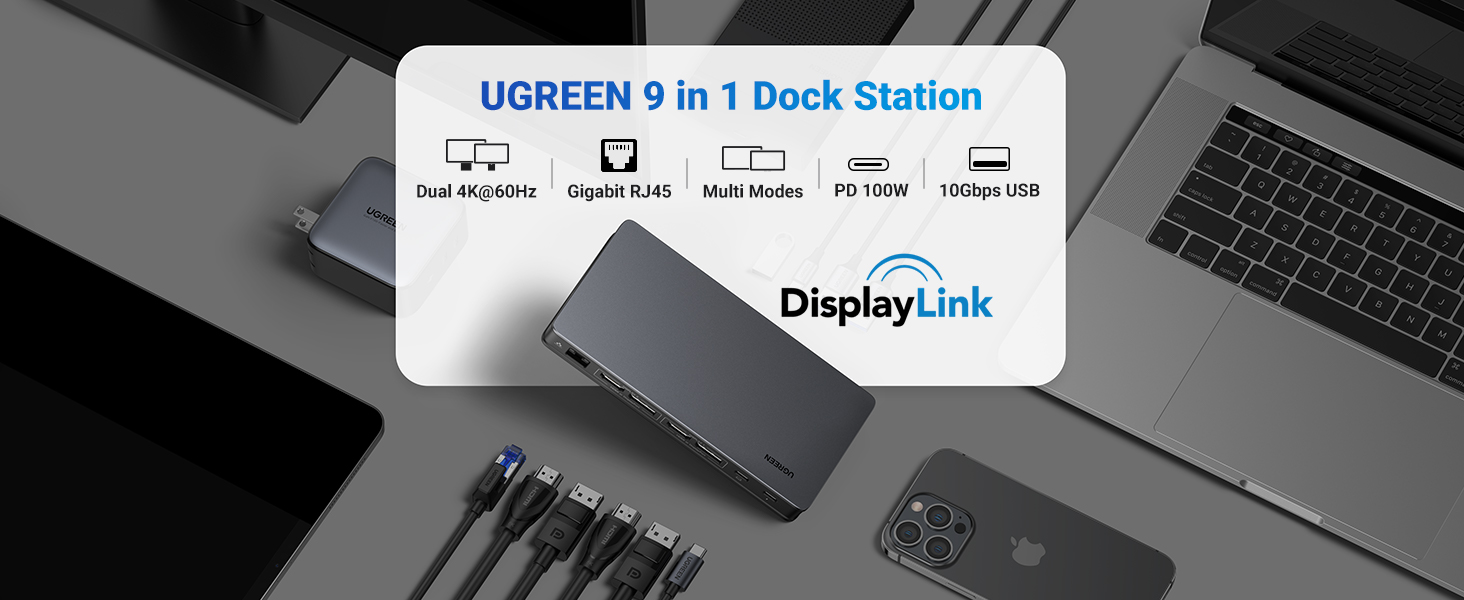
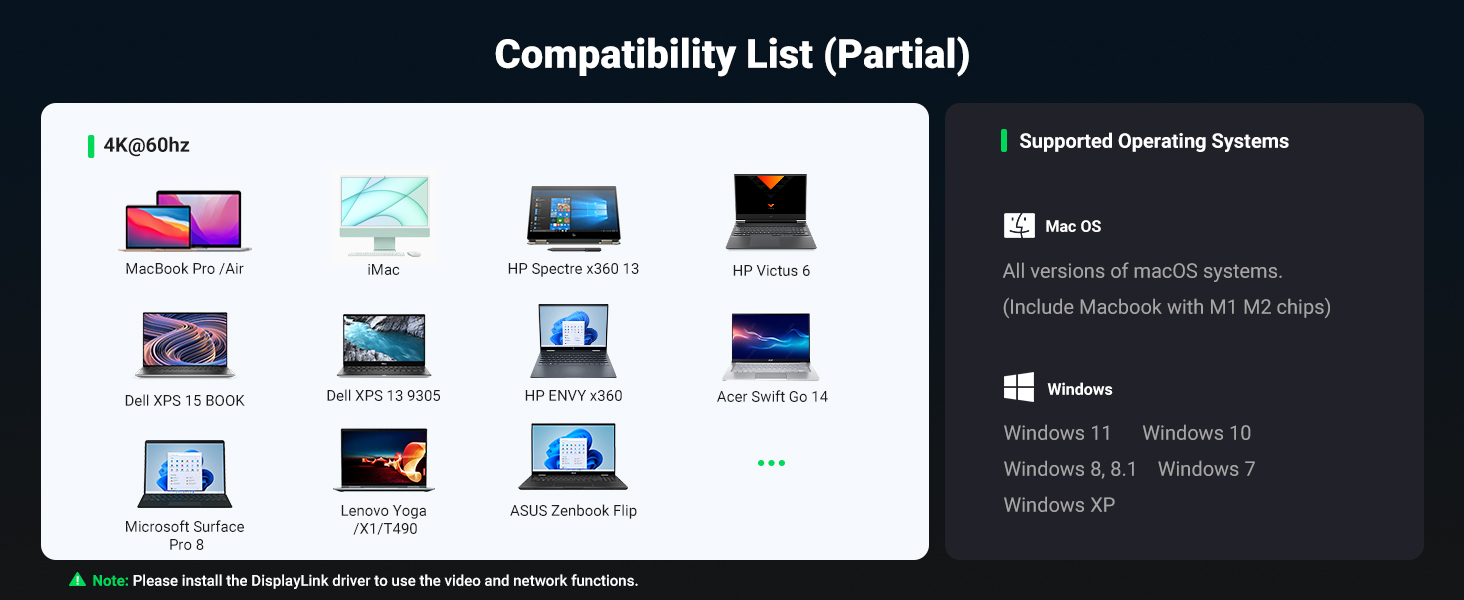
The UGREEN DisplayLink Docking Station is a powerhouse 9-in-1 USB-C hub designed for macOS and Windows professionals. It supports dual 4K@60Hz displays, ultra-fast 10Gbps data transfer, and delivers up to 100W power delivery to keep your laptop charged. With gigabit Ethernet and multiple USB ports, it transforms your laptop into a full-fledged workstation, perfect for multitasking, creative projects, and seamless connectivity.


| ASIN | B0BLNCNCMZ |
| Best Sellers Rank | #24,670 in Computers & Accessories ( See Top 100 in Computers & Accessories ) #332 in USB Hubs |
| Box Contents | 1x 9 in 1 USB C Docking Station |
| Brand | UGREEN |
| Brand Name | UGREEN |
| Colour | Black |
| Compatible Devices | Laptops |
| Country of Origin | China |
| Customer Reviews | 4.2 out of 5 stars 931 Reviews |
| Global Trade Identification Number | 06957303899128 |
| Hardware Interface | USB 3.2 Gen 2 |
| Importer Contact Information | Nikita Distributors - Green Terrace Building, Lane Number 5, South Koregaon Park, Pune 411001, MH, India. |
| Item Dimensions L x W x H | 15.3L x 2.3W x 7.6H Centimeters |
| Item Type Name | USB C Hub |
| Item Weight Unit of Measure | 510 Grams |
| Manufacturer | UGREEN, Ugreen Group Limited |
| Manufacturer Contact Information | UGREEN |
| Manufacturer Part Number | 90912 |
| Model Number | 90912 |
| Number of Items | 1 |
| Number of Ports | 9 |
| Packer Contact Information | Nikita Distributors - Green Terrace Building, Lane Number 5, South Koregaon Park, Pune 411001, MH, India. |
| Product Dimensions | 15.3L x 2.3W x 7.6H Centimeters |
| Total HDMI Port | 2 |
| Total USB Ports | 4 |
| Unit Count | 1.0 Count |
| Warranty Description | 1 Year Manufacturer |
| Wattage | 100 Watts |
A**N
Ugreen Docking station
I love the product, mine both the monitor works well with it.
I**I
Great product
Great product
T**A
Truth of UGREEN USB C Hub
Don't Buy this product for 2 Monitors This is Ok product for Single Monitor. But my purpose is not resolved. I have 2 different machine, Mac OS and windows 11. If you are a windows user & stick with one system, then it is a good product. But if you switch between Mac OS and windows, it's the worst product for you. Mac OS support is very poor. This device using Display link drivers which need screen recording on to extend the display. Due to that, HDCP protocol violated & you can't see any OTT content (even Tutorials) via this HUB. So, resulting frustration for Mac OS. Please Note: No return policy is available. If this Hub does not full fill your requirement still you cannot return this product. Think 10 times at least before purchase.
R**H
PERFECTO
Me ha solucionado perfectamente poner dos pantallas a mi Apple M1 y con salida de 10 g para disco duro. Botones de encendido y carga a la vez el ordenador. Material de aluminio y perfecto. Espero que dure tiempo
R**L
Very good for two high screens and lots of harddrives
It was simple to install. Works instantly. Absolutely hazzle free.
A**A
Excellent displaylink dock. Works great with M1 Macbook Pro
I have an M1 Macbook pro ( the one with the ill fated touch bar) and while I love it for most use cases, it has the annoying limitiation of only supporting one external monitor. Fortunately DisplayLink software comes to the rescue and allows me to plug in up to three monitors with a DisplayLink dock. I had bought another brand dock before and this Ugreen dock was to replace it after it burned out. I couldn't be happier and this feels like a huge upgrade. My other dock didn't support full 4K resolution on output and the ports were also not as good. This one has all multiple USB C ports and a dedicated USB C for powering my mac so I really don't lose any conectity by using this on one of my ports.
P**S
Great way to run multiple screens from an M2 Macook Air
I have used iMacs and Macbook Airs for a number of years now. My iMac is now not able to be upgraded to the latest OS and from past experience in the end communication between different machines running different OS's get steadily more problematic as the generational gap of the OS's grows. I also use my iMac much less now that I havee retired. I looked into running multiple screens off my M2 Air as a cheaper alternative to buying a new iMac. Essentially you can only run one extra display off an M2 Air, and HDMI splitterrs are not the same as docking stations. I ordered this device and it arrived quickly and was easy to set up. By using a separate power adapter for it I was able to connect my two Samsung 21" monitors to it, with the added advantage that it charges the M2 Air through the USB-C port as well. I downloaded the DisplayLink software from the Synaptics web site and it works fine with Mac OS Sonoma. There are plenty oof customisable features that all seem to work seamlessly. I also connected my Apple Magic Keyboard, TrackPad and Logitech MX master mouse with no problems. When connected all of my different Desktops on my M2 displayed just fine and when you disconnect the docking station the desktops return to the M2 Air exactly as they were before. The only thing I noticed is that when you connect extra screens the windows from the Air do not automatically resize to fit the the bigger screens, but hardly a problem. I have run Excel, Word, Music and a drawing package simultaneously with no noticeable speed penalties and the ability to use an external keyboard, mouse and trackpad is great.
T**P
Great addition to all Mac users
Very happy with this product. Allow Mac to have 2 Monitors, stable Ethernet connection
Trustpilot
2 months ago
1 week ago