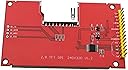
🚀 Elevate your Arduino game with touch-powered brilliance!
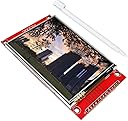
The WWZMDiB 2.8-inch TFT LCD Touch Display Module features a crisp 320x240 resolution resistive touch panel, powered by a flexible 3.3V to 5V supply and driven via a fast 4-wire SPI interface. Lightweight and compact, it’s designed for seamless integration with Arduino and Linux-based projects, delivering responsive touch control and vibrant visuals for next-level DIY innovation.
| ASIN | B0CCHXX1Z9 |
| Best Sellers Rank | #296,394 in Industrial & Scientific ( See Top 100 in Industrial & Scientific ) #143 in LCD Touch Panels |
| Brand | WWZMDiB |
| Built-In Media | Blu-ray |
| CPU Manufacturer | NXP or Broadcom or STMicroelectronics |
| Compatible Devices | SPI compatible devices |
| Connectivity Technology | SPI |
| Customer Reviews | 4.1 out of 5 stars 50 Reviews |
| Included Components | Blu-ray |
| Manufacturer | WWZMDiB |
| Model Name | WWZMDiB |
| Number of Items | 1 |
| Operating System | Linux |
| Processor Brand | NXP or Broadcom or STMicroelectronics |
| Processor Count | 1 |
| Total Usb Ports | 1 |
| UPC | 705252404599 |
W**R
Finally got touchscreen working...
I was getting the white blinking screen with my esp32-s3. After about 4 days of fighting with A.I., I got it to work. I had to downgrade to ESP-IDF 5.3.4 and use the LovyanGFX library from GitHub. There may be a better way, but this worked for me.
K**C
Level Up
It's works and it is incredibly inexpensive. My esp32 game just leveled up and every project can afford the upgrade.
P**R
Not Best for Arduino
For the Arduino Uno, this display is a poor choice. The resolution of 480x320 proves to be too high for the Uno, which is better suited to a 320x240 display. It runs, but screen updates are painfully slow with the Uno. The Resistive Touch functions nicely, but is not as intuitive as the Capacitive Touch found on the majority of mobile devices. The display quality is pretty nice, and provides a good value, albeit better suited for the Raspberry Pi family. The Uno (and most other Arduino) operate at 5V logic levels. Although this display purports to run with 5V, the logic pins want 3V3, which means you'll have to buy bi-directional logic level shifters to shift the voltage between 5V and 3.3V. It MAY run at 5V, but it definitely runs at 3V3. One symptom of overvoltage is a white screen. When using a breadboard, the display and level shifters won't fit the smaller 400-hole boards, so you'll have to use the larger 830-hole breadboard. Even then, these components occupy the majority of the space on 830, so you may require another for the rest of your project. No pins are supplied for the SD Card reader-writer, so you'll have to dig up your own 4-pin header, and solder them yourself to use it. Note, the reader fits is the larger SD cards. Most of us use the smaller MicroSD cards, so an adapter is needed. Many of those SD to MicroSD adapters are poorly made, and can be unreliable. There is nothing in the packaging or printed on the board to tell you the display uses the ILI9488 driver chip. Nor does it come with any documentation or guides to hooking it up. You'll have to go the the internet to find those answers.
C**W
Great screen
I have purchased quite a few of these and haven’t had any issues. I think I used 8 of them on the last project I built and didn’t have a problem using a single one. I did not use the touch feature so can’t comment on that but otherwise a great screen.
T**.
First one didn’t work, replacement works perfectly
This ILI9341 screen did not work out of the box. I could only get a white screen on the display, although the touch screen seemed to work fine. The seller replaced it, and the replacement has worked perfectly so far. As all of these red ILI9341 touch screens must ultimately come from a common source, there is bound to be a bad one occasionally. Satisfied.
G**N
Nice little display screen
Quick delivery, great packaging, great value. Just what I needed.
D**R
Satisfied Customer!
Couldn't ask for a better product for my projects!
B**Y
I found it tricky
Bought this back when I first started messing with microcontrollers I was unsuccessful in getting it to work even a little bit. Most likely my fault but it was tricky to hook up and code. If your new make sure you have a breadboard.
R**O
Touch + Screen = white screen
The screen works, and touch works fine when they separate. However when it comes to use them both, I get white screen once touch it. I tried all posible options, differeb bus_clock, dfa off, split spi0 and spi1 for screen and touch, different params for driver. Still white screen ☹️
Trustpilot
3 weeks ago
2 months ago