


Desertcart purchases this item on your behalf and handles shipping, customs, and support to EGYPT.
🚀 Elevate your IoT game with the all-in-one ESP32 display board!
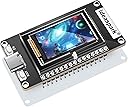
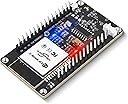
The ideaspark® ESP32 Development Board integrates a crisp 1.14-inch 135x240 ST7789 TFT LCD with a powerful ESP32-WROOM-32 dual-core microcontroller featuring 2.4 GHz WiFi and Bluetooth. It offers a compact, low-power design with USB Type-C connectivity and CH340 driver support, making it an ideal plug-and-play solution for professional-grade IoT projects, real-time data visualization, and seamless hardware-software integration.



| ASIN | B0D7S7YQMC |
| Best Sellers Rank | #547 in Single Board Computers (Computers & Accessories) |
| Brand | ideaspark |
| Built-In Media | board |
| CPU Model | ARM 9 2818 |
| Compatible Devices | Various IoT devices |
| Connectivity Technology | USB |
| Customer Reviews | 4.2 out of 5 stars 57 Reviews |
| Included Components | board |
| Manufacturer | ideaspark |
| Mfr Part Number | ESP32 1.14 inch LCD(Solder PIN) |
| Model Name | ESP32 1.14 inch LCD(Solder PIN) |
| Model Number | ESP32 1.14 inch LCD(Solder PIN) |
| Number of Items | 1 |
| Operating System | Linux |
| Processor Brand | Espressif |
| Processor Count | 2 |
| RAM Memory Technology | LPDDR4 |
| Total Usb Ports | 1 |
| UPC | 727210621756 |
| Warranty Description | No |
| Wireless Compability | 802.11n |
E**N
Great for projects!
Great product works just as advertised! Fun and easy to use!
M**O
Great combo of ESP-WROOM-32 with an ST7789 I2C screen!
This is a very capable little Espressif ESP32 microcontroller with a beautiful ST7789 based screen. Download the Adafruit ST7789 support library, and the Adafruit GFX library and you can draw photos, or programatically render text or geometric objects, like the little balls I made to bounce around in this video. Little computers are so fun to work with... kind of like home PCs from the dawn of the era. Dive in and imaging yourself coding on an ancient Apple II computer back in the early 1980s. These little things are many orders of magnitude more powerful than those old home computers were though, of course.
R**.
Good enough
Board works well enough. One tricky thing is that the button on the side, labeled "KEY21" is connected to GPIO4, NOT GPIO21 as one might guess. Since GPIO4 is also the LCD reset, this means you can't use the button if you're using the screen.
D**N
Don't get unless you really want this model spend a few more bucks and get an esp32-S3
This board uses the ESP32-WROOM-32 rather than something more robust like the esp32-s3, which means that aside from other limitation the implementation of the serial to USB function inst fully native to the chip and does not have direct access but acts as a sort of pass through. This mean that anything that needs direct access to the Serial/USB function like running a badusb/bashbunny/rubberducky firmware will not work. Although the device has 3 buttons you really can only use 1 of them, the others are just reset button for the screen and boot button and there is no way through code to alter this behavior. As others have stated you cannot power this from a USB-C to USB-C you must use a USB-A to USB-C cord. If these limitation are not an issue for you and you just want a simple ESP32 for learning or prototyping this is a good enough board but I would recommend going for something with better support and documentation. The build quality seems good but not perfect the screen on min isn't aligned square to the board and caused issues when making a 3d printed case for it. It does have a battery connector but it does not seem to "just work" when you plug a battery in maybe this is how all ESP32s work and you need to code for it but you cannot just plug the battery in and expect it to charge or even get power from the battery. The screen size is a bit on the small side and there are other boards out there with bigger screen for around the same price I would save my money and get a better board.
F**N
Pin numbers for 1.14 inch ST7789 135x240
The 1.14 inch ST7789 135x240 description has the pinouts but they are kinda hard to understand... Here they are in a copy/paste format: // Define the IdeaSpark specific pins #define TFT_MOSI 23 #define TFT_SCLK 18 #define TFT_CS 15 #define TFT_DC 2 #define TFT_RST 4 #define TFT_BL 32
R**H
Dead on Arrival
This product was Dead on Arrival. It is a total junk!
S**L
Needs a programming guide
Interesting issues programming for Esp32home. Canvas reports as 320*240 and had to manual offset 40,53
I**H
Performed as Expected
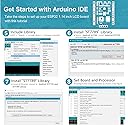
Performed as expected. Wanted an easy dev board with a screen present. The directions for arduino was rather simple and easy to hook up. From opening box to having an image on display only about a half hour.
Trustpilot
1 month ago
3 weeks ago