Buy anything from 5,000+ international stores. One checkout price. No surprise fees. Join 2M+ shoppers on Desertcart.
Desertcart purchases this item on your behalf and handles shipping, customs, and support to EGYPT.
🔥 Level up your Switch game with zero drift and total control! 🎮
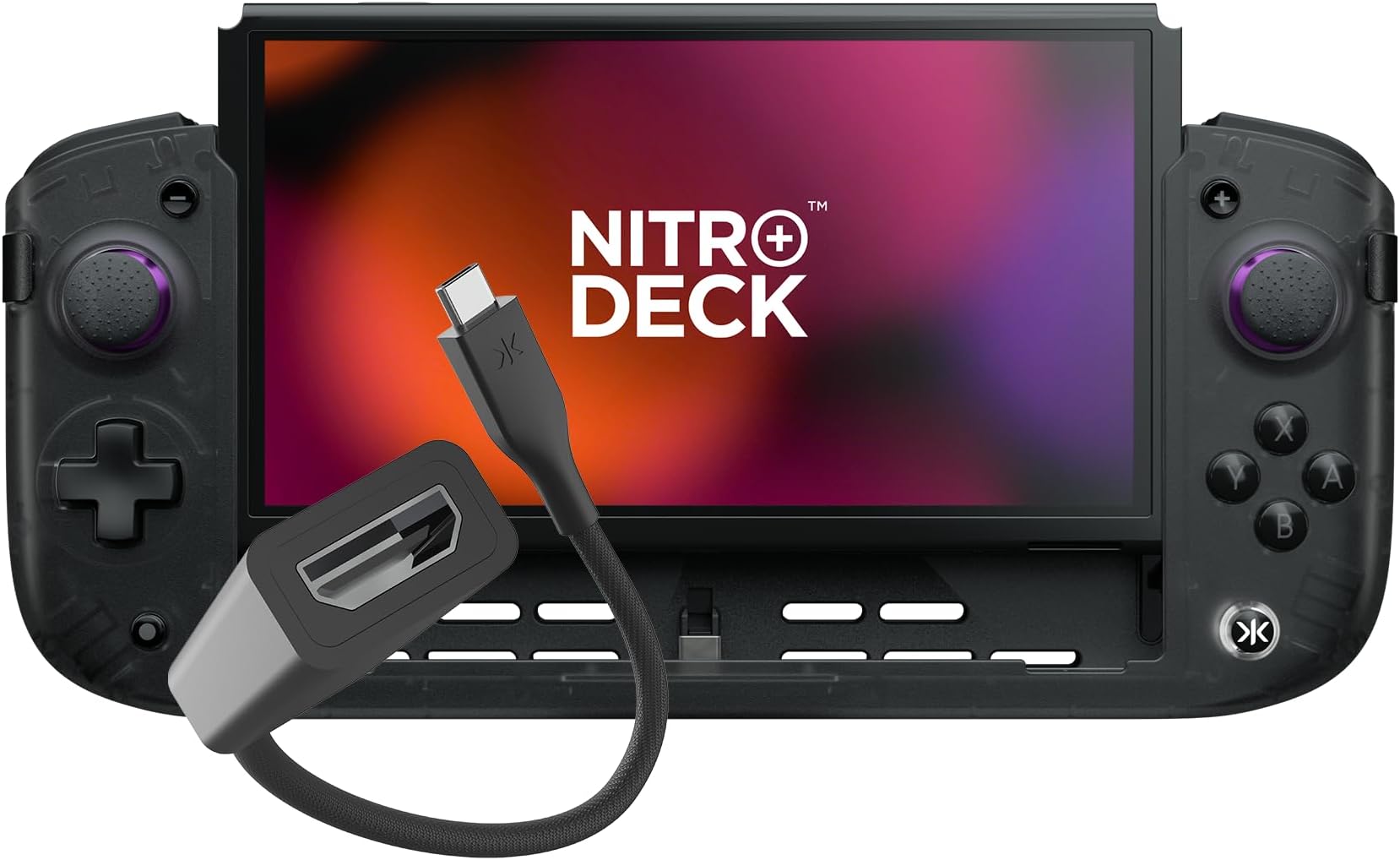
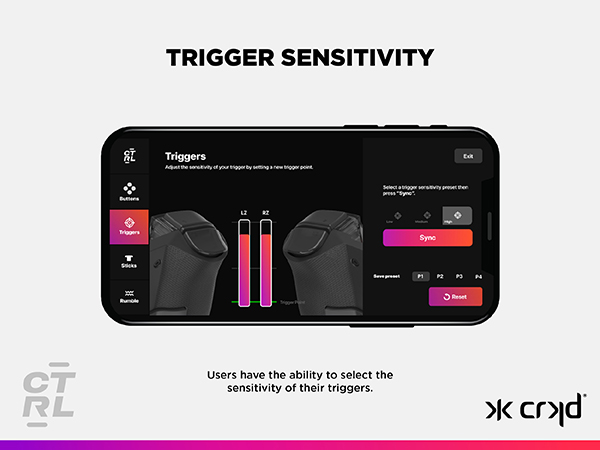
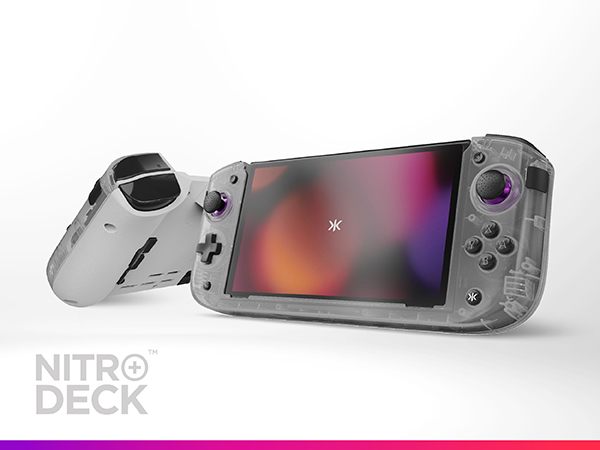
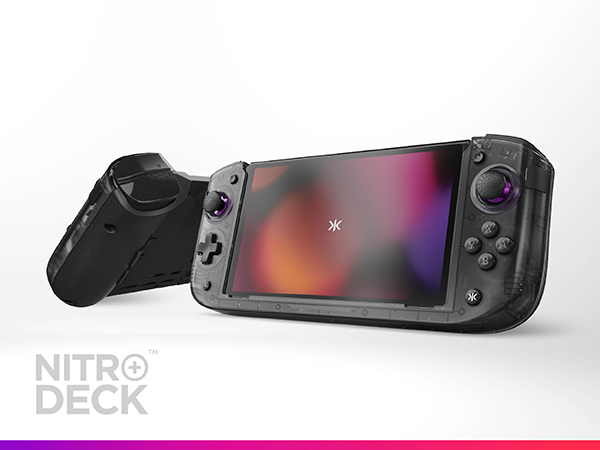
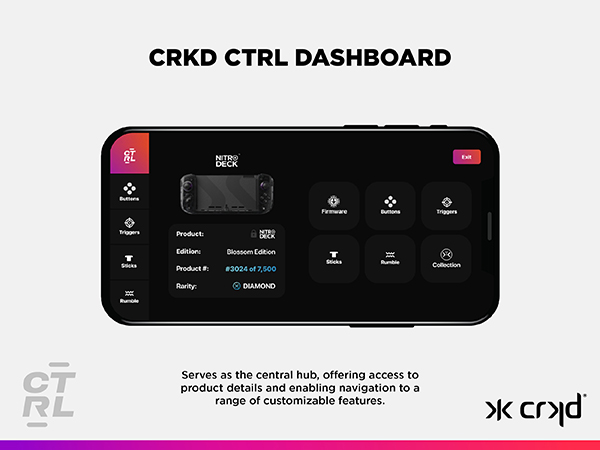
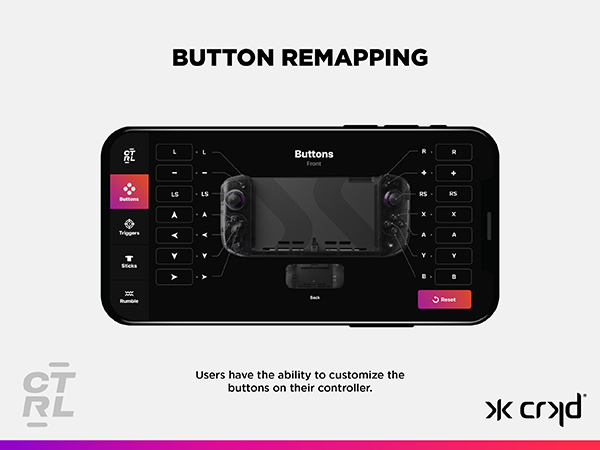
The CRKD Nitro Deck+ Clear Black Edition is a handheld pro controller for Nintendo Switch and OLED models featuring Hall Effect Sensor thumbsticks for no stick drift, a comfortable ergonomic design with symmetrical thumbsticks, fully programmable side and back buttons via the CRKD app, and an included USB-C to HDMI adapter for TV docking. It supports motion controls, wired mode for PC and Switch, and is compatible with most Switch titles that accept external controllers.


L**T
BEST Switch Deck with Ergonomic Case Design! 10/10
ABSOLUTELY LOVE THIS! HIGHLY RECOMMEND! 10/10! I'm disabled, basically in bed all day due to joint pain, and gaming gives me something to to do besides just watching tv, but due to the Switch OLED Joy Cons being small it caused a lot of pain in my hands, and after trying several different "ergonomic" cases that didn't help AT ALL (and I tried/returned multipled other cases), I decided to try this because it is VERY BULKY and it's AWESOME! I got this ONLY because of it's size, wasn't really looking for a "deck" or extra functions, but now I'M IN LOVE WITH IT, AND SOOO HAPPY I BOUGHT IT! Having the 4 buttons on the back has made gaming sooo much easier for me (the hand positionis way more comfortable)! The thumb stick controllers are much better than what's on the Joy Cons. I tried SEVERAL different silicone covers for the Joy Cons to raise the height, as well as keep my thumbs from slipping, but those would often slip around/rotate on the thumb sticks, and at times COMPLETELY COME OFF WHILE PLAYING, which would often mess me up, causing me to lose the game! Love that CRKD offers different stick tops that you can EASILY swap out, and that they have different textures. The ONLY complaint I have is that the Switch battery does drain faster since the CRKD Nitro Deck+ is ALSO using the battery, however you can charge both while playing, so I just constantly leave it plugged in, and where the port is on the upper backside, the cable is NOT in the way! 2 days after I bought this, the CRKD Nitro Deck 2 came out for pre-order...so I pre-ordered it! It has new features I really wannna try! The ONLY thing I see undesirable is that you CANNOT charge the Switch/Deck 2 while playing like this device, but since I already have this one, I can use this one while the other charges! If you're looking for more comfortable, better, and easier gameplay, you NEED THIS DEVICE! You can't beat having the extra buttons, thumb stick height/design/texture/ changeability, and ergonomic design for WAAAY more comfort, ESPECIALLY if you're into binging long gaming sessions, like I do (I'll play 6-12 hours a day!) especially for THIS PRICE!
N**A
10/10 controller
Hecking awesome, best device you can possibly get for a Switch Gen 1/OLED Fantastic look and feel, great connectivity, great feeling buttons and I love the steam deck analog stick layout. This also doubles as a controller for TV play which is really cool! All your custom buttons configs with stay on the built in memory and work both ways. Not to mention it also works as a dock?! I have had zero issues in docked mode, so all in all, this is a great and essential controller to have if you play on the switch a lot.
M**M
It takes some getting used to…… but it definitely works
Like the previous one (nitro deck), that they released, this item is very good and very well built, actually there have been some changes to the overall layout and a few new additions. And What are the differences from the original? – Firstly, the right side has a different layout: specifically the right stick is now parallel to the left stick and therefore now you have to move your thumb down to reach the A/B/X/Y buttons basically turning your Nintendo switch into a hybrid steam deck of sorts (a unique steam deck only plays Nintendo games, 😅) – a new feature that has been added, that are bumper buttons that are next to the analog sticks function as A and B respectively, meanwhile, the back buttons are pre-programmed like the original model. And they function quite well Now let us get onto the main feature: unlike the previous model, this one can be docked to a TV screen! Granted you need to use the special adapter in the output outlet, but it works! Now depending on whether you plug this into a television with an HDMI port or you use the Genki shadow cast(original or 2, 2pro) you can still get it on your computer…. And if you’re close enough, you can actually use the device as a controller because it is technically wired as a direct controller just like the Nexigo Gripcon, and therefore, will be no input lag. Now, there is one slight flaw that shares with its predecessor…. It draws power from the unit itself, so expect shorter battery life in handheld mode. Of course, if you play this in dark mode, the battery will not be affected as much. Plus, if you have it docked in a switch dock, you can use this as a separate wire controller.(Theoretically) Do I recommend this? Honestly, if you don’t own any games use any of the NFC features, then I can totally recommend this, after all it has Gyro, It has mild rumble and more importantly there will be no lag with inputs.(just remember to enable pro wired controller settings.) Is it comfortable? Depends on your hand size. For big hands it’s OK as long as you remember the button layout on the side and the back.
R**E
Solves the XR dilemma as long as you're next to an outlet or have a 40W+ battery pack.
First, the bad news. The Switch can't draw power from the output port, nor output video through the input port. So, if you own an Xreal Beam and want to use this with your Xreal glasses on-the-go, you might want to wait for a "Nitro Deck XR" or something. Because this will only let you use the Beam as a battery pack, unless you have something else to plug into the input port for power (no screen anchoring for you). If you do decide to get this, you might want to order a battery pack with it to put on the input plug. Make sure it can output 40W or more. Now, on the other hand, if you own the Viture Pro Mobile Dock, you can run power from the USB-C port and use the HDMI adapter for video (in fact, using the HDMI adapter is the only way I can get the VPMD to display video from the output port). Or, assuming you don't play co-op while walking around (which would be awkward), you could just use the VPMD as a battery pack, and run the output port straight to the glasses (or the Beam if you own both). The good news is that this does solve the problem on-rail controllers like the Split Pad Pro have with getting shut off in docked mode, since it uses USB-C. The controller itself is very nice, uses hall effect sticks so there's no drift, has back buttons, etc. And as long as you are near an outlet or have a suitable battery pack for the input port, this does provide a massive upgrade to (and simplification of) the XR experience (just plug this in, then plug the glasses in). But I think maybe the best feature of them all is that this makes your Switch look more like a Steam Deck. And let's face it, no one in their right mind wants to be seen holding a Switch in public anymore, with Nintendo having shut down three perfectly legal emulators this year.
G**G
Perfect for the Switch
I did return this product BUT only because my switch is broken at the usb port and would not accept this controller. It felt great in my large hands and with the new redesign of the thumb stick I really felt like it was meant to be for the switch all along. Highly recommend the programmable buttons and the feel of this unit. Must buy again!
J**N
I actually love this thing
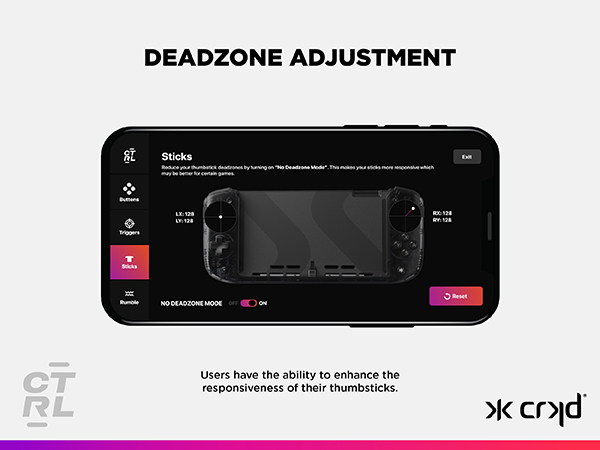
I have tried a number of these, but this one feels the best. The buttons are responsive, and the joysticks aren't too sensitive, or under sensitive. Buttons can be remapped, and sensitivity adjusted. It feels good in the hands, and isn't too bulky. It doesn't fit in my case anymore though, so I'll have to figure out what to do about that. What I really appreciate about this product is that it doesn't have a battery that needs to be charged separately, nor does it have gimmicky RGB lights. It just works. It's a little more expensive than other units, but I honestly wouldn't go back to anything else. It's just what I needed to enjoy my Switch again.
J**N
Garbage Quality Control. Defective within 1 hour
Defective within 1 hour. Worked fine initially then the buttons were acting as other buttons. Y was a combination of Y and the Plus (+) button. Left Stick (L3?) stopped working. Complete garbage quality control. Found Reddit posts of similar issue with recommendations of disassembling the controller and cleaning the PCBs and ribbon connectors. Updated firmware, buttons were mapped correctly within the mobile app, and ever reset the controller via the pin-hole, none of this made a difference. Instant return.
F**T
Great Buy
I was a little skeptical of this at first. I saw a couple of reviews about defective units, but after watching a few review videos and comparison videos to other decks, I decided to get this one. Couldn’t be happier! Yes, ergonomics for the right stick and pad are a little awkward, but it’s easily offset by the rear programmable buttons and it was easy to adapt to them. Really love that it replaces my docking station and came with the HDMI adapter. The only thing I wish it came with is a carrying case, but for the price, understandable. Build feels solid and I love the purple accents. I haven’t been able to play my switch handheld in a while because I’ve had multiple sets of joycons develop drift, so I’m happy to finally be able to play my switch on the go again.
C**S
É muito bom
Muito bom, mas pesado se for usar por longo período de tempo.
K**N
Great product
This is amazing product works very well 🔥🔥
V**O
Genial lo amo
Excelente controlador, mejora por completo la experiencia de uso del nintendo switch.
R**D
My second purchase
I love this product so much, I'm on my second Nitro Deck+
B**N
Doesn't fit what I want but I hope you will give it a chance
It hurts to use this.... The A button simply does not make sense. App also crashes on my pixel I can't program the buttons. Wasted.
Trustpilot
4 days ago
2 weeks ago