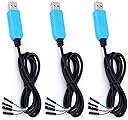
⚡ Debug like a pro—connect, power, and code with confidence!
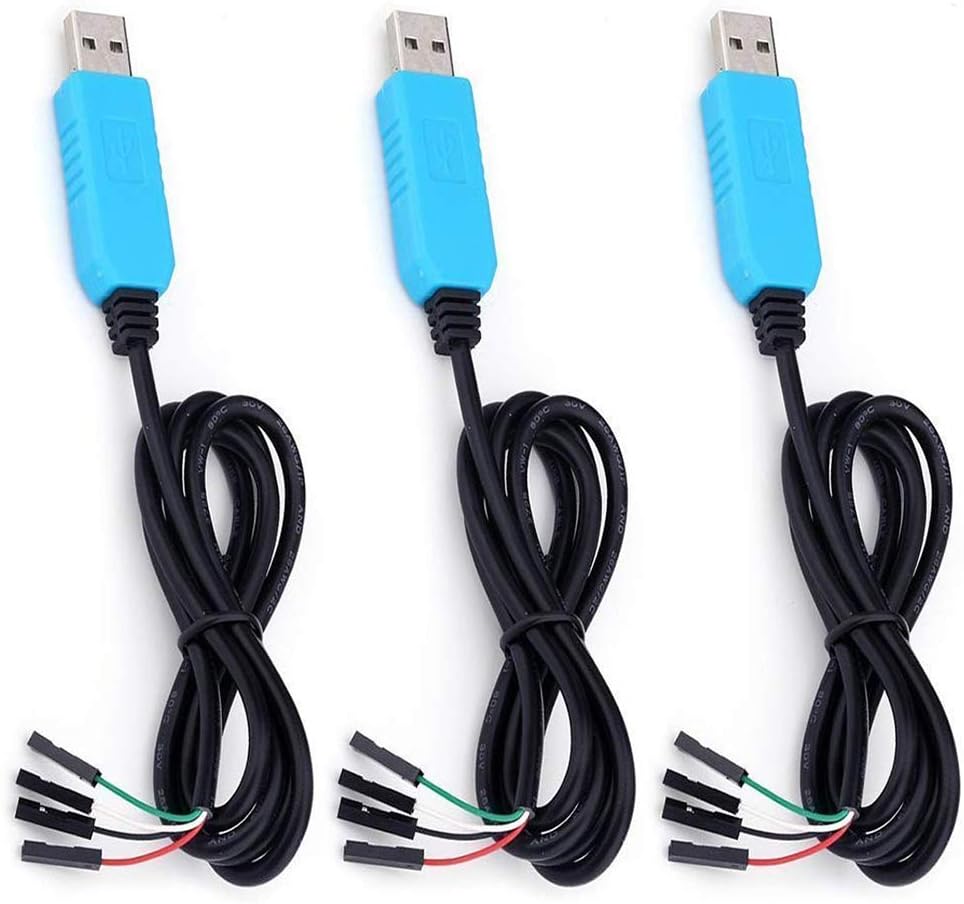
The PL2303TA USB to TTL Serial Cable 3-pack is a professional-grade debugging tool featuring the reliable PL2303TA chipset, broad OS compatibility including Windows, Mac, and Linux, and configurable 5V/3.3V power output. Designed for Raspberry Pi, microcontrollers, and router console connections, its four-wire design ensures stable serial communication. Ideal for developers and engineers seeking hassle-free, versatile serial connectivity with a value-packed triple cable set.
| ASIN | B07D9R5JFK |
| Best Sellers Rank | #68 in Serial Cables |
| Brand | EVISWIY |
| Cable Type | USB |
| Color | Green,White |
| Compatible Devices | Modem, PC, Router |
| Compatible Phone Models | No Compatible Phone Models |
| Connector Gender | Male-to-Male |
| Connector Type | USB Type A |
| Customer Package Type | protected packaging |
| Customer Reviews | 4.0 4.0 out of 5 stars (385) |
| Date First Available | May 25, 2018 |
| Indoor/Outdoor Usage | Indoor |
| Is Discontinued By Manufacturer | No |
| Item Weight | 2.39 ounces |
| Item model number | 711102557957 |
| Manufacturer | EVISWIY |
| Maximum Voltage | 5 Volts (DC) |
| Model Name | PL2303TA |
| Number of Items | 3 |
| Number of Pins | 4 |
| Package Dimensions | 7.8 x 5 x 1 inches |
| Recommended Uses For Product | Connecting to microcontrollers, Raspberry Pi, WiFi router serial console ports, and powering/connecting to the debug/login console on devices like the Raspberry Pi or BeagleBone Black |
| Shape | Round |
| Special Feature | Low Voltage |
| UPC | 711102557957 |
| Unit Count | 3.0 Count |
X**Y
This actually does work with Windows 10 - you just need to use an older driver.
I'm using this to connect to an MCU UART port to my Windows 10 computer. Initially, it did not work - I did a quick search and immediately found a YouTube video by another Windows 10 user which explained how to obtain and install an older driver. I'm using driver version 3.3.2.105 and it works fine.
P**R
OSX High Sierra: Be Careful!
Mac OSX High Sierra now requires to authorize kext that alter the system; this includes the Prolific drivers needed to get this device to work. OSX Installation Process: One thing that is not mentioned during the driver install process is that after authorizing the driver to be installed, OSX will ask to restart (before the driver has finished installing). DO NOT RESTART at the first prompt. It will cause your OSX to become inoperable and will require you to reinstall your OS from backup (e.g., Time Machine). Instead, say tell OSX not to restart, wait for the Prolific installation window to finish, then it will ask to restart. It's safe to restart at that point. To be safe, do not trash the files until you have restarted. Hopefully this will help any Mac OSX users with the newer operating system (10.13.X - macOS High Sierra and later). Driver Information: The prolific drivers may not working when using `screen` from terminal. You may find that you need some other (older) drivers. A google search should reveal usb serial drivers.
J**.
The parts DO NOT work, tx line has not voltage output stuck at high.
Do not buy, the unit is defective, all 3 of them. Tx line has no output, this is verified using loop back as well as an o-scope measurement. You'd think out of the 3, at least one of them would work, but NO, it costed me hours of head scratching time trying to figure out why such a simple device is not working. I tried configuring the Raspberry Pi serial console over and over again, What's upsetting is that the Rx side works just fine, so you can see the login prompt perfectly fine, it just won't accept any input. I even dug out the original Pi from 13 years ago and finally found the exact behavior as the new Pi 5 device, which caused me to check with a loopback connection. Sure enough, nothing in a loop back configuration, finally a O-scope check up confirmed the Tx line never output anything, stuck on 3.4V output. Absolute garbage and time waster.
C**M
It just works!
I use it to connect to a Mango Pi MQ Pro! It works reliably, no drivers required!
S**T
Works well but poor quality
Works as it should and well. The only think I saw was the craftsmanship. I have 1 completely fall apart and a 2nd I was able to salvage and put back together. If you are gentle with them they will work just fine, but don't plan on unplugging them in and out more that about 2 times.
M**E
Worked great on Mac OS X Mojave once I found the right driver
I bought this to connect to a RigExpert AA-30.Zero antenna analyzer. It works great under Mojave once I was able to find the right driver (there are a couple different drivers floating around out there, be sure to install the one labelled for Mojave). Works with Antscope 2 on Mac OS X and AAplot. In a Parallels Win10 virtual machine, works fine with Antscope for Windows, too. For reference, RED = +5V, BLACK = GND, GREEN = Tx (connect to Rx2 on the AA-30.Zero board), WHITE = Rx (connect to Tx2 on the AA-30.Zero board). The price was excellent, and quality seems perfectly fine.
K**.
Connect JKBMS to VenusOS
I tried to connect a JK-B2A8S20P BMS to a Raspberry Pi 3 running Victron Venus OS by using JKBMS’s TTL to RS485 adapter connected to a RS485 to USB adapter. JKBMS does not give you support or answer their email. I had installed dbus-serialbattery drivers and they were working properly. I bought these and it worked perfectly. These cost just a fraction of the of the other setup and is a much cleaner install. Just use the TXD and RXD wires, do not use the red or black wires.
B**H
Great for PS3 syscon diagnosis!
Exactly what I needed for diagnosing ps3 syscon issues. Easy to connect to pc and the ps3. Computer had no issues recognizing this device and was perfect for my intended use. Now I have two extra to find other projects for!
L**O
Es un buen modelo de cable pero no parece ser el más resistente, le puse una cinta eléctrica para evitar que se abra el USB, porque parece como flojo el conector. Pedí 6 y al parecer todos funcionan, vienen en bolsas aisladas
Trustpilot
1 month ago
3 weeks ago