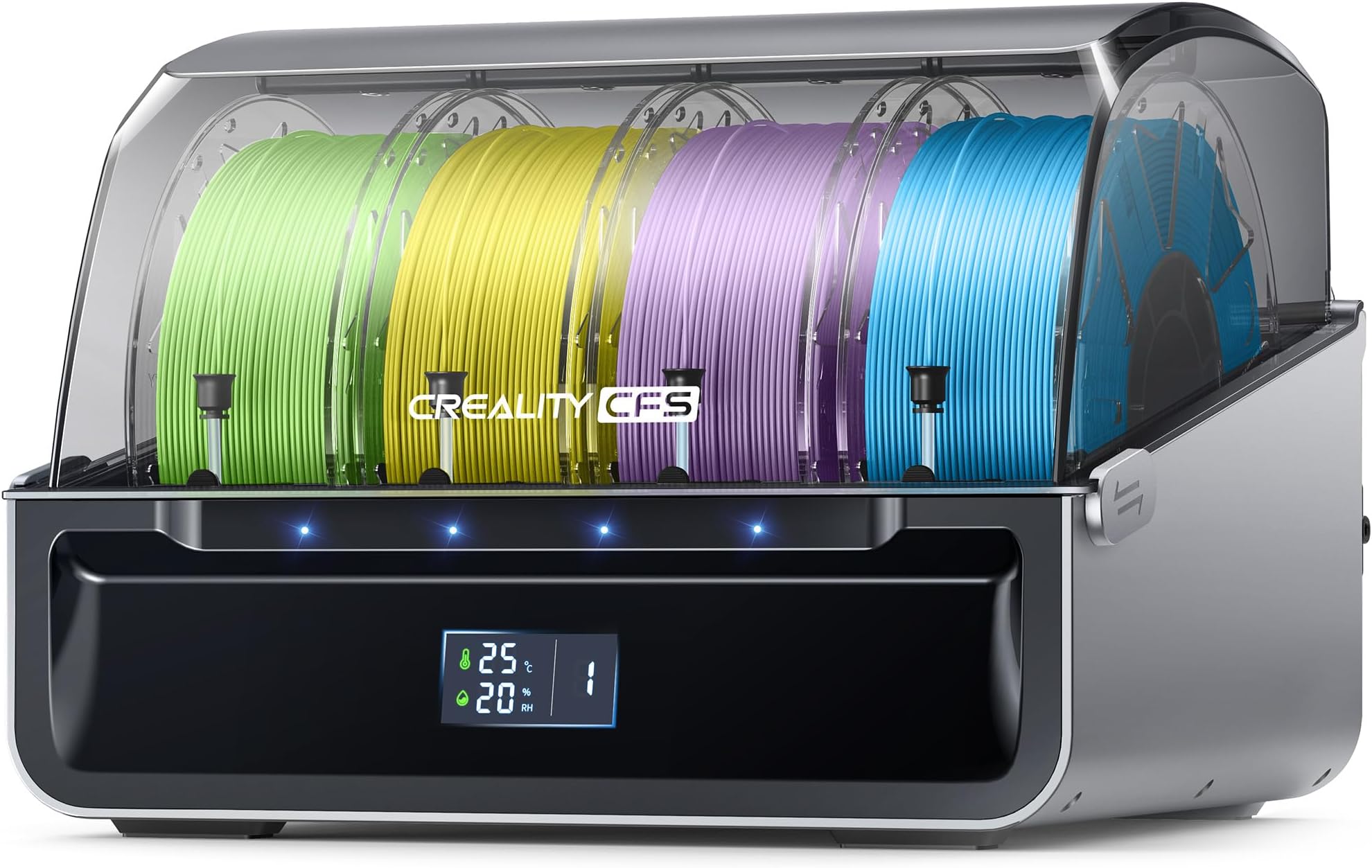
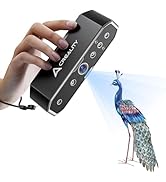
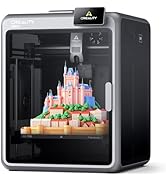
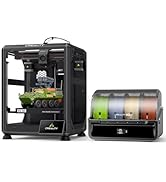
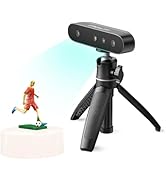
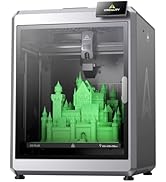
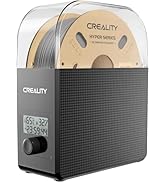
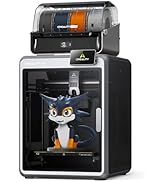
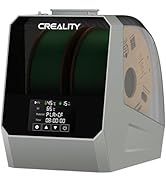
🎉 Print in Color, Print with Confidence — The Future of 3D Creativity is Here!
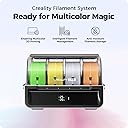
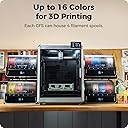
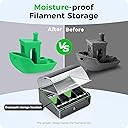
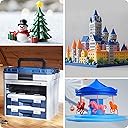
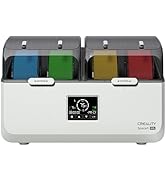
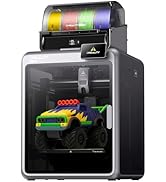
The Creality CFS Multi Color 3D Printer System revolutionizes multi-material printing with automatic filament switching, real-time runout and tangle detection, and anti-moisture filament storage. Designed for Creality K2 Plus compatibility, it supports up to 16 colors simultaneously, enabling complex, vibrant prints with professional-quality support removal. Ideal for creators seeking efficiency, precision, and vibrant multi-color output in one integrated solution.


| ASIN | B0DDWJLCJW |
| Batteries Required? | No |
| Batteries included? | No |
| Best Sellers Rank | 1,625 in Business, Industry & Science ( See Top 100 in Business, Industry & Science ) 4 in 3D Printers |
| Colour | CFS |
| Customer Reviews | 4.1 4.1 out of 5 stars (1,990) |
| Date First Available | 22 Aug. 2024 |
| Included components | Creality 485 Cable 100cm, Creality 485 Cable 45cm, Creality CFS, Filament Buffer, Quick Guide |
| Item Weight | 6.12 kg |
| Item model number | Creality CFS |
| Manufacturer | Creality |
| Material | Filament |
| Part number | 12ecad87-7356-4219-8c33-57b1b045fda7 |
| Product Dimensions | 40 x 25 x 30 cm; 6.12 kg |
D**N
Its a noisy printer, that vibrates violently.... But I love it!
I have owned the Ender 3 for a while now, and I did enjoy printing with it, until it started to develop problems... needless to say the Ender 3 I have now, is not the same as the one I bought years ago.. but this isn't about the Ender 3 at all this is about the K1 SE.. I just wanted to give a little background to my limited 3D Printing knowledge. I bought this on a whim, I had enough of my Ender 3 and wanted to get back into 3D Printing after a long drought of not doing anything for well over 2 years.. the filament I had is now useless as I live in a very humid home, and 2 years exposed made it unsalvagable... However I got this printer and spent all of 2 minutes setting it up, compared to the Ender 3 this is already to go literally out of the box, only a few things need to be done to get this going. I put in the supplied 500g of filament and proceeded to do the setup, again the touchscreen helped no issues there, connected it to my WiFi and done the typical benchy print it comes with.. I have never seen a benchy print so fast in my life... To give you an idea the same benchy, similar settings on my Ender 3 took well over an hour, this done it in less than 20 minutes, I was amazed... What I wasn't amazed about was the noise and the movement of the printer, its very violent. And to echo another reviewer it does indeed sound like a jet engine when it is in full swing... However noise and vibrations aside I was amazed at how well and how cleanly this printed... so I tried another.. then another... The noise although didn't get any quieter I just learned to live with it, and the vibrations don't seem to really bother me anymore, the printer hasn't moved an inch, nor do my prints seem impacted enough. Since owning this printer I don't think there has been many "down days" even now as I write this I am printing. I have been more inclined to print with this one thanks to its quality of life features, the wireless printing, and bed levelling - something anyone who has owned an Ender 3 like printer would know - just make this unbelievable purchase. However I did come across a few issues while running this. Within the first couple of weeks I noticed problems printing, the extruder wasn't doing its thing properly, I saw another reviewer mention this and I thought what could be the issue.. It broke, the cogs on the gears actually broke and I didn't know why at first, until I realised user error. I was removing filament like I did on my old Ender 3.. literally just heating the nozzle then grabbing the filament and pulling.... NO don't do this! Instead use the feature on the printer called "extract filament" it will do what it needs to do and all you then have to do is gently push down on the connector of the tube and pull, the filament comes out clean and no resistence at all - move the lever to the unlock position too of course. Once you learn how to properly change filament you shouldn't have any issues at all. The only other issue I came across was the cooling fan - the thing that sounds like a jet engine - stopped working, I don't know if it is something I done, or something that was bound to happen due to vibrations but it stopped, I took off the shroud and tested, it was nothing more than a loose connection, and has been working ever since. I only mention this because wires can become dislodged. With all that being said however, if you can forgive the noise and the vibrations, you will have a fun time printing. Its a good price for what you get, even better at the time of writing (during the primeday sales) If you're just looking at printing cool stuff, then you can't go wrong, I have been using this to print stuff my 2 daughters can play with, I found a lot of Animal Crossing based stuff on Thingiverse, print it all out in plain white, have a day where we paint them using acryllic pens, they then love playing with them.. and thats just one example of things to print. Since owning this printer I have been working on my Ender 3 and have fitted it with its "last chance" upgrades and it is performing well, however when that finishes 1 print, my K1 has done 2 or 3. It does have upgrade potential, multi-colour support and all that, but I don't care yet... All I will say is.. I want another one.
H**R
It's big, it's fast, it's good.
Rarely gets to it's full speed, few fast printers do. But it definitely races along at a fair whack and makes a bed slinging ender 3 look and feel ancient. 8 hair prints on an ender 3 are down to around an hour. Stuff I would never print on an ender 3 is within reach on the k1 max. Good print quality, built in bed levelling via a lidar, inbuilt camera is OK, not stellar but usable. Filament runout sensor built in. It does timelapse on every print, though I haven't worked out how to delete them. Prints over local WiFi, so a bit octoprint like as you can send your files over WiFi instead of using a USB stick, though that USB option is still there if required. Using a USB stick you can also pull timelapse videos direct to the USB stick. Biggest downsides of the k1? No cura profiles at the time of purchase so stuck with creality slicer. Creality slicer works fine but is limited with only 3 profiles, basically high quality slow, medium still slow, and average quality fast. Options are intuitive in creality slicer. Considering it is basically cura they make things difficult when they shouldn't be. You can monitor prints over WiFi, but for me it can't be done from the program itself on the pc, I have to copy the ip address (there is a copy ip option on the print screen so they obviously planned for this issue) to then paste in a browser window which then works fine. If you use a trackball or mouse without a scroll wheel you are in for a miserable time adding custom supports as I cannot find an option to zoom in on the model without that wheel. The only thing to truly HATE with this printer? The phone app. It is full of ads. Ads on ads, ads everywhere. The app is basically an ad app with the printer options you want to access hidden in amongst all the ad misery. Simply put, do not use the phone app if you value your sanity.
P**R
Absolute rubbish
Absolute rubbish, this is the second one I have bought as the first went back as it was faulty from the get go. I've had this nearly a month, gave it a while before deciding to return it. First week or so was fine then everything started to go wrong. Kept getting clogged after every print. Changed the extruder and nozzle didn't make a difference. Every print I did more than a few hours long something would go wrong, filament run out and it carries on printing. Then won't load filament have to take everything soart to unblock it. Then the tube keeps popping out of the cfs. Bought a high speed nozzle straight from creality, they don't even have the settings to change to use their so called fast printer, I got faster prints snd better quality from a stock nozzle. It's a nightmare to unclog, you need to inscreww 5 or 7 screws depending on what your taking off. The nozzle hosing is plastic so if your not carefull when changing yhe nozzle you can easily break it. The lost goes on and on. Creality's customer service is the WORSTE I have ever come across in my 59 years on this planet, when they do eventually get back to you they don't know what they are doing and if you send 1 of their printers back it takes upto 2 weeks for a refund DISGUSTING. I am that annoyed with the quality and service im going to make a YouTube review so everybody can see
M**O
Ho acquistato il filamento PLA da 1,75 mm per la mia stampante 3D e sono estremamente soddisfatto del prodotto. Ecco perché merita una valutazione a 5 stelle: **Qualità del materiale:** Il filamento è di altissima qualità, con una consistenza uniforme che garantisce stampe precise e dettagliate. Non ho riscontrato problemi di intasamento o rottura, il che dimostra la sua eccellente fattura. **Facilità d'uso:** Il filamento si carica facilmente nella stampante e si adatta perfettamente alle impostazioni standard di stampa. È adatto sia per principianti che per esperti, rendendo il processo di stampa semplice e senza intoppi. **Affidabilità:** Ho utilizzato questo filamento per diverse stampe, e ogni volta il risultato è stato impeccabile. Le stampe sono lisce, prive di bolle e con un'ottima adesione tra i layer. **Colori vivaci:** Il filamento è disponibile in una vasta gamma di colori vivaci e brillanti, che mantengono la loro intensità anche dopo la stampa. Questo aggiunge un tocco di professionalità ai miei progetti. **Rapporto qualità-prezzo:** Considerando la qualità del prodotto, il prezzo è estremamente competitivo. Il filamento PLA offre un ottimo rapporto qualità-prezzo, rendendolo una scelta ideale per chiunque cerchi risultati di alta qualità senza spendere una fortuna. **Eco-friendly:** Essendo PLA, è un materiale biodegradabile e più ecologico rispetto ad altri filamenti. Questo è un grande vantaggio per chi desidera ridurre l'impatto ambientale delle proprie stampe 3D. In sintesi, il filamento PLA da 1,75 mm è un prodotto eccellente che offre prestazioni di stampa di alta qualità, facilità d'uso e colori vibranti. Lo consiglio vivamente a chiunque utilizzi una stampante 3D.
E**A
La k1 max è una stampante 3d coreXY, raggiunge velocità impressionanti con un ottima qualità, ho realizzato circa cento stampe prima di scrivere la recensione, cosa mi piace del prodotto: -Velocità 300 mm/s -volume di stampa 300*300*300 mm -adesione del primo strato sempre perfetta -controllo in remoto di più stampanti da pc con visualizzazione di cosa si stampa tramite telecamera. Cosa non mi è piaciuto: -Sostituzione del filamento macchinosa. -il tubo in PTFE che porta il filamento é posto troppo vicino al pannello superiore, questo potrebbe portare a inceppare la stampa, ho risolto questo problema con questo progetto su thingverse: https://www.thingiverse.com/thing:6157655 Ricordatevi di impostare correttamente la temperatura di estrusione del filamento, di default é di 240 gradi per il PLA e mi ha fatto sciogliere il filamento dentro l’estrusore danneggiando gli ingranaggi del motore, l’assistenza mi ha immediatamente riparato il danno da me causato. Si deve usare per forza lo slicer della Creality Print, che oltre a fare da slicer gestisce in remoto anche le stampanti (ne ho due) sono soddisfatto di questo software che è molto simile al Cura, ma il mio preferito rimane il Prusa slicer. Per chi cerca un volume di stampa più grande della norma questa è la scelta giusta.
P**M
clearity K1で使っていますが 印刷速度と良い品質と良い欠点らしい欠点が全くありません。 特に糸引きなどは皆無で大変気に入りました。 このプリンターとは最強のコンビだと思います。
B**H
Zur Lieferung kam pünktlich und unbeschädigt an. Der Drucker ist jetzt mein 3ter FDM Drucker (CR-10 5S (2017) und Dremel 3D40 mein erster (2016)) und ich bin von der geschwindigkeit in kombination mit der Druckqualität begeistert und werde wenn er wieder im Angebot ist einen 2 ten holen, habe mir noch 2x die B Druckplatte geholt und da ich schon lange denn 3D lack verwende ist die haftung nun damit Mega die Standard Platte ist in Ordnung aber für ABS ist die B Platte mit Struktur zu empfehlen, was ich nicht gut finde war der Abstand zwischen dem Druckkopf mit Anbauten zur oberen Glasplatte da hat er hin und wieder gestreift aber das lässt sich mit einer erhöhung die man natürlich auch drucken kann wie ich es gemacht habe lösen. zweiter punkt schmieren ein 0815 Fett wird mitgeliefert aber obwohl ich es genutzt hatte hat er nach einer weile (1-2 Wochen) angefangen komische geräusche zu machen was aber mit ein paar tropfen öl an denn richtigen stellen wieder weg war. Der Drucker sollte eine W-LAN oder LAN Verbindung bekommen zumindest so lange das man ihn software technisch auf dem aktuellen stand hat, ich habe ihn sofort nach dem Aufbau upgedatet was er auch gleich mit der einrichtung fragt, mit der installierten sofware ohne update kann ich kein fazit geben. Trotz allem bin ich nur begeistert von dem Drucker.
キ**ト
Creality純正のPLAフィラメント(ブルー&ブルー 2色セット)をEnder 3 V3 SEおよびK1で使用しました。結論から言うと、非常に安定した品質で、初心者から上級者まで安心して使える優秀なPLAです。 まず感動したのは巻きの美しさとスムーズな送り出し。フィラメントが絡まったり引っかかったりすることもなく、長時間の造形でも安心感があります。もつれがないのはストレスがなく、夜間プリントにも最適です。 寸法精度も±0.03mmということで、全体的な出力品質が高く、細かいパーツの再現性も非常に優秀でした。レイヤーの積層もきれいで、滑らかな仕上がりに満足しています。サポート材の除去も容易で、後処理が楽なのもありがたいです。 ブルーの色味は2種類ともやや異なるトーンになっていて、一方は鮮やか、もう一方は落ち着いたマット寄りの青で、用途に応じて使い分けられるのも地味に便利です。子供向けのロボット部品やフィギュアにも使用しましたが、発色が良く、見た目の完成度がグッと上がりました。 ノズル詰まりや反り、ラフトの浮きなどのトラブルは一切なく、温度設定もCreality推奨値(ノズル200℃、ベッド60℃前後)で安定稼働しています。初心者の方でもトラブルなく使えると思います。 また、ボール紙スプールという点も地味に高評価。処分がしやすく、静音性もあって非常に良い設計だと感じました。 2kgでこの価格、かつCreality純正ということで、コストパフォーマンスも非常に優れており、リピート確定です。他の色も順次試してみたいと思います。
Trustpilot
4 days ago
2 weeks ago