


Desertcart purchases this item on your behalf and handles shipping, customs, and support to EGYPT.
🚀 Elevate your network game with the future-proof eero Pro 7 — because buffering is so last decade.
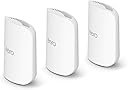
The Amazon eero Pro 7 tri-band mesh Wi-Fi 7 router 3-pack delivers ultra-fast internet speeds up to 5 Gbps and covers up to 6,000 sq. ft. Its tri-band design with multi-link operation supports over 600 devices simultaneously, powered by a 1.5 GHz quad-core Qualcomm Dragonwing chipset. Backward compatible and equipped with advanced security features, it’s engineered for seamless connectivity in modern smart homes and offices.
| Wifi standards | Wi-Fi 7 (IEEE 802.11a/b/g/n/ac/ax/be) |
| Number of radios | 3; tri-band |
| Supported channels | 2.4 GHz: 20, 40 MHz 5 GHz: 20, 40, 80, 160, 240 MHz 6 GHz: 20, 40, 80, 160, 320 MHz |
| MIMO | 2x2/2x2/2x2 MU/SU-MIMO |
| Spatial streams | 6 |
| Channel width | 20, 40, 80, 160, 240, 320 MHz |
| Network security and services | WPA3 and WPA2 wireless encryption |
| Other Wi-Fi features | Support for IPv4, IPv6, UPnP, DHCP reservations, and port forwarding. WAN compatibility: DHCP, static IP, PPPoE, and internet VLAN tagging |
| BE rating | BE10800 |
| Automatic Channel Selection | Yes |
| Band steering | Yes |
| Device/profile pause | Yes |
| Easy password sharing for guest and home network | Yes |
| Smart home hub | Yes |
| Thread | OpenThread |
| Bluetooth | Bluetooth Low Energy 5.0 |
| Zigbee | Yes (as a controller only) |
| Works with Alexa | Yes |
| Matter | Yes (as a controller only) |
| Antenna | 2x2 2.4 GHz 2x2 5 GHz 2x2 6 GHz |
| Frequency bands | ISM (2.4-2.484 GHz) U-NII-1 (5.15-5.25 GHz) U-NII-2A (5.25-5.35 GHz) U-NII-2C (5.47-5.725 GHz) U-NII-3 (5.725-5.85 GHz) U-NII-5 (5.925-6.425 GHz) U-NII-6 (6.425-6.525 GHz) U-NII-7 (6.525-6.875 GHz) U-NII-8 (6.875-7.125 GHz) |
| Types of modulation | OFDM (2.4 GHz, 5 GHz, 6 GHz) DSSS (2.4 GHz only) |
| Ethernet | Two auto-sensing 5 Gigabit Ethernet ports, 1 USB-C port |
| Processor | 1.5 GHz quad-core processor |
| Memory | 1024 MB |
| Storage | 4 GB flash storage |
| Size | Width 5.77 in. (146.6 mm) Height 7.10 in. (180.4 mm) Depth 3.10 in. (78.7 mm) |
| Operating temperature | 32°F-104°F (0˚C-40˚C) |
| Electrical requirement | 100-240V AC, 50/60 Hz |
| AC supply | 27W USB-C power adapter |
| OS support for eero app | iOS/Android app |
| Subscription | New customers are eligible to access eero Plus free for 30 days. Learn more about eero Plus. |
| Required for setup | Supported iOS or Android device and internet service (with cable, DSL, or fiber ONT modem, if required). See eero setup requirements. |
| Warranty and service | 3-year limited warranty. For warranty info, privacy policy, terms of service, trial and subscription terms, and more, visit eero.com/legal. |
| Included in the box | 1-pack: one eero Pro 7 router, one 27W USB-C power adapter, and one CAT6a Ethernet cable. 2-pack: two eero Pro 7 routers, two 27W USB-C power adapters, and one CAT6a Ethernet cable. 3-pack: three eero Pro 7 routers, three 27W USB-C power adapters, and one CAT6a Ethernet cable. |
| Software security updates | Learn more about software security updates. |
| Legal disclaimer | Works with Alexa not available in all countries. eero Pro 7 and services, including eero subscription services, are subject to the disclaimers found at eero.com/disclaimers *Additional services each require a separate subscription. †Actual size and weight may vary by manufacturing process. ‡Insurance details: Insurance Benefits under the policy are issued and covered by Lloyd’s, under a master group policy issued in the name of Cyberscout Limited, Sontiq Inc. and all subsidiaries for the benefit of members. For policy terms, explanation of benefits and exclusions view the “Summary of Benefits.” for $1Million USD Plans or $2Million USD Plans. “Family” plan insurance will cover the primary account holder and his or her household residents. |
| Chipset | Qualcomm DragonwingTM N7 Platform |
T**S
Night and Day Difference — Eero Nailed It
After a nightmare experience with the Netgear Orbi 777, the eero Pro 7 felt like a breath of fresh air. I'll explain. The Backstory We had an Orbi RBR50v2 for years without a single issue, so when it was time to upgrade we went with the Orbi 777. Huge mistake. Dropped signals constantly, restarting the router over and over, firmware update headaches, endless troubleshooting. And I'm pretty tech savvy so it wasn't a user error situation. For a company as established as Netgear to drop the ball that hard with a premium product is just inexcusable. It felt like they were going backwards. Returned it and decided to give eero a shot. Setup This is where eero completely won me over. The setup was so ridiculously easy compared to what I just went through with the Orbi 777 it almost felt too good to be true. Smooth, quick, and stress free from start to finish. Couldn't believe the difference. The App Really impressed with the app. It gives you full control over every device connected to your network and is super easy to navigate. Very user friendly — everything is right where you'd expect it to be. No digging through confusing menus. Performance I've had the 1 router and 2 satellites running for about a month now and not a single dropped connection. No random restarts, no troubleshooting, nothing. Speed is consistent and coverage is solid throughout. Hard to do a direct comparison to the Orbi 777 on coverage since that router dropped signal so often I could never really tell if it was a coverage issue or just the router being a mess. Either way, eero has been rock solid. One Annoyance eero does push you to subscribe to their paid plan to unlock more features, which gets a little old. That said, I'm not subscribing and the free features are more than enough for what I need — just a solid, reliable connection for all the devices in the house. So don't let that be a dealbreaker. Compatibility Seems great. All devices are able to connect as long as you use the legacy password security like WPA2/3. If you go with WPA3 only, it may have some issues with older devices. That is what I learned with the Orbi 777. Bottom Line If you're coming from a frustrating router experience, the eero Pro 7 is a serious upgrade in reliability and ease of use. A month in and zero complaints. If this thing holds up long term, I won't be looking anywhere else when it's time to replace it. Hope this review helps you out and thank you for reading!!
R**T
Easy install, monster speed upgrade, great app and on sale - perfect!
11/25 update - A few bugs have popped up. One change I had to make to get my Bluesound Node X music streamer app to work was to move the RJ-45 Ethernet cable that feeds the Node X from my Fios modem to the Eero modem on the open RJ45 Ethernet input on the back of the Eero node next to my Fios modem. The Bluos app would not connect because it thought the Node X was on another network, different from my iPhone 16 pro. When I moved the Ethernet cable, the Node X appeared in the Eero device list. The next day, my audio system and Sony TV also appeared because they are connected to the same Ethernet cable as the Node X through a Netgear Ethernet powered splitter. Existing devices keep popping up as new almost daily as the Eero nodes recognize the signals and devices. Original review - The easiest Wi-Fi upgrade I've ever installed! I was semi-dreading the arrival of the Eero system because no matter what product I have ever installed Wi-Fi hardware related, something always goes wrong. Not in this case - total compatibility, flawless and simple setup. I had the entire system including 3 Eero nodes connected to my Fios 1GB modem and the Eero app in less than 30 minutes. The Eero node connected to my Fios router/modem even automatically shut down the laggy Fios Wi-Fi from that older Fios device, no action required on my part. Cool! The nodes are hefty - they have some weight to them, and they are smaller than I thought they would be - about 1/2+ the size of my legacy Fios router/modem. See the photos of an Eero node next to my mini garbage can sized Fios modem/router. All the Wi-Fi "dead spots" from my Fios router are now gone and I have full Wi-Fi access everywhere in my home and my attached garage. When I rebooted my Windows 11 laptop it immediately recognized the new security protocols in the Eero nodes versus the Fios modem. I have almost 1gb up and 1gb down with Eero - with the previous FiOS WIFI, it was 1/3 to 1/2 lower - very laggy. Not anymore! All my Ring cameras, music streamers, Apple phones and every other Wi-Fi device connected without incident and run much faster, especially my laptops. There is a QR code in the box for downloading the Eero app which connects with the 3 nodes. There are 3 power cords and 1 RJ 45 cable to connect one of the 3 nodes to your main modem in the Eero box. The Eero app is terrific, it located my nodes fast and approved their locations quickly. I used Chat GPT as a primer before I started connecting devices and it helped speed things up because I knew what to look for and not look for in the setup. I'm very tech savvy; an audio nut & I can hook up almost anything audio or computer related. But I'm still semi-shocked at how easy setup was, how much better my Wi-Fi signal is compared to the Fios modem because something ALWAYS goes wrong. This is quality mesh system and a BIG upgrade especially for $150 off on a recent sale. I would definitely recommend the Eero 7 Pro mesh system with 1gb Fios internet speed because the Fios gear is wasting up to half that speed with its inefficiencies plus the dangers of its outdated security protocols. Hope this helps!
S**E
No regrets, thus far
BACK STORY: I gave a glowing review on the Eero 7 but had to knock it down from 5 stars to 2 stars due to unstable signal. You can read my review of the Eero 7 to see why I upgraded to the Eero Pro 7. ON TO THIS REVIEW: The title of this review is due to my experience with the lesser Eero 7. I say "lesser' due to the Eero 7 being dual band. Now after my bad experience with the Eero 7, I decided to give Eero another go with the Eero Pro 7. I've had great experience with the Eero eco-system from the Eero 6 and the Eero 6+. So, I am very familiar with the Eero app and picked up the Pro 7. Once again ease of set up through the app is a no-brainer. Choose the replace option and the app does the rest for you with walking you through. New customers to the Eero system will have no issues setting up and having it humming. That is how good the app is. After I replaced the Eero 7 nodes and updated to the Pro 7, all of this took less than 10 minutes. I would say 5-6 minutes tops. The system restarted and I was on the internet high speed lane. My ISP plan is 5Gb speed and the speed test in the Eero app returns a very good 4.8Gb down and 4.7 up. At times it will give a solid 5G down. Speed tests using the Wifiman app gives a good 700-800Gb at the gateway, 300-350Gb in the family room (the node for this is approximately 30' away, as the crow flies. 45' if you were to count one single bend in the path), and a respectable 400-500Gb at the loft (the node is 30' aways as the crow flies). This is using a Samsung Tablet S7 (yeah pretty old). Speeds are the same when using my iPhone 14. My desktop in the loft gets a whopping 1.2Gb when using the Fast.com speed test utility, yes this is on WiFi. I can just imagine what the speed will be once I backhaul the Eero Pro 7 with Cat6a. Pros: Tri-band Ease of set up Signal and range indoors No slow or signal dead spots indoors Cons: Much bulkier and can be an eye sore to some Pricey for some Bottom line: Unless your ISP is higher than 5Gb service, this system is all you will ever need.
G**Y
Crazy fast Wi-Fi upgrade huge difference from my old mesh system
I upgraded to the eero Pro 7 after moving to 2 gig fiber internet, and the difference has been crazy. Installation was very simple through the eero app, and the instructions were easy to follow even when replacing my older mesh system. The app quality is one of the best parts. It makes setup, device management, and checking the network very straightforward. Compatibility has also been great so far with my phones, smart home devices, streaming devices, and everything else connected around the house. Reliability has been solid with strong coverage and very low latency. I was able to hit around 1,498 Mbps download and 1,504 Mbps upload over Wi-Fi, which is honestly insane. Everything feels instant now streaming, uploads, gaming, and normal browsing all feel much smoother. The units also look clean and premium, and they don’t take up much space. Safety wise, they feel well built and run like normal network equipment with no issues so far. Not cheap, but if you have fast internet and want a strong whole-home Wi-Fi 7 mesh setup, this is a serious upgrade. Very impressed.
B**Y
Never again Eero
WORST DECISION OF MY YEAR. I spent $800 on these and additional nodes of the same model and it’s been a complete disaster. Hours and hours of troubleshooting to no success. My 2000mbps fiber is limited to 0.02mbps speeds unless I reboot the network daily. I’ve tried EVERYTHING. Every Reddit thread, every USELESS customer support, every ChatGPT idea, every YouTube video. I’ve got five of these and no combination or fix works. Many others report the same problem with no fix. DO NOT BUY THESE unless you want to be up at 2am writing a review like this 2 months from now too. Update: After several hours of research, knowing I was prepared to spend around $1,000 on a Wi-Fi system, I decided to go with the Eero Pro 7 mesh system. We have a large house with a detached garage and a lot of Wi-Fi devices that we rely on. We have 2,000 up and 2,000 down fiber internet, which I was extremely excited about, and I wanted to buy the best system I could to match it. Something that could handle the speeds, handle all of our devices, cover the property, and be something I could invest in and rely on for years. This sounds like hyperbole. It isn’t. This is the worst tech purchase I’ve made in the last ten years of my life, and three months later I am STILL being penalized for making it. Do not buy an Eero mesh system. Seriously. Don’t. If you have any interest in relying on your internet actually being there when you need it, if you work from home, if you use smart home devices, if you watch football, stream music, use Sonos, make Zoom calls, upload files, or basically expect your Wi-Fi system to perform the basic function of providing Wi-Fi, read this review and immediately rule Eero out. I cannot begin to explain how bad this has been. It has been failure after failure after failure. My wife and I both work from home. We’re on video calls all day. We literally cannot rely on being able to have a Zoom call. Again, we have 2,000 Mbps up and 2,000 Mbps down fiber internet. The Eero will somehow bottleneck this to UNDER ONE MEGABIT UP or DOWN while simultaneously telling us through speed tests that we’re getting hundreds of megabits. The latency becomes so awful that websites just sit there and don’t load until we refresh them. Attachments won’t upload. Zoom calls become unusable. Devices drop out. Things just stop working. And then a speed test will tell you everything is fine. It is absolutely maddening. Given the amount of money I invested into this system, I have tried EVERYTHING because I desperately wanted to make it work. I’ve researched it. I’ve Googled it. I’ve asked ChatGPT. I’ve updated software. I’ve troubleshot settings. I’ve talked to tech support. I’ve asked Amazon to make an exception on a late return because this has been such a prolonged miserable experience and I spent so long trying to make it work rather than immediately boxing it back up. We bought one Eero. Then we bought TWO MORE because I thought maybe coverage was the issue and throwing even more money at this ecosystem would solve it. It didn’t. Our fiber connection continually reads approximately 2,000 up and 2,000 down at the source. Other people have reported similar problems with Eero, and the most damning test of all is incredibly simple: I can revert back to our old Google Wi-Fi system and the problem goes away. At some point you run out of things to blame. It’s the Eero. I previously left a review about the first Eero purchase and very quickly heard from Eero tech support asking if they could help. Great. I explained the problems. What followed was more hollow tech support and no willingness to make an exception for a late return after I had spent months trying to make their extremely expensive system work. But one interaction actually bothered me even more. Without me asking them to inspect my network, or even telling me they were doing it, tech support responded by LISTING DEVICES CONNECTED TO MY HOME NETWORK and giving me troubleshooting advice based on them. At face value, I guess that’s supposed to look like an impressive level of support. My reaction was the exact opposite. Wait. You just went into my home network information and looked at the devices connected to it without asking me or even mentioning that you were going to do that? They then told me to unplug my Sonos system because that could be causing the problem. I’m sorry, what? It’s 2026. I bought one of the most expensive consumer mesh Wi-Fi systems available and the solution is that I shouldn’t be able to use my SONOS SYSTEM with it? What are we doing here? I could give you literally 100 different examples and instances of why owning this system has been horrible. I’m condensing three months of anger and troubleshooting into this because otherwise this review would be a novel and nobody would read it. I’m not writing this because I expect a refund. They won’t give me one. I’m not writing it because I think my review is going to hurt Amazon or Eero. It won’t. I’m writing it because I genuinely want to save somebody else from making the mistake I made and going through the absolute nightmare this has become. Do not buy into this Wi-Fi ecosystem. I’m a tech-savvy software developer. I specialize in smart home devices, I have a lot of history dealing with networking, and fortunately I have a healthy enough tech budget that I could spend a stupid amount of money trying to fix this problem. And I still couldn’t make this system reliably perform the most basic job I bought it to do. Provide Wi-Fi. If this has been my experience, I cannot imagine telling a normal consumer to troubleshoot their way through it. Run. Seriously. Run away.
E**Y
Finally Speedy Wifi and Full House Coverage!
I've been using decco p9 wifi mesh extenders for a few years. I was sold on them because of the powerline back up. And they did work but the speeds were never amazing and i needed to have 4-6 of them to cover my large home. Recently my verizon ont died. So they had to send a tech to replace it. And they replaced my old router as well. So I decided I might as well ask them to bump up my internet speed to 300 mbs from 100 mbs. But sadly the deco p9 didn't increase in speed when connecting to them wirelessly. So I knew it was time to switch. The verizon tech who had recently swapped my ONT and router had mentioned eero routers. I did some additional research and everyone seemed to say positive things about them. Well I can say with certainty all the positive reviews and feedback were accurate! These eero Pro 7 units are night and day difference with my older deco p9. The wireless connection is so strong and fast! I was able to get over 200 mbs wirelessly throughout various areas of my house. And areas that were more of a dead zone i could get over 100+ mbps. I can only imagine what the speeds would be if I had upgraded my internet service to a gig speed with Verizon. But I thought it was an over kill. Needless to say if you're looking to get high speeds wirelessly in a large or small home, you''ll be happy with these devices. The app made everything easy to set up. It even tells you if one of the eero pro 7 are not in a good spot within a room. I chose to ignore some that advice and I was still getting high speeds. I also appreciated the app was more accurate and quick to load than my Deco app. It would tell you units were down but in reality they weren't. With the eero app, everything is pretty much accurate and loads quickly. Once I was done with the installation via the app, all my existing internet based devices connected instantly to the new eero units. I was able to reuse my SSID network name. So I didn't have to go back to all my devices and re-connect. Just remember to disconnect any older mesh network devices you were using for wifi internet. I ran into an issue with the set up because some of my devices were still trying to connect to the old deco p9 units instead of the newly installed eero pro 7. Once I disconnected all of them, everything worked perfectly with the eero. Even with just one eero pro 7 plugged in the basement utility closet (which is all cement), i was still able to get strong wifi signal on the floors above. But obviously I decided to install additional eero units on each floor for the best coverage. But it was impressive that one eero unit signal was that strong. The app is very intuitive and easy to use. It's nice and simple and doesn't have a lot of bells and whistles to confuse the average user. If you're more of a network freak and want more control you might need to upgrade to their eero plus service. But for most homeowners the basic control in the app is enough. My only complaint was the software updates the units needed when you first connect the eeros. You can have them update later at a time more convenient for you. But I decided to do them right away. It took less than 5 minutes and it didn't seem to impact the connection. I was kicking around the idea of getting an eero pro max and the outdoor unit but they were so expensive. And I'm glad I "settled" for the pro 7s because they are more than enough for my needs. I get great coverage and speed outside my home as well. All my security cameras are snapier and faster to load. So the outdoor unit isn't necessary. It just makes me wonder what having the Max version would be like. lol Ultimately this is a good buy if you want a simple set up and strong wifi signal in your home and outdoors. Assuming you have a good internet package from your ISP you'll get the most out of it with these units. But with confidence. Now i need to figure out what I'm going to do with these old deco 9 units.
S**E
Incredible for the Price
I currently have a symmetrical Gig internet speed and this exceeds expectations for me. I have both of them wired via ethernet so the wifi speeds are perfect. I only have one gripe and it’s only have two ports but that’s fine because I can get a good unmanaged ethernet switch to alleviate that issue. Setting it up was beyond easy, it took me all of 10 mins to set them both up, if that. The application is literally perfect, I am able to see in real time what’s using how much bandwidth and Eero+ is priceless for its security features. tbh if you get a chance to afford these GET THEM!!! you won’t be disappointed!
M**P
Fast, Reliable Wi-Fi Throughout My Home
Really happy with this eero! Setup was quick and easy, and my Wi-Fi has been fast and reliable ever since. I’ve noticed a much stronger, more consistent connection throughout my home, especially in areas where the signal used to struggle. Everything from streaming to everyday browsing runs smoothly. It’s been a great upgrade to my home Wi-Fi setup!
Trustpilot
1 month ago
3 weeks ago