


Desertcart purchases this item on your behalf and handles shipping, customs, and support to EGYPT.
🔴 Flip the script on complicated phones—stay connected, safe, and stylish with Lively Flip!
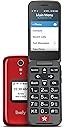
The GreatCall Lively Flip is a user-friendly flip phone designed for seniors, featuring a Snapdragon 1.1 GHz processor, 12-hour battery life, large buttons, and a 3.2-inch LED display with an 8MP camera. It offers one-touch emergency response, flexible no-contract plans starting at $14.99/month, and 24/7 customer support, all wrapped in a vibrant red design that combines safety, simplicity, and style.


| ASIN | B08HVVCBHL |
| Aspect Ratio | 16:10 |
| Battery Average Life | 12 Hours |
| Battery Average Life Talk Time | 6 Hours |
| Battery Capacity | 1780 Milliamp Hours |
| Battery Description | Lithium battery |
| Biometric Security Feature | Face Recognition |
| Box Contents | Camera |
| Brand | Lively |
| Brand Name | Lively |
| CPU model | Snapdragon |
| CPU speed | 1.1 GHz |
| Camera Description | Front, Rear |
| Camera Flash Type | Built-in |
| Cellular Technology | 3G |
| Colour | Red |
| Compatible Devices | Animated telephone service |
| Connector Type | USB Type C |
| Customer Reviews | 4.0 out of 5 stars 2,922 Reviews |
| Display Type | LED |
| Flash Memory Supported Size Maximum | 32 GB |
| Form Factor | Flip |
| Front Photo Sensor Resolution | 5 MP |
| GPS Geotagging Functionality | False |
| Human Interface Types | Buttons, Keypad |
| Item Dimensions | 18 x 71 x 109 millimetres |
| Item Weight | 159 g |
| Manufacturer | GREATCALL |
| Material Features | Large buttons easy to press, large transparent display |
| Maximum Display Resolution | 480 x 320 |
| Memory Storage Capacity | 16 GB |
| Memory storage capacity | 16 GB |
| Model Series | Lively Flip |
| Model Year | 2023 |
| Network Connectivity Technology | Wi-Fi |
| Number of Front Cameras | 1 |
| Number of Rear Facing Cameras | 1 |
| Operating System | Android |
| Operating system | Android |
| Optical Sensor Resolution | 8 MP |
| Phone Talk Time | 12 Hours |
| Processor Series | Snapdragon |
| Processor Speed | 1.1 GHz |
| Product Features | Camera, QWERTY keyboard |
| RAM Memory Installed | 16 GB |
| RAM memory installed size | 16 GB |
| Rear Facing Camera Photo Sensor Resolution | 8 MP |
| Refresh Rate | 60 |
| Resolution | 480 x 320 |
| SIM Card Slot Count | E Sim |
| Screen Size | 3.2 Inches |
| Sim Card Size | eSIM |
| Specific Uses For Product | Calls, text messages |
| Supported Satellite Navigation System | GPS |
| UPC | 889063506991 |
| Unit Count | 1.0 count |
| Water Resistance Level | Not Water Resistant |
| Wireless Network Technology | GSM |
| Wireless Provider | MVNO |
A**R
Perfect for my Uncle!
I bought this Jitterbug for my uncle, and it has been a total game-changer. He was always frustrated by complicated smartphones, but this one is amazingly user-friendly. Easy to Use: Huge, readable screen text and simple menus. Clear Audio: Crisp sound that works great with his hearing aids. Safety First: The built-in 5Star Urgent Response button gives our entire family complete peace of mind. Reliable: Long battery life and no complicated settings to mess up accidentally. It restored his confidence and keeps him safely connected. If you need a hassle-free phone for a senior relative, this is it!
M**W
Fairly easy to use, but previous generation software was simpler
I bought this phone as a replacement for my elderly mother whose 1st generation Greatcall Flip’s battery was dying. The hardware is almost exactly the same except for some different wording on the buttons. The software is also similar, except for placing a call. Unless you set up one touch dialing, the number of steps to just call a contact has increased vs the first generation phone. For a savvy user this is not a problem. For an elderly person that is not that into technology, that’s a problem. I don’t understand why they would make this most basic operation more complicated for a product specifically tailored to an elderly audience; this is supposed to be their area of expertise. However, we set up one touch dialing to overcome this complication. The rest of the phone is great. So one star demerit for making contact calling more complicated when not using one-touch dialing. Otherwise a great product.
M**K
volume level keeps shifting
Good but not Great. The user interface tries to do too many things: take pictures, videos, do text messages, check voice mail, check missed calls . . . Seniors need a phone that does one thing GREAT (make phone calls) and move everything else to the back burner, still available, but buried away in the menus for savy Seniors who feel like exploring bonus features. There are so many things they could have done to make phone calling easier. This is actually better than other flip phones, but not as much as hoped for. I'd suggest they make the call menu top priority for the phone, scroll down and have the contact names right there, then press okay and it immediately calls that contact. To do anything else should require navigating through the MENU which could be at the top, right above all the contact names. Easy, problem solved, and many more aging seniors would be able to use it. ----EDIT---- My mother is constantly accidentally turning the volume down (pressing the buttons on the side) and then saying things like "I can't hear you I can't hear you I can't hear you" and has difficulty figuring out she needs to turn the volume back up. subtracting another star. surprisingly difficult for her to use this phone ---REEDIT -- this is an AWFUL PHONE, Mom and I can't figure out how to adjust the ringer volumn up, I tried to talk to her on another phone telling her which button to press, the volumn button on the side that the manual clearly specifies, didn't work, she actually got it to drop down to silent. 0 stars now, if can't figure it out will have to cancel ---Re-REedit 3rd time -- Mom still can't figure out how to adjust the ringer volume. It arbitrarily gets set to Ringer-OFF (I suspect from hitting the side buttons by accident) then the phone does't ring and she doesn't answer it, and when she tries to adjust the volumn while I'm on the phone with her, when I tell her how, she adjusts the Conversation-Volume. The folks at Jitterbug need to get a phone design that's not prone to senior citizens accidently pressing the ringer volume to OFF. It's more than a head-ache, it causes her to NOT HEAR THE PHONE RING. sure, young folks can figure out what's going on, and try not to do it again, but elderly seniors don't learn from past mistakes and cant figure things out easily. I have to give this phone an F rating, bad design of ringer volume and conversation volume on the side, too easy to accidentally press. okay for seniors with sharp minds, and elderly . . . but folks, this is a "jitterbug" F
T**Y
Alexa works but is hard to set up, calling is awkward
We got this for my 89 year old father in law because a smartphone is way too error prone for him. Even if he were to use Siri to dial, if he touched the screen he would be in trouble. He has AMD so he only has peripheral vision and can’t see well enough to work through any menus or a contact list, even with the large font on this phone. He flips the phone open to answer, puts it to his ear, and flips it closed to hang up. He knows how to do that, and it is reliable that way! Hidden in the accessibility settings in the phone is a handy one to lock the exterior buttons so he can’t accidentally turn the ringer volume down. We also liked that this has Alexa capability so he might be able to use dial by voice on top of the flip phone practicality. Unfortunately Amazon and Lively aren’t friendly enough to have a seamless integration of Alexa with the phone. It’s hard to set up and the results leave something to be desired. First you have to link your Lively and Amazon accounts which is understandable, but then you have to add the Lively ‘skill’ to Alexa on this device. The big disappointment is that even after jumping through the hoops to successfully set it up you can’t say, “Alexa, call Tommy.” You have to say, “Alexa, ask Lively to call Tommy.” My father in law is having the darnedest time remembering that or even pronouncing the new words for him “Alexa”, “ask”, and “Lively.” You can’t deviate, you have to nail it! Apparently he never uses the word ask it’s always tell, and Alexa was an obscure name in 1945 but Alexis was fairly popular! If we could get it to call me when he says, “Alexis, call Tommy” or even, “Alexis, tell your buddy to call Tommy” that would be great.
P**E
Perfect basic phone for senior dumb phone is safe to use
Awesome dumb phone for senior! It’s a phone and text. It’s PERFECT for the seniors like my mom who mess up the phone by trying to find or fix or explore and end up messing up all the options and too complicated for seniors. It’s perfect for paranoid because there is no internet it’s great. The star service is perfect and they answer immediately and help. I highly recommend this for family who keep messing up phones trying to figure them out or messing with the settings or have difficulty answering or hanging up phones this is EXCELLENT FOR SENIORS!
Trustpilot
1 month ago
1 month ago