We remain fully operational. Our teams are working around the clock to ensure your deliveries continue safely.

DOWNLOAD THE APP


Customer Services
Copyright © 2025 Desertcart Holdings Limited
DOWNLOAD THE APP
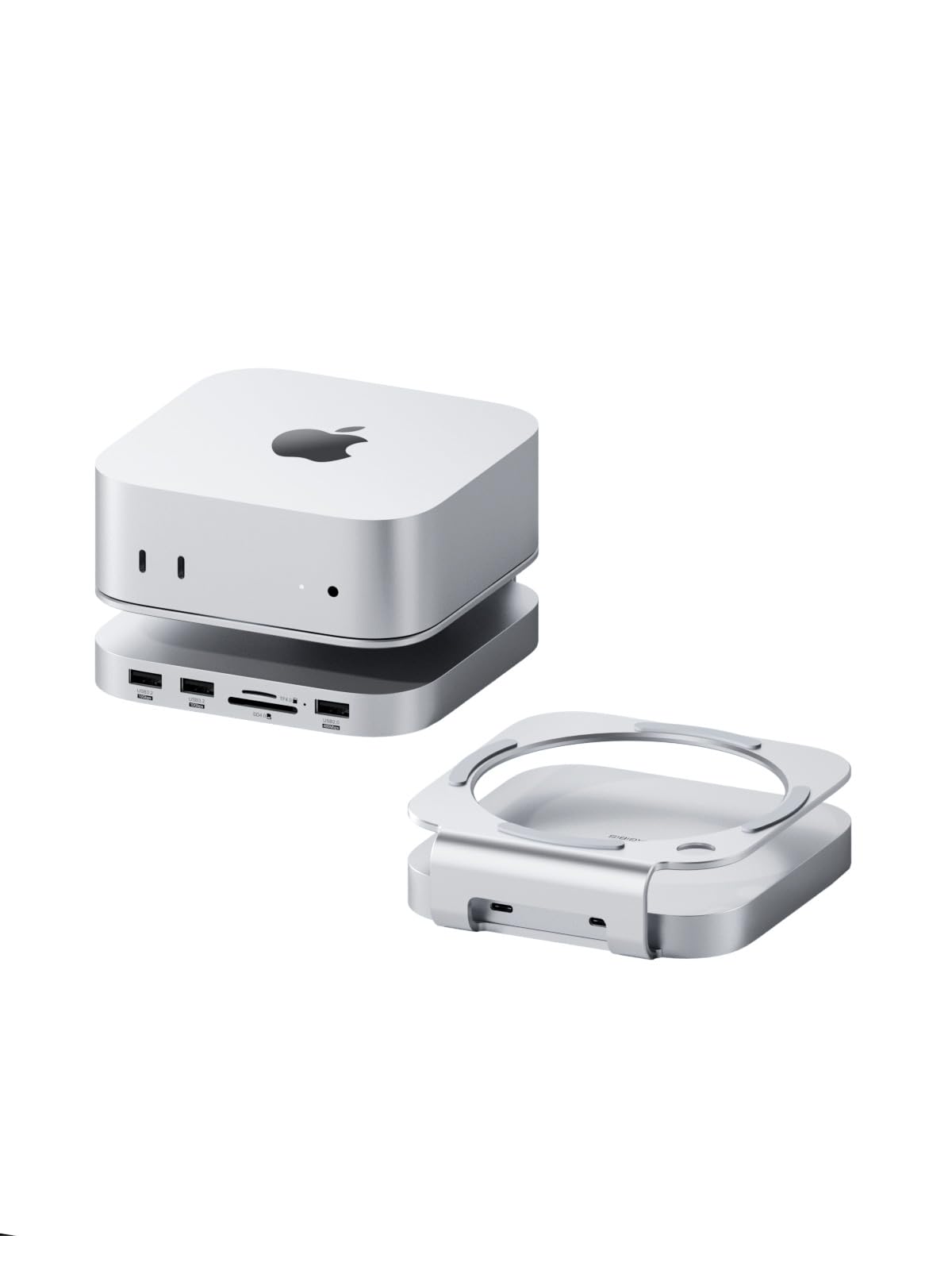


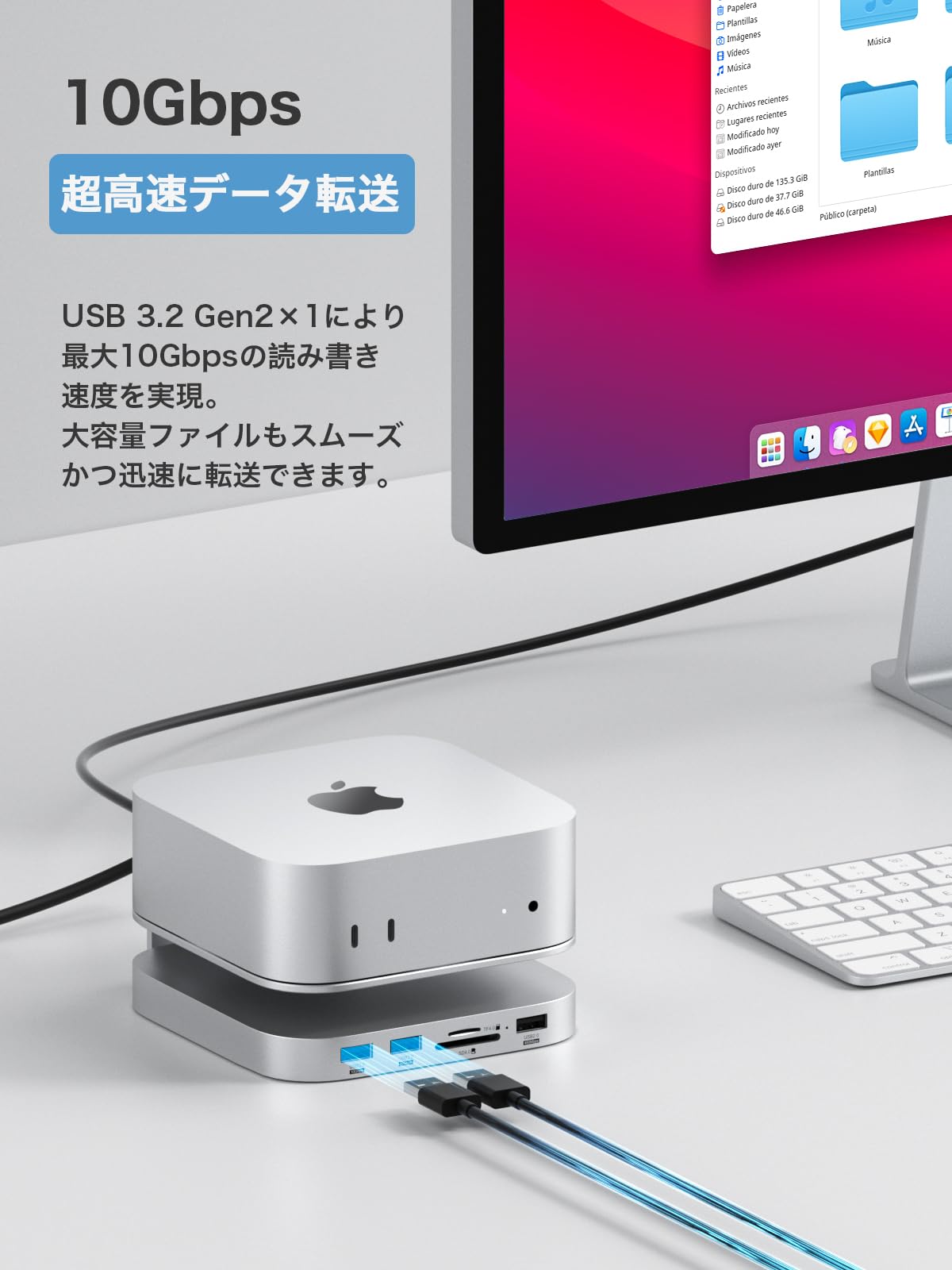
🚀 Elevate your Mac Mini M4 with speed, style, and storage power!
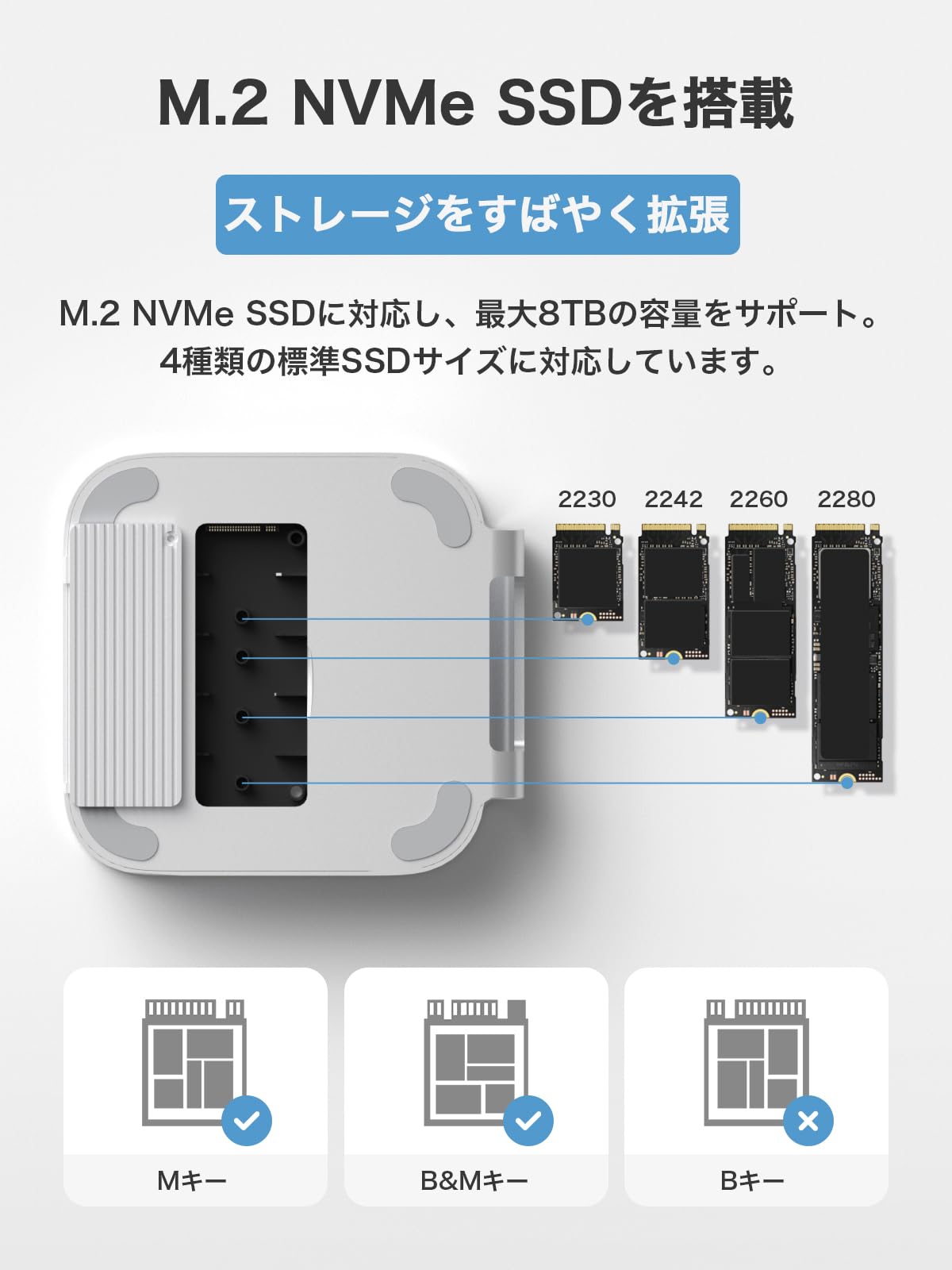
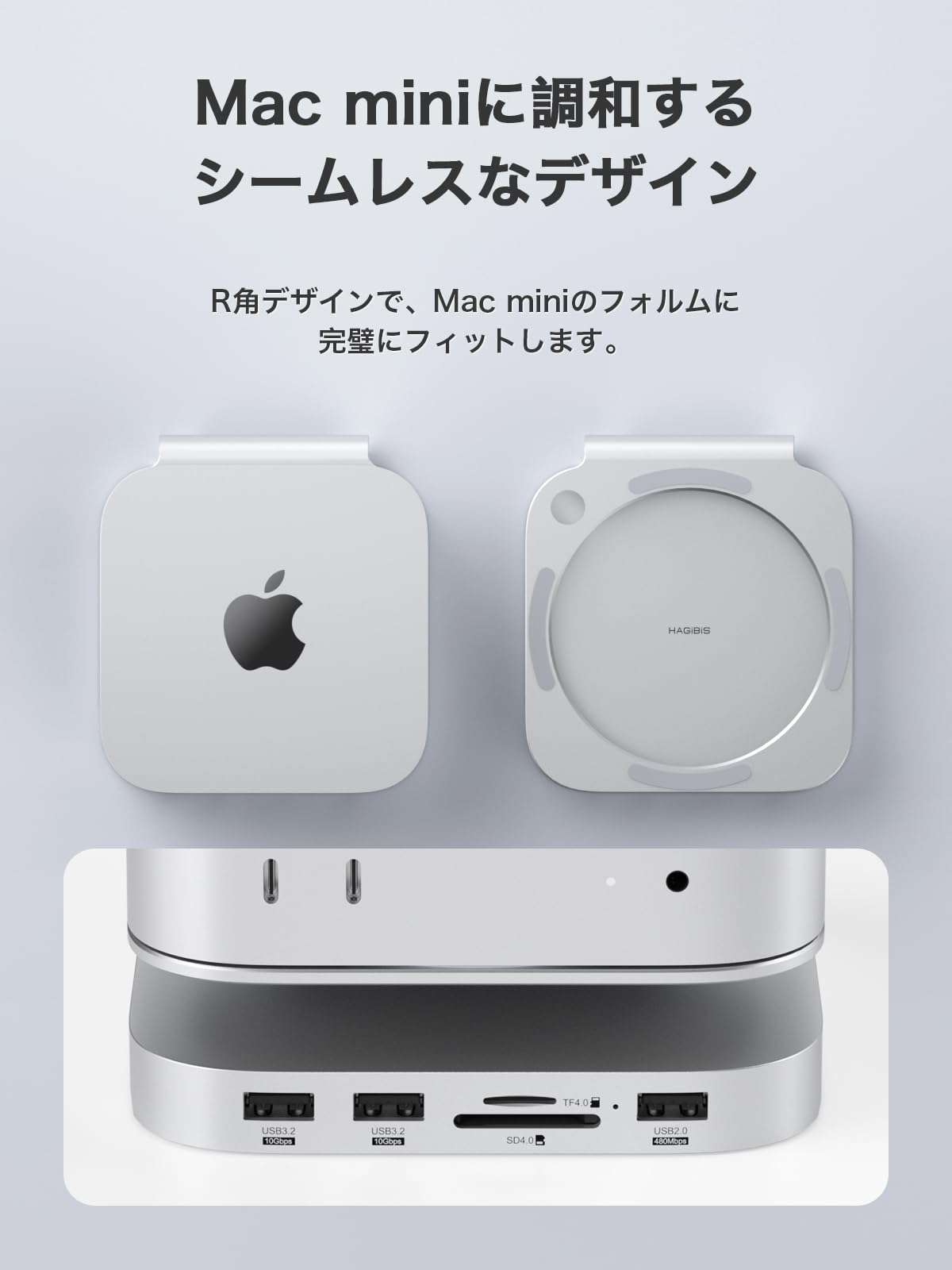
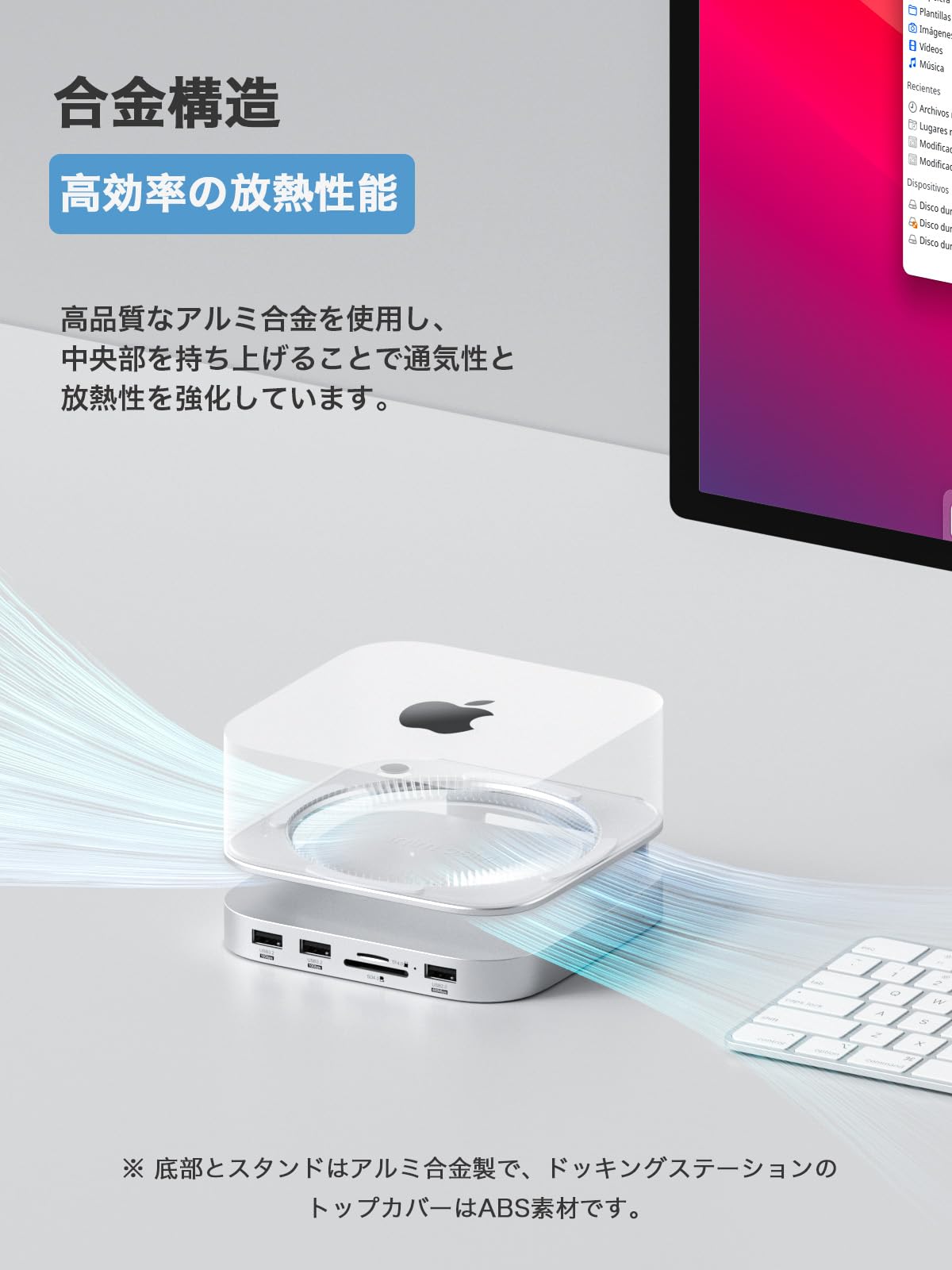
The Hagibis Mac Mini M4 SSD Stand Hub Dock is a precision-engineered aluminum expansion stand designed exclusively for the Mac Mini M4. It supports M.2 NVMe SSDs up to 8TB, delivering ultra-fast 10Gbps USB 3.2 Gen2 data transfer speeds. Featuring multiple USB ports and SD card readers, it consolidates your peripherals into one sleek, plug-and-play hub while maintaining optimal cooling for sustained performance.


| ASIN | B0DP8ZX7K8 |
| Amazon Bestseller | #134,523 in Computers ( See Top 100 in Computers ) #1,817 in USB Hubs |
| Batteries Included | No |
| Batteries Required | No |
| Color Name | Silver |
| Compatible Devices | Mac Mini M4 |
| Customer Reviews | 4.0 4.0 out of 5 stars (891) |
| Data Transfer Rate | 10 Gigabits Per Second |
| Date First Available | December 9, 2024 |
| Included Components | Mac Mini M4 Docking Station |
| Item Model Number | MC60 |
| Item Weight | 3.9 Ounces |
| Item model number | MC60 |
| Manufacturer | Shanghai Xinxie Industrial Co., Ltd |
| Material | Aluminum Acrylonitrile Butadiene Styrene (ABS) |
| Max Number of Supported Devices | 3 |
| Memory Storage Capacity | 8 TB |
| Operating System | macOS |
| Product Dimensions | 13.72 x 12.7 x 3.56 cm; 110.56 g |
| Size | S |
| Special Features | Plug and Play |
| Total Usb Ports | 3 |
ろ**お
4GのSSDと4GのM2のと2つ入れてます。 さらに補助電源なしで2.5インチのHDDと外部ディスプレイ接続しています。 問題なく使えています。 いつまでちゃんと使えるか不安になるか、当たりの個体で喜ぶべきか・・・
ま**ゅ
USB入力ポートが増えて、かなり拡張性が広がった。古いMacProからMacMini Apple M2 Proへ引越ししたが、なんとか事足りた。ただ、2台目のモニター接続をHagibis USB-C ハブのポートに接続したがHDMIポート接続で認識不可能だった。本体にApple 純正のUSB-C to Digital AVを使用してHDMIポート接続したら、モニターは認識できて、マルチディスプレーで使用している。USB入力ポートはすべて認識できたが、HDMIポートは認識できなかった。内部にSSD2TBを増設できた。これは正常に認識している。
S**ー
HDMI端子が付いているので購入しましたがusbC端子を2ヶ使わないと接続できないので使っていません。 SSDが2台接続できますがNVMeはMacのUSBにHDDが接続してあると起動時認識をしないので再起動しないと駄目です。ステーションの端子に接続した場合は正常に認識しますが、端子が前面にあるのでケーブルが邪魔になります。端子2ヶは後にある方が使い勝手はいいと思います。NVMeSSDに大きなファイルを書き込むと大量の熱が出てmacの温度も高くなるので自己責任で写真のようにファンを付けました、電源はmacのUSBから取って45℃のサーモスイッチもつけました。底面にはゴム足を付けて隙間を空けました。
ベ**ー
mac-miniにUSBーCのケーブル接続後、WiFi通信が途切れる。mac-miniと本製品間では、どのUSBとの組み合わせでも同様の問題が再現する。そこで交換を考えるが、手続きは「返品作業」→「出品者の返品商品を確認」→「返金」→「再購入」となる。しかし、アマゾンからの出荷でないため返品作業は全て返品者が行う。これはかなりリスクがある。言い換えればアマゾンで購入する意味が無いとも言える。現在ではeBayやAliexpress等の選択肢もあるので、海外出品の商品は控えた方が良さそうです。
S**Q
Why only 3 stars?... because
I only gave this item 3 stars, because it only works half way. No matter how I tried powering the NVMe SSD it doesn't work! The SSD works fine and has good speeds. The other ports too work fine, but I really wanted to stick BOTH of my external drives in the enclosure to minimize external drives. I really want to give this drive 4 or 5 stars, because I like the idea and the design.
A**R
M2 Mac miniと一緒に使っています。こちらのハブに1TBのSSDを取り付けていて普通に使えています。最近wifiまわりのトラブルがあったので(ただ、この製品との因果関係は不明です)共有のためにレビューに残します。 症状: Mac miniを購入して1年以上経過、これまでwifiは問題なく接続できていた。(ルータはASUS TUF-AX4200)2024年末にファイルをDLしていた所、DLスピードが遅くなったり止まったりすることが複数回起きはじめた。 アクション: 別のPC(Ubuntuを入れたミニPC)からルータにログインし確認したら、2.4GHzで接続していたことが判明。ネットの情報からAirDrop関連の機能をオフにした。(設定でAirDropをオフにする、コンソールからコマンド "sudo ifconfig awdl0 down" の実行)また、追加で以下の対策を施した。 ①ハブの電源は付属ケーブルでMacのUSB-Aポートから取得していたが直接コンセントから取るように変更。 ②ハブはMac miniの本体下に重ねて設置していたが、1mのUSB-Cケーブルに交換し可能な限り離して設置。 ③IP Addressをルータの自動割り当てから固定に変更(こちらは念の為) 再起動後は5GHzでルータに接続していることを確認、スピードも充分に速くなりました。 ハブのデザインはMac miniにマッチしていてとてもいいのですが、ウチでは結果として重ねて使えなくなってしまったのが残念です。もししっかりとしたノイズ対策がされていてウチの環境で重ねて使用してもトラブルが発生しない、しかし価格はそれなりに高い、という製品があったとしたら、そちらを選択していたと思います。なので星2つとしました。
J**S
内蔵M.2SSDをTimeMachineで使おうとするとクラッシュします。
ま**さ
M2 Mac miniのUSBポートを増やしたくて購入しました。デザインもM2 Mac miniにあってます。USB挿したり、外したりする時に動いてズレるのがちょっと気になります。SSD増設もでき、4Kディスプレイポートも問題なく使えてます。
B**.
Has all the ports you need to use non apple accessories like mouse and keyboard, sd cards from cameras and drones, the occasional flash drive, and an external hard drive since apple is absolutely insane with their storage upgrade pricing. Hard drive definitely mounts securely. I thought I was going to break it but once it went in it felt fine. I have had no issues with wifi signal but my router is high quality and maybe 30 feet away through 3 walls.
A**P
Device Looks good - just started using; item delivered two days delayed due to the amazon local delivery executive issues and after a couple of customer care calls they reassigned it to another delivery executive and she delivered it as per the reassigned date and time. The Samsung T7 Shield gave better write speeds when used with the HUB's USB-C! compared to T7 Shield using directly with the Mac MIni M2 USB-C port! But the read speeds reduced to around 700MB/s. I have ordered the "XPG GAMMIX S70 Blade M.2 NVME 2TB" along with this and that SSD connected with the HUB's internal M.2 slot gave a respectable read write speeds around 960MB/s. Data transfer from T7 Shield to the "XPG GAMMIX S70 Blade M.2 NVME 2TB" resulted in errors and drive disconnections during bulk copying. However copying individual folders and files worked fine. The HDMI port gave 4K @60Hz without any problems with my Mac Mini M2. SD and MicroSD cards also worked without any problems. I have pasted an additional apple logo sticker I had on top of this Hagibis HUB and with that the HUB looks like from Apple :-) I will monitor this closely in the coming days and update the review with positives and negatives if any.
K**E
Al ff in gebruik, uitstekend!!
R**S
Das Teil läuft bei mir seit ca 1 Jahr absolut fehlerfrei! Mit 2TB Intensio SSD und 2TB NvME sehr schnell und günstig den Mini erweitert. Hervorzuheben ist der hohe Datendurchfluß im Gegensatz zu Konkurrenzprodukten! Nützlich sind die vorderen Anschlüsse, die dem Mini fehlen. Unbedingt empfehlenswert! Auf YT gibts auch Tests ;-)
R**K
Would recommend to anyone who purchases a Mac mini.
Trustpilot
1 month ago
1 day ago