Buy anything from 5,000+ international stores. One checkout price. No surprise fees. Join 2M+ shoppers on Desertcart.
Desertcart purchases this item on your behalf and handles shipping, customs, and support to EGYPT.
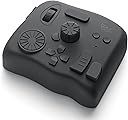
🎨 Master your creative universe with TourBox Elite — where speed meets precision!
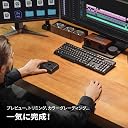
The TourBox Elite is a Bluetooth-enabled, left-hand controller designed to accelerate digital creativity with dual Bluetooth 5.0 connectivity, tactile feedback controls, and extensive customization options. Compatible with a wide range of professional software, it supports complex macros and ergonomic one-handed operation, making it an indispensable tool for video editors, illustrators, and photo processors seeking to elevate their workflow.


| ASIN | B0B5XCMFQD |
| Amazon 売れ筋ランキング | パソコン・周辺機器 - 8,534位 ( パソコン・周辺機器の売れ筋ランキングを見る ) グラフィックタブレット&ペン - 40位 |
| UPC | 850040209112 |
| おすすめ度 | 5つ星のうち4.2 493 レビュー |
| カラー | クラシックブラック(本体のみ) |
| ブランド | TOUR BOX |
| ブランド名 | TOUR BOX |
| メーカー名 | TourBox Tech Inc. |
| メーカー型番 | TBECA |
| モデル番号 | TourBox Elite AMTBECA |
| 保証内容 | 1年間のメーカー保証, 30日間返金保証 |
| 原産国 | 中国 |
| 同梱商品 | 2 AA アルカリ電池, TourBox Elite コントローラー |
| 品目寸法(L x W x H) | 11.6長さ x 10.1幅 x 4.4高さ cm |
| 商品の寸法 | 11.6長さ x 10.1幅 x 4.4高さ cm |
| 商品の重量 | 376 グラム |
| 材質 | アクリロニトリルブタジエンスチレン (ABS), ポリカーボネート (PC), 熱可塑性ポリウレタン (TPU) |
| 素材 | アクリロニトリルブタジエンスチレン (ABS), ポリカーボネート (PC), 熱可塑性ポリウレタン (TPU) |
| 色 | クラシックブラック(本体のみ) |
| 電圧 | 3 ボルト (DC) |
| 電圧(ボルト) | 3 ボルト (DC) |
藤**井
直感的に操作できる最高の左手デバイス!
Premiere Proで使用していますが、正直もっと早く買えばよかったと思えるレベルです。 特にタイムラインの移動やカット編集が圧倒的にスムーズになり、作業スピードが体感で2倍以上になりました。 ボタンのカスタマイズ性が高く、作業内容に応じて自分好みに割り当てられるのもポイント。 ダイヤルやノブの操作感もとても滑らかで、触っていてストレスがありません。 Bluetooth接続も安定していて、ラグもほぼ感じないです。 動画編を本気でやっている人には心からおすすめできます。「手がもう1本増えた」感覚を味わえます!
T**Y
動画編集の効率が劇的に向上!
Premiere Proでの動画編集作業が多く、作業効率化のために購入しました。 Bluetoothの無線接続が非常に快適で、デスク周りがスッキリします。2台同時接続機能でMacとWindows機を切り替えながら使えるのも便利。 触覚フィードバックが絶妙で、ダイヤルやボタンの操作感が気持ち良いです。カット、カラコレ、音量調整などの頻繁に使う機能をワンタッチで実行できるようになり、作業スピードが格段に上がりました。 各ソフトウェアへの対応も素晴らしく、LightroomやDaVinci Resolveでもプリセットが用意されているので設定に手間がかかりません。 バッテリー持ちも良好で、丸一日使っても問題なし。 価格は決して安くありませんが、時短効果を考えれば十分元は取れます。本格的にクリエイティブ作業をする方には投資価値のある製品です。
変**人
心臓の次に大事
これないと生きていけない、ていうかからないなら生きたくない。そんぐらい快適。 しかし!!! 割り当てとかしたデータが本体に保存されるわけではなく、ソフトに保存されるため、別のところに持って行って別のパソコンで繋げて使おうとしてもソフト入れないとダメだし、プロファイルを読み込まないといけない。 だから⭐︎4です!!! でも普通に家で使うだけなら十分に最高です。 ありがとう。 さようなら。
カ**ミ
現状最高の左手デバイス
今までいくつかの左手デバイスを使ってきましたがこれが一番使いやすいです。 プロファイルでそれぞれのアプリごとに設定を変えられたり複数のボタンを組み合わせて設定できるので良いです。 ソフトウェアもそこそこの頻度で更新されるので安心できます。 プロファイルを切り替えるときの通知が右上固定なので左上などに変更できるようになったらもっといいなと思いました。 ジョイスティックがあって、標準でマウスカーソル移動ができるようになったらもっと良かったなと思いました。
テ**ル
安定した接続が出来ず、使用を断念・・・
ボタンの組み合わせが多く、いろいろな機能の割り当てが出来るのが魅力です。 魅力なのですが、私のパソコンでは、なぜか有線接続でも安定してPCが認識せず、 常用に耐えられる状態ではなかったため、星3とさせていただきました。 きちんと使える環境の方ならば、とても便利だと思います。 少し調べても、似たような状態になっている方はいらっしゃるようでしたので、 何か共通の原因があるのかと思いますが・・・ 値段が高かっただけに、手痛い出費になりました。
な**つ
不安な所は使えば全て解決する
iPad→液タブに移行するついでに買いました。最終的には左手デバイスあった方がいいから早めに慣れておこうと思い買いましたが、最初は「液タブだけでも覚える事多いのに左手デバイス使ったら頭パンクするのでは...」と不安でした。不安点は 1→ボタン覚えるの大変そう 2→ ボタン配置自分で考えて納得出来るかな? 3→ 今まで左手デバイスなんか使った事ないから使えるかどうか不安 4→値段高ぇ でした。ですがいざ使ってみると、これらの問題全て解決しました。 1のボタン配置覚える点ですが、ボタンそれぞれの形が違うため一瞬で覚えられます。2で説明しますが余程乱雑にボタン配置しなければすぐ覚えられます。 2のボタン配置考える点ですが、最初自分も苦労しましたが「よく使うツール等を押しやすいところ」「ボタンの組み合わせ等は『塗り』『範囲選択』など固める」この2つを意識するとボタン配置を決めやすく覚えやすいです。また最初に全て設定しておくのではなく、最低限の設定をしてから実際イラストを描いてみて「あ、このボタン配置はこっちにしよう」「このツールを登録したいな」と実際にやりながら設定する事をおすすめします。 3の左手デバイスの使用自体の不安ですが、今ではこの左手デバイス無かったら発狂するくらい困ります。あまりにも使いやすすぎて遅くても1週間もあれば慣れます。 4の値段ですが、確かに高いです。他の左手デバイスも調べましたがこれだけ群を抜いて高いです。自分は他の左手デバイスを使った事がないので分かりませんが値段以上の性能はしてると断言できます。他の左手デバイスを見てるとダイヤル式のボタンが無かったり、少なかったりとtourbox使ってる身とすればそれだけで拒否反応が起こります。正直4万円だとしても買います。それぐらい価値のある左手デバイスだと思ってます。 以上が自分のtour boxのレビューです。これがなければ自分は今でも液タブでイラストを描くのに苦戦して「iPadの方が良いかも...」とか言ってるかもしれないです。断言します、これはかなり良いです。とりあえずで買える値段ではないですがお金に余裕があったり左手デバイスで後悔したくない人は買いましょう ※液タブでクリスタを使う自分のレビューです。他のアプリや動画編集を使う人の参考にはならないかもしれません
O**O
使い方次第だけど、便利
使い方次第だけど、便利
あ**あ
編集のQOL爆上がり
二年ほど利用しての使用感、 動画編集の相棒、これ無しではもう編集できません。 ほぼ毎日1~2時間は最低利用していて、特に十字ボタンは酷使してますが 今のところボタンがへたったりということはないです。しっかり作られてますね 不満点は正直ボタン数はもうすこし多い方がいいかな とはいえ、非常に満足してますので壊れたらまた購入すると思います! 高いけどコスパは抜群
C**A
Practicidad
Es un dispositivo super útil para el flujo de trabajo en videos. Estoy muy contento con el producto y vale la pena la inversión. Es un dispositivo pesado, se siente de buena calidad y los botones vienen con pre ajustes que te facilita todo.
I**D
Great device if you edit frequently - will reduce mouse clicks/movements
Full disclosure: This is a great device but I returned it. Why? Because as much as I would like to take and edit pictures all the time, the reality is that I don’t do so weekly so the learning curve and muscle memory is more difficult. Is this an amazing device that makes your editing workflow easier? Absolutely! Is it customizable? Absolutely! Then why did I return it? Only because I’m not using it weekly so I’m not able to remember all of the programmed functions without thinking about it and without repeated use I can’t get the muscle memory down. However, if you edit photos all the time rather than every few weeks, you will be able to use this device without thinking. I’m a gadget guy but this is more than a gadget - it really does make the workflow easier with fewer mouse clicks/movements. So, if you edit all the time or spend hours during each editing session even if you don’t edit all the time, this device is highly recommended. Perhaps when i retire in a few years and spend more time taking photos (my passion and zen), I’ll get the latest version of it!
A**R
Definitely worth it
I like this so much that this is my second unit
M**U
I love it!! Excellent user experience, highly customizable, amazing configuration companion app!
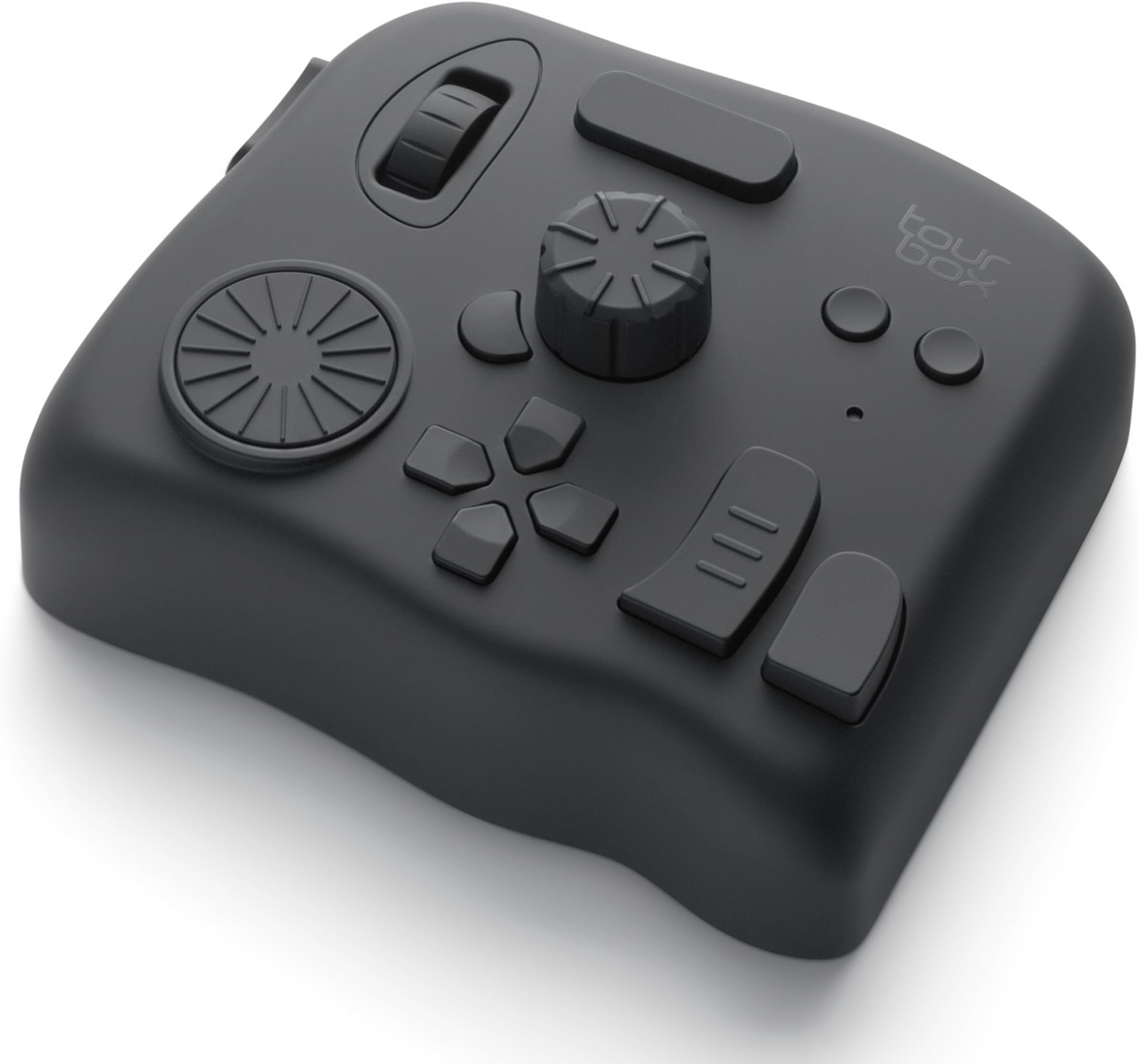
High-quality materials and construction, very heavy-weighted so it stays in place on the desk and feels solid. Haptic feedback is appreciated for feeling the dials' notches (and can be adjusted per button/dial mapping), but if you don't need that or Bluetooth connectivity, get the lower tier model. I love the concept of all buttons/dials having different shapes, positions and surfaces, it makes them all so much more unique and memorable. The TourBox Console companion app for configuring button/dial bindings is extremely well designed and easy to use. I love the fact that I can associate actions with pretty much any combination of buttons and dials, so I can get pretty creative on how I set it up for each application, and I don't feel like I can run out of mapping possibilities. That was a big criteria for me and they scored 100% there. I'm using it in Ableton Live (for audio editing and music composition), in Blender (especially for 3D sculpting) and in Affinity Photo (for hand drawing) as a complement to my Kamvas Pro pen tablet (which was bundled with Huion's Keydial Mini, but that just can't compare to the TourBox, given its even grid of similar buttons). The only downside is the price. It is slightly overpriced compared to other hardware of similar complexity (game controllers, keyboards, mice, etc), but I guess that being targeted to a rather narrow professional audience, it's probably something to expect. But even if it's rather expensive, I don't regret my purchase at all and would buy it again any time if I had to. Highly recommended to anyone involved with creative apps and workflows, with so many keyboard shortcuts to remember and trigger.
L**G
Absolutely Incredible Product for Power Computer User
I cannot express enough how amazing this product is. It has completely reinvented how I use and interact with my computer. I use and have programmed the Tourbox for Adobe Premiere, Photoshop, & Lightroom, as well as Pro Tools, and Davinci Resolve. I have even created custom presets for Finder, VLC, Chrome, and more. It auto switches functions as I move between apps making the buttons ALWAYS what I need it to be. When I'm editing in premiere I barely even use my keyboard... just tourbox and mouse. I love how customizable this thing is. Want a commonly used hotkey? Go to the app, press the button where you want it, and tell it what hotkey. It's simplicity and incredibly designed software and hardware make this the ULTIMATE tool. This has become an essential tool for me when video editing, colour grading, and vocal tuning. My suggestion for new users is to start your own preset in the app you use instead of downloading a premade one. A lot easier to add the things you need one by one than trying to learn an entirely new set of pre-determined buttons. This item is easily my favourite purchase of 2023.
Trustpilot
5 days ago
2 weeks ago