
DOWNLOAD THE APP


Customer Services
Copyright © 2025 Desertcart Holdings Limited
DOWNLOAD THE APP


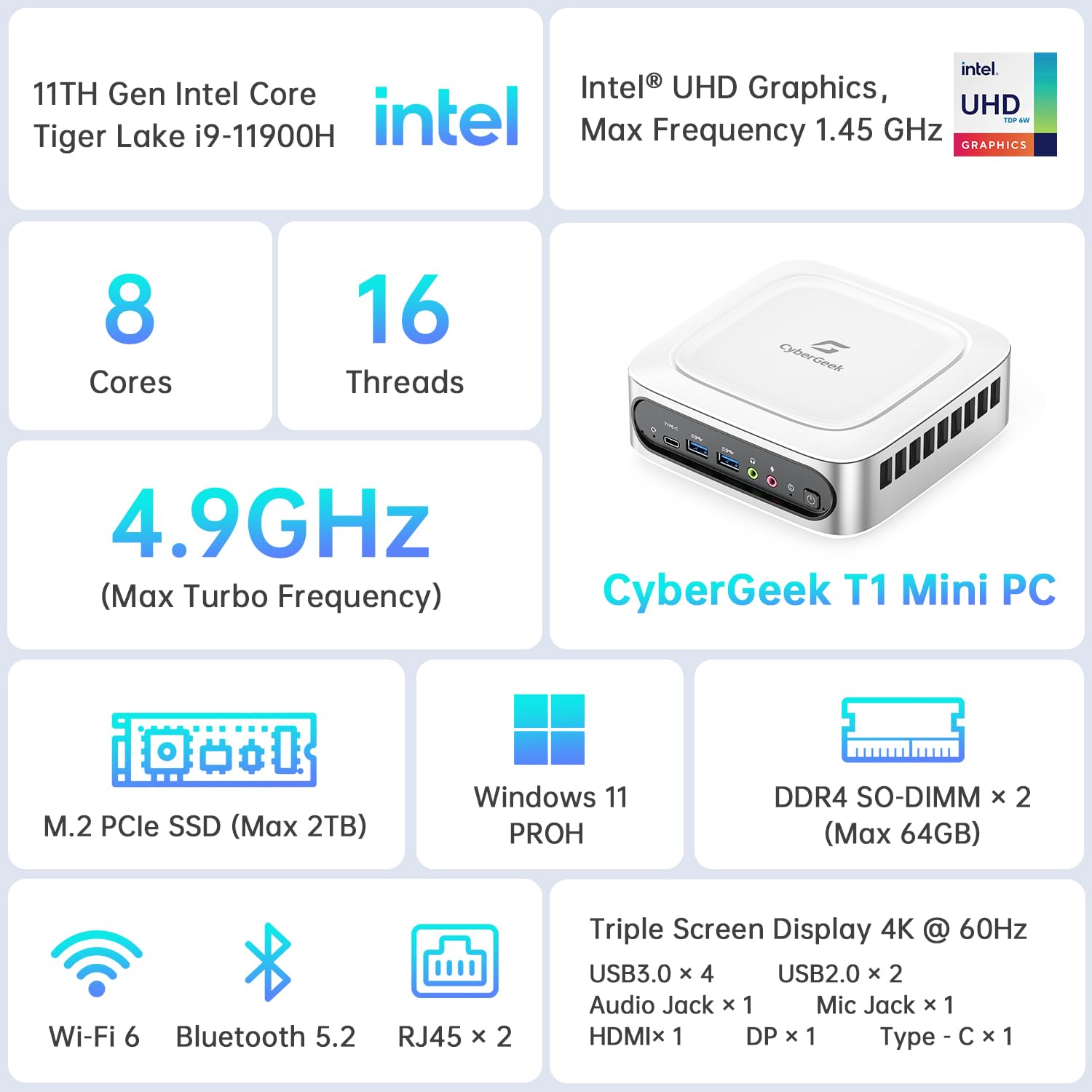

🚀 Power-packed Mini PC for the modern multitasker — don’t get left behind!
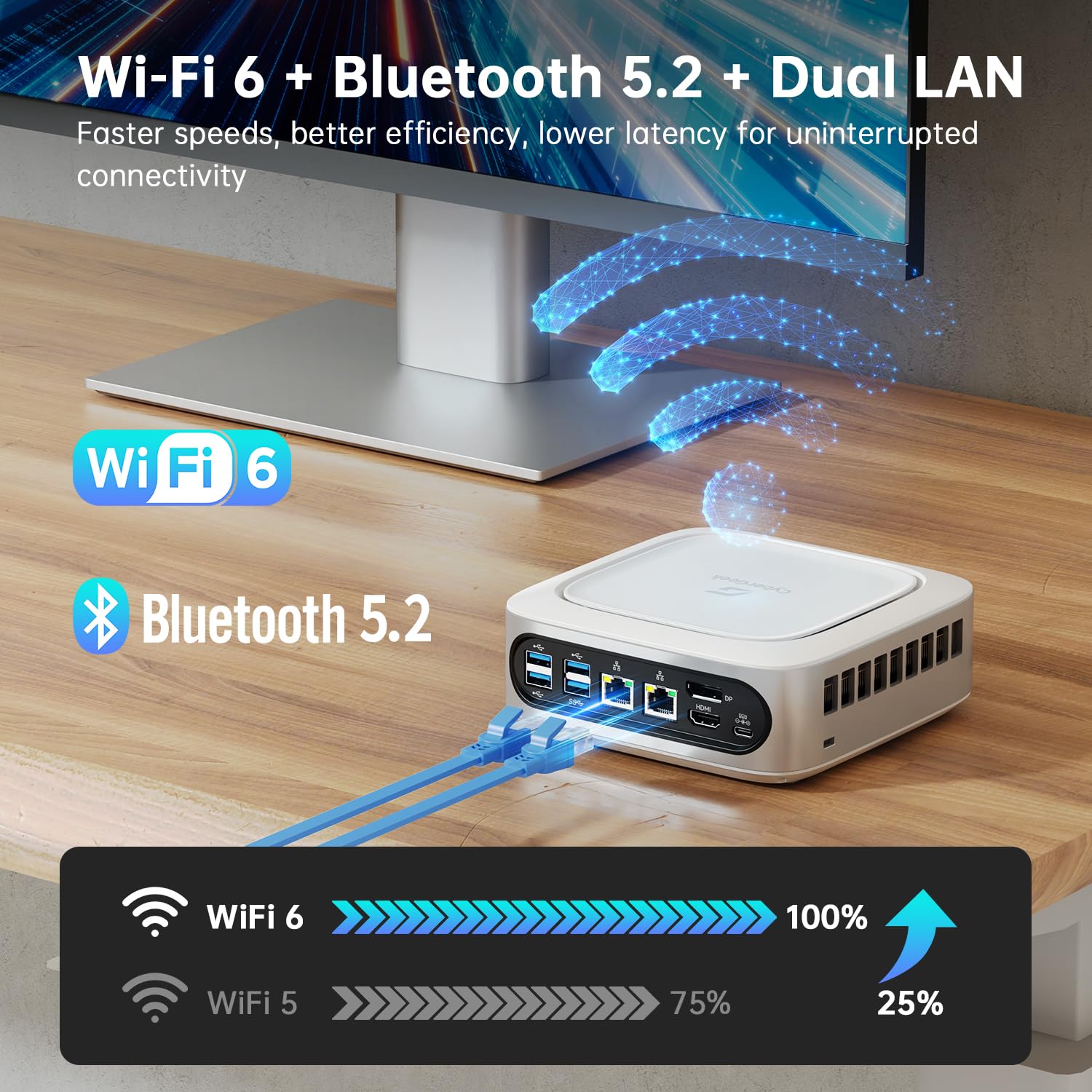
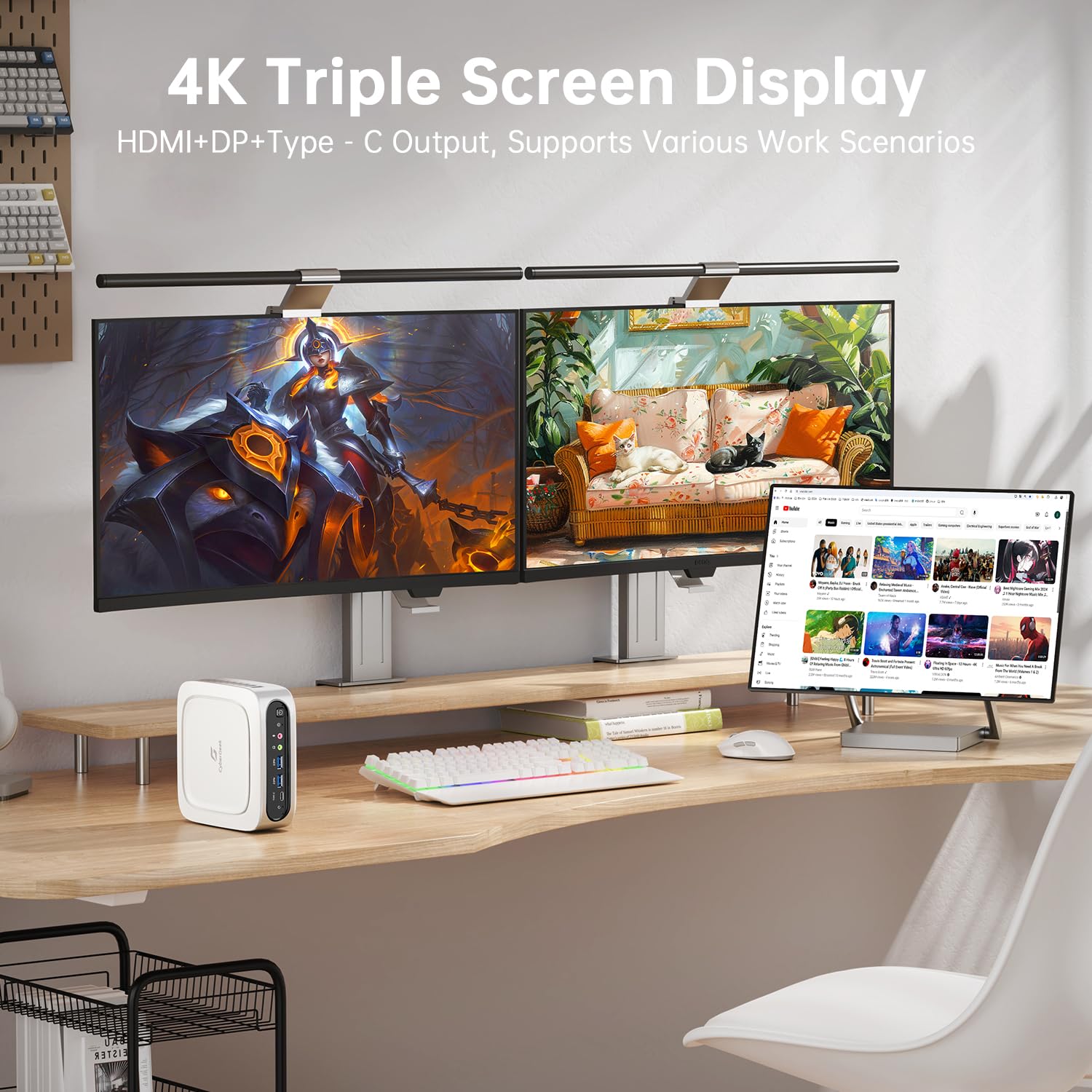
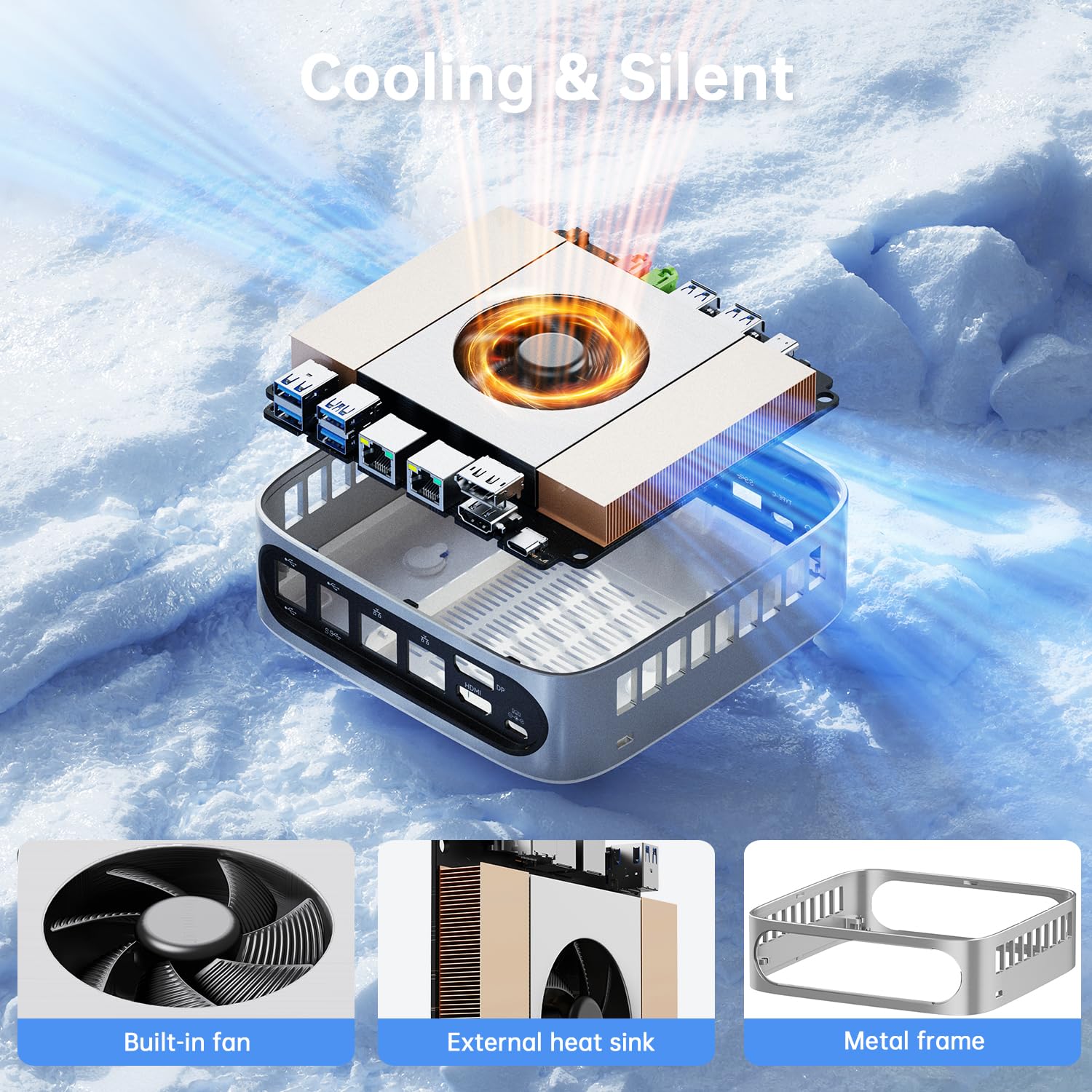
The CyberGeek Linux Mini PC features an 11th Gen Intel Core i9-11900H processor with 8 cores and 16 threads, clocking up to 4.9GHz. Equipped with 64GB DDR4 RAM and a 1TB PCIe SSD, it delivers exceptional speed and storage. It supports triple 4K displays via DisplayPort, HDMI, and Type-C, and offers extensive connectivity including 6 USB ports, Wi-Fi 6, and Bluetooth 5.2. Its compact design includes advanced cooling for sustained high performance, making it ideal for professionals and gamers seeking a powerful yet space-efficient desktop solution preinstalled with Ubuntu Linux.


| ASIN | B0DF3N97B2 |
| Additional Features | Mini pc |
| Aspect Ratio | 16:9 |
| Brand | CyberGeek |
| Built-In Media | Intel Core i9 |
| CPU Model Number | i9-11900H |
| CPU Model Speed Maximum | 4.9 GHz |
| CPU model | Intel Core i9 |
| CPU speed | 4.9 GHz |
| Color | White |
| Compatible Devices | Keyboard, Mouse, Printer, External Storage Drive, Monitor, Speaker, Headphone, Smartphone, Projector |
| Connectivity Technology | Wi-Fi |
| Cooling Method | Air |
| Customer Reviews | 3.7 out of 5 stars 107 Reviews |
| Display Resolution Maximum | 4096 x 2160 |
| Graphics Card Interface | Integrated |
| Graphics Coprocessor | Intel® UHD Graphics |
| Graphics Description | Intel UHD Graphics |
| Graphics card description | Intel UHD Graphics |
| Graphics co-processor | Intel® UHD Graphics |
| Hard Disk Description | SSD |
| Hard Disk Interface | Solid State |
| Hardware Interface | DisplayPort, Ethernet, HDMI, USB |
| Human-Interface Input | Keyboard, Mouse |
| Item Dimensions | 15.6 x 15.6 x 5.5 centimeters |
| Item Weight | 3.66 Pounds |
| Keyboard Description | Not Included |
| Keyboard Layout | QWERTY |
| Manufacturer | CyberGeek |
| Memory Speed | 3200 MHz |
| Memory Storage Capacity | 1 TB |
| Model Name | T1 |
| Model Number | T1 |
| Model Year | 2024 |
| Native Resolution | 3840 x 2160 |
| Number of Component Outputs | 2 |
| Operating System | Linux |
| Operating system | Linux |
| Personal Computer Design Type | Mini PC |
| Processor Brand | Intel |
| Processor Count | 8 |
| Processor Series | Intel Core i9 |
| Processor Socket | FCBGA1787 |
| Processor Speed | 4.9 GHz |
| RAM Memory Installed | 64 GB |
| RAM Memory Technology | DDR4 |
| RAM Type | DDR4 SDRAM |
| Ram Memory Maximum Size | 64 GB |
| Resolution | 3840 x 2160 |
| Security Features | [Cannot specify] |
| Specific Uses For Product | Personal |
| Style Name | i9-11900H |
| Total Number of HDMI Ports | 1 |
| Total Usb Ports | 7 |
| UPC | 797725072503 |
| Video Output | HDMI, DisplayPort |
| Video Output Interface | HDMI, DisplayPort |
| Video Processor | Intel |
| Wireless Compability | 802.11ax |
| Wireless Network Technology | Wi-Fi |
| Wireless Technology | Wi-Fi |
C**N
Nano L1 Cybergeek Ryzen 7 5700U mit UBUNTU.
Hardware wie beschrieben: i.O. Software : Ubuntu 22.04 OK, ABER ohne Root Passwort. d.H. NUTZLOS. ( Eigene User ist kein sudoer, auch nutzlos ) Cybergeek Service: Nutzlos, Sie können mich nicht helfen, weil sie meine Auftrag nicht finden können. Meine Vermutung ist, dass Amazon.de das Gerät Amazon.com (USA) bestellt hat und Amazon USA hat Cybergeek das Gerät bestellt. So Cybergeek hat keine Ahnung von mir. Lösung: ich habe Debían 12 rein installiert.
A**R
Space saver
Good purchase, and save a lot of room on my desk.
L**Y
This is Linux!
This is LINUX... but I was able to get it into WIndows for a good price.
T**E
Vendor does not back warranty items
Buyer beware. It was a great little product, but we were no longer able to log on.. I've been dealing with global distribution for three weeks with no resolution on a warranty item. Apparently, they do not honor their warranties. They have been reported to Amazon who assures me that they will be contacting them. I'm not bagging on the mini computer. It's the vendor that is difficult to deal with and offers. No resolutions. They had me pay for shipping back a warranty item so that's another $20 that I'm out
B**N
Awesome little PC but displayport not working in Ubuntu. Adapter needed for triple monitor!
This little PC runs basic everyday stuff like browsing with multiple browsers, email, spreadsheets, full screen video, all great! It is also very quiet even when the fan is on high. Can hardly hear it from 3 feet away, and that is only in a very quiet room. Ubuntu Linux has come along way also. The last time I tried Linux was over 15 years ago. It is kind of awesome now. It is fast and has everything you need. The only issue I have had is the displayport. It just doesn't work. HDMI works fine and came with displylink already installed and working for a USB-C to HDMI cable to monitor. I had to get a USB-C hub that had two HDMI out ports, along with the PCs HDMI to get triple monitors working. But that DID work just fine. Not sure if the issue is a hardware problem or a Linux problem. It might work in windows, I did not try that yet. I might someday. But for now it's running 3 monitors great(with the added hub). Overall I am pretty happy with the mini PC. Nice to say goodbye to windows! Update: I installed Windows 11 today to see if the Displayport would work in there. It did NOT. Not sure what the problem is. I will reach out to CyberGeek support tomorrow as it is a holiday here today.
Trustpilot
2 months ago
1 month ago