
DOWNLOAD THE APP


Customer Services
Copyright © 2025 Desertcart Holdings Limited
DOWNLOAD THE APP

🎮 Elevate your click game with silent precision and featherlight freedom!
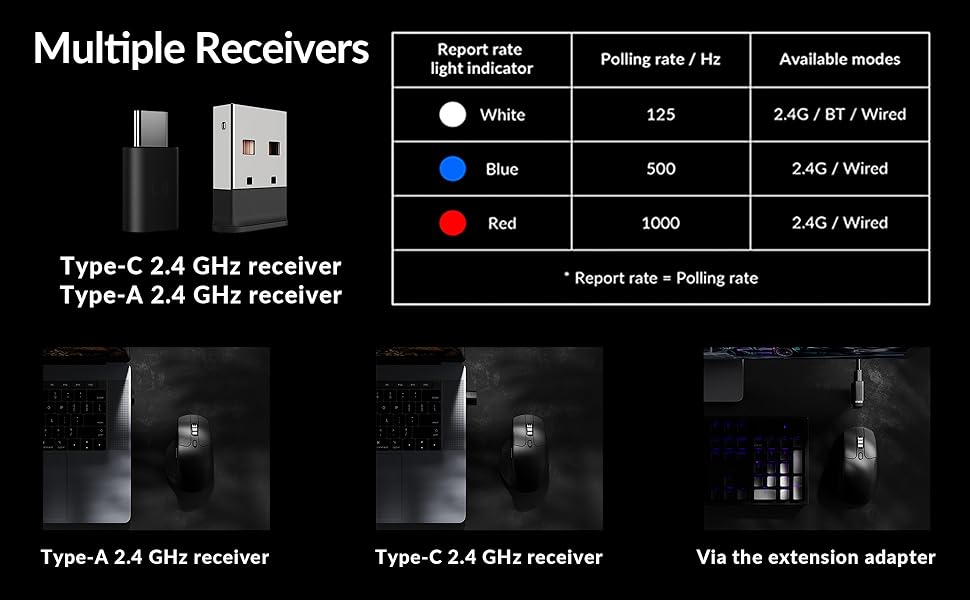
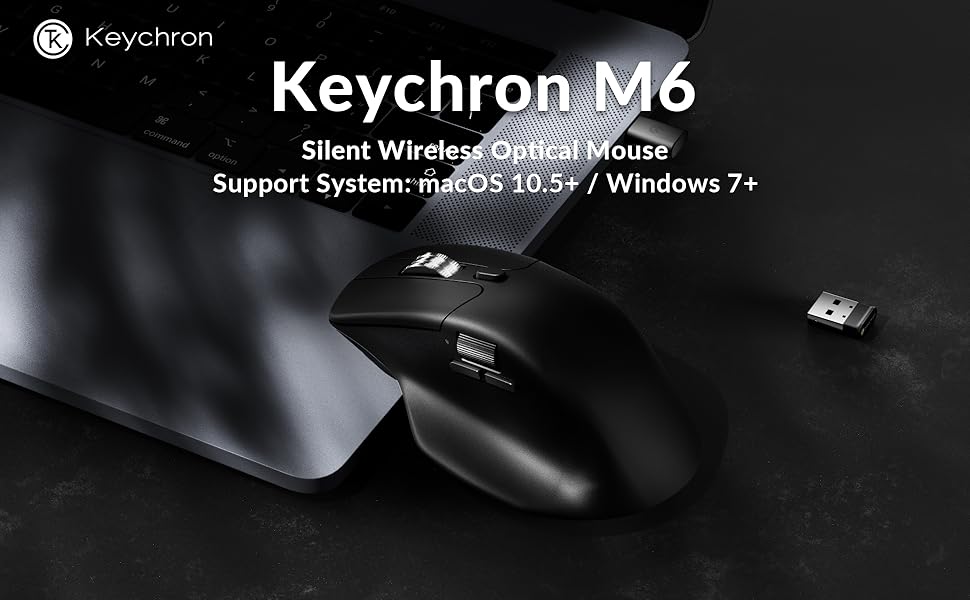
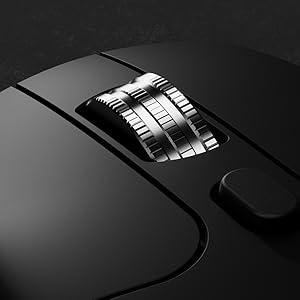
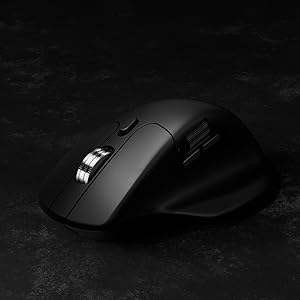
The Keychron M6 Silent Wireless Gaming Mouse combines cutting-edge PixArt 3395 optical sensor technology with ultra-low latency 1000Hz polling and versatile Bluetooth 5.3/2.4GHz/wired connectivity. Its lightweight 86g ergonomic design and fully programmable buttons make it ideal for professionals and gamers seeking precision, comfort, and seamless multi-device control—all wrapped in a sleek, silent package.


| ASIN | B0FP2D8DW6 |
| Additional Features | Soundless |
| Antenna Location | Gaming, Indoor, Office |
| Are Batteries Included | Yes |
| Are Batteries Required | Yes |
| Best Sellers Rank | #96 in Computer Mice |
| Brand | Keychron |
| Button Quantity | 4 |
| Color | Black |
| Compatible Devices | Personal Computer |
| Connectivity Technology | Bluetooth |
| Customer Reviews | 4.3 out of 5 stars 216 Reviews |
| Enclosure Material | Plastic With Metal Accents |
| Hand Orientation | Right |
| Item Weight | 0.32 Kilograms |
| Manufacturer | Keychron |
| Model Number | M6S |
| Mouse Maximum Sensitivity | 26000 Dots per Inch |
| Movement Detection | Optical |
| Movement Detection Technology | Optical |
| Number of Batteries | 1 12V batteries required. (included) |
| Number of Buttons | 4 |
| Operating System | Linux, Windows, macOS |
| Power Source | Battery Powered, Wired |
| Range | 33 feet |
| Special Feature | Soundless |
| Style Name | Modern |
| Unit Count | 1.0 Count |
| Warranty Description | 1 Year Manufacturer |
P**H
The MX master killer
New favorite mouse. The side buttons are a bit small but still easily useable. Everything feels great. Feels premium while remaining lighter weight. Infinite scroll feels great. Finish doesn’t leave any fingerprints. All the buttons are silent (even L/R click and the scroll wheel). Have done some light gaming with it and have zero complaints. If you’re looking for an alternative to the MX master series you’ve found it at a competitive price.
S**E
Great Mouse - But Quite Slim
Love the free scroll wheel, buttons are muted rather than loud and clicky, and no issues with connectivity and there is little to no noticeable lag or latency. Battery life is solid as well. Only downside I’ve found is that, coming from a Logitech Triathlon, it is a bit too slim for my hands to the point of being a bit uncomfortable. It is also very light - which can be a positive or a negative depending on your preference. Overall, solid option at a good price.
C**Y
Excellent quality, perfect couch mouse, great for big hand
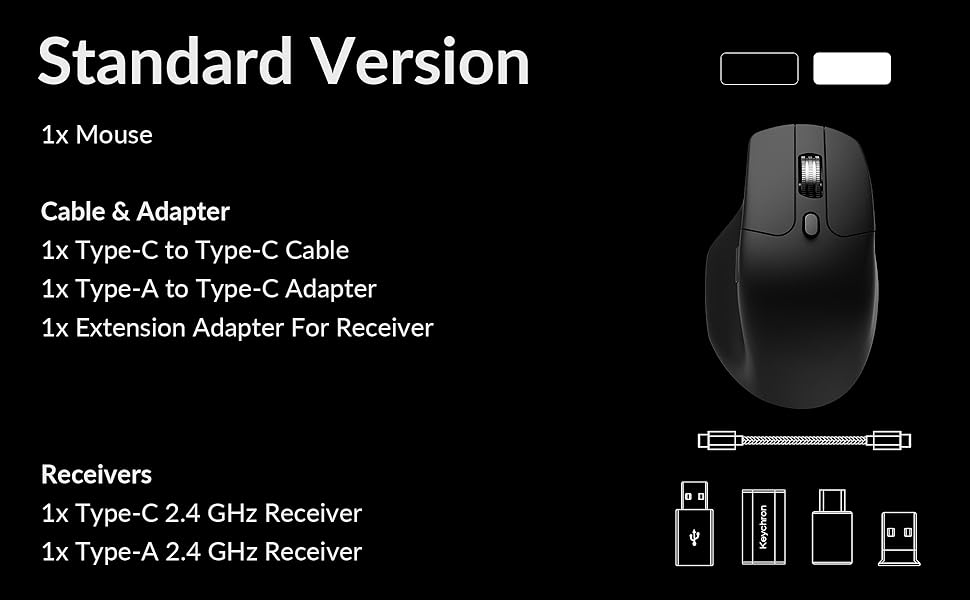
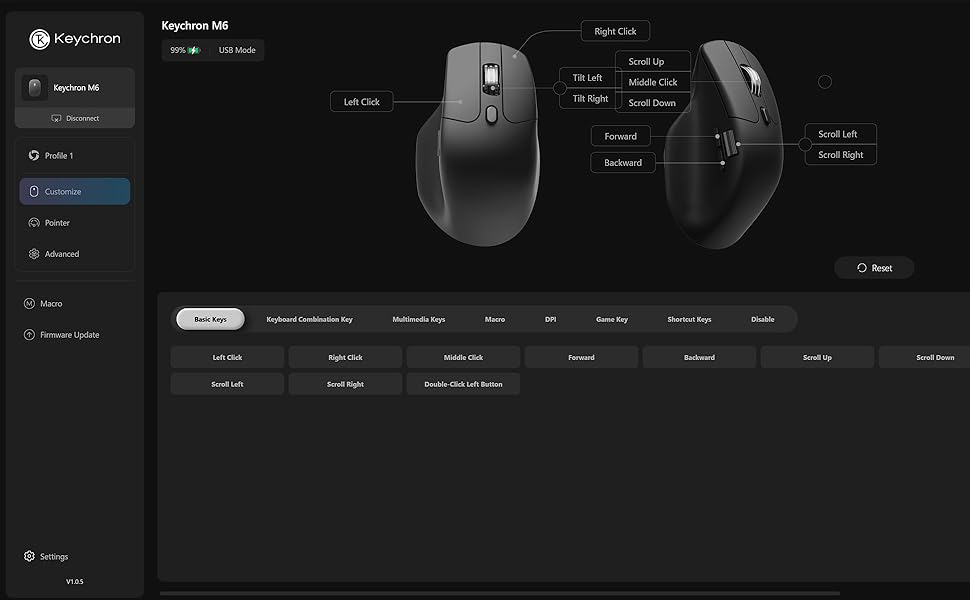
This is an excellent mouse, and I love the hand position. It mixes the best of a standard mouse with some of the benefits of a vertical mouse. I have large hands (19x12 cm, wider than many), and I was pleasantly surprised that this accomodates me so well. I was also very impressed by the detail that Keychron put into this. It's simple, elegant, understated with a polished, thoughtful feeling in all areas. Although the mouse isn't very wide, the tall hump perfectly turns my wrist, so that my first and middle fingers feel like they're on a standard mouse, and my ring and pinky fingers stack perfectly next to the mouse without too much weight on the pinky. This alllows for more precise control than a vertical mouse while retaining a more vertical wrist position. After decades of RSI, this is the first right-hand mouse that doesn't crack my wrist as I move. It's especially useful while mousing on the couch, where more flat mice tend to cramp my wrist. The sensor is flawless on my couch as well. Not a surprise, as the 3311 is still one of the best sensors, despite there being better available. All the controls are well thought out and placed nicely. I love the metal scroll wheel with free-spinning and well notched options, and the machanical switch is pleasant enough. It leans left and right with nice clicks, and has a quality machined, edgy feel. I remapped these clicks to go back and forward, it's very convenient. The thumb rest is excellent, not too big like others. The thumb buttons are where you want them, and they feel nice. The primary clicks feel soft and tactile, and all the clicks are very quiet. Although there isn't local software, the online software is excellent. It's intutive with no stupid gamer clutter or mysterious nonsense. It's a simple, effective, well organized design that never insists on itself. It took me less than a minute to remap the thumb scroll and wheel clicks. If you like gamer precision, you can also set custom dpi settings and multiple profiles. You must use Opera, Edge, or Chrome, so Firefox users are slightly inconvenienced. I've only used bluetooth for regular use (wired for mapping), and it's stronger than several other bluetooth mice I have. If I ever have a problem with the dongles, I'll say so here, but if you're reading this, assume the dongles work as expected. The bluetooth will also seamlessly switch between 3 devices once paired to each. The little details are what really makes me love this thing. The settings buttons are on the bottom. You have 5 dpi settings available, and each one is represented by a different colored light, there's never any confusion. Same with the 3 different polling rates with their own button. The bluetooth switching has its own button, and an honest-to-goodness physical switch chooses bt, dongle, or wired modes. I always switch off the mouse after couch use, and I hate mice that don't have this switch. The settings lights are underneath the mouse with their buttons, and the only visible light when using is a small light next to the thumb: it turns red when charging, blue when pairing, and is off at all other times. Even when on, this light is unintrusive, without distraction. Details continue with the accessories. Both a USB-C and USB-A dongle are included, plus adapters for each, plus a nice braided cable. All with a mouse costing 40 bux! If you like premium packaging, Keychron has that as well. It's a nice, thick walled box with premium finish and foam. It all feels more expensive than it is, and makes more expensive options look miserly. Perhaps the best detail is the finish on the plastic. It's a satin finish plastic with no stupid rubber coatings. It's grippy enough while feeling premium and breathable in hand. The rubber finish on expensive mice is the first thing to get ugly and wear out, and this mouse feels like it will look and feel great for much longer than those. My hand really enjoys the feeling whenever I grip this, you don't need rubber to feel premium. The only cons I can name at this price are not big complaints. There isn't a slot for the dongles, but I'm happy they didn't crowd such a great design with it. The bluetooth is so good the need for a portable dongle is reduced, but if you insist on a dongle slot, look elsewhere. Keychron would do well to sell a carrying case with a dongle pocket. My second complaint is the online-only software. I understand if cloud software is easier, but we really should have a locally installed option. Although the tool works well, insisting on a browser still feels cheap and cumbersome. Still, for 40 bux, I haven't been able to find a better mouse for my needs. My other favorite mouse is the 3DConnexion Cadmouse Pro for its width, angle, middle button and Left hand version, and those cost 120 bux. Even then, the Cadmouse is made for desktop use, and isn't as close to vertical as the M6, so the M6 is just better on the couch. I hope this long-ish review helps. Mice and controllers are like clothes and shoes; very difficult to know if it will fit until you have it in-hand. If you have wide hands, don't be afraid to try this mouse. I almost passed on it, and I'm very glad I tried it.
L**H
Good not great
This is overall a good mouse overall. I used it for a full day of CAD work. The issue was the scroll wheel, it required a heavy press and did not perform as well as I hoped. The build quality is nice with the exception of the scroll wheel, it has almost a rattle or grainy feel to it.
J**Z
Great value for the features.
This is a great "do everything" mouse. Productivity work is excellent, easily customizable, and you can do it all on a web browser, so no software needed. I mapped the side scroll wheel to the left and right arrow keys for music production and it works insanely well. I love the tactility of the side scroll. I've had it for 2 months and charged it only once last week at around 40% while using it at least 4 hours a day. And up to 6-7 hours on the weekend using the dongle. And you can use it while it's charging (imagine that Apple). The mouse is really light which didn't bother me as much as I thought it would. The clicks are quiet, and feels really comfy in my hand. I used it for gaming in MOBAS and it's great. Biggest downside, is that there's only 1 profile. So if you want to map different buttons for different uses, it doesn't seem like you can. Not even on the software. Kind of a bummer but not a deal breaker for me. Either way. This is a solid mouse for the cost. Yeah you'll get a more premium experience with an MX master, but this is like 85% there at a quarter of the cost.
A**N
Does everything it claims.
I bought this to replace my MX Master 3, like many, and I don’t regret it. It’s lighter, smoother (both physically and digitally), and much easier to use. My only gripe however, is the side wheel feels cheap to spin, and is plastic. But that’s really it.
S**4
Great Mx Master alternative for a fraction of the price
This is a great mouse. It’s very similar to the Mx Master 3 I have but it actually has some features I like better. It’s configured through a webpage instead of having to actually install software which is great for work PC’s which may be locked down. The scroll wheel is great and while it doesn’t have the fancy adaptive scroll the Logitech has you don’t need to worry about it breaking. The buttons are all fine and very quiet. I haven’t used it enough over battery yet to say how long it lasts but you can use it while charging. Something else I like is the body of the mouse is just hard plastic. It does make it feel a little cheap but I really prefer it over the rubber skin Logitech uses which tends to get gross over time. The only things I’d like to change on this are moving the button to switch Bluetooth devices to the top of the mouse for easier device switching and maybe giving the body of the mouse a texture so it isn’t as slippery. I’d also like to add that it was a much better deal at $30. For $50 it’s nowhere near as compelling.
L**.
Keychron PixArt 3395 1K (All Silent) vs MX Master 3S
Important note before unboxing ------------------------------------- Don’t let the box fool you. Keychron seems to have some printing errors that they really should fix, otherwise they will face many unnecessary returns. In my case, the box says M6 LITE, SKU M6S-A1, and lists the PixArt 3311 sensor, including all specs for that sensor—which is incorrect for my mouse. Because of this, I almost returned it and even opened a support ticket. They suggested I try the mouse first. After testing, I realized the mouse was actually the PixArt 3395 1K version. Here’s how I confirmed it: - In the online Keychron Launcher, I was able to set DPI up to 26,000 - The firmware version installed is exclusive to the PixArt 3395 1K So yes, it was clearly a printing error (come on, Keychron 😅), and I decided to keep it. Why I started looking for an MX Master 3S replacement ---------------------------------------------------------------- There were two main reasons: Right click issues: 1. The right button started to become unreliable. Sometimes it wouldn’t register clicks depending on how the button was pressed. 2.Terrible 2.4 GHz connection: The wireless connection on the MX Master 3S is a nightmare unless the dongle is less than 10 inches from the mouse. During work, it would randomly become laggy. Turning it off and on temporarily fixes it—but expect the issue to come back. After discovering that the same 2.4 GHz dongle is used for the MX Master 4, I concluded this is likely a protocol issue. That’s when I decided to try another brand. Why the Keychron PixArt 3395 1K is better than the MX Master 3S (and possibly MX Master 4) ------------------------------------------------------------------------------------------------------------- - Much smoother gliding than the MX Master 3S. I use a PU leather desk mat, and the difference is huge—mouse movement feels far more pleasant. - Great materials: The Keychron plastic feels premium and solid. In contrast, the rubberized coating on the MX Master started peeling after about one year. - Left & right click buttons: Very different from standard mice. They have more travel and better tactile feedback, which I personally love. - Middle button: Hard to describe, but noticeably easier to press than on the MX. - Side buttons: Forward and back buttons are much easier to press compared to the hard MX Master 3S buttons. - Weight: It feels significantly lighter—almost weird at first—but I ended up really liking it. - Polling rate: 125 Hz (MX) vs 1000 Hz (Keychron). Pointer feels softer and more responsive - Connectivity: Keychron: 5 devices (3 Bluetooth + 2.4G dongle + wired) MX Master: 3 devices (2 Bluetooth + 2.4G dongle) The Keychron 2.4G connection is stable 60 inches away with no lag. - Software: No more glitchy software. Keychron Launcher is free, web-based, and works flawlessly. Being picky ------------- - The metal scroll wheel on the MX Master 3S rolls more smoothly. - The side wheel on the Keychron feels a bit stiff when scrolling.
Trustpilot
4 days ago
3 weeks ago