

🚀 Unlock elite performance — because your productivity deserves a turbo boost!
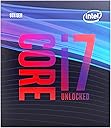
The Intel Core i7 9700K is an 8-core, 8-thread desktop processor with a base clock of 3.6 GHz and a turbo boost up to 4.9 GHz. Designed for LGA 1151 socket motherboards, it balances high performance and thermal efficiency, making it ideal for multitasking professionals who stream, game, and create content. Integrated Intel UHD Graphics 630 provides fallback visuals, while its 12 MB cache and 95W TDP ensure robust computing power without overheating. BIOS updates are essential for optimal stability.


| ASIN | B07HHN6KBZ |
| Are Batteries Included | No |
| Batteries | 1 Lithium Ion batteries required. |
| Best Sellers Rank | 32,252 in Computers & Accessories ( See Top 100 in Computers & Accessories ) 89 in CPUs |
| Brand | Intel |
| Colour | other |
| Computer Memory Type | DDR4 SDRAM |
| Customer Reviews | 4.7 4.7 out of 5 stars (10,200) |
| Date First Available | 8 Oct. 2018 |
| Graphics Card Interface | Integrated |
| Graphics Coprocessor | Intel UHD Graphics 630 |
| Guaranteed software updates until | unknown |
| Hardware Platform | PC |
| Item Weight | 44.9 g |
| Item model number | BX80684I79700K |
| Lithium Battery Energy Content | 10.5 Watt Hours |
| Lithium Battery Packaging | Batteries contained in equipment |
| Lithium Battery Weight | 0.2 Grams |
| Manufacturer | Intel |
| Maximum Memory Supported | 65536 MB |
| Memory Clock Speed | 3600 MHz |
| Number Of Lithium Ion Cells | 2 |
| Number of USB 2.0 Ports | 1 |
| Power Source | Hand-operated |
| Processor Brand | Intel |
| Processor Count | 8 |
| Processor Socket | LGA 1151 |
| Processor Speed | 3.6 GHz |
| Processor Type | Core i7 |
| Product Dimensions | 11.61 x 10.11 x 7.01 cm; 44.99 g |
| Series | INTEL BX80684I79700K |
| Wattage | 95 |
C**N
Good CPU for heavier workloads, doesn't get too hot
A good Cpu, and a great choice if you are upgrading on a x370 or z390 motherboard. It does not come with a stock cooler, as the stock cpu cooler is inadequate for the I7 I do NOT reccomend this purely for gaming, because the processor has 8 cores and 8 threads, which is overkill for most games, you would be better off buying an i5-9600kf which has 6 cores while still being overclock-able, it has no integrated graphics but, at a lower price. You can invest thay money into something else, like a better graphics card or more SSD storage. make sure your system's performance is well balanced, won't be ideal to pair this with a GT 610 now... The cpu has a boost clock of 4.90 Ghz, and with some tweaking in the bios power settings you can improve its performance, go watch some YouTube videos on bios setting for this CPU. I brought it for a wide variety of applications where I required the extra cores, such as: gaming and streaming simultaneously, media creation, and rendering videos. I was able to render a 49 minute video at 1080p, 60fps, 12 Mbits bitrate, vbr 2 pass, under an hour while doing other things! Yes, it was constantly at 100% usage, but I was very surprised that it never peaked over 68°C, I only used a hyper 212 evo black, no water cooling, just 1 cpu fan. My cpu never hit its maximum tdp of 95 Watts though, so I am still leaving some performance on the table. At idle, my cpu draws about 8-20 Watts running discord, chrome, and a bunch of background applications. It is disappointing Intel disabled hyperthreadding for this cpu, therefore the cores and threads are the same number. The Cpu won't be a bottleneck during gameplay, it will be up to the rest of your system to do their part. While recording and streaming, you can easily do x264 encoding at medium preset in OBS, and still have enough performance for the game. I upgraded from an I3-8100, it was cheaper than getting ryzen as I would have needed another motherboard. Beware that your motherboard may not be able to supply enough power for this processor, if its relatively cheap, and is not reccomended for overclocking, it may damage the capacitors on the motherboard from too much current, be sure to look for reviews on your motherboard first to make an informed decision, its better not to risk destroying your motherboard and or other parts of your computer. Q: Do I need an unlocked Cpu? A: Most likely not! However overclocking is for squeezing out even more performance form the Cpu, so even if you aren't planning to get the best performance in the world, it's good to know that when your Cpu eventually becomes underpowered in the next few years, you can always overclock it a bit more to be able to match newer generations of hardware. But in the short term they do cost more money to buy. I do not believe making a new system with this cpu is a good Idea, as you won't be future proofing yourself. So either get a newer generation of cpu or just wait for Intel or amd to make a cpu that won't change its socket the next generation. But hey, it's YOUR system! Do as you please!
H**2
Amazing cpu BUT UPDATE YOUR BIOS TO AVOID FREEZING AND GLITCHES !
I am an average consumer... just wanted to buy this to play games from time to time... i edit music so i know i needed the cpu as well for recording with low latancy. I haven't tested the editing yet but gaming... WOW its incredible... i have an rtx 2070super and it plays perfectly well. I play Fortnite moderately im not a pro, but i get around 80-100fps sometimes even more. Of course this depends on your settings you use, i put everything almost maxed settings, i am a fifa guy and playing on my ultra wide monitor gets me the slight advantage.... no problems playing fifa at Max settings i tend to get 120fps but that is only because nvida gsync helps to sync with the refresh rate of monitor... Star Wars Battlefront 2 and the new Fallen Order is AMAZING plays smooth both you can get above 80fpsx Battlefront you can get more in the 100fps reagion and to finally top it... i played all the games at 2K resolution (1440p) BUT!!!!!!! there is a a disappointing moment had while putting this beautiful cpu. YOU MUST UPDATE YOUR BIOS in order to avoid the following- glitches and FREEZING. It is sooooo important that you update your bios. I use a msi z390 gaming plus motherboard that supports both 8th gen and 9th gen cpus. you have to update BIOS!!! I WAS SO CLOSE TO returning this product... until i pushed myself to figure out the issue... Hard work PAID OFFFF its amazing and I'm looking forward to more intense stufff !!! My old cpu was the i3 8350K it did an amazing job but lacked the power to give me the 2K gaming i wanted followed by some of the editing i wanted to do though it wasnt a problem most of the time. Please buy this you wont regret but be cautious... be smart... be on your feet do not panic. If there are problems you WILL find a way to sort the issue out... my case was updating the bios. Hope this helped.
C**N
Lightning fast, deals with high load (4K) gaming very well - gets hot
Bought this for building my first PC. Compared to the i9-9900K this is the obvious choice. Yes, in 9900K has hyperthreading, but I've watched through countless benchmark tests, and there is simply not enough of a performance jump to justify the extra cost (in fact, the 9700K is actually better some games). One word of warning though, if purchasing this CPU, make sure to get a pretty high end air cooler, or better yet, a AIO liquid cooler (I'm using an NZXT Kraken x62, could also use the Corsair AIO). Inititally I bought a budget cooler and the 9700K simply gets way too hot for it to handle. Also recommend pairing it with a higher end z390 motherboard, as this will likely improve the performance over the entry level z390's, which will struggle to keep cool with this cpu. With good cooling, this CPU is comfortably the best CPU for gaming currently, even though it lacks the hyperthreading of the 9900k, it is cheaper, has almost identical performance and is probably a little cooler thanks to the lack of hyperthreading. Can also OC this CPU if desired and your cooling is capable of handling it.
J**T
OC 4.7.GHz
So far overclocked to 4.7Ghz with no problems. Still feel like it has more to go but don't need any more from it for new.
W**R
Nice upgrade from older intel processors
I purchased this to upgrade from an older i7 4790k processor which in its time was no slouch and still did well to keep up with most apps and games. But I felt it was time to bring my PC up to date and rather than change to AMD I kept faith with Intel. No complaints at all. I've fitted a nice chunky heatsink and fan to keep it cool and at the moment not feeling the need to overclock it just yet. Definitely makes my PC experience zip along at pace again and you can appreciate with this one how an older processor lags behind the newer tech.
P**S
Happy with product
Son bought this for computer build and he is happy with the product
F**O
Lo tengo con un Cooler Master ml240l a 5.1ghz 1.35v y no sube de 75-80 grados, mi temperatura ambiente va de 14-24 grados. Estube a punto de devolverlo para sacar el i9 de la misma linea, pero la verdad es que este procesador ya es un overkill para cualquier tarea, ya sea gaming, streaming, diseño, etc no hay una sola cosa que no le puedas tirar y corra al maximo. Este procesador no es para jugar con un monitor promedio ya que queda muy de sobra, esto es para gente que está buscando muchisimos fps, jugar en altas resoluciones o para trabajos pesados. Para computación del dia a dia está demaciado sobrado.
M**N
Passage d'une configuration initiale : A Core I7 2700k , 16 Gigas de Ram vive à 1666 MHz , complété d'un WD CAVIAR BLACK SERIES à 7200 tours/Min. sur Windows 7 64 bits . Le Core I7 de génération Sandy Bridge étant toujours fonctionnel et ce , même en "heavy load" , et ayant été overclocké à 4.5GHz , de façon très stable , sur une très longue durée , "in Game" . Premières impressions : Conditions : Procésseur refroidi sans watercolooling et par Ventirad NOCTUA : NH-U12S avec remplacement du ventilateur d'origine de 120mm en 1500 RPM , par un ventilateur industriel : A haut rendement en 3000 RPM ( Très silencieux en applications courantes et en idle ) . Aucune Chauffe . Ce Processeur 9700K , procésseur de dernière génération à 8 coeurs , et certes sans hyperthreading , apparaît en "Idle" et dans toutes les tâches courantes , et de prime abord très rapide !!! Mais c'est tout de même , au regard de son prix , ce que nous étions en droit d'espérer . Point remarquable : Associé à un ventirad Noctua NH-U12S , dont le ventilateur de 120mm a été remplacé par un ventilateur capable d'un débit en "AirFlow" de 186 mètres cubes/heure , ( NF-F12 iPPC-3000 PWM , Ventilateur pour refroidissement à haut rendement, 3000 tr./min. ). En tâche courante , et assisté de 32GB de DDR4 en 3000 MHz , le niveau sonore en décibels est très réduit . Autant dire que pour les taches courantes , si vôtre installation est stable , et que tout a été mis en place correctement , aucun soucis côté bruit . Le ventilateur Noctua effectue quant à lui le travail , avec une remarquable efficacité , laquelle est immédiatement perceptible . Aucune chauffe n'a été constaté , dans un boitier correctement aéré . Tout celà demeure à confirmer en "heavy load" ... et "In Game" , en pleine session de travail ou de jeu , mais les premières impressions sont en faveur de ce processeur , qui apparaît très réactif , et c'est un air TRES frais !!! qui émane du boitier et non , un air sec et chaud . Le bond et les avantages techniques entre un 4 coeurs même hyperthreadé et overclocké , apparaîssent ici immédiatement . Dans les tâches courantes , et à l'heure actuelle technologique , s'il est assisté d'un SSD valable , de suffisamment de RAM , pour pousser celui-ci vers de hautes températures , il apparaît de suite qu'il faudra lui envoyer un "workflow" de taille , et donc une quantité d'informations conséquentes . En terme de bureautique classique , il semble peu nécessaire de se tourner vers ce genre de processeur . Points positifs : - Aucun problème de chauffe constaté . ( refroidissement à air ) , sans système de "Water-cooling" . - Prix en baisse à l'heure de l'écriture de ce commentaire . - 8 Coeurs vrais . - Le gain en terme de performances pures , comparativement à un 4 coeurs même largement overclocké . Points négatifs : Le prix , encore élevé . Bilan : Excellent Procésseur , surtout destiné aux applications exigentes , et au "Gaming" . PS: Prévoir une carte mère de génération compatible : A Chipset Z390 , ou bien en Chipset Z370 , lequel nécessitera une mise à jour du Bios . BON JEUX !!! :-))) MISE A JOUR du commentaire : Confirmation !!! Aucune chauffe notable du Core I7 9700K , même en 4K "In Game" sans aucun Water-cooling , après plusieurs jours d'utilisation . Comme indiqué un ventirad Noctua suffit , telle que la référence indiquée par exemple , avec le remplacement du ventilateur d'origine limité à 1500 RPM ( Rotation Per Minute) , par un ventilateur capable de 3000 RPM toujours de chez Noctua convient . Aussi , et c'est un peu la cerise sur le gâteau , niveau sonore , aucune mauvaise surprise constatée .
A**2
+ Top-notch gaming performance + Easily overclocked + Comfortable temperatures + No bottleneck issues paired with a 2080 Ti + Rivals 9900K for $150 less - Still don't like the price - 9900K should have been the 9th-gen i7 - No hyper-threading and by extension, SMT - Doesn't come in a cool box (sarcasm) In my opinion, the i7-9700K is the best CPU for gaming rigs in 2019. It easily sits at 5.0GHz and does really well against big brother i9 from the benchmarks I have seen, and I would recommend this for a pure gaming pc. If you intend on doing streaming, video editing and the like, I would recommend the i9-9900K/9820X over this. I hope that Zen 2's performance will cause a big price drop for this generation and the next.
P**O
Um excelente produto, uma pena estar fora da realidade o seu alto custo para nós Brasileiros devido a alta do dólar + crise da pandemia. Utilizo diariamente para trabalho!
S**E
Perfetto, da oltre 5 anni nel mio computer principale
Trustpilot
5 days ago
4 days ago