Desertcart purchases this item on your behalf and handles shipping, customs, and support to EGYPT.
🔒 Elevate your home security game with smart clarity and seamless control!
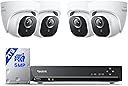
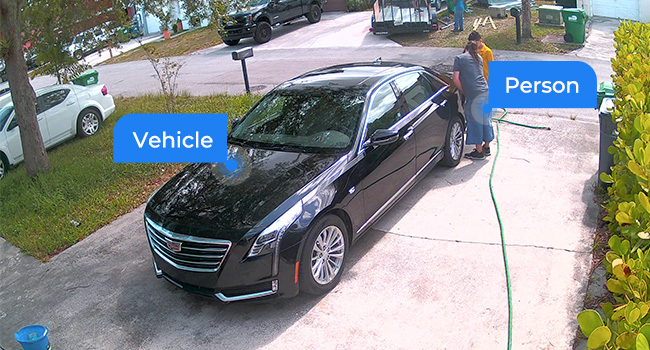
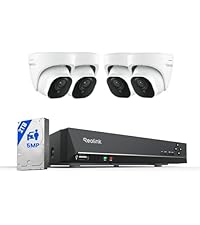
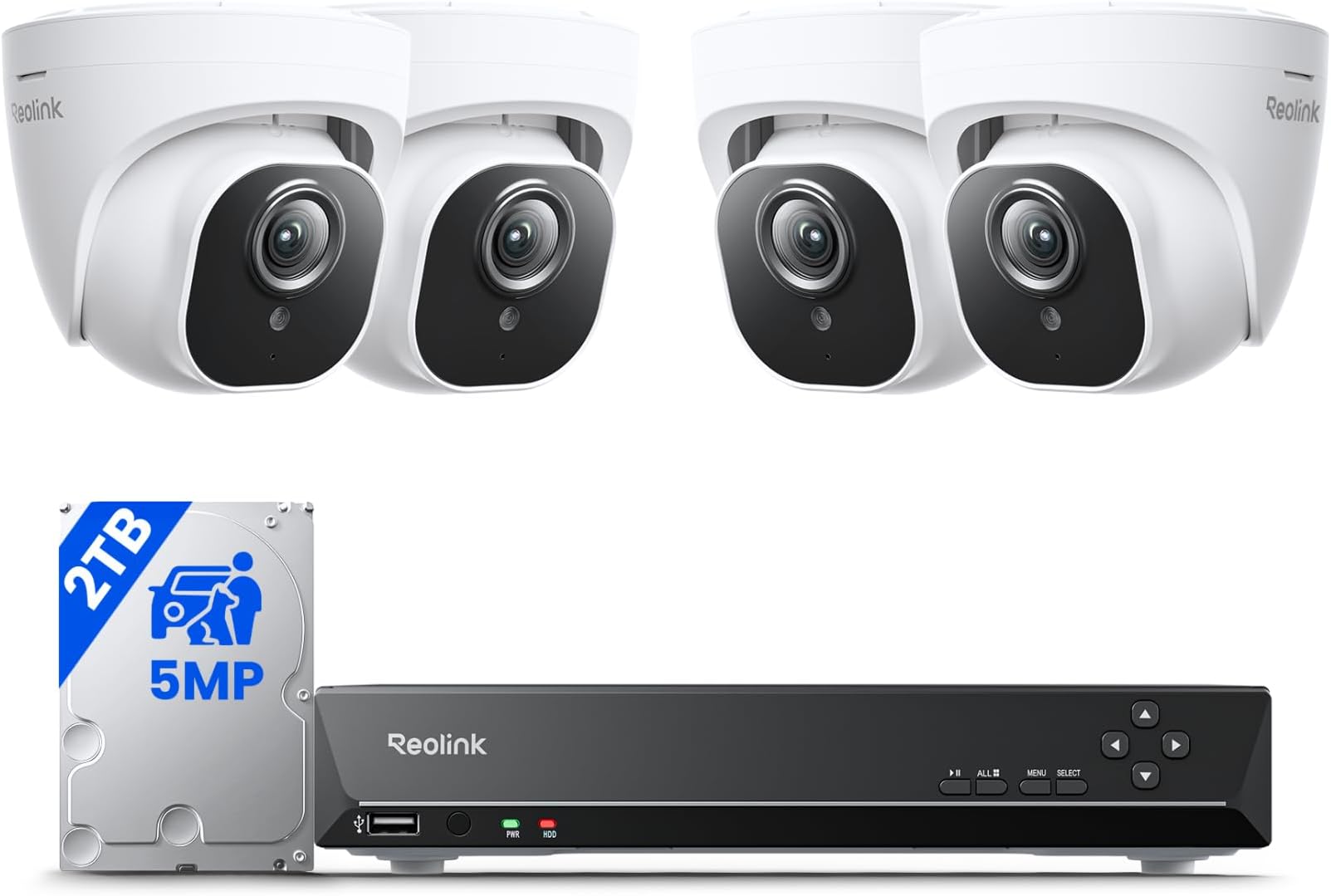
The REOLINK 5MP 8CH Home Security Camera System offers professional-grade surveillance with four 5MP PoE IP cameras, advanced AI detection for people, vehicles, and pets, and powerful 100ft night vision. Pre-installed with a 2TB HDD, it supports continuous 24/7 recording and remote playback via a user-friendly app. Designed for easy plug-and-play installation, this system ensures comprehensive, reliable protection for modern homes and small businesses.


| ASIN | B07H3QVZQ2 |
| Antenna Location | Indoor and outdoor surveillance |
| Best Sellers Rank | #2 in Surveillance NVR Kits |
| Brand | REOLINK |
| Built-In Media | RLN8-410*1, D500*4, NVR Power Adapter*1, HDMI Cable*1, USB Mouse*1, 1m Network Cable*1, 18m Network Cable*4 |
| Camera Description | Front, Rear |
| Color | White |
| Compatible Devices | Cameras, Laptops, Personal Computers, Smartphones, Tablets |
| Connectivity Technology | Wired |
| Customer Reviews | 4.4 out of 5 stars 2,753 Reviews |
| Focal Length Description | 4.0 millimeters |
| Frame Rate | 25fps |
| Hardware Interface | Ethernet, HDMI, USB, VGA, eSATA |
| Item Dimensions | 14.57 x 10.63 x 11.42 inches |
| Item Weight | 0.01 Ounces |
| Lens Type | Fixed |
| Manufacturer | Reolink Digital |
| Manufacturer Warranty Description | customer service (support@reolink dot com); 30-day money back guarantee; 2 years quality warranty; |
| Memory Storage Capacity | 2 TB |
| Mfr Part Number | RLK8-420D4-5MP |
| Model Number | RLK8-520D4-5MP |
| Night Vision | Night Vision |
| Night Vision Range | 100 Feet |
| Number of Channels | 8 |
| Operating System | iOS, Android, Windows, Mac OS |
| Optical Sensor Technology | CMOS |
| Other Special Features of the Product | 100ft night-vision, Adjustable, App Control, IP67 waterproof, Smart Person/Vehicle Detection & Motion Zone |
| Power Source | DC |
| Recording Mode | Motion Recording; schedule recording; 24/7 recording |
| Set Name | 4 Camera 8 Channel NVR Set |
| Signal Format | Digital |
| Smart Home Compatibility | Smart Home Compatible |
| Total Usb Ports | 2 |
| UPC | 725423889802 |
| Unit Count | 4.0 Count |
| Video Capture Resolution | 5MP (2560 × 1920) |
| Video Input | RJ45 |
| Viewing Angle | 80 Degrees |
M**E
REOlink is a solid system (with REOlink cameras)
I've had REOlink equipment for 3+ years now, and have waited until now to review after buying this latest system. Don't get me wrong, REOlink NVRs and computer/phone apps don't play well with other camera manufacturers and has caused me much grief over the years. But when using REOlink-ONLY equipment, their stuff is pretty bullet-proof. My latest system (NVR+8 cams) worked perfectly on the very first power-up. I have 20 cameras now, everything from RLC-423WS, RLC-423, and C1pro PTZs, to RLC-511 zoom, to 4MP bullets, to 5MP turret cameras, multiple NVRs, blah-blah-blah. I've personally wired 2000ft of CAT6 PoE to most of my systems, snaking through walls, attics, soffit, and even buried a few hundred feet of conduit to get all of the cameras and NVRs as inconspicuous as possible. That-said, here's the pros/cons to all of the REOlink stuff together, not just this item: REOlink CONS: - Doesn't play well with others - I think their inclusion of RCA-audio, reset-button, and power-socket is STUPID for an external camera that is made to be PoE (power-over-ethernet). I have to heat-shrink-seal every single one of those connectors on outdoor cameras (that's 54-connections I've had to meticulously seal) - Doesn't support HKvision encoding (used by virtually all of the doorbell cameras on the market) - Technical support is hit-or-miss; 80% want you to go away, 20% want to help, 0% actually do help - Both of my high-end recent cameras (RLC-423 and RLC-511) 4X-zoom cameras seem to have the same internal malfunction with focus... right-side is out of focus when zoomed-in and left-side is out of focus when zoomed-out - Most of their bullet and turret cameras have great quality, but such a narrow field-of-view that its hard to find good mounting locations (they are too zoomed for 8'-12' range use, which I argue is what most houses have indoors and outside for mounting locations) - Their motion-detection is based on pixels changing, not true motion-detection like Ring somehow accomplishes through infrared or other cameras with PIR-detection, so it is constantly going off for shadows and vegetation - The UUID-setup is so simple that it makes internet-security very questionable... if I can sign in from my multiple devices, other countries probably can too - Their cameras require you to turn on the active infrared-LEDs for nighttime use. They are NOT true nightvision like a passive FLIR would be. The problem with the infrared-LEDs is humans can see your camera and bugs are attracted to the lenses - There are plenty of cameras on the market with more optical zoom. 4X is frankly not enough for me in most cases, and most of their outdoor cameras start off with too much zoom to begin-with (no wide angle) REOlink PROS: - Their stuff plays well with their own equipment, better than every camera company I've tried - Their Apps magically work really well, whether on the same wifi-network or cellular or Internet-remote - UUID setup of apps is effortless - PoE setup of cameras with NVR is effortless, so are their WiFi cameras (as long as on same network) - Cameras have really good control of bandwidth-type adjustments (frame size, frame rate, KB/s) - Their motion-detection is fairly-decent; detects all movement (which is a pain with sun/shadow/bushes) - Their cameras have internal memory slots, incase you want localized non-NVR playback capability - I think their night-vision is actually pretty spectacular, but it requires the red-IR-LEDs to be on (and visible) - All of their stored videos have .MP4 codecs compatible with Quicktime and PC/Mac operating systems - All of their systems (NVR, phone, computer-MAC, computer-PC) work the same way, set-up is the same - I've had some cameras outside for 3+ years and they have held-up well to rain and sun I wish their customer / technical service people were more capable. Every time I talked or emailed them, it felt like I was speaking to an intermediary... like they weren't the company that actually designed the hardware. Frankly, I'd pay more and be more pro-REOlink if they gave a crap. Their ultimate response is basically always the same: our stuff works together and if you want to try something else, don't call us. And basically, they're right.
D**D
Great Camero
Great cameras. Clear and easy to install. Had some connectivity issues but was able to resolve them
T**4
Wonderful product
Why did you pick this product vs others?: I was looking at some cheaper ones that were going for like 160 but had some bad reviews so I just spent a little bit more and got these. I'm glad I did. Very high quality. There's some going for so much more. This is all you need. It has 4k video/audio recording. 2tb hard drive. Set up was amazingly easy. You only need to plug one cord into the camera itself and that singular cord (60ft) runs to the NVR. The app is done very well. Night vision is absolutely superb. The cameras themselves look quite stylish. I didn't even have to read any directions it was all so self-explanatory. Now it's only been installed for a few hours so I can't speak on longevity but the other reviews seem to say it works very well in the long term. Which was my biggest concern with going with a cheaper product. If anything ever craps out on me I will definitely come back here and update but for right now I am one happy customer and definitely recommend. Edit - I've now had the cameras installed for 8 months in my business. Over the course of the 8 months, 1 time, the cameras stopped recording and allowing me to view threw the app. I went to the nvr, switched it off, and switched it back on. This worked and brought them back. Other than than that, it's been absolutely flawless. I love that you can view through the app and also on your computer remotely, very easily, and as I said it's set up very nice and intuitive, so easy to use. It's very fast too. Pulls your recordings within seconds remotely. Overall, id say I'm still extremely happy with my choice. I'll come back and update if there's anything that's changed as far as as other hiccup requiring a reboot or it breaking. But overall this thing has given me piece of mind and I'm impressed with the quality.
D**C
An Almost Great Home Surveillance System
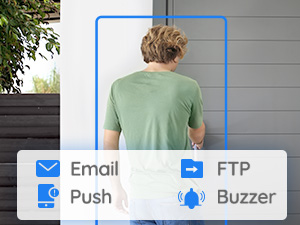
I have just finished setting up an 8 channel NVR with 4 5mp turret cameras. This will be my initial review that I will update after a few months of use. 1. Installation and Setup The hardest part of installation is routing the cables. First thing you need to do is take some time and carefully think about where you want all of your cameras placed. Once you know where you want your cameras, think about a central location in your house where you can route all the ethernet cables to the NVR. The actual setup of the NVR and cameras is incredibly easy. Then first thing you should do is sit down next to your router and test all the cameras and cables and do the initial setup of the NVR. I would also highly recommend that you update the firmware at this point. Mine came with an older firmware version and I immediately updated because there are some excellent improvements made on the newer firmware version. The Reolink website has detailed steps for updating the firmware, and it seems like the company is really committed to improving their product. If you are not tech savy, the setup should not be difficult. The instructions that come with the unit are not very detailed, but their support site has tons of detailed information and walkthroughs for setup. If you are more tech savy there are also some more advanced features like FTP, DDNS, email notifications, which are very cool and straight forward to set up. 2. Hardware The cameras and NVR seem to be of decent quality. They dont seem cheap, but they don't feel like anything special. The camera mounts are easy to install and the cameras are easy to adjust and feel like they will stay in place. My only complaint is that I don't think the cameras need a power input or reset button. They add extra bulk when trying to conceal the camera and they are useless. I think almost everyone is going to be using these with PoE and will feel the same way. You will probably want to somehow weatherproof the reset and power jacks coming off the cameras. I just taped them off with some electrical tape which probably isnt the best. As for the cameras and NVR quality, only time will tell how they hold up under constant use. The cat5 cables that come with the unit are definitely cheaper feeling and it may be worth spending an extra $100 on some more robust cat6 cables. I however went ahead and used the cable that came with the system. I did have to route the cables externally, so once again only time will tell how long they will hold up to the elements. I dont believe they are supposed to be UV or water resistant. One thing that is a really nice addition are the waterproof lids that come with the cables. I especially like that they can be installed without removing the heads of ethernet cable and re-crimping. I believe this was a design update they made to the lids because I saw another review saying that they couldn't be used without removing the rj45 jack. I also wish there were instructions included on how to install the lids, but once again their website does have instructions for this, though they are not up to date. 3. Mobile and Desktop and Browser Applications I run the application on both Android,Windows, and web browsers, and I find it to be fairly intuitive and easy to navigate. There are a few quirks but for the most part it does everything I need. There are definitely some improvements that can be made to the mobile app. First, you cannot rearrange the order of the cameras on the home screen in the mobile app. You can do this on the desktop and browser apps, just not mobile. Also it's important to note that the order of you cameras in the app are not dictated by the channels that you have them plugged into the NVR, but the order that you initially set up the cameras. This is just kind of annoying because the first camera I setup was pointing at my backyard, so now this is the first camera that shows up in the app. I would much rather it be the one pointing at my front door. Second, if you have motion detection setup and you receive a push notification, pressing on the push notification just takes you to the live view rather than show you the actual motion recording. This is something that I always liked about my Wyze cams which I replaced with this system. There also appears to be a significant lag in when motion events are available to view on the mobile app. I would often receive a motion detection notification, open the app, navigate to playback and select the option to "show alarm videos only" however that particular video would not be available. This is probably because the camera records in chunks (30mins, 45mins or 60mins) and the actual motion events don't get separated until the entire recording completes. 4. Motion Detection and Alerts One of the major drawbacks of the system is the motion detection. The motion detection on these cameras is pixel based rather than from a PIR sensor. This means that if your cameras are in areas with constantly changing light conditions, the motion detection will not be reliable. You can try to find a balace by tuning the sensitivity and motion zones, but ultimately I was just getting far too many false positives from the motion detection. I ended up keeping the motion detection on however, and just turning off all push and email notifications. 5. Durability and Reliability Unknown 6. Final assessment This is an excellent product and well worth the price. I got it at a significant discount so I feel even better about the purchase and I can easily look past its shortcomings. If there were two improvements I would want in this product it would be better quality cables included and PIR motion detection. If they offered a PoE camera with PIR I think it would make the whole system exponentially better. That said, as is, this is a more than adequate home surveillance system, that is dead simple to set up, but packed with some neat features and supported by a company that seems to be driving for improvement.
S**A
A fantastic upgrade
These cameras are great. We really haven't had any problems with them, except for one that lost connection and needed a new piece, but they are working fine and offer a nice clear picture. I like the alerts as well to see when someone is at our house.
K**L
Worth it for the peace of mind
After doing a ton of research for a basic home security cam, I decided that POE (power over ethernet) security was the best for my use case for a few reasons. My pros for using POE 1. Wanted an always-record security system without relying on pulling out the sd-card 2. Home does not have adequate wireless coverage to ensure the best video quality at all times 3. Did not want to excessively modify my home by drilling into the walls for power My cons of using POE 1. Need a POE network switch 2. More complicated to setup than a wireless camera Now that I was determined to get a POE camera security system, I narrowed down my research to POE only and I ended up going with REOLink NVR system because, it met all my pros of using POE, and it got rid of all my cons of using POE. Setup and Install: I setup two cameras in the front, one covering the driveway/garage and the other covering the front entrance/front door. The other two camera are covering the backyard. The included 4 cameras are enough to record about 90 percent around the house, with some dead spots where I purposely avoided recording any of my neighbors. The included kit was great and all the pieces are there. I did purchase my own ethernet cables because I wanted longer cables that were easily hidden. I went with 100 feet flat cabling. Each camera ethernet cable goes up to my roof and into an attic vent then down to a hallway, into the NVR controller. This way, I only drilled a single hole from the attic to the hallway right along the wall so almost nothing is visible. I initially used a monitor hooked up to the NVR to set it up but once the initial settings were configured, I disconnected everything except the power and ethernet and control the NVR completely from my PC. Once I figured that out, I moved the entire NVR box into the attic and only have the ethernet from the NVR come through the hole and into my router. I would say the most difficult part of the install was going up to the roof of the house and routing all the ethernet cables, clip them in place, and hide them by snaking them along my roof tiles. That part took a few hours. Once all the ethernet wiring was done, the camera install was easy, taking only 5 to 10 minutes per camera. Video Quality: The 2k video quality was the best compromise for the price and picture quality. I wanted to make sure I can clearly see faces at least up to 20 feet away. The included RLC-520 does an outstanding job in the day and ok job during the night. The day quality is great, I can see faces much further than 20 feet and recorded video is clear enough to zoom pretty far. The night quality is ok, it's about what I expected for the price. It still shows good detail just not clearly able to distinguish faces at 20 feet. I have my settings at 2560x1920@30fps with 8192 bitrate, sound on, no motion detection. With 4 cameras, I fill the 2TB hard drive in about a week and then it overwrites the oldest video, like how a dash cam works. In the future, I might try to upgrade the capacity. Reolink App: I use the windows client on my home PC and it's very easy and intuitive to use. Every aspect of the system can be controlled and monitored with the client and I like how easy it is to organize all the video, taking a pic, video clipping, zooming, all very easy and intuitive. Not sure what video settings to use so I just maxed them all out. I also use the android client when not home and it works just as well and has all the configuration options like the windows client. Overall I would say the client exceeded my expectations for the price. Reolink Support: Amazing support! I had an issue with one camera reverting to default settings and I contacted support. They asked me a few questions and then immediately sent a replacement camera. Unfortunately, the camera was delayed because it was out of stock but I didn't mind, the camera was still recording fine, just not at the maxed-out settings I always set it to. Reolink support was responsive and communicative and I have faith they will take care of me in the future. Conclusion: For the price I paid, I love this kit. It perfectly ticked off every checkmark I had as a requirement. Now I have peace of mind, I didn't drill all over my house, the camera always records so I can playback, the video quality is good, and the interface is so easy to use, my kids even use it on their phone.
A**R
Customer Service Is AWFUL. Faulty cameras. Go buy something else.
I had one camera dead on arrival, I contacted customer service to get a replacement, and they make you jump threw so many hoops you can’t get any help. I am very tech savvy, and had no problems setting up all the cameras myself. When one camera arrived dead, I tried to get a replacement. Naturally, they wanted to troubleshoot it first. They sent me various links to guides, I followed them all and the camera still did not work properly. Next they asked if my firmware was up to date. My unit is set to auto update, and when I clicked the manual “check for updates” button, it said it was up to date. They told me I was wrong, and sent an attachment to download and manually update it. This caught me off guard, as it seems like their auto updater should have got any available updates. This part annoyed me because I know if it was someone like my older parents handling this, they probably wouldn’t know how to manually download and update firmware. After manually updating to the firmware they sent me, my camera still did not work. They gave me more steps to troubleshoot, and kept saying I must be doing something wrong. None of their suggestions have solved the issue. At this point I figured “nothing helped, they will probably send me a replacement now.” NOPE! They wanted me to make a video recording of the entire troubleshooting process and email it to them. Reluctantly, I made the video, only to discover that the file was way too large to upload to the email. I told them this and they told me I have to upload it to a website that allows bigger uploads. After running into issues with the video, they said they need to call me to troubleshoot over the phone with me. Then I find out that they’re in some foreign country, and their business hours don’t line up with mine. So after failing to get on a call with them, they closed the ticket and haven’t gotten a replacement for the faulty camera. The motion section is horrible. I have spent way too long trying to fine tune the detection, and I finally just turned it off. I set the detection envelopes so that it had to detect for 5+ seconds, and I was getting false detections repeatedly. It got to the point where it wasn’t even worth trying to use it. I have a Ring camera as well, so I just let the motion detection of that alert me. Garbage customer service; and when dealing with security cameras it’s not worth the hassle when you spend that much on their product. Save yourself the heartache and go buy a Ring.
K**.
Good camras
Love them good picture easy to set up and use
Trustpilot
2 weeks ago
3 days ago