🔥 Build Bold, Cool Smart – The Cosmos Awaits! 🌌
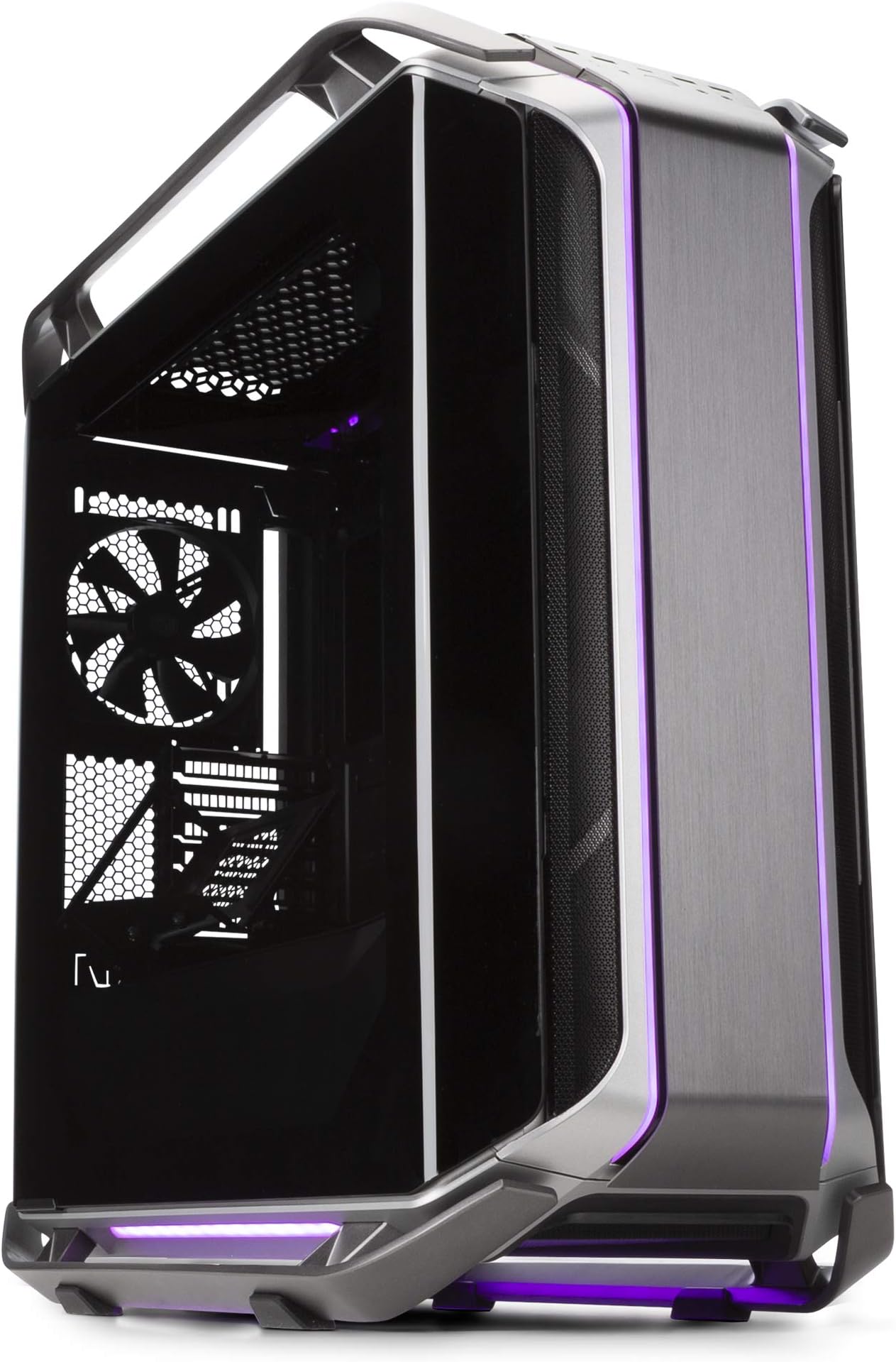
The Cooler Master Cosmos C700M is a premium E-ATX full-tower PC case featuring a curved tempered glass panel, versatile interior layout with riser cable for graphics card mounting, extensive liquid cooling support, customizable ARGB lighting, and advanced cable management. Designed for high-end builds, it offers 8 expansion slots and modern connectivity including Type-C, making it the ultimate chassis for professionals and enthusiasts who demand both style and performance.
| Wireless Type | 802.11a |
| Number of USB 2.0 Ports | 2 |
| Number of USB 3.0 Ports | 1 |
| Brand | Cooler Master |
| Item model number | MCC-C700M-MG5N-S00 |
| Item Weight | 52.5 pounds |
| Product Dimensions | 25.6 x 12 x 25.6 inches |
| Item Dimensions LxWxH | 25.6 x 12 x 25.6 inches |
| Color | Black / Grey |
| Batteries | A batteries required. |
| Manufacturer | Cooler Master USA, Inc. |
| ASIN | B07H6MKSXZ |
| Is Discontinued By Manufacturer | No |
| Date First Available | September 11, 2018 |
J**T
A VERY GOOD FULL-TOWER COMPUTER CASE
The Cooler Master "Cosmos" C700M full-tower case is, to my eyes, a beautiful thing to behold - sleek, powerful design which is - admittedly - heavy but designed to be carried with its two handles at its top. Anyone looking to buy this case is more than likely familiar with assembling their own computer, and therefore able to figure out how best to install their components as they would like into this case, which allows a wide range of installation possibilities.I find it to be very quiet in operation, and its glass door allows easy access to the inside of the case for cleaning and inspection. This case also seems to be quite effective at filtering out dust, the enemy of all computers. I rate it highly for its design and quality of materials. The assembly-instruction diagrams which come with the case can be a bit daunting to interpret, so you have to rely on your own visual skills to figure out just what the possibilities are with respect to configuring the layout of your case to fit your needs. This size of tower case is essential for anyone using large, complex graphics cards like the NVIDIA GeForce RTX 2080 Ti I installed. I also like the way the power supply and its cabling is neatly mounted in a compartment below the main board and graphics card and hidden from view, yet is readily accessible.I am glad I did my homework by doing a Google search for "best computer tower cases for 2019," which came up with this particular case being listed as the #1 recommendation in the Full Tower category.
R**N
Highly recommend this case would use the fans it had in it but they looked stupid being so small
This case is heavy and premium asf Fits 420mm radiator in top or front i have the asrock x870e taichi motherboard and the 7900xtx taichi gpu s 9950x3d cpu 96gb of ram and this case keeps it all nice
F**O
Very well advance case
The media could not be loaded. This has to be the best case I have ever own. Durable, very advanced with new features, great cable management, wifi6 and BT, my Gigabyte motherboard fits well, all the lights look beautiful, although it’s heavy you can still manage to carry, the doors are very accessible at all time, beautiful glass door because it seems I have no door so I could see inside clearly, the color of the case blends in with my office, it looks so good especially next to my old case, and best of all it fits so well with. Y system which is very fast: Ryzen 9 cpu Threadripper, Gigabyte board Master, 128 Corsair memory RGB, 1200 W Termaltake PSU, Nvidia 3080 GPU, M5 Hdrives, 14tb Gold WD HD, 2 customer LED cables for Motherboard and Graphics card, and all the extra cables it hides perfectly. Amazing purchase!!!!
S**.
Beautiful case but Giant
Love this case although I didn't know that it was gonna be this big looked like the delivery guy was delivering a refrigerator lol the lighting looks amazing although sometimes its a bit buggy but works as it should mostly had this case for 3 years now and its holding up well the removable side panels are really high quality and the tempered glass panel feels high quality very easy to build in this case with a enormous amount of room inside it says it fits a E-ATX motherboard but mine was a tight fit (Z390 Aorus Xtreme) Overall very happy with this case but the high price tag at 500 makes it a tuff buy but worth it imo for the great build quality.
M**K
A display case for water cooling
If you’re interested in purchasing this case, then consider two things before making your decision.First, this computer case is essentially a display case. It’s a case designed for enthusiasts with money and as such it is assumed the buyer has enough spare cash to invest in a complete water cooling solution. The case has just enough (barely) airflow to help remove the ambient heat generated from the components that are not water cooled.The second thing to consider is the fact that this case is entirely inadequate for hosting a system cooled only by air. The filters alone significantly reduce the volume of air needed to be pulled into the case in order to keep the system reasonably cool. If you must rely on air cooling, you would be better off removing all the filters and then periodically blow the dust out of the case with a can of air. I don’t recommend this option and instead I encourage you to install a liquid cooling solution.Once you remove the filters, covers, and shrouds (very easy) working in this case is a walk in the park.As already mentioned many times the case is very large in size, yet what might not be apparent, isn’t so much its size alone but rather its extraordinary weight. There are many large mid-size and full-size tower cases available in the marketplace which weigh only a fraction of the weight of this case. With a water cooling kit installed I’d wager the case would be too heavy for one person to carry.The case I/O has a lot of cables and wires. Unfortunately, these wires come in a jumbled mess. To untangle these wires for better management, you’ll need to unplug the wires from the rgb/fan controller. It might look intimidating at first, but it’s really not that complicated. The right side of the case has plenty of room to hide cables so it’s possible to implement a clean wire scheme, but thanks to I/O wire mess expect it to take a lot of work.The fan controller is very primitive and only allows for two fan speeds. It does not regulate fan speed based on temperature. If your motherboard has enough fan headers to support the number of fans you have in your case and your motherboard has sensors for temp and is capable of regulating fan speed based on temperature, especially if your motherboard supports a customizable temperature curve, I highly recommend using your motherboard to power your fans. Besides, if you want to know the current rpm of your fans, you’re not going to get that information from the case fan controller.This case is well made, vastly superior to my Cosmos S case I purchased in 2008. The Cosmos S had a capacitive power switch that ended up failing and could not be replaced. So I’m happy to see that the C700P comes with a simple mechanical power switch (who’da thunk it). Like the Cosmos S, the weight of C700P is supported by skids, but unlike the Cosmos S, the skids of the C700P have rubber pads under them. Without the rubber pads, the paint on the skids of the Cosmos S, which were painted aluminum tubing, would rub off when the case (which was also a very heavy case) was moved across the surface it was resting on, leaving behind stains that proved permanent.The rgb controller provides a very limited number of color presets. A good thing if you ask me, otherwise you'd have to push the button a ludicrous number of times to get back to the color of your choice. The LED are very bright and can thankfully be turned off and on. The rgb controller has a 4 pin plug for the rgb header on your motherboard which will allow you to change the LED strips as a group to whatever color you want but the rgb controller does not have an addressable rgb (argb) plug as the lights in the LED strips are not addressable so they cannot be assigned different colors (see the C700M model).If you are an enthusiast with deep pockets and intend to cool your system with water and don’t need argb, then I highly recommend this case, after all it’s a fantastic looking case and has plenty of room to accommodate radiators and reservoirs and even has enough room behind the motherboard to run tubing if you’re willing to do a little (easy) modding.
Trustpilot
1 week ago
1 month ago